Hello, I have a question.
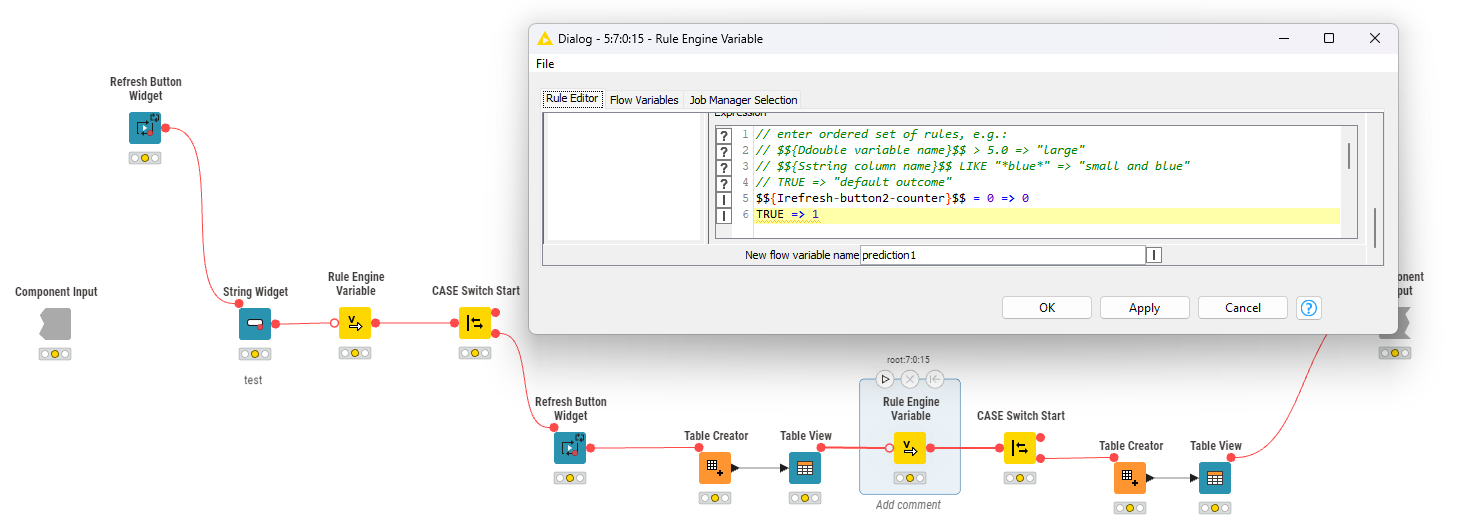
I am trying to implement sequential logic in KNIME.
I want the results to be displayed one by one when clicking the Refresh button, but currently, all results appear at once even when multiple cases are processed.
Here is what I want to achieve:
-
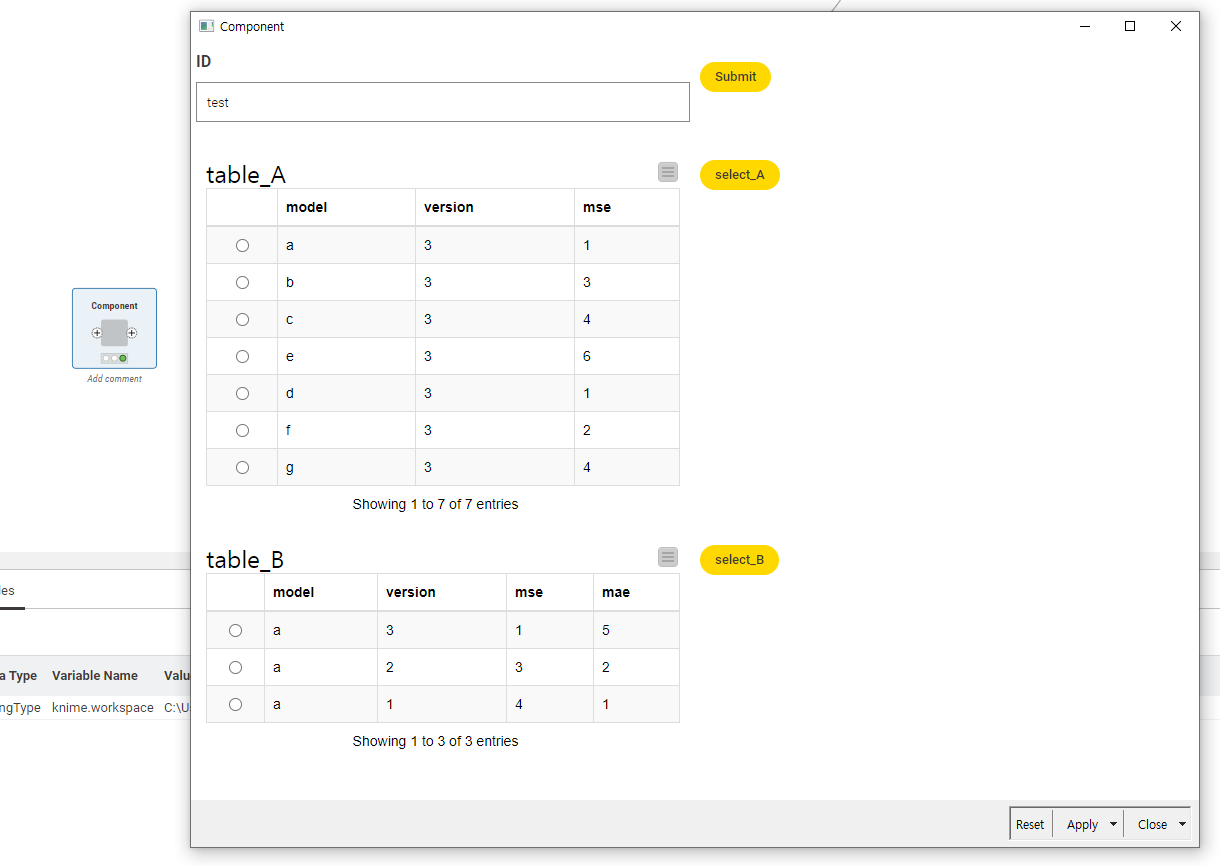
After entering an ID and clicking the Submit button, only table_A should be displayed.
-
When clicking Select, another table, table_B, should be displayed.
Step 1 works correctly when there is only one widget, but when the Submit button is clicked, both table_A and table_B appear at the same time.
It seems this happens only with tables, as they all display simultaneously.
I followed the instructions in the URL, but integrating the table was not possible.
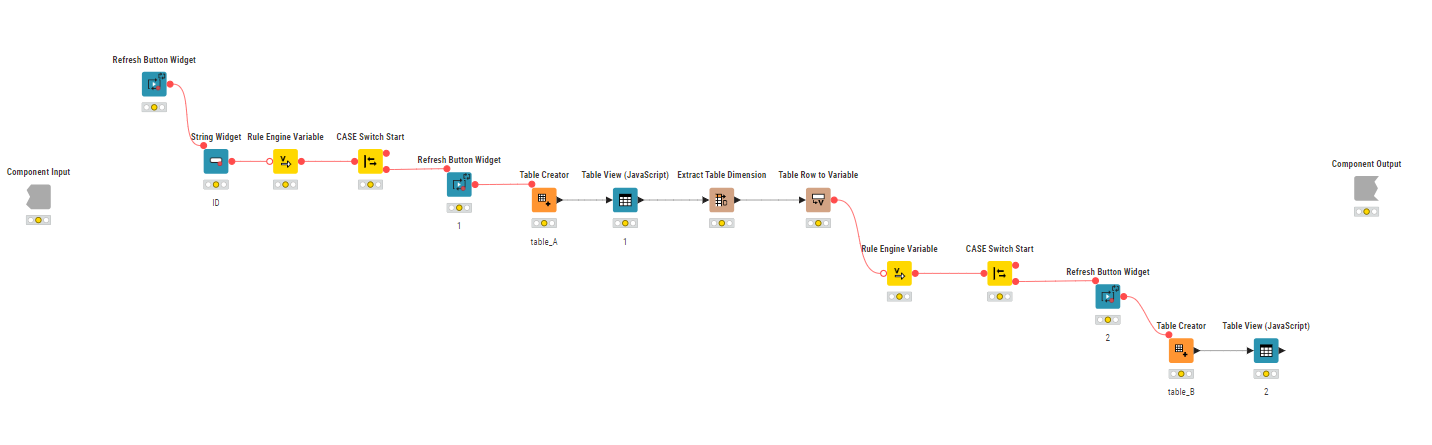
Below is the workflow I have configured. Could you advise on how to structure it so that the tables appear sequentially as intended?
Thank you for your support.