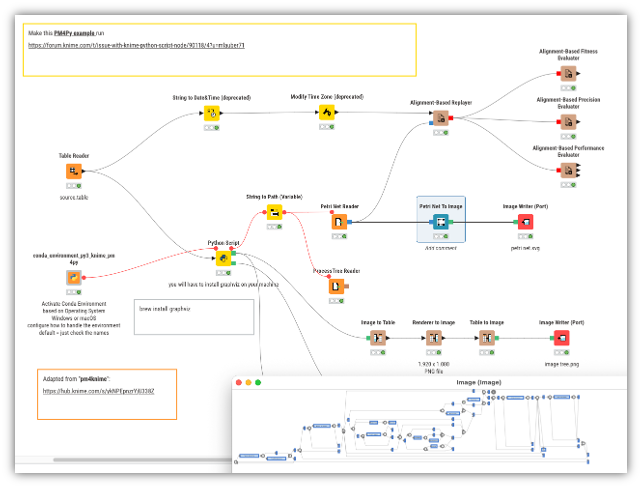
When running [pm4py workflow]( PM4Py – KNIME Community Hub ) from KNIME hub, the Python Script Nodes execution failed. The error message as follow:
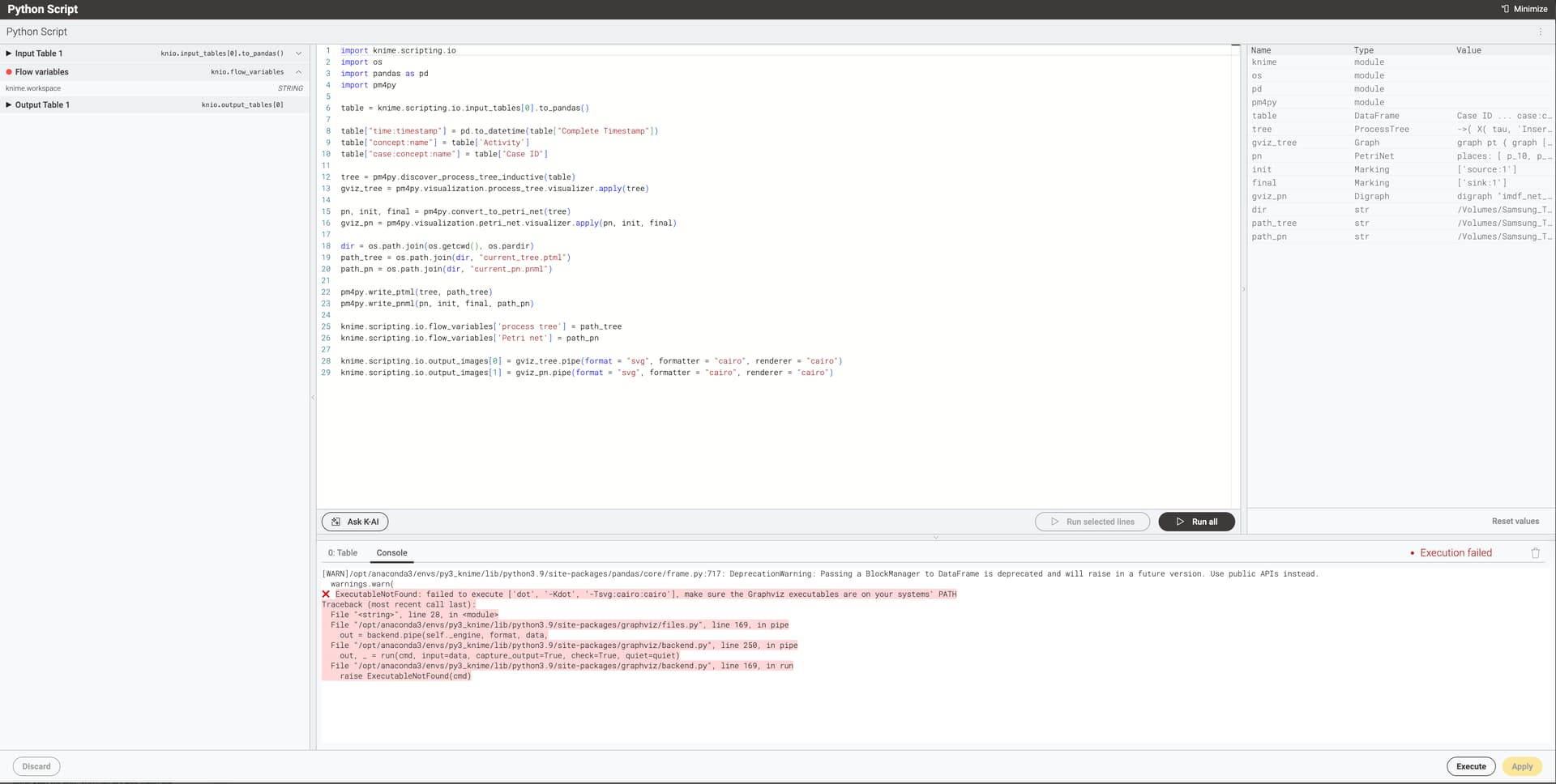
ExecutableNotFound: failed to execute [‘dot’, ‘-Kdot’, ‘-Tsvg:cairo:cairo’], make sure the Graphviz executables are on your systems’ PATH
Traceback (most recent call last):
File “”, line 28, in
File “/opt/anaconda3/envs/py3_knime/lib/python3.9/site-packages/graphviz/files.py”, line 169, in pipe
out = backend.pipe(self._engine, format, data,
File “/opt/anaconda3/envs/py3_knime/lib/python3.9/site-packages/graphviz/backend.py”, line 250, in pipe
out, _ = run(cmd, input=data, capture_output=True, check=True, quiet=quiet)
File “/opt/anaconda3/envs/py3_knime/lib/python3.9/site-packages/graphviz/backend.py”, line 169, in run
raise ExecutableNotFound(cmd)
I tried same script (except knio) with Jupyter notebook. It works well.

The environment info:
KNIME platform 5.5.1
conda version: 24.11.3
python 3: version 3.9.19 installed from KNIME Preference
KNIME Python Integration version: 5.5.1.v202507290925
Python environment configuration: conda