Hi everyone,
I’m currently trying to execute a workflow on KNIME PRO (paid version) that includes a Python Script node. The workflow runs perfectly on my local Analytics Platform, but it fails when deployed to the Hub.
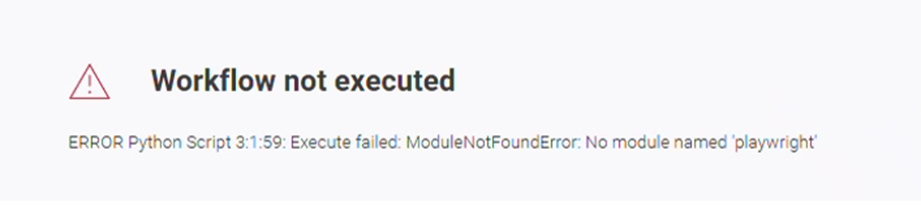
The error message indicates that the library ‘playwright’ is missing: ModuleNotFoundError: No module named 'playwright'
I assume I need to install this dependency in the remote Python environment used by the Hub, but I am not sure about the correct procedure to do this.
Additionally, since Playwright requires browser binaries to function (playwright install), I would appreciate guidance on how to handle those extra requirements in the KNIME PRO environment.
Has anyone faced a similar issue or could point me to the documentation for managing Python dependencies in this version?
Thanks in advance for your help!
Best regards, Laura
Hey there,
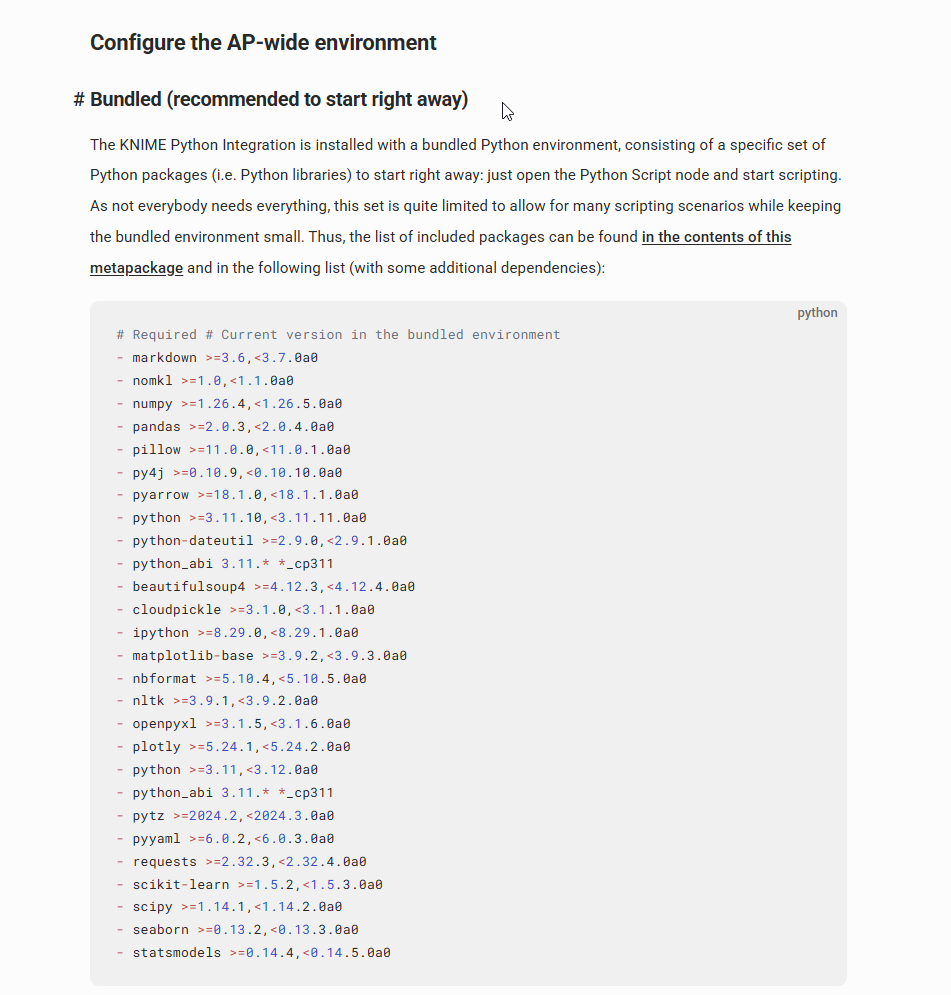
I’m farily certain that playwright won’t be part of the default python env that comes with KAP and that runs on Community Hub when using KNIME PRO / TEAM Plans - here is the list of packages as per the docs:
(
see here)
What you can do is create your own environment and then use Conda Environment Propagation node to load it everytime your workflow executes on KNIME PRO (locally it will set it up once and then just reference / load it upon further executions - however on Hub it will have to set up the environment on every individual execution which will increase the run-time of your workflow on hub).
It is a bit dated, but here’s a tutorial that I wrote in the past that takes you through the steps on how to do this:
https://medium.com/low-code-for-advanced-data-science/how-to-create-your-own-python-environment-with-knime-a-step-by-step-guide-f91ccb9c23f1
Hi, thanks for the reply.
I’m fully aware that Playwright isn’t part of the standard Python package; that is precisely why the node uses a custom environment I built specifically to handle these dependencies.
Regarding your suggestion: Have you successfully tested the Conda Environment Propagation node within the KNIME PRO environment specifically? In my experience, this node doesn’t always behave as expected when moving from local to Hub execution. For the KNIME Business Hub, I am aware there are specific workflows provided by KNIME designed to install libraries and upload preferences to the Hub, as the propagation node alone often isn’t enough for complex dependencies like Playwright.
I will try the Conda Propagation node again within the KNIME PRO environment to see if it behaves differently this time. However, beyond community tutorials, I would really appreciate it if anyone could provide a link to official KNIME documentation or an instructional manual specifically tailored for managing complex Python dependencies and browser binaries within the PRO Hub plans.
Best regards, Laura
Well, first of all: please bear in mind this is not first level support where a Knime dev gets a ticket assigned, but it’s a community driven forum, where experienced knime users volunteer their time to answer questions.
Based on your second response you are clearly more experienced than your first post suggested.
To your point around installing playwright into the remote env of PRO: this will certainly not be an option - my understanding is that PRO / Team are running on shared instances and I cannot imagine that it is allowed to modify the default env that others are using as well.
If you have your own KBH at your disposal then that might be different. Admittedly I did not modify the KBH env (yet).
To the best of my knowledge env propagation is your best bet, the documentation I have linked in my last post