I’m currently working on reproducing the KNIME workflow from the blog post, how-to-build-custom-ai-powered-chatbot
but with a key constraint: I want to use only open-source models, without relying on OpenAI services.
Let me summarize my progress and the problem I’m facing:
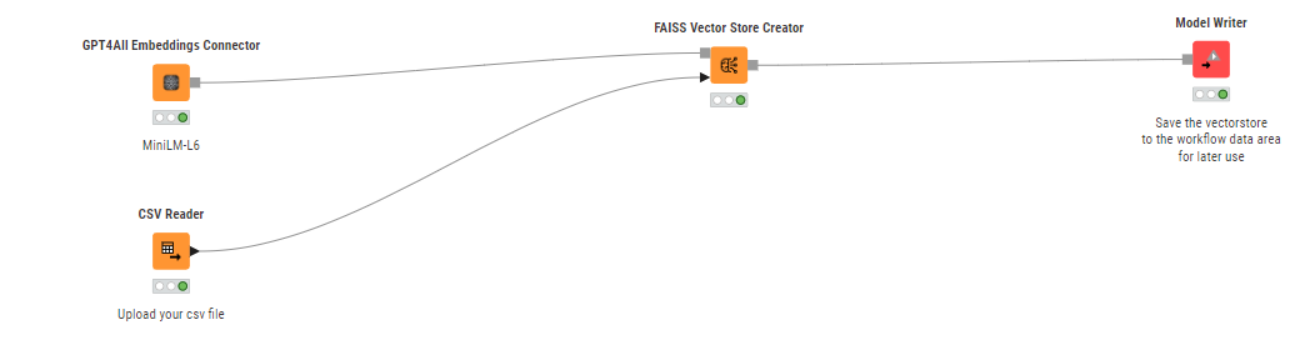
Step 1 – Vector Store Creation with Open-Source Embeddings
I was able to import a dataset of job offers, and extract embeddings of the job descriptions using the GPT4All Embeddings Connector node with a local embedding model. I tested several models, and some didn’t work for embedding generation, but eventually I managed to generate valid embeddings and create a FAISS vector store using the FAISS Vector Store Creator node.
Step 2 – Creating the Agent with Open-Source Chat Model (Problem)
This is where I’m stuck.
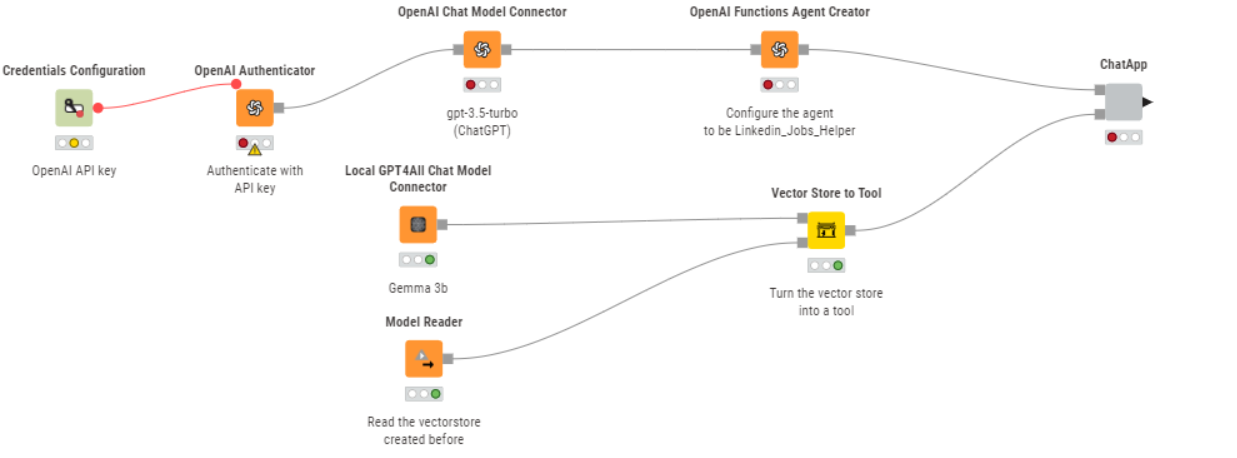
According to the workflow, the Agent Prompter node must be connected to an agent created by the OpenAI Functions Agent Creator node. However, I can’t use this node with a GPT4All chat model — it only supports OpenAI nodes.
I tried using the GPT4All Chat Model Connector with the Agent Prompter node, but the nodes are not compatible.
The provided GPT4All Chat Model is incompatible with the expected type Agent. Connect one of the following nodes: OpenAI Functions Agent Creator.
What I’m trying to achieve:
A local conversational agent (e.g., with GPT4All) that queries the FAISS vector store and returns relevant job suggestions to the user.
A user-friendly UI (eventually) to interact with the chatbot.
Is there any way to build a working conversational retrieval agent in KNIME using GPT4All instead of OpenAI models?
Are there alternative nodes or techniques to simulate agent behavior (like query + generation with context) with open-source chat models in KNIME?
Thanks a lot for your help!
I’d love to complete this without OpenAI and showcase what can be done with entirely local open-source models in KNIME.
Let me know if you’d like me to share the workflow file.
Amazing to see you taking on such a bigger project!
I did some research as to why you may be struggling with using Function Agents in GPT4all. I think by now there are a lot of models - also open source - that support function calling.
The issue seems to be that GPT4all API is in general OpenAI compatible, but does not support function calling.
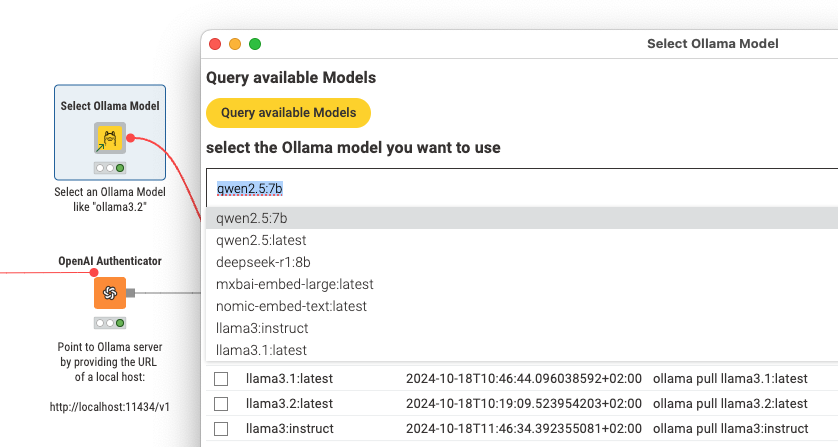
If you want to stay local, maybe use Ollama? Although I think Ollama does not support embeddings API of OpenAI so you’d have to embed via GPT4All and function call via Ollama, which could mean loading two models in parallel into GPU memory…
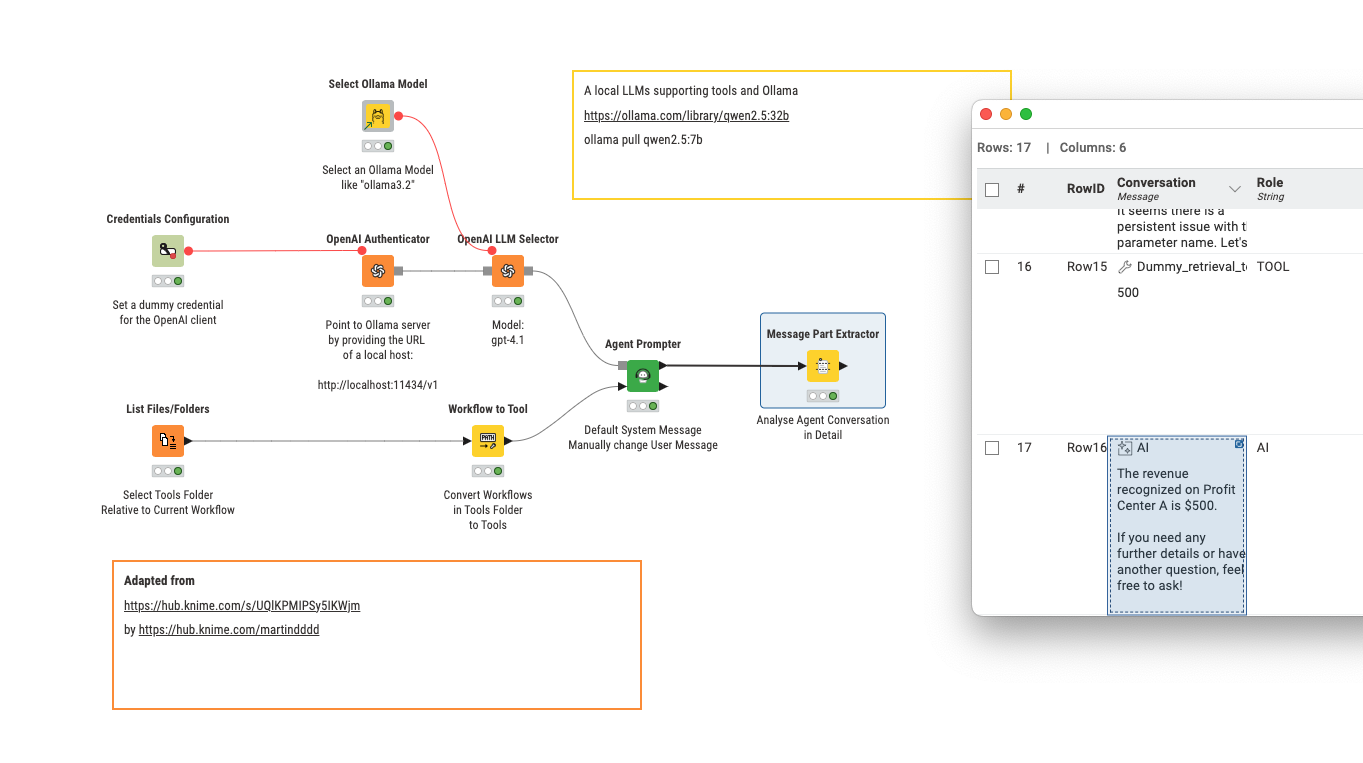
@Foxyellow I am working on modifying a workflow by @MartinDDDD to use Ollama and agents but at certain points the transfer of KNIME workflows into tools fails. I will have to try.
Meanwhile you can explore my collection on the KNIME hub and see if it does help you. There are also some efforts to use CrewAI - (with KNIME 4 for that matter). Also borrowing from one of Martin’s articles …
This one has local Ollama usage. Vector stores will have to be created with GPT4All since the KNIME Ollama nodes do not support this (yet?).
the question is answered correctly. It would be interesting to put that in a chat context which I think could be done and also to provide the result in a structured way (JSON) so as to continue with a value.
To be completely honest I do not fully understand how these tools are handled and how to turn KNIME workflows into tools in general. This really sounds like magic I think I will have to investigate further (or maybe read the article …).
I think once you try it you will be surprised how easy it is with 5.5…
Take any workflow, parameterise it using configuration nodes, give the configuration nodes meaningful descriptions, create a meaningful workflow description and save to the tools folder… that’s it…
If it didn’t “click” after the first article, then read the second one as well
Hi @Foxyellow
MartinDD and MLauber have been my “Go To” on these topics for a while now.
Just to add to the options on local LLMs. A short while ago I switched from using the Ollama and GPT4all option and started using the LM Studio App. As its a GUI i have found it more friendly than Ollama and there seem to be more models available than for GPT4All.
I use the standard OpenAI nodes and its quick and easy to use I have found.
Just tried the Agentic features (tools) workflow from Martin that MLauber mentioned above and it ran no issues
@MartinDDDD when adapting to the LLM Qwen I constantly get configuration issues with variables. Question is if there is a logic or syntax that can be adapted to make the use run smoothly.
So the agent tries to use a tool, but screws up the inputs?
I think that if you run a 7bn parameter model locally it may not be performing that well with function calling… can you add Message Part Extractor? That should show you the JSON that the agent is trying to use on each tool…
@Foxyellow Just adding here that as I have just discovered, LM Studio and OpenAI nodes work fine with the normal nodes However the combination doesnt work for Embeddings and you still need to use the GPT4All node - But you can point the GPT4All node to the LM embedding model meaning i can still use LM Studio for models and dont need to install GPT4All
 I think I will have to investigate further (or