Dear KNIME users, I’m happy to share with you a web service for converting KNIME workflows to Python scripts and Jupyter notebooks.
It is based on the open-source knime2py project.
I’d be glad to hear about your experience.
Dear KNIME users, I’m happy to share with you a web service for converting KNIME workflows to Python scripts and Jupyter notebooks.
It is based on the open-source knime2py project.
I’d be glad to hear about your experience.
Thanks Buddy…love it…
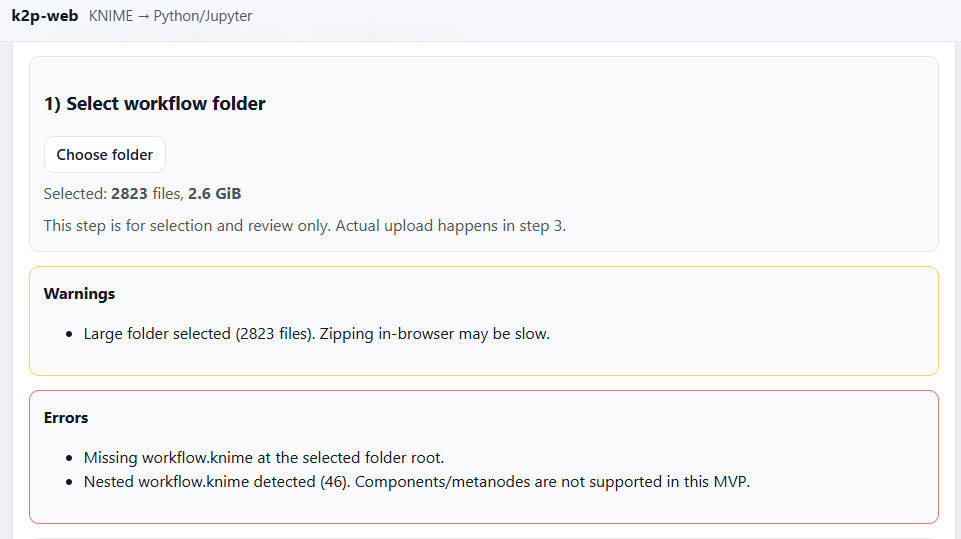
I try running it but have several errors like below  :
:
What am I missing or mistaken here? 
Hi!
It looks like you selected several workflow (46). On current step only one workflow per request is supported. Try to select the directory with the file workflow.knime in it.
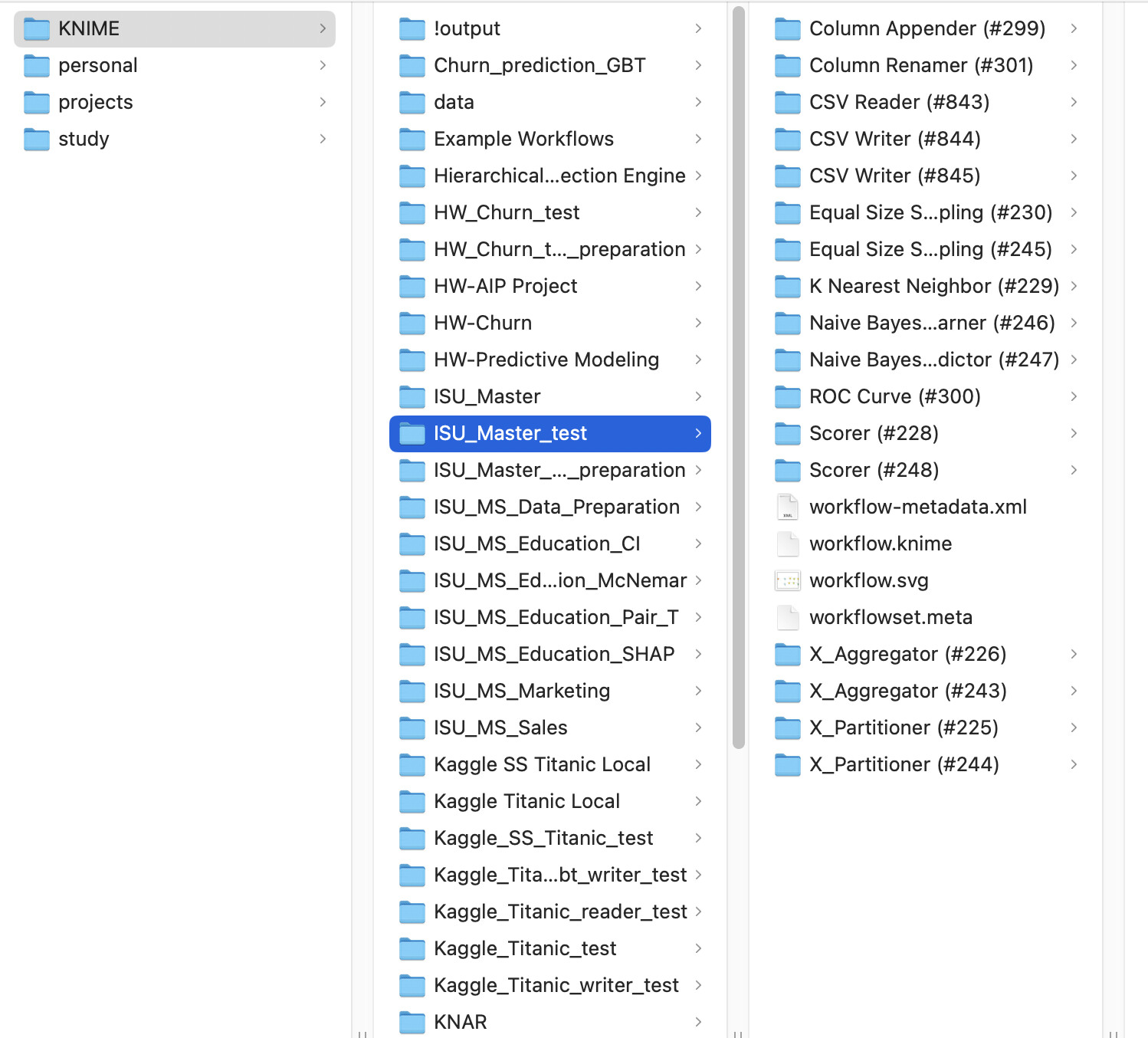
For example:
My KNIME projects are in KNIME directory. Inside of it I have directories with the same names as projects. Inside the project directory should be a file with name workflow.knime. Check it, please.
To upload to k2pweb.org you should select a directory with one project. In my example it is “ISU_Master_test”.
The messages also said that you selected 2.6 GiB of files. I guess it is because you have your data in the same directory. k2pweb doesn’t need your data. It selects only configuration files: .knime and .xml So you will not upload all selected files.
If you have components in you workflow. I don’t support them yet.
Let’s do the following: create a simple new project with 2-3 nodes like ReadCSV and WriteCSV and try with it. If it works with simple, try more complex ones.
aha it is working now…but I do have question :
which python file is for my workflow knime?
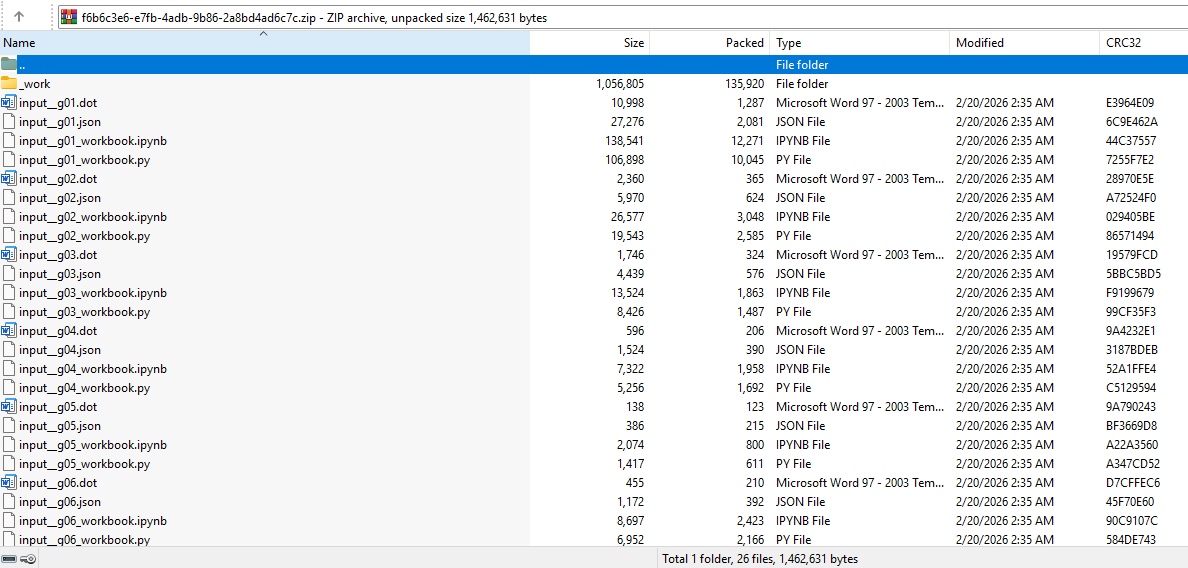
I uploaded only 1 Knime workflow but it gave me several python files
Great! I’m glad it works for you.
You’re a very valuable user.
In your workflow, you have several unconnected (isolated) node graphs. You don’t pass data between them, so k2p can’t put them into a single .py file.
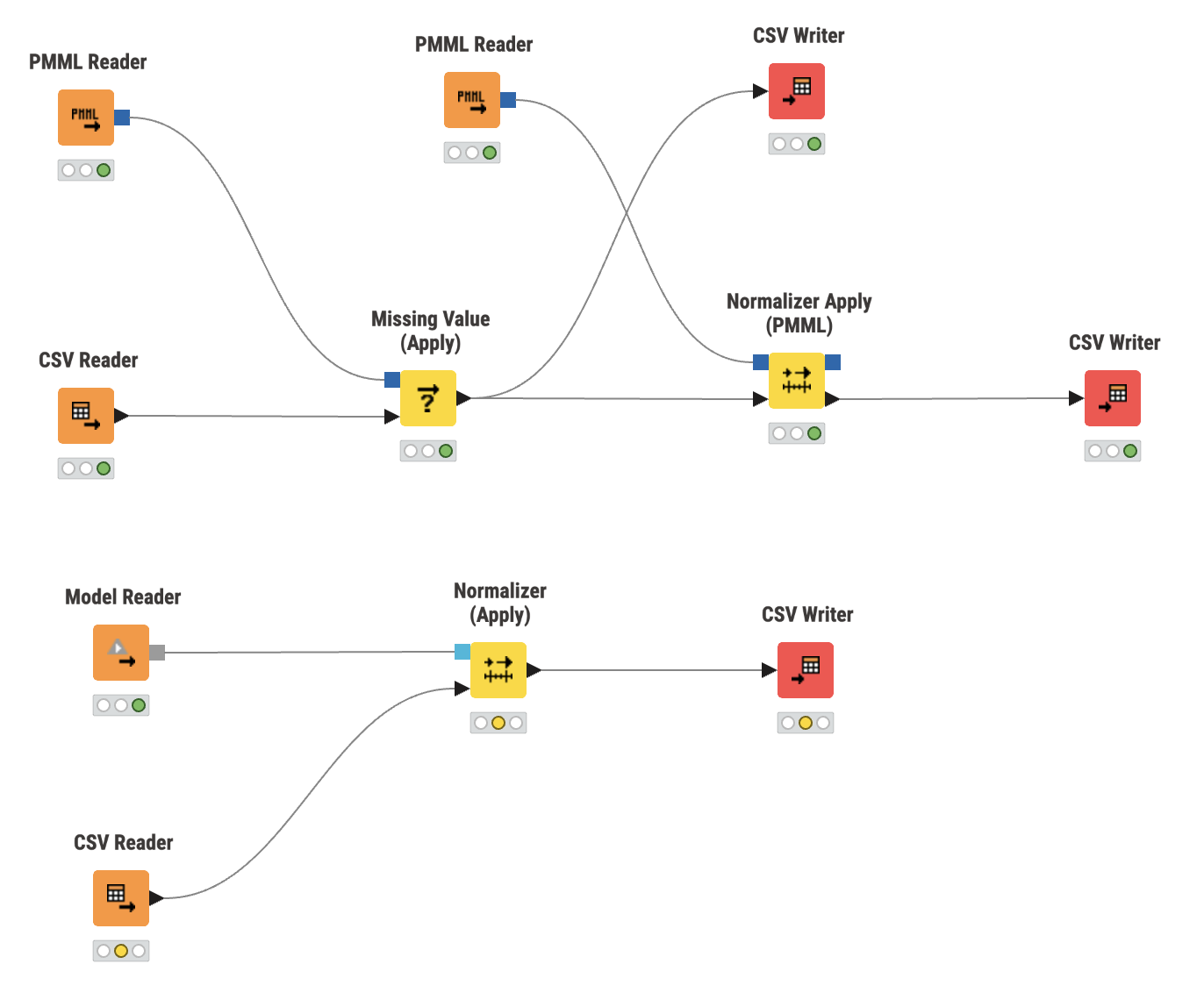
For each isolated graph, k2p creates four files: .dot, .json (you don’t need these), .py, and .ipynb (the files you need). So if you have a workflow like this:
with two unconnected node graphs, k2p will produce two sets of output files.
In KNIME, if you select a node, you can see its ID. For example:
To find which Python file corresponds to which node graph in your workflow, check the node IDs in the workflow and in the .py files.
Hi, @VitaliiKaplan Thanks for sharing again! 
I suggest add a sub page which list supported/unsupported KNIME nodes for clarity
Hi! Yes, you’re right. We need a list of supported nodes in k2pweb. Thanks for the idea.
I’ll add a new command to knime2py to generate a list of supported nodes, and I’ll expose it in k2pweb.
I think we can do even better and check whether a node is supported in the “Step 2 Manifest” in k2pweb before upload.
Noted…I’ll check it out once the weekdays comes…your help is invaluable Mr. Vitalii…You are really awesome…
Dear friends,
As was proposed by @HaveF I have added supported/unsupported KNIME nodes to k2pweb.
First of all, knime2py now supports the command-line parameter:
--get-handlers
It prints a table with the names of supported nodes and the names of the KNIME Java factory classes that process each node.
You can download this CSV file from:
https://k2pweb.org/static/meta/handlers.csv
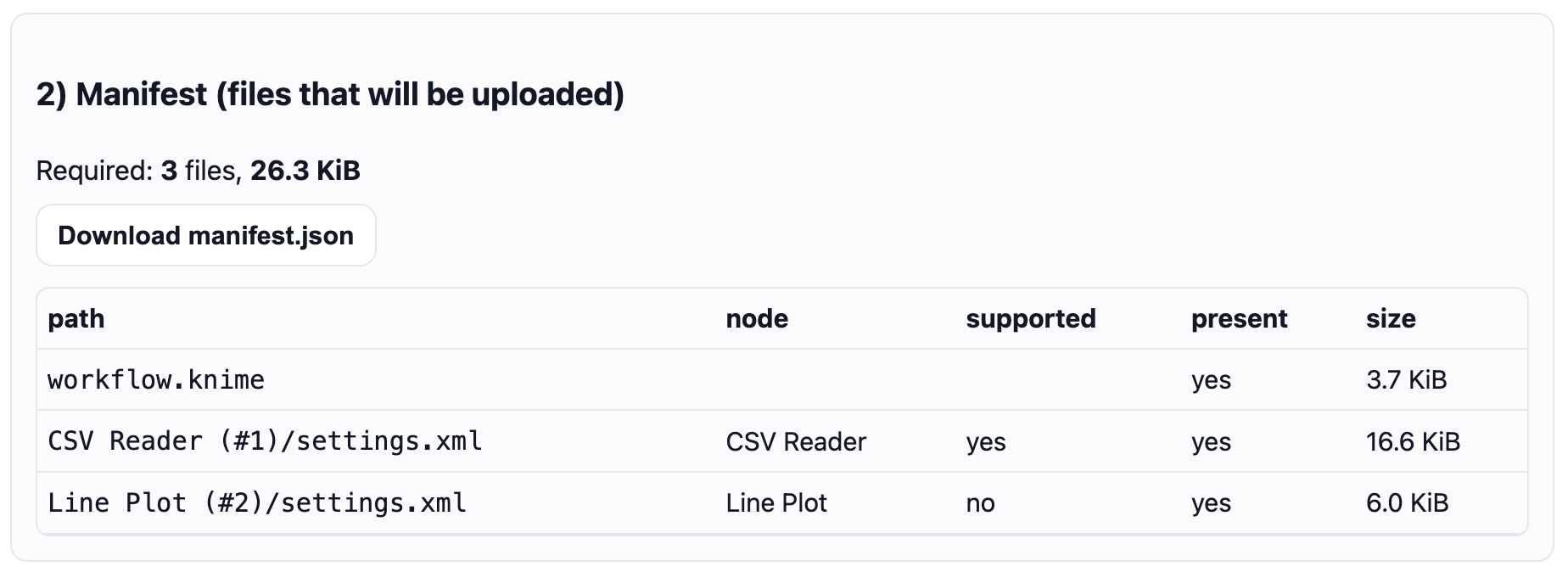
Also, I added two columns to the manifest table: the name of the node and whether it is supported (present in the handlers table) or not.
In the downloadable manifest file, you can also find the node name and factory, like here:
{
“rootPrefix”: “Otus-Discounts per month”,
“totalSelectedFiles”: 3,
“totalSelectedBytes”: 26959,
“requiredCount”: 3,
“requiredBytes”: 26959,
“items”: [
{
“path”: “workflow.knime”,
“present”: true,
“size”: 3833,
“nodeName”: “”,
“handlerLabel”: “”,
“handlerFactory”: “”
},
{
“path”: “CSV Reader (#1)/settings.xml”,
“present”: true,
“size”: 16979,
“nodeName”: “CSV Reader”,
“handlerLabel”: “CSV Reader”,
“handlerFactory”: “org.knime.base.node.io.filehandling.csv.reader.CSVTableReaderNodeFactory”
},
{
“path”: “Line Plot (#2)/settings.xml”,
“present”: true,
“size”: 6147,
“nodeName”: “Line Plot”,
“handlerLabel”: “”,
“handlerFactory”: “”
}
]
}
I hope it helps.