Title says it all. Dragging new node doesn’t work.
OMG please let this behaviour be a bug and not a feature.
if this is actually true, it would be the best case scenario for any person that is responsible for Quality mangement / control at Knime to push hard for additional resources (if there is any left).
(given some very basic bugs recently that could be spotted by basic quality control, it seems this has either been cut totally or neglected in a matter that the aim is to abolish itself)
(at least on linux, drag and drop works, but the “green” visual when placing a node between two nodes is thinner than the original line, very pale and a hard step back w.r.t. to visibility and accessibility @FemkeVegel . classic UIs thick red visual is better in any regard)
Hi @rfeigel
I can’t reproduce the issue (I’m on Win), and I see in the thread below that on Linux it seems to work fine too. Maybe it’s something related to the OS? Which one do you use?
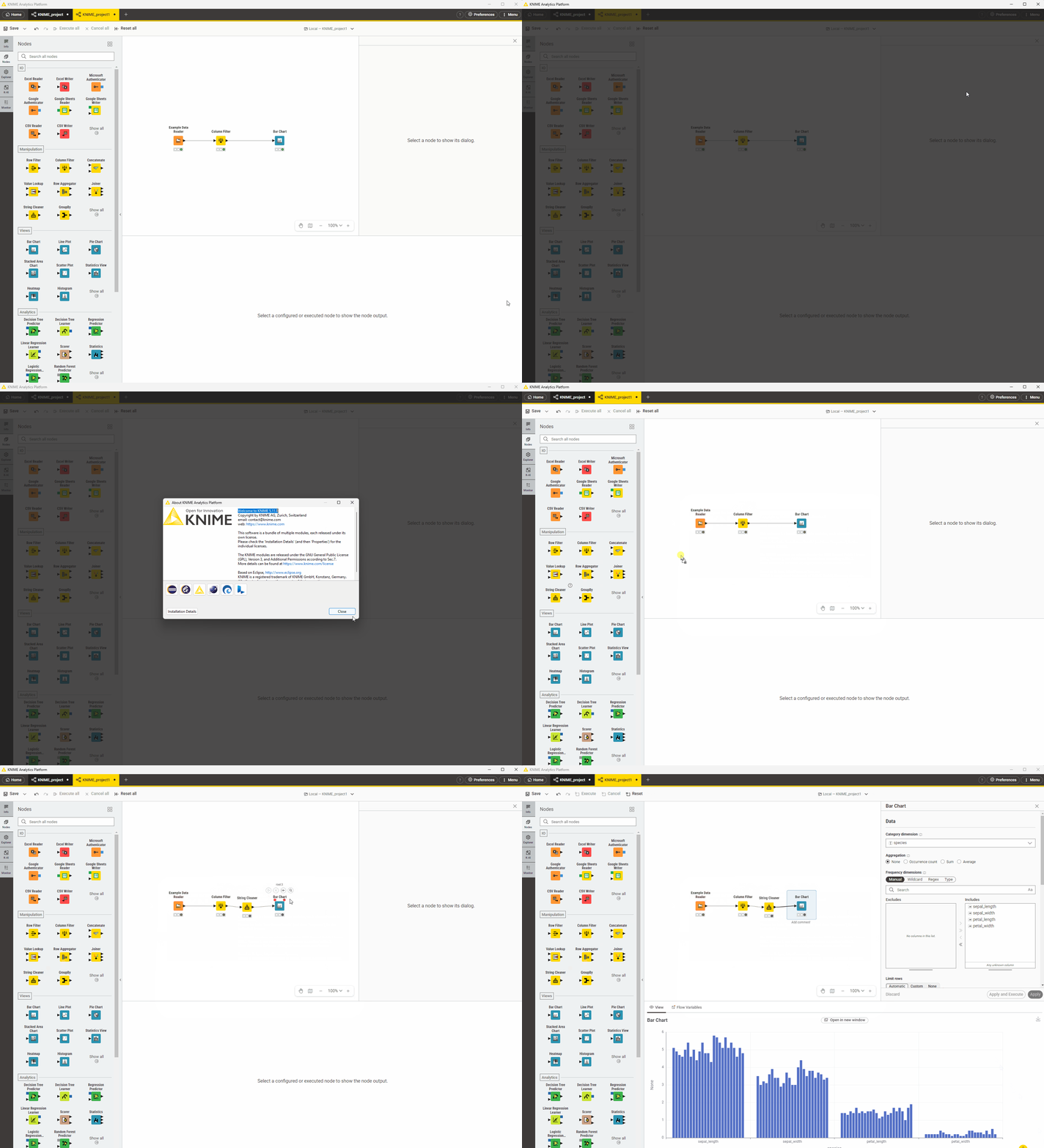
I attach a GIF showing that the functionality is there in 5.11  .
.
3 Likes
OS is Windows 11.Thanks. This was an update for 5.10 not a fresh install.
I did a new installation from a zip file and still have the same issue with an existing workflow. This is really frustrating.
I also have this issue with both the old update and new installation. Now my access to KAP is totally unusable.
Hey @rfeigel,
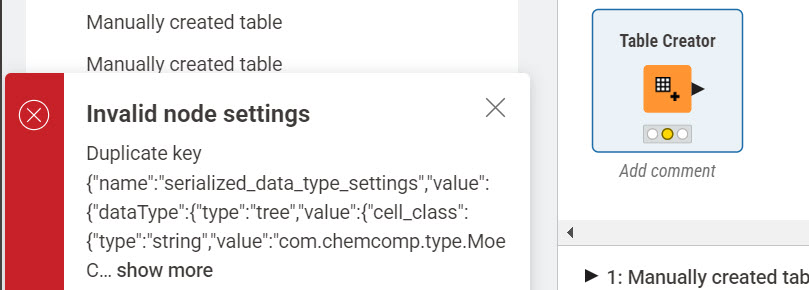
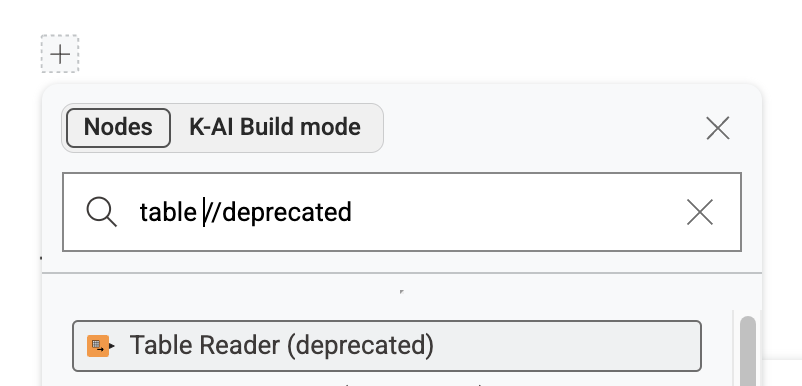
sorry to hear that you experience problems. For the table creator problem this seems to be a bug of the new table creator node when used in installs together with the Moe extension (UIEXT-3448). We are not yet sure why this happens and are currently investigating. The easiest solution for you currently is to use the old node by adding a //deprecated suffix at the end of the search field.
About the connection replacement not working I am still a bit lost what could cause this. Could you maybe try the replace action again and send me your KNIME.log after? I am also happy to jump on a quick call to get a glimpse at the problem.
Sorry for the inconvenience and thanks for reporting,
Daniel
1 Like
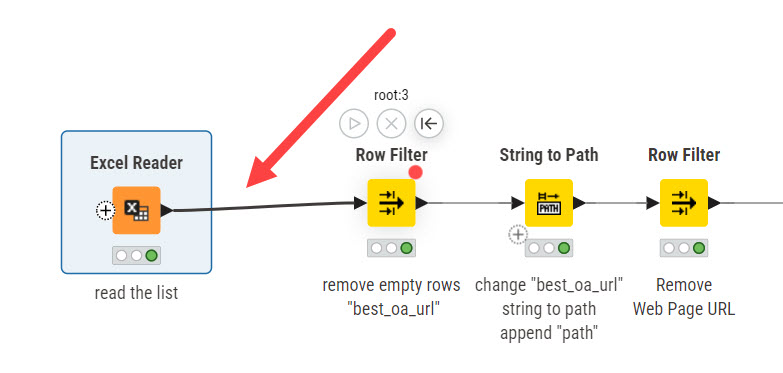
Here’s the log. I tried to add a Row Filter node at the arrow.
knime.log (407.3 KB)
1 Like
ANy news on a resolution?
@rfeigel Thank you for your contribution. We are able to reproduce the error now. As a quick solution, could you try to go to “Preferences → KNIME Modern UI → Workflow editor“ and select “WebGL rendering“ instead of “SVG rendering“? That should fix it.
1 Like
1 Like
Hey @rfeigel,
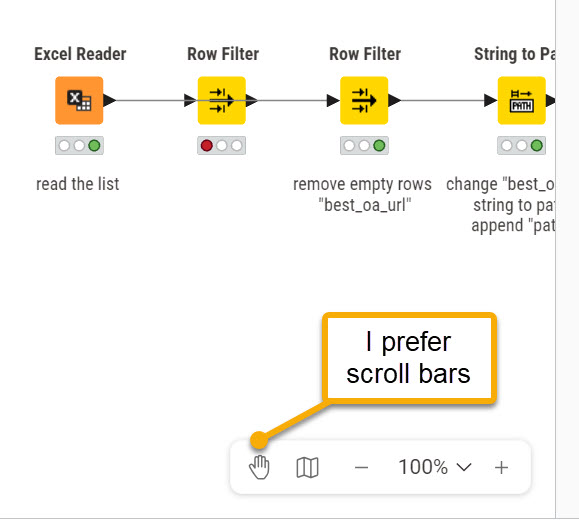
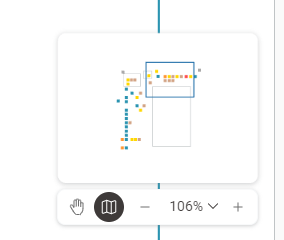
have you tried using this little overview map instead of the scrollbars?
WebGL is not a workaround, it will be the new mode going forward. We will phase out the SVG support, as maintaining two modes is not a good idea, as can also be seen with this problem.
Anything else that you are missing in WebGL vs SVG?
Greetings,
Daniel
1 Like
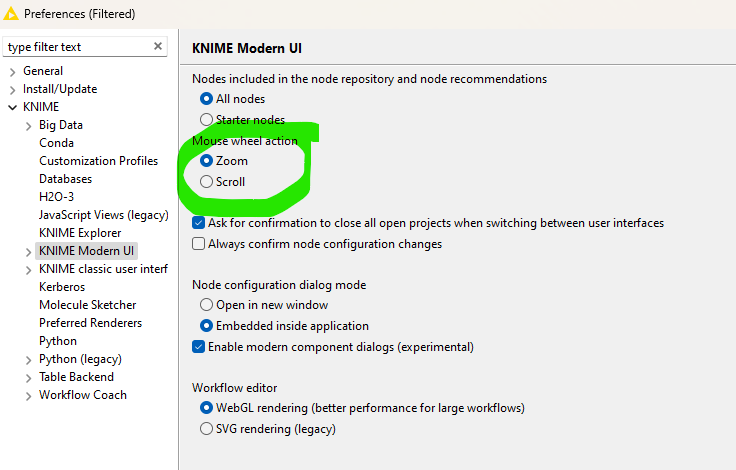
@DanielBog what I do is currently use the WebGL and would really like to see the scrollbars. In the meantime, I use the little map and set the mouse wheel scrolling to zoom for larger workflows.
This does work and I in general like the ‘flat’ design but would encourage the developers to daily use KNIME with large workflows and configurations so they might get a feeling for how it works.
Also, some focus groups might be a good idea. I understand that the new UI is especially meant to improve the experience of new users to give them easier access to KNIME and not overload the configurations (similar to what Microsoft did with MS Office some years back).
Thanks. I’ll learn to like WebGL.
2 Likes
i just tried the webui again and am directly confused how anyone can use that productively yet.
@FemkeVegel
in the options I can change between scroll and zoom with the mouse wheel, yet when I am in an workflow I need to move left and right, and up and down without buying an additional touchpad for my desktop or try to click around in the minimap (which floats in the middle of my value-able working space.
- why is there no ctrl/shift/alt + left mouse for dragging?
- the left hand site is still fixed and cannot be size adjusted etc.
Hey,
In most canvas-based tools, panning is typically done in one of these ways:
-
Middle mouse button press + drag
-
Hold Space and drag
-
Switch to a dedicated Hand/Move tool
You’ll see the same patterns in tools like Figma or Confluence whiteboards, which is why we stick to the same common patterns.
The left hand panel is something that we will very likely re-work soon. I think it takes up a lot of space for actions you usually don’t need that often. Whats your take?
Greetings and thanks,
Daniel
I wouldnt agree:
most user-friendly tools can differentiate by themselves if you click on an object for selection, or click into empty space and move left/right to move the canvas.
Further, most tools use the wheel for either zooming or scrolling, and add a modifier (e.g. ctrl) to swap functionality while pressed, without the need to change the settings - especially in embedded views like google maps.
What are these user friendly tools you are referring to? Google maps is not the best example as this one does not come with selection and other canvas interaction features.
as far as I recall tools like Microsofts Power Automate or Apache Nifi (maybe also n8n, uipath), but might have been others too, might not have been those two mentioned - but those are similar low / no code tools
This topic was automatically closed 90 days after the last reply. New replies are no longer allowed.