Hi,
while dwelving in the docs I noticed a possible documentation bug that can have severe issues depending whenever or not the bucket-names are hard coded.
https://docs.knime.com/hub/latest/business_hub_aws_infrastructure_setup_guide/#s3-storage
S3 Storage
Amazon S3 Buckets
KNIME Business Hub can use four dedicated AWS S3 buckets for different data types:
Bucket Name Purpose Access Level catalog-service Workflows and metadata Private avatars User profile pictures Public read execution-jobs Job execution data and results Private customization-profiles User customization settings Private
An S3 bucket name must always be unique. There cannot be two or more KHB installations, even in different accounts and regions, that try to create the same bucket name:
https://docs.aws.amazon.com/prescriptive-guidance/latest/defining-bucket-names-data-lakes/faq.html

What happens if I delete a bucket and want to reuse the name?
If you delete an Amazon S3 bucket and want to create a new bucket with the same name, you must wait for the name to become available again. It can take 48–72 hours for the changes to take effect. It’s a best practice to wait at least 48 hours before creating a new bucket that reuses a previous name. Amazon S3 bucket names are globally unique, and all AWS accounts share the same namespace.
Can anyone check that please? If the bucket names are hardcoded, that might be a solvable but still concerning issue.
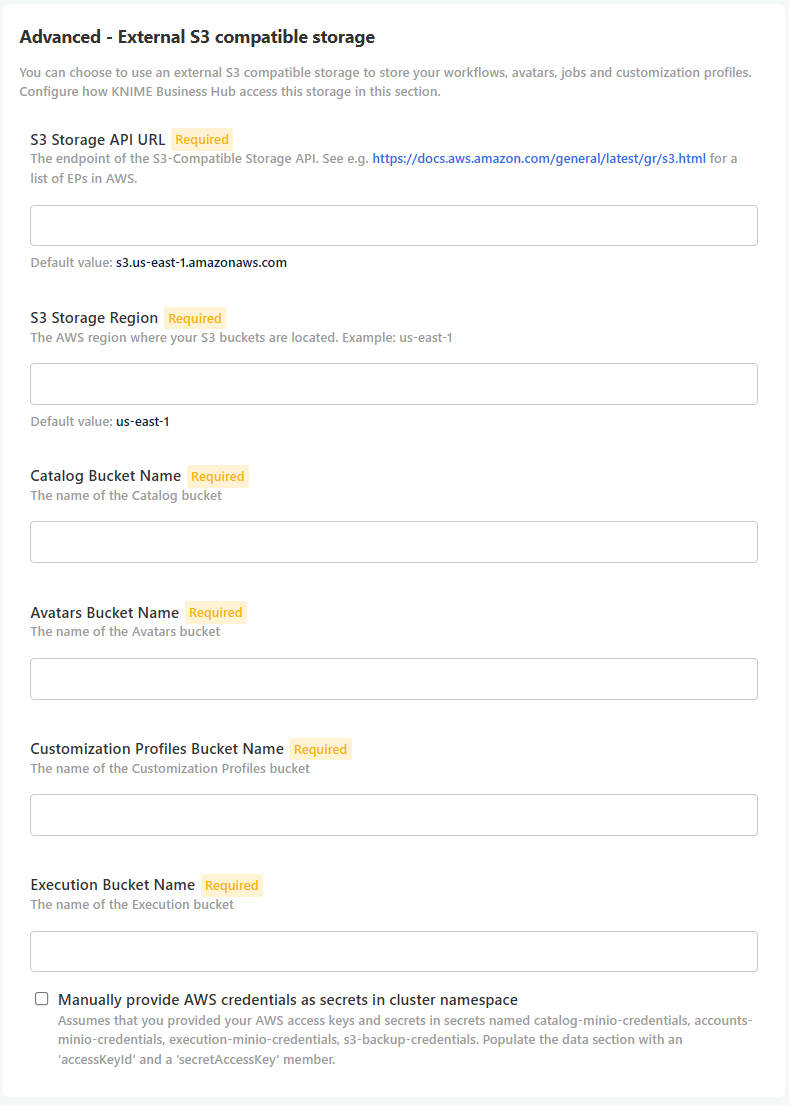
PS: Checking the deplyoment settings of the recent KHB I found the section which allows to configure the bucket names. That still raises the question if the documentation is not quite accurate.
Best
Mike