Hi,
In terms of speed of execution, what’s best system configuration recommended for running KNIME in Windows.
Based on the documentation, understand that KNIME analytics platform can be installed in following OS:
Windows
However when KNIME is opened in Windows Server 2022, CPU % utilization reaches 100% even when no workflow is executed.
Please share some workaround to reduce this CPU utilization %
Thank you.
Hey @balabn23,
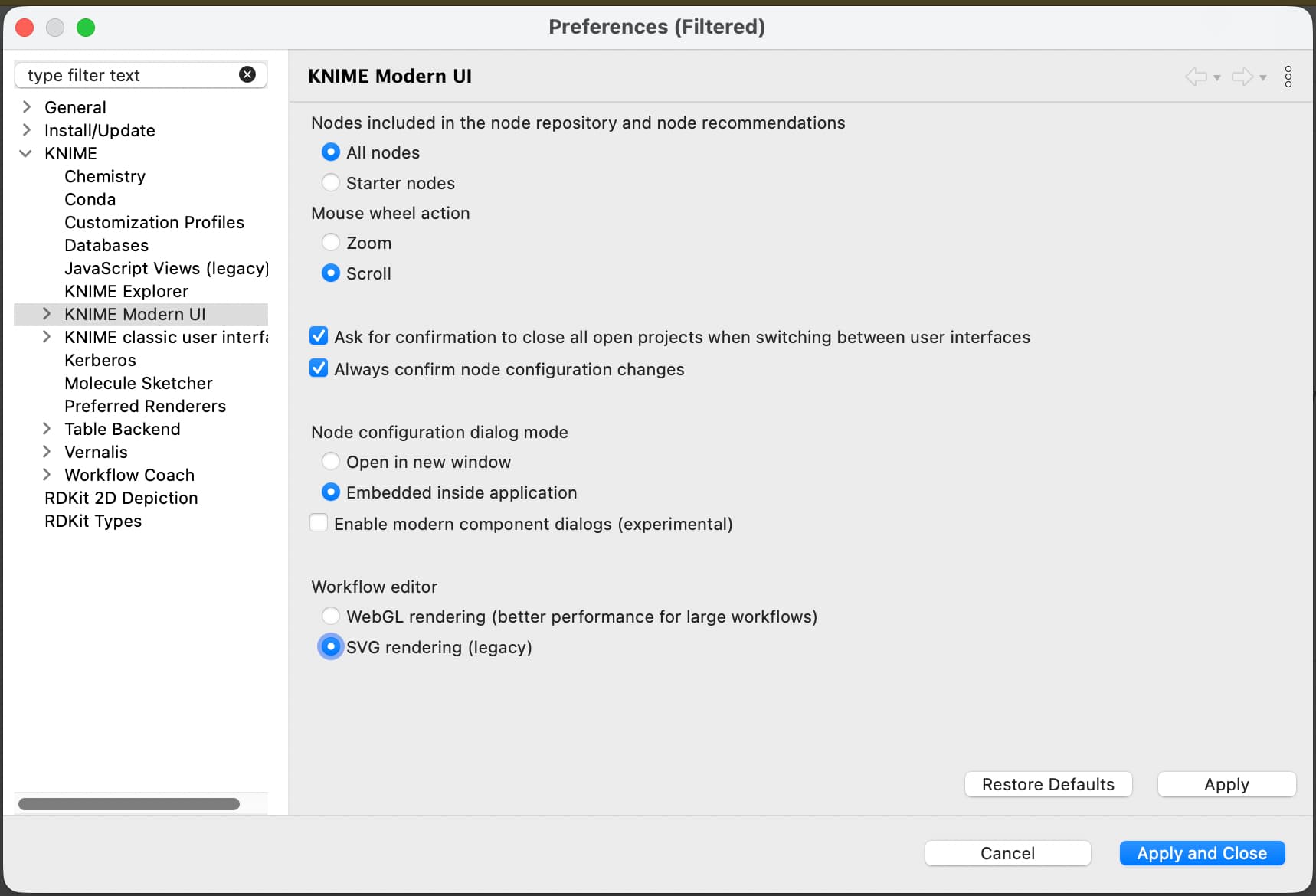
the reason for this is likely that the machine has no access to any GPU. We recently switched to a more performant rendering technique that seems to bring CPU to its limits if there is no GPU existing at all. You can switch to the old rendering mode in the preferences. (select: “SVG rendering (legacy)”).
What is the use case you are running the Analytics platform on a windows server?
Greetings,
Daniel
3 Likes
Thank you, Daniel. What is limitation of not WebGL rendering and shifting to SVG rendering. Will it impact performance where we have 64 GB RAM with 16 core logical processor. Also, can KNIME analytics software connect to Databricks / Azure database (or) do I have to move to KNIME pro / team / business hub mandatorily?
Hey @balabn23,
you might run into slower application behaviour in case of very large workflows. Can’t tell exact numbers, but with your specs I wouldn’t worry too much.
All nodes are freely usable without a KNIME Pro / team / business hub setup/account, but our commercial offerings will help you when you try to “productionise” your workflows. Lets say you want it to run every Monday or similar.
Greetings,
Daniel
1 Like
Thank you, Daniel. I would like to know what is best configuration (how many cores, model and RAM etc.) for KNIME to run at better speed. I am trying to install in Windows Server as a use-case where I can use batch executor commands to schedule the workflows.. I would also like to know what is the advantage of moving to KNIME pro / team / business hub over installation and running workflows locally in Windows Server 2022. Please share your views on best configuration for KNIME and disadvantage using Windows Server locally over KNIME Pro / team / business hub.
Hi Bala, I am Sandeep- Account Manager at KNIME. I’d be able to answer some of the questions for you. Can you please shoot an email to sandeep.ravi@knime.com, so that we could set up a time to connect?
Thanks and regards.
keep in mind to share the information here or append the documentation about those recommendations to the questions raised by @balabn23 as this will benefit the users of the AP
1 Like