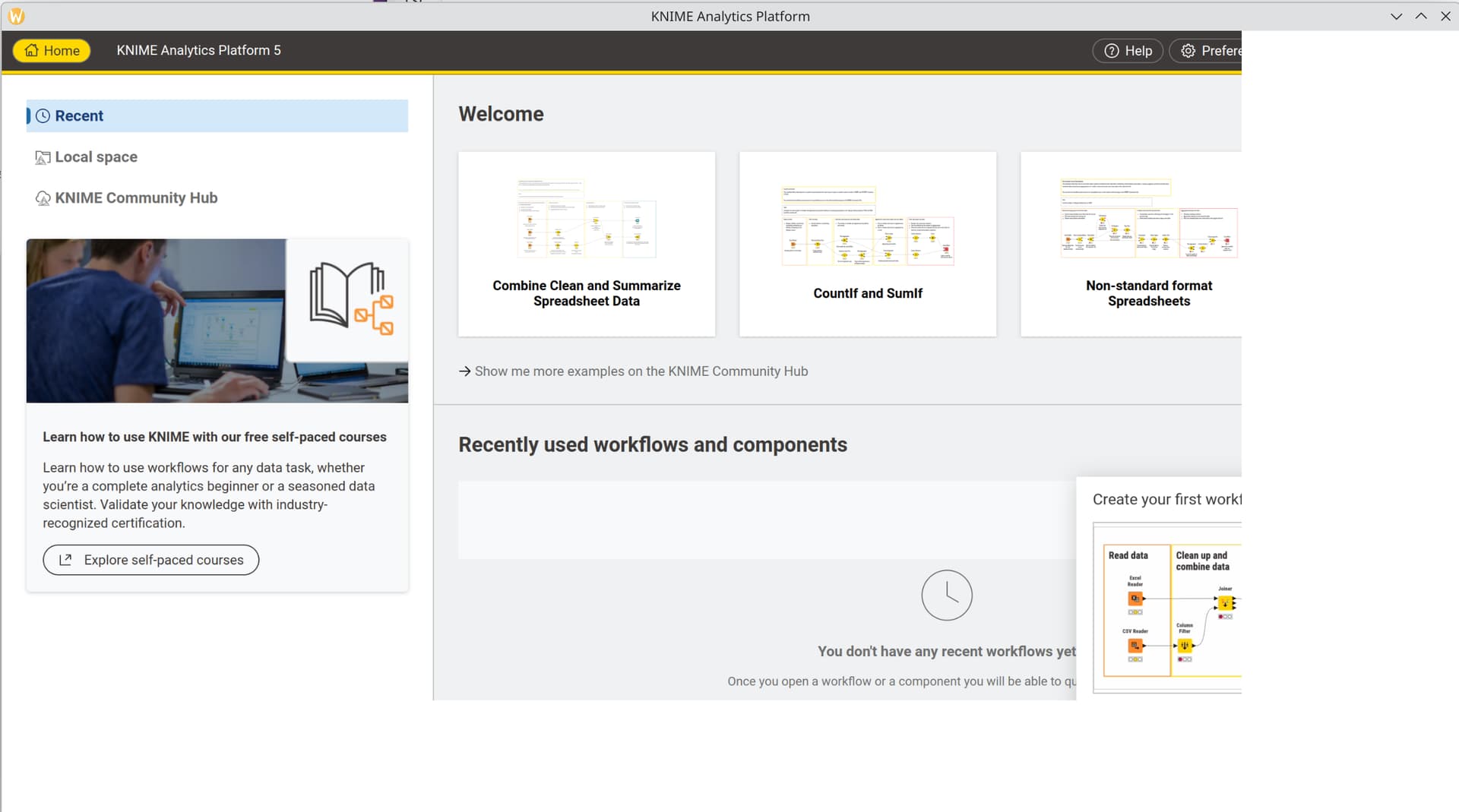
This was working before but after updating to v5.5 (on Linux Mint 22) I had crashes. Updated to v5.5.1 and it still crashes.
Issue:
I have my Knime workspace on my NAS
It is permanently mounted in fstab to a folder in /mnt
I can access it from terminal and file manager (nemo)
when Knime ask me to select a workspace if I select the one on the NAS it seems to continue for a few seconds but then crashes… works fine if I use a local directory
Hi @DemandEngineer
I cant confirm specifically with Linux as i dont have access to mine at the moment, however on Windows I have just tested a connection from Knime 5.5 to my NAS (trueNas) and it works without issues.
I did have to go and change the read / write settings to the NAS though as originally the user settings were not set to read / write for all Users.
thanks for the suggestion. I didn’t see a log file in the main Knime folder. do you know what it would be named? and where it would be saved? Is there a place to log bugs?
I have is working on my Windows 10 laptop too (5.4.4 build May 12, 2025 and after upgrade to 5.5.1) just stopped working on Linux Desktop. I was about to covert it to Linux but I think I will need to hold off for now.
Okay, I finally rebuilt my Linux PC.
I know my NAS is accessible as mentioned previously in 5.5.1 in Windows.
However when I downloaded and ran with 5.5.1 Linux version I can not access the NAS at all, even after changing read / write permissions.
To test I downloaded Linux Version 5.4.2 and this version connects to my NAS and reads / writes workflows. Then tested with Linux 5.4.5 - All okay. Then tried 5.5 and Again no access to the NAS.
But of course that these things are just workarounds. Maybe it’s a timing issue, where the settings in the newer KNIME version are tighter than before. Idk.
Well I spent a couple of hours playing with the .ini file this morning and there was No difference to the fact that 5.5 + can not access, not just TrueNas locations but, any connected external drive on my PC. Where 5.4 + versions can access and RW to all drives.
As i wanted to check to make sure that it wasnt an Arch Linux problem I deleted Arch and installed an Ubuntu Linux. There was no difference to the errors. 5.5 BAD 5.4 OK.
I also checked by installing different Browser both Chromium based and non Chromium, this had no affect on the issues.
The FAQ area that is linked to these problems regarding Webkit, (Q6) hasnt been updated since version 3 so its not really useful for problems that relate to Knime 5x. ------------------------------------------------------
In addition to the Drive topic there are odd issues with the GUI, these might be related if the Drive problem is caused by the Browser / libraries:
When opening Knime 5.5x it also has a strange GUI issues as shown in the attached png. This means that when you open a workflow the mouse is in the wrong area of the GUI….
This is not the same as 5.4x which shows the GUI correctly ( although in Classical view the Description only uses the fall back to text only as it can see the System Browsers.
I dont know which versions of Linux the development team use as their standard but I think it is clear that there are definitely issues here that would probably be helped if we knew.