KNIME Hub Workflow Not Using Latest Component Version

Hello,

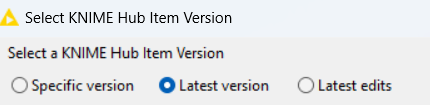
I currently have an issue with using a component in KNIME Business Hub. I have both the Workflow and the Shared Component in the same workspace of the Hub. This Workflow uses the Shared Component (dragged directly from the Hub workspace). I have set the HUB Item Version to use the Latest.
image

Whenever I update the component, I make sure to create its respective version on the HUB, but when running the Workflow in the Hub, the workflow still uses the component version it had when the workflow was last updated/uploaded. I have to open the Workflow locally, update the link to latest version and save it for it to use the latest component version.

Could this be a bug in the “Change KNIME Hub Item Version…” feature? Am I doing something wrong? Or is this simply impossible as of right now in KNIME Business Hub?

image

Here’s the KNIME documentation I followed: docs.knime.com/latest/analytics_platform_components_guide/analytics_platform_components_guide.pdf

Just in case, my executor is 5.4.

Thanks!
Hello,

In case anyone needs an answer for this question, this can be done when Deploying the workflow. The option I found was the following:

  1. Make sure you’re creating versions of your components in KNIME Hub. Every time you edit it locally, save it, and then create the newest version from the Hub.
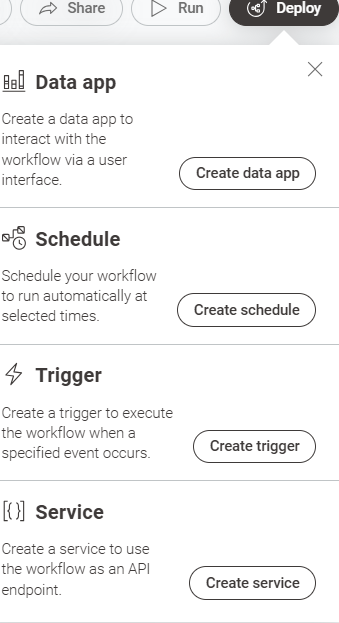
  2. Go to your workflow in KNIME Hub that has the components and select one of the deployment options, whichever works for your specific scenario.
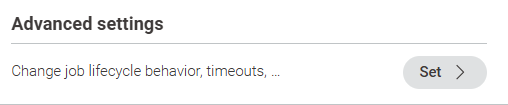
  3. Scroll down to ‘Advanced Settings’ and click on ‘Set >’
    image
  4. Scroll down to ‘Additional Settings’ and check the box that says ‘Update Link Components’ and create your deployment.
    image

Every time the deployment is executed (Data App, Schedule, Trigger, etc…), your workflow will run with the latest saved version of your component.

Also, just make sure that before uploading/saving your workflow into the hub, that you right click on the component, go to Component > Change Hub Item Version and make sure ‘Latest’ is selected.

Hope this helps! :slight_smile:

This topic was automatically closed 7 days after the last reply. New replies are no longer allowed.