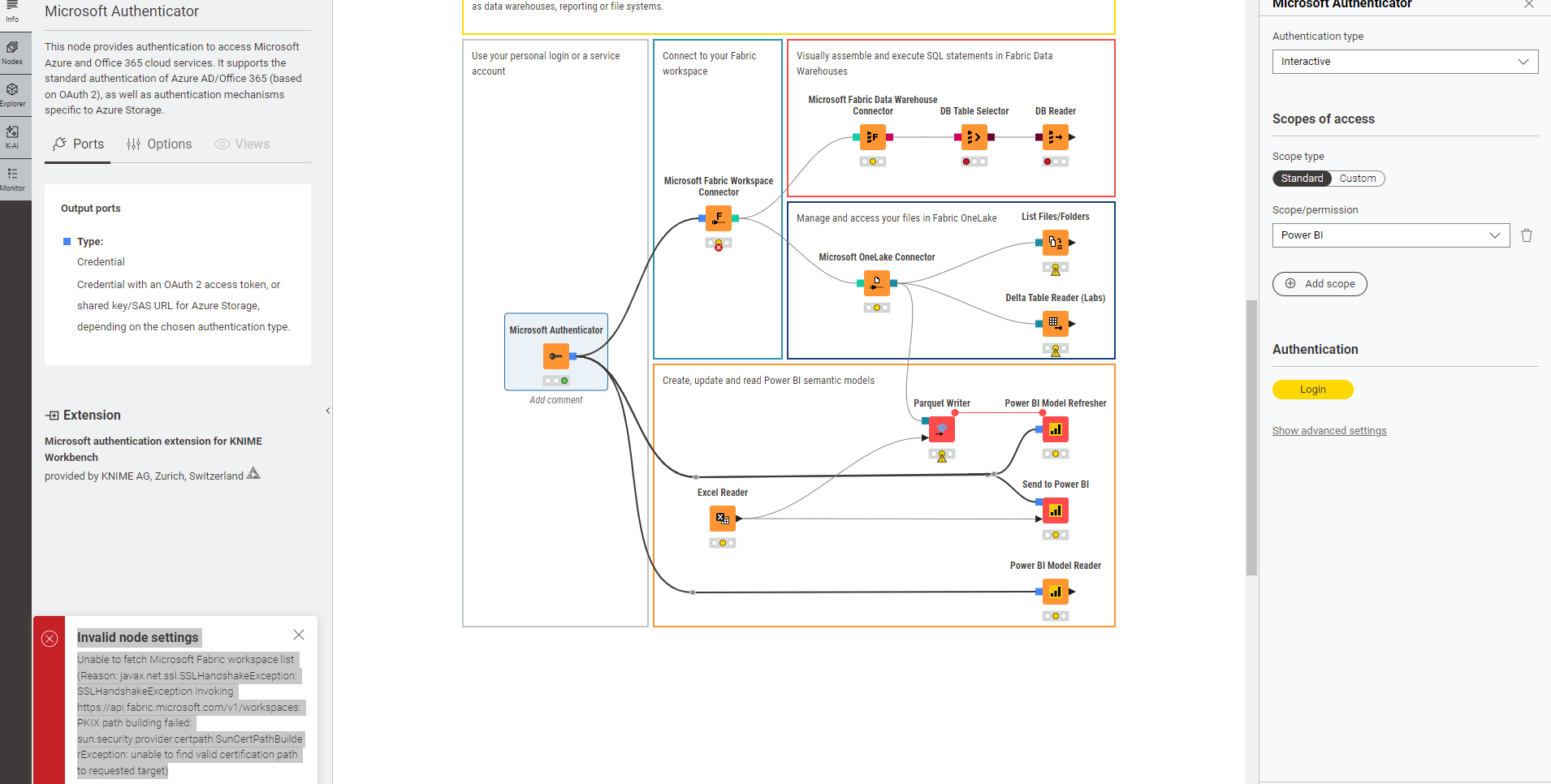
i am not sure if i am doing the right configuration to access Fabric, i am getting the following error:
Unable to fetch Microsoft Fabric workspace list (Reason: javax.net.ssl.SSLHandshakeException: SSLHandshakeException invoking https://api.fabric.microsoft.com/v1/workspaces: PKIX path building failed: sun.security.provider.certpath.SunCertPathBuilderException: unable to find valid certification path to requested target)
personally, for proper access control, I’d recommend creating credentails which would also help mitigating any 2FA/MFA issues. Did you tried another authentication method?
that error message indicates that there’s an issue with the TLS/SSL certificate validation when KNIME tries to connect to the Microsoft Fabric API. In most cases, this happens when your network uses a proxy or firewall that performs TLS inspection (also known as SSL interception).
Essentially, the proxy replaces the original Microsoft certificate with its own, and unless your Java environment in KNIME trusts that proxy’s certificate authority (CA), the connection can’t be validated — resulting in the “PKIX path building failed” error you’re seeing.
To fix this, please contact your IT or network administrator and ask them to either:
Allow KNIME to connect directly to https://api.fabric.microsoft.com, or
Ensure that the proxy’s root certificate is trusted by the Java runtime used by KNIME.
depends in your situation. The high-level steps are:
locate a file called cacerts in your KNIME installation. It should be in the KNIME installation folder under plugins/org.knime.binary.jre.xxxxxxxx/jre/lib/security/cacerts
copy the file to another location
Obtain the proxy certificate from your IT as a file ending in .cer.crt or .pem
However if your IT centrally provisions the KNIME installation on your machine, it is up to your IT to provide a KNIME that already ships with proper TLS certificates for your corporate environment.