I’ve noticed that KNIME occasionally freezes when I try to open it. I follow the usual ways to try to solve, including reinstalling KNIME.
However, the problem is opening KNIME with MS VS Code - Insiders opened.
My VS Code doesn’t have too many extensions, basically SQL and one for connecting to a MySQL database that I use to connect to a SingleStore cluster. It includes a Database Client JDBC.
Hi @EmanuelTavares ,which version of KNIME are you using and on what OS?
Is there any chance that you have a file that KNIME is using open in vs code? The fact that KNIME freezes and then continues when vsc is closed would suggest to me some kind of file lock, but I don’t know what it might be.
Do you have any database jdbc drivers in use by KNIME that you have installed and configured yourself through preferences that might be in use by vsc?
Notice that I mentioned that I installed an extension to manage databases on VS Code recently. But KNIME freezes before I have the opportunity to choose the workspace that I want to open (I have more than one).
I configured a Google BigQuery connection, but I didn’t choose the workspace.
I can open VS Code after opening KNIME and everything works fine.
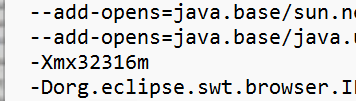
My computer has 64 GB of memory, and I didn’t configure a memory limit for anything. It is a brand new computer with a Ryzen 9 and an RTX 5080.
I’m using Windows 11 25H2.
Today I backed up to the post because I was running a heavy query on VS Code, and I couldn’t open KNIME. I needed to wait the query finish, close VS Code, open KNIME and then reopen VS Code.