We don’t use the KNIME Server. Instead, we run our KNIME workflow through the KNIME batch file in the terminal, there it also runs the “knime_preferences.epf” file. During the run, the workflow connects to a Microsoft SQL database, but the connection keeps breaking because of the JDBC driver. How can we fix this?
Hi @AlinaMil , a couple of questions:
-
What error message do you get when attempting to open the database connection
-
What command line are you using for calling the workflow?
if, as you say, the connection is dropped at some point. the obvious next questions are:
- is this happening also in non-batch execution?
- what is the configured timeout on Knime end and and the database for connections.
if you pass a preferences file, you can also specify a timeout setting in there for jdbc connections.
lastly, what ms sql jdbc driver version do you use?
Hi,thank you for your reply. I will try to describe it as detailed as possible.
- i open the command line, there i type in:
C:\data\#batch> type .\knime_anomaly.bat
- then it opens my knime_anomaly.bat file:
@echo off
cd c:\data\knime-workspace
“c:\program files\knime\knime.exe” -consoleLog -nosplash -nosave -reset -preferences=“c:\data#batch\knime_preferences.epf” -application org.knime.product.KNIME_BATCH_APPLICATION -workflowDir=“c:\data\knime-workspace\AnomalyDetectionUsingClassicalML_alina_09.2026(2)” -vmargs XX:+UseG1GC --launcher.suppressErrorsrem -Djava.awt.headless=true
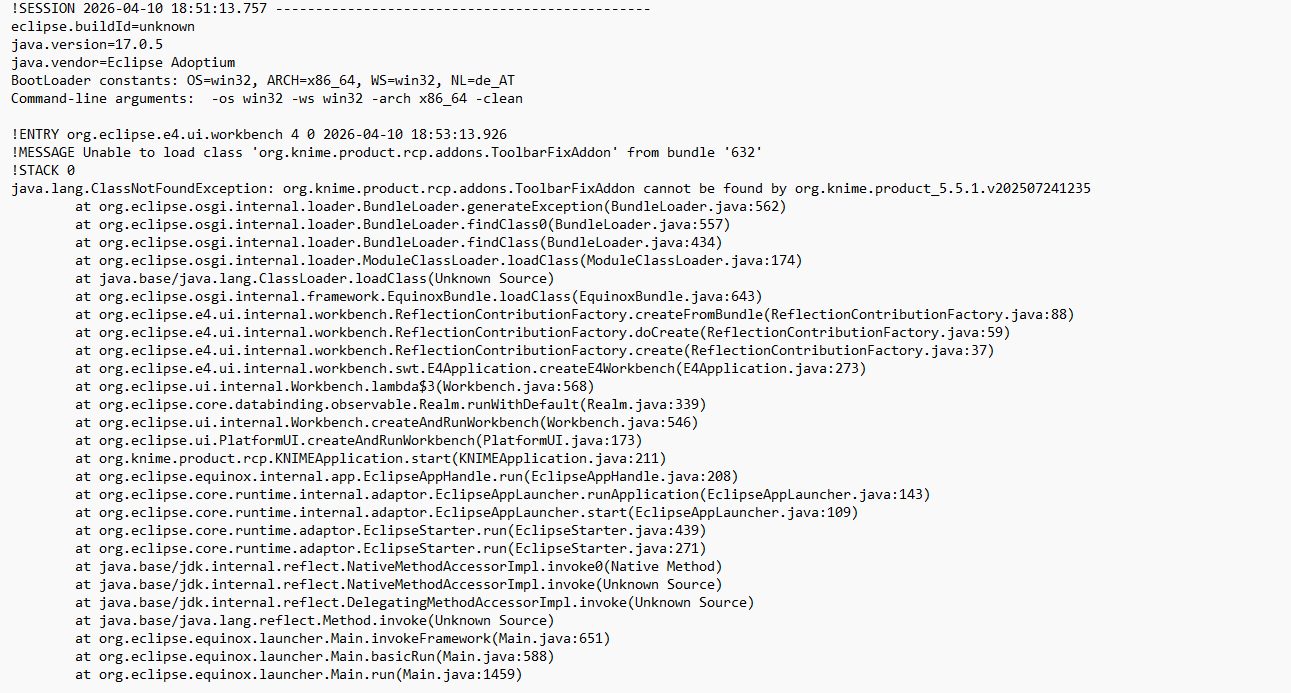
- and then nothing happens, i checked the .log file and there it says:
please see attached screenshot:
Hi @AlinaMil , thanks for posting the additional log.
You said originally that “the connection keeps breaking because of the JDBC driver.”.
You may be right, but what steps did you take to determine that it is the jdbc driver causing the problem (ie how did you arrive at that conclusion?) , as I don’t see mention of it from the log output.
Also can you give answers to @fe145f9fb2a1f6b ‘s questions too, as they may give us more info to go on.
This is in KNIME 5.5.1 yes? (Going by what it says in the log).
Do you normally use KNIME in Classic UI mode, or Modern UI ?
Is the workflow using any extensions, such as Python, AI or ML nodes?
edit:
One other thing… just a throw away idea that’s bugging me… can you (temporarily) try it in a folder name that is just called “databatch” or “data_batch” rather than “data#batch”… It should be fine, but if the path ever got converted by something to a URI, “#” could have a special meaning unless encoded. (It’s unlikely it’s this, but sometimes it’s the unusual things that trip as up - I once had an Oracle database that kept throwing crazy errors and after a long support call with Oracle, it turned out it was because we had a hyphen or an underscore or whatever it was in the host server’s name  )
)
Hi!
I faced a issue like that and fixed updating my “knime_preferences.epf“ because the driver with error was add after i create the preferences file, so I think the preferences of that driver didn’t exist in my old file.