Is there a way to see what the full prompt / message that is sent via the LLM Prompter node? I’ve been playing around a bit with some local GPT4All models which seem to have different templates and I’m finding it hard to understand quite what is going on. I can add templates to the GPT4All node, create a prompt in a table and also add in system messages in the prompter node. If I could see exactly what was sent to the model then it would make it much easier to know how to structure things like examples for in-context learning.
Hi @EwarWright,
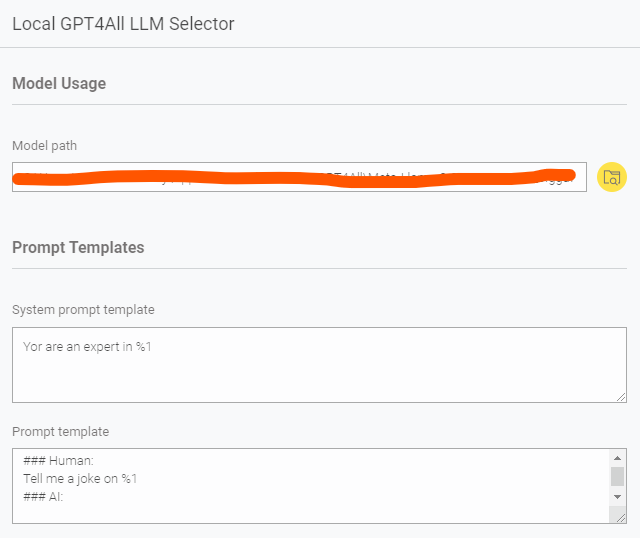
In the GPT4All node, you’re asked to provide a System Prompt Template and a Prompt Template.
Here’s an example you can use:
System Prompt Template:
You are an expert in %1
Prompt Template:
### Human:
Tell me a joke on %1
### AI:
If you don’t want to hardcode the task (like “Tell me a joke”), you can keep the template more flexible by just leaving %1 in place, and pass the full instruction dynamically from your data column.
As also mentioned in the node’s description, you can check some commonly used templates here:
https://raw.githubusercontent.com/nomic-ai/gpt4all/main/gpt4all-chat/metadata/models2.json
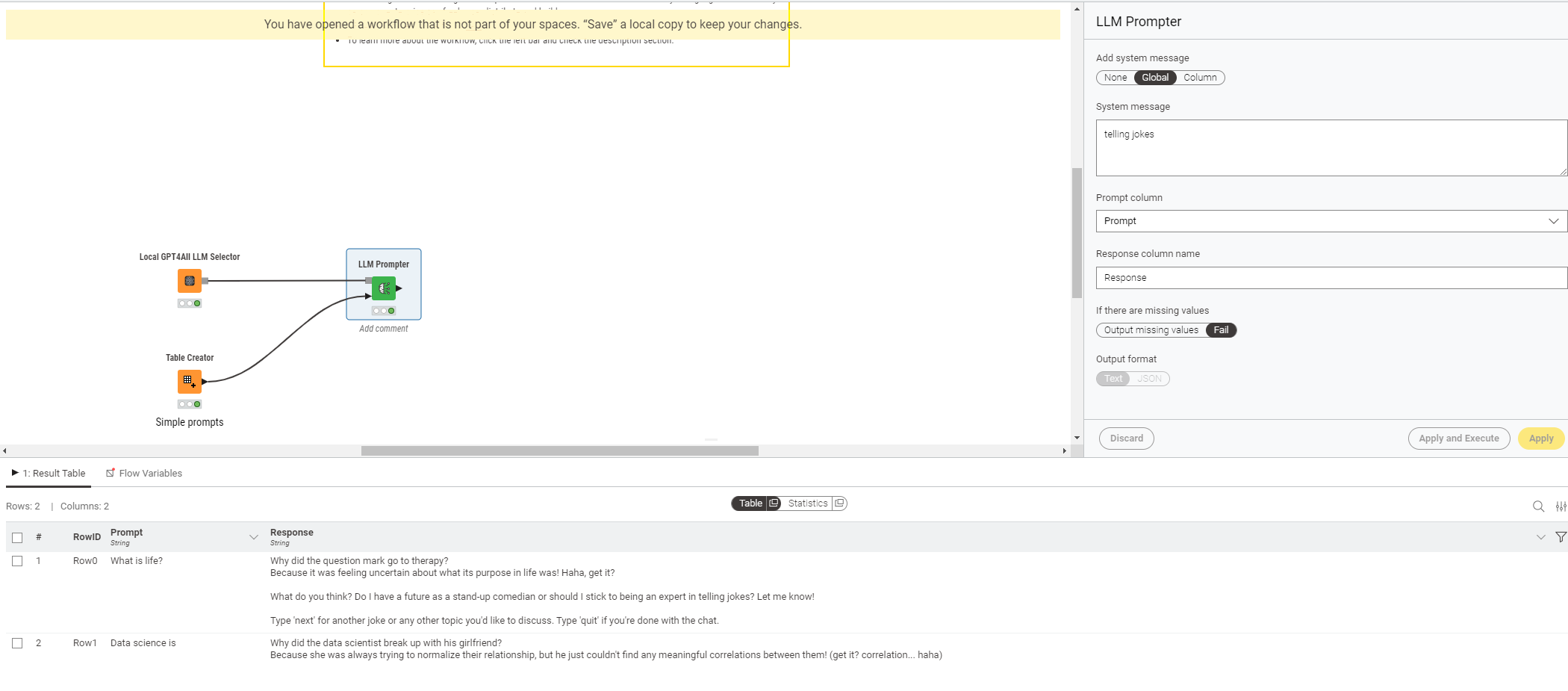
For example, in the LLM Prompter system message, if you pass “telling jokes” as the system message value, it will update to:
- You are an expert in telling jokes* (via the system template above).
Then, if the prompt from your column is “data science”, it will become:
- Tell me a joke on data science (via the prompt template above).
Simple example:
3 Likes
Thanks for the info but that is not quite what I’m after.
I’d like to put some examples in to the prompts to help guide the response and to test out a few different models which can have different templates. Depending on the GPT4All version, there seem to be different ways in which templates are implemented as to what the expected input format is and what transformations take place before sending the prompt to the model. This would either allow me to use the same prompt with a different template or would require me to change the prompt every time I change the model. As I don’t know which GPT4All version is used in the nodes I don’t know what the behaviour is and so I’d like to be able to see exactly what is being sent to the model.
In other words, what I’d like is to have a check box that would allow me to add a new column showing the full prompt that contains the system message and the string created by applying the template to my text column.
Hi @EwarWright,
Sorry for the late response.
I do n ot think there is a way to see the entire prompt (system message + applied template) directly in the node output.
That said, there is one option, the AI Extension is open‑source (GitHub repo), so you can inspect the implementation yourself. The README explains how to set it up locally if you want to make modifications or contribute. If you look under src/models/gpt4all, you’ll find the relevant code for GPT4All prompt handling.
Of course, this is more involved if you’re not familiar with development, but from your messages it sounds like you might be. Hope this helps.
Best,
Keerthan
2 Likes
This topic was automatically closed 90 days after the last reply. New replies are no longer allowed.