Hello, I have a looping workflow to iterate over multiple files to get the names of the columns in each file. I am using a grouping node to obtain the number of unique values per column, but since column names vary my workflow stops once a file where none of the columns is matching any of the columns in the original file I used to test and configure the loop. My problem is that I don’t know how to configure this dynamically in the group node, i.e. how to feed the column names dynamically to the aggregation.
Help will be much appreciated.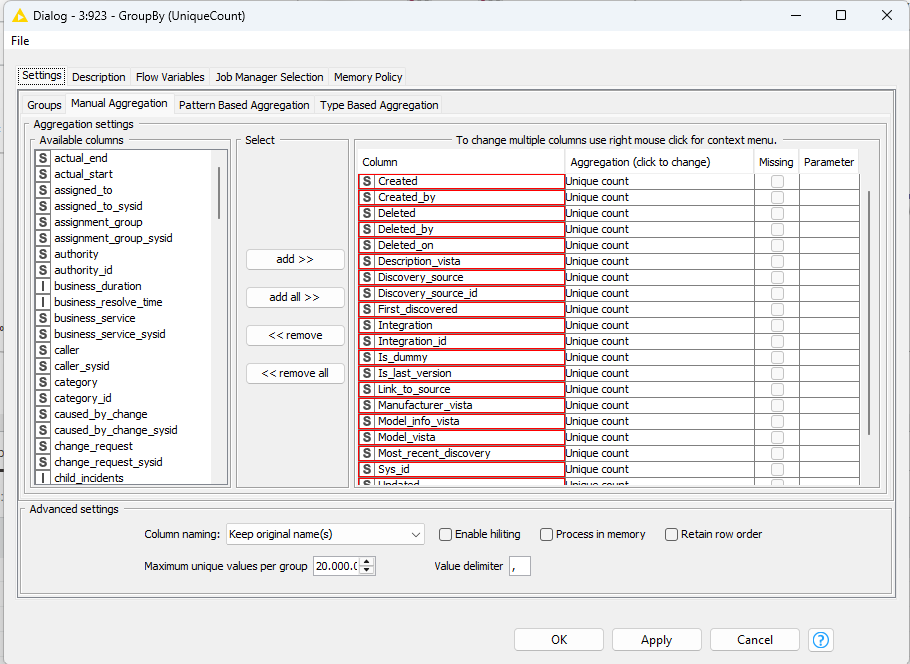
@B074534 one approach could be like this:
First you select the columns you want to aggregate and create a string that contains the column names separated by comma and blank with Group By Node:
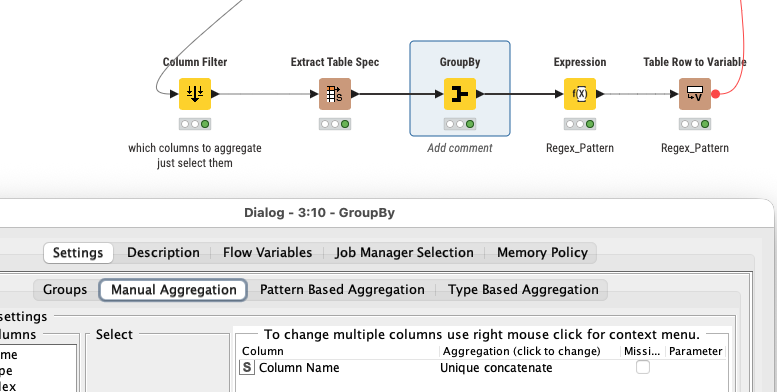
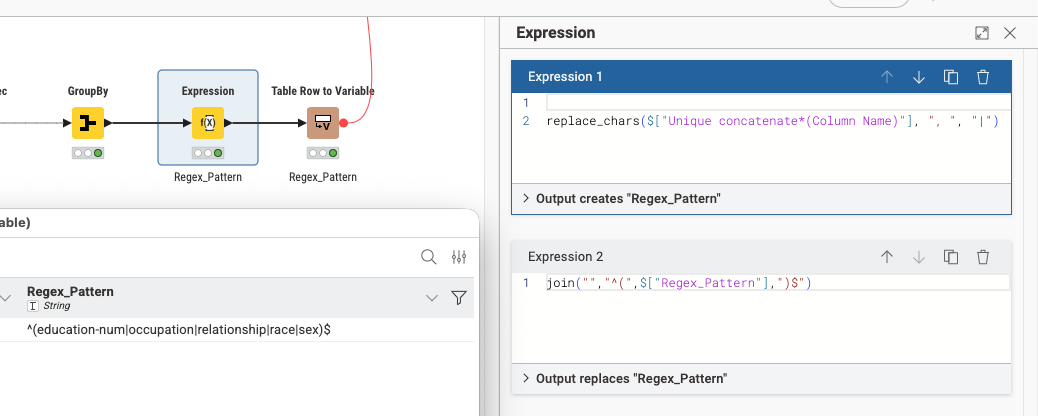
Then you create a Regex pattern to exactly identify the list of columns you want
And finally you enter the pattern into the Group By node to get the result.
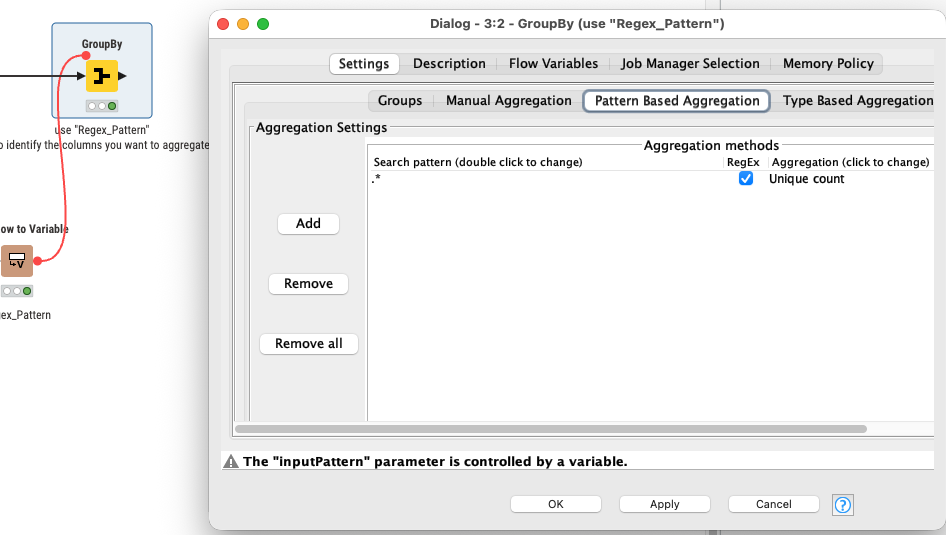
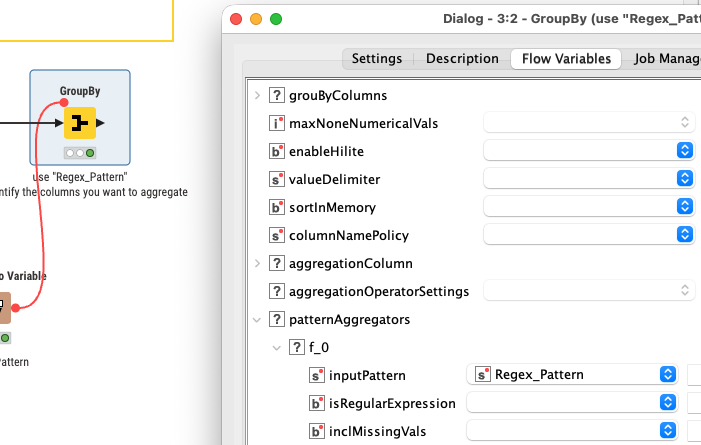
You could do other aggregations as well.

The closest case I could find was this one Modify column names using Java Edit Variable – KNIME Community Hub
but this workflow doest not start from a loop that reads files.
Mine looks like this at the moment:

as already stated, simply use the pattern or type based aggregations in the grouping instead.
Hi @mlauber71 , Thank you for your suggestion. I didn’t have a column expressions node but got around it with a “string manipulation” followed by a “column renamer” node to make it work.