Hi Knime Community Forum,
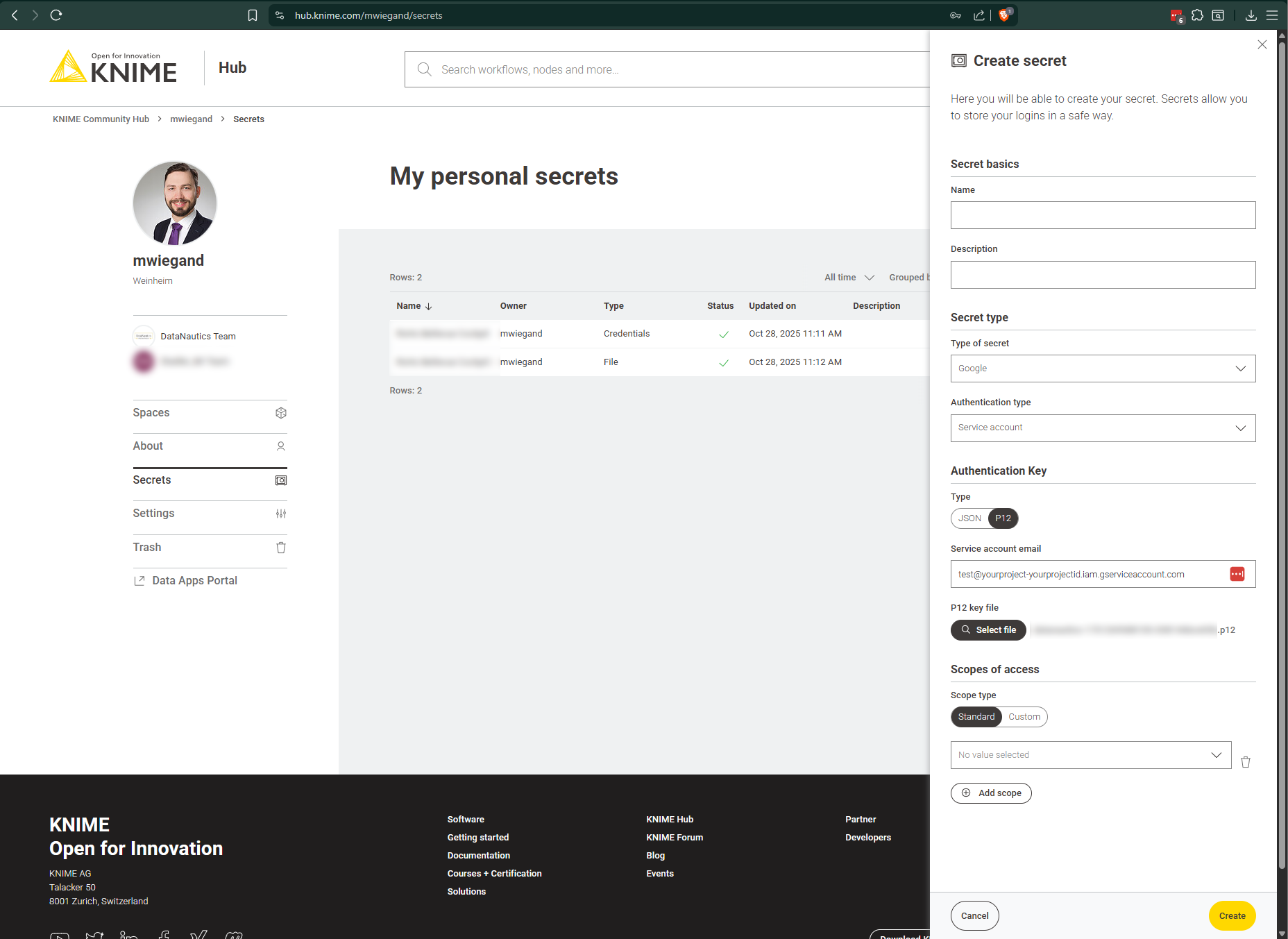
I am trying to set up a service account in Google and Microsoft to use as a secret in in Knime hub to use as a secret in the secret retriever node and automate the dataflow.
I have shown my dataflow to Knime data scientists and they seem to think it looks good. Which then means the issue might be in the service account setup google/micosoft. 2 service accounts, none seem to work. So I was hoping there would be someone that has done the setup before that meet with meet with me for a few minutes minutes to help solve the issue? Or that can help solve it here?
Regards,
Andres
Hi @AndresAcosta,
wecolem to the Knime Community. Creating a Google Service Account and issueing a p12 key can be confusing. Here, let me help you out:
Part 1: Grant Access / Create Service Account
-
Register a Google Cloud Account (a Credit Card is required)
https://console.cloud.google.com/welcome
-
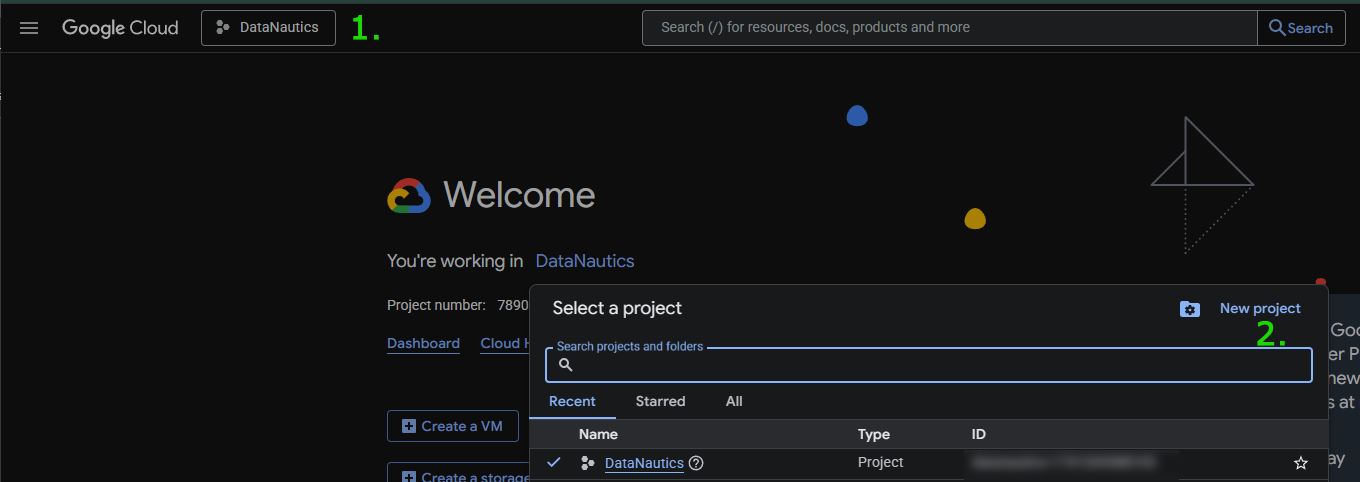
Create a Project
-
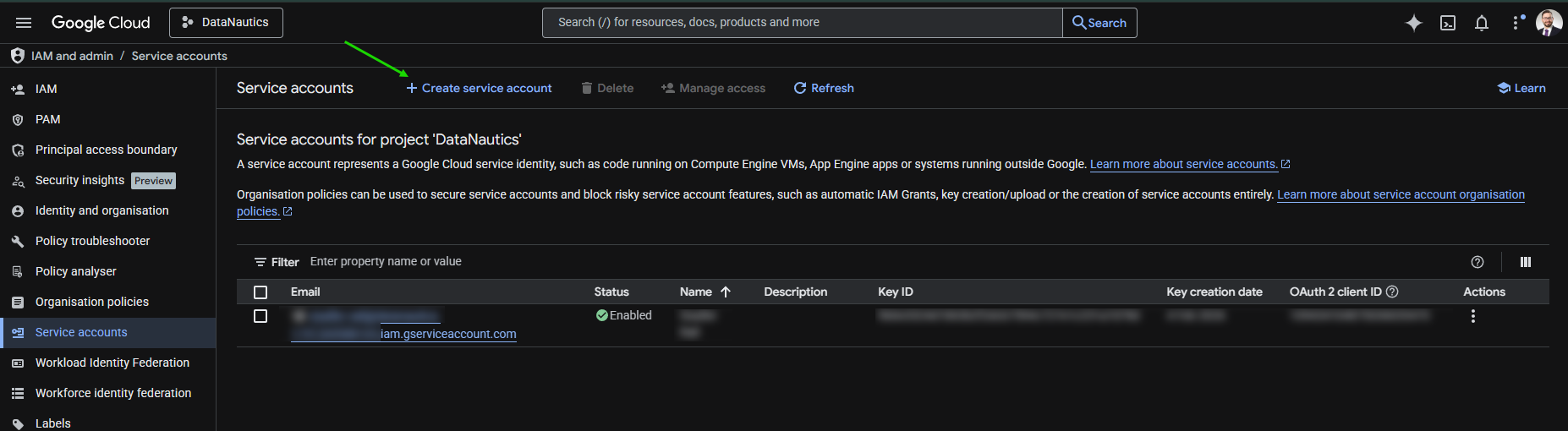
Navigate to Service Accounts (pay attention to have the recently created project selected) and create a new Service Account
https://console.cloud.google.com/iam-admin/iam
-
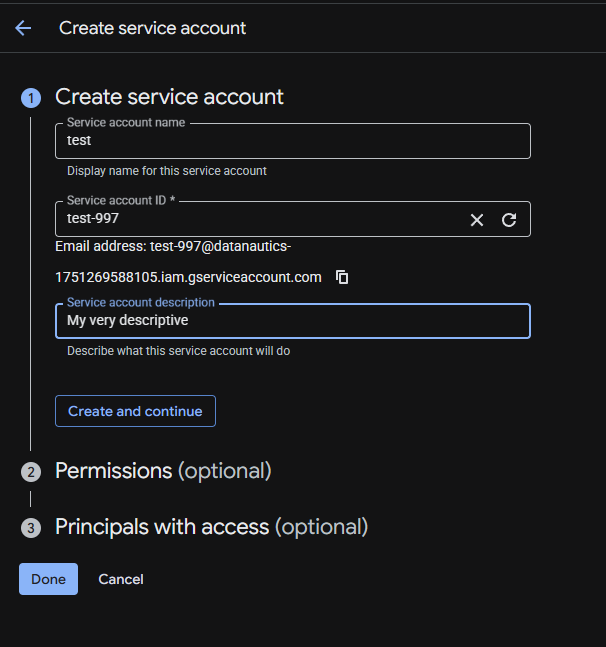
Provide a relevant Service account name (the rest is optional) > Click “Create and Continue”
-
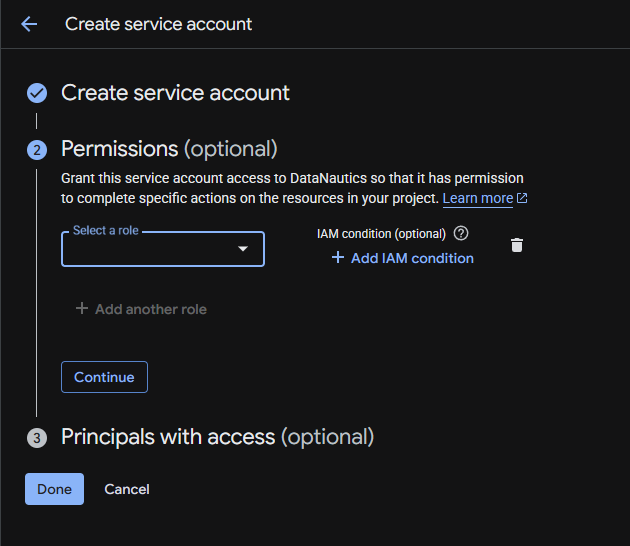
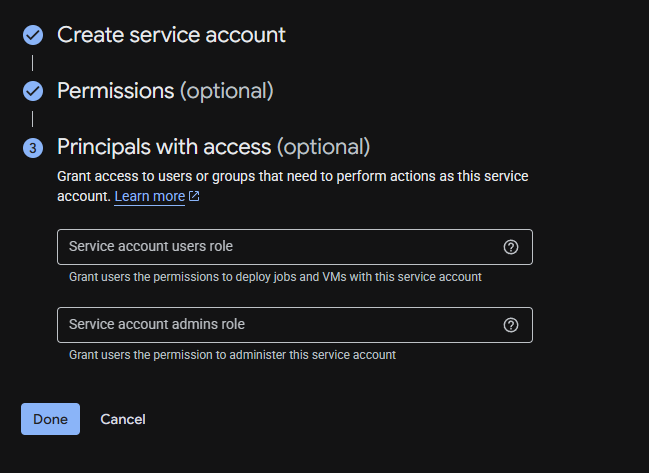
Skip permissions and principals (those will be set differently except you haven set them up coincidentally)
+
-
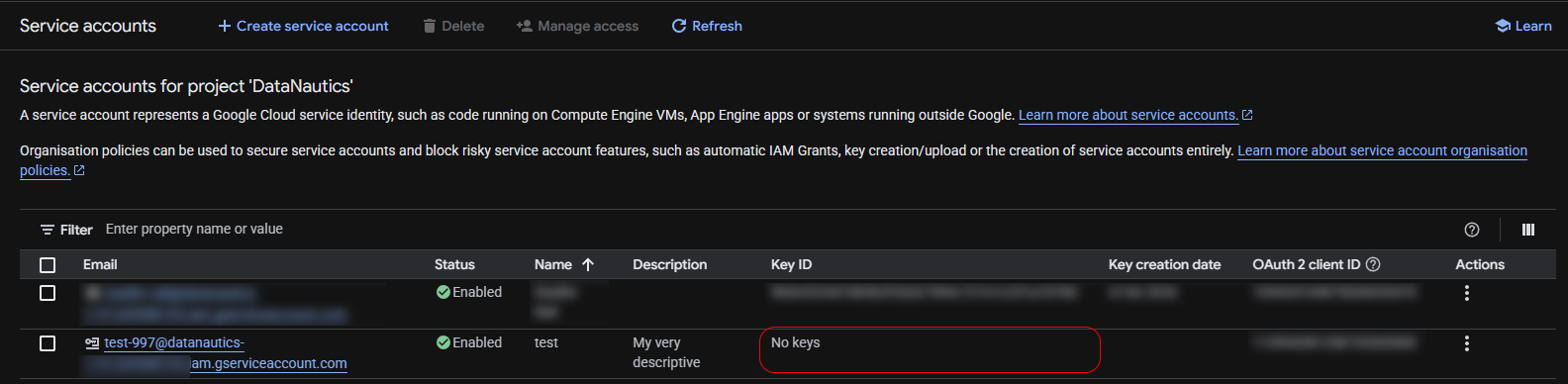
Your Service Account is created but not ready yet (missing Key / p12 file!)
-
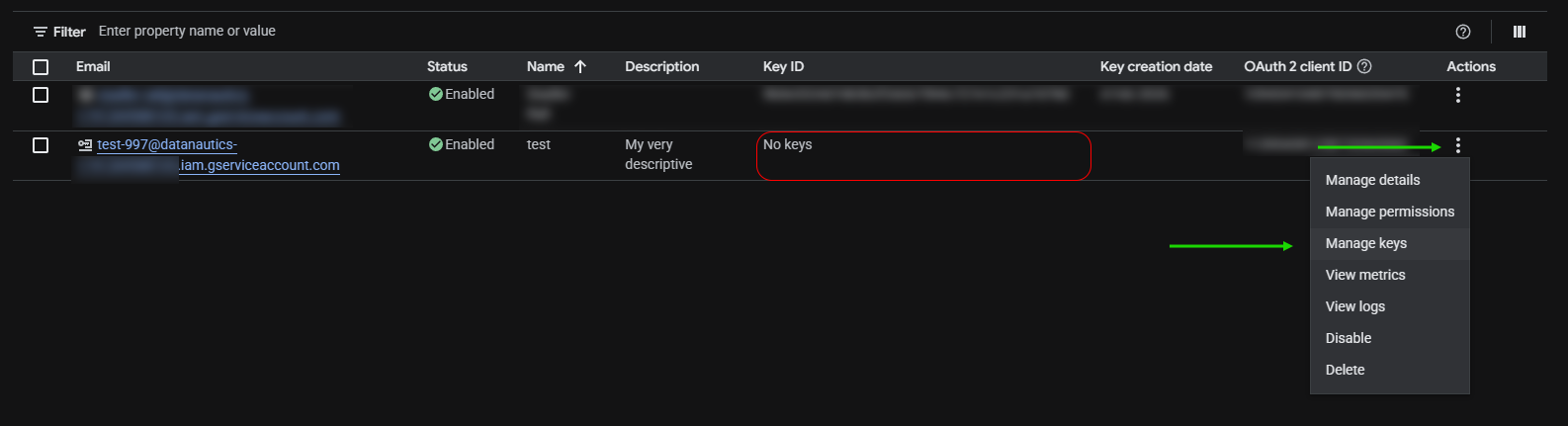
Click on the three dots > Select Manage keys
-
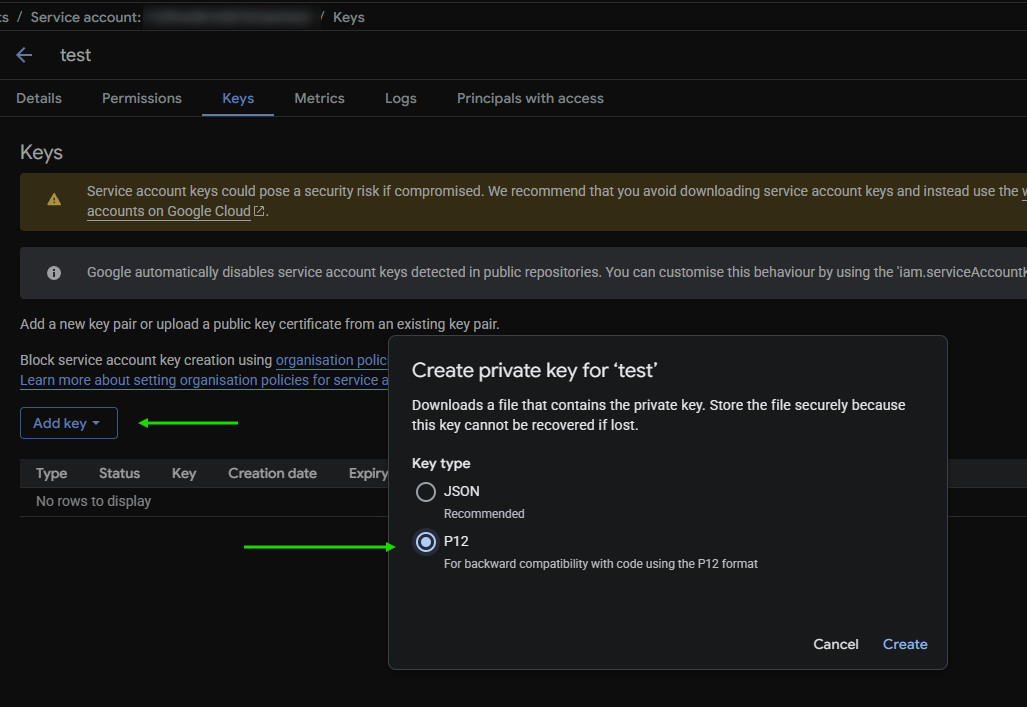
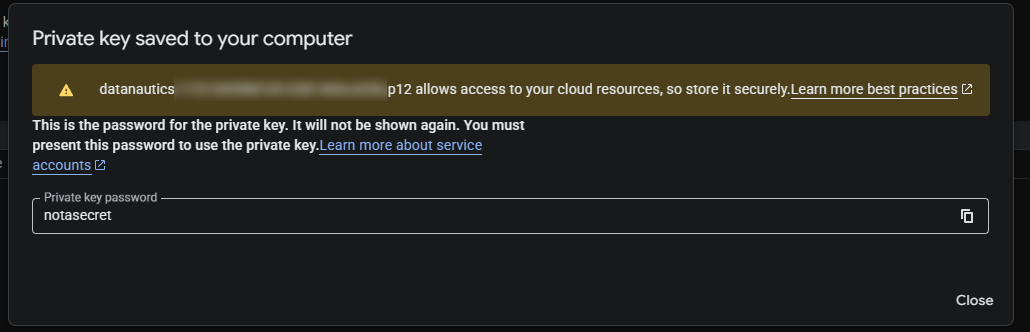
Click Add key > Select P12 > Click Create then save the file locally
Note: The Private key password is always the same and cannot be altered. Write it down / rememeber it anyway.
-
Copy the Service account email like:
test@yourproject-yourprojectid.iam.gserviceaccount.com
Part 2: Enable API
-
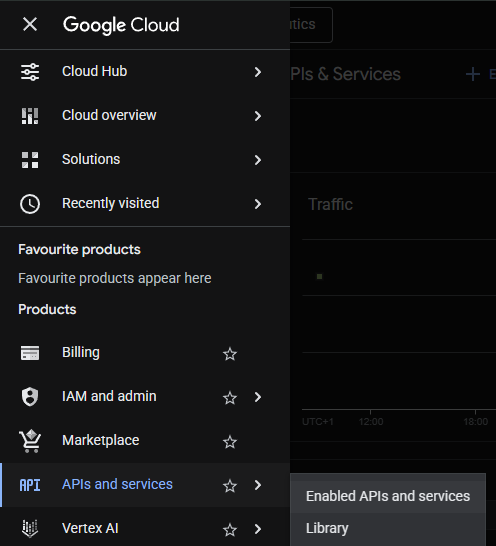
Navigate to APIs and service > Enabled APIs and service
-
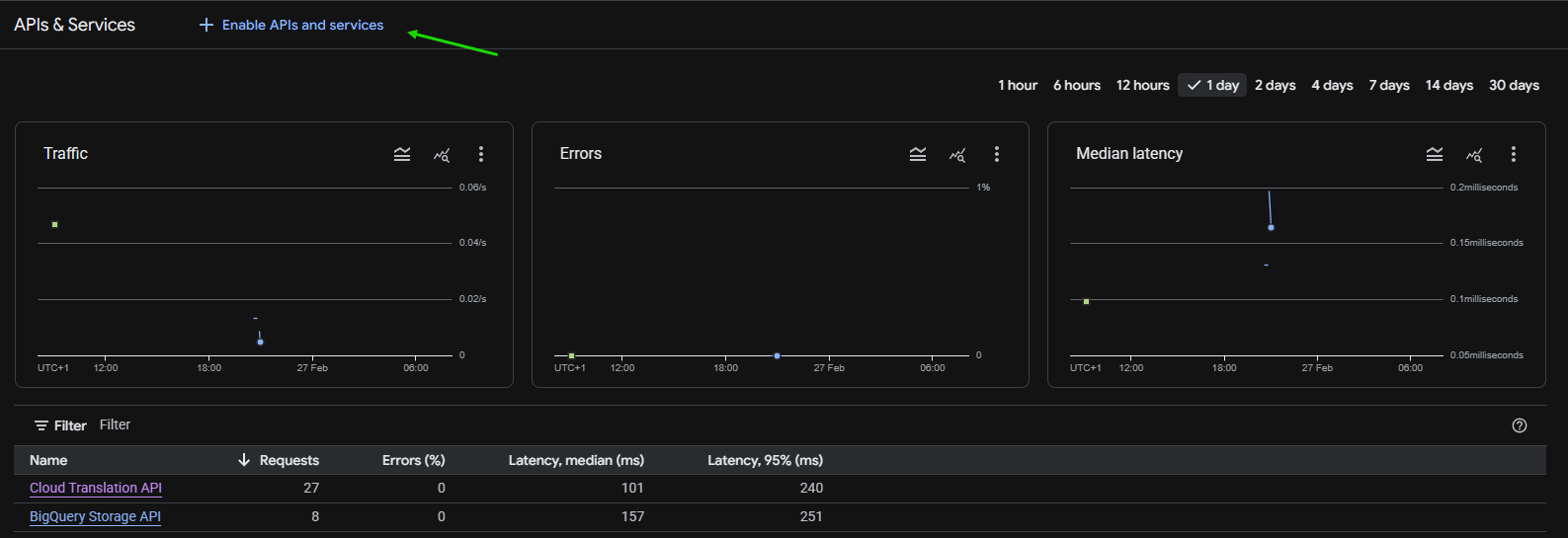
Click Enable APIs and service per your liking
Part 3: Use p12 in Knime Analytics Platform
-
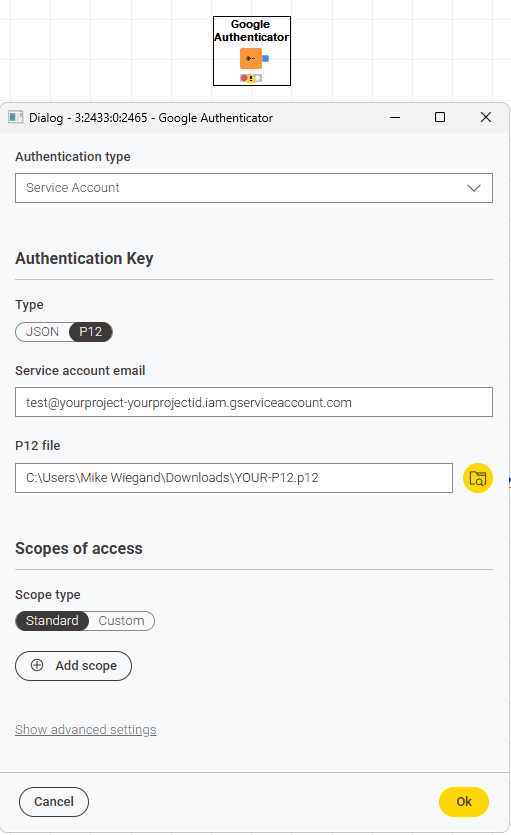
Start Knime > Place a Google Authenticator node and configure it
- Insert your service account email
- Select the p12 key
You might want to save or share that p12-key in a secure way by uploading it to your Knime Hub too.
I hope that helps. If not, feel free to each out to us.
Best, Mike
CTO @ DataNautics GmbH - Your KNIME-Experts
Contact: info@datanautics.net // datanautics.net // +49(0)170-325 713 9 // Linkedin
Daten Automatisierung für Finanz-, Produktion-, IT- und Marketing-Prozesse mit KNIME
Hi Mike,
Thank you for your answer. I was able to set up the service account sucessfuly. But I have not been able to set up the Google Drive API sucessfuly. I cant seem to find the documentation as to how to set up the google drive api to use in knime workflow. I would appreciate it if you could explain that part.
Regards,
Andres