Missing Data While Converting XML to Excel Using XPath in KNIME

Hi,
I’m trying to convert an XML file to Excel in KNIME. I’m using:

  • XML Reader to load the XML file

  • XPath node to extract multiple fields

  • Excel Writer to export the result

The problem is:

  • If I extract only one field (e.g., id), all data shows correctly.

  • But when I add more XPath fields (like name, address, etc.), some data starts showing as missing, even for the id column that was working before.

  • All XPath paths are correct — I double-checked them.

It seems like the data structure is getting misaligned when extracting multiple fields from nested XML.

Has anyone faced this? What’s the best way to convert XML to Excel without missing or misaligned data?

With issues like this it is always best to share at least a minimal example of your problem - best case is as an attached workflow people can download to investigate, at the minimum a screenshot…

In general XPath has worked reliably for me and most of the times I thought something was wrong it was the query caused by the person at the other end of the screen (myself :wink: ).

3 Likes

KNIME_project2.knwf (94.3 KB) This is the workflow.

Thanks for sharing!

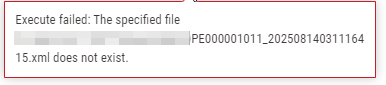
I’m afraid that the XML file is not part of the workflow.

I recommend storing it in the data folder of your workflow and read it from there…

image

2 Likes

I’m having an issue with the XPath node in the XML Reader. Even though the XPath seems correct, it’s not extracting the full data in some columns — certain values are missing. Is there another node I can use to convert XML to Excel, or what could be causing the issue with the XPath node?

I’m afraid without more information - e.g. providing the missing file in your workflow - I am unsure how I can help you.

2 Likes

This topic was automatically closed 90 days after the last reply. New replies are no longer allowed.