hi @AAM , the Math Formula multi column wouldn’t be able to perform what you need here, as there is no facility for dealing with columns by offset position or dynamic column naming that you have in this example.
As your calculation is effectively a calculation with the values that come immediately prior, this would indicate that the Lag Column node is likely to be useful, and the calculation can be perfomed prior to the Pivoting node in the previously uploaded workflow.
Since Rank is providing the ascending value for each patient, it makes sense to use Rank as the Lag Column.
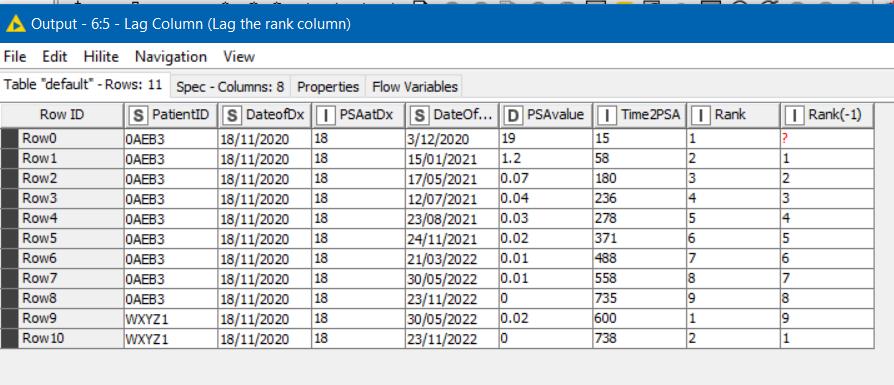
A joiner can then join each row on Patient ID and Rank = Rank (-1) (the rank of the previous row). Here I have told it to label the columns retrieved from the “previous” row as (prev), and I also told it to keep the rows where there was no rank match (because it was the first row for a patient).
From the (prev) row, we are just bringing across the PSAValue and Time2PSA columns, as these are the ones required by the formula

The Math Formula node (the single column version) can then perform the calculation using:
ln(2)/(($PSAvalue$ - $PSAvalue (prev)$) / (($Time2PSA$ - $Time2PSA (prev)$) / 28))
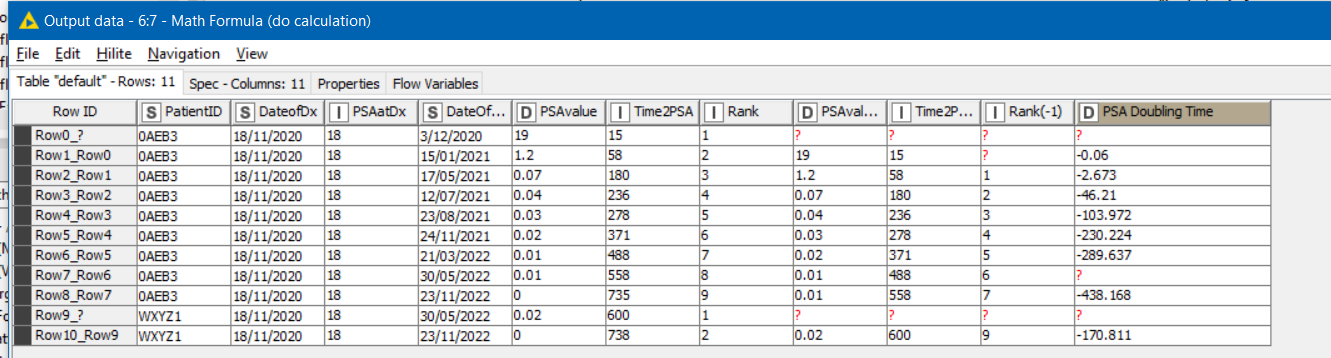
Finally, the data can then be pivoted as before but with the addition of the “PSA Doubling Time”

I’ve essentially put your formula in as given. I don’t know if the calcs are right, but hopefully this will help.
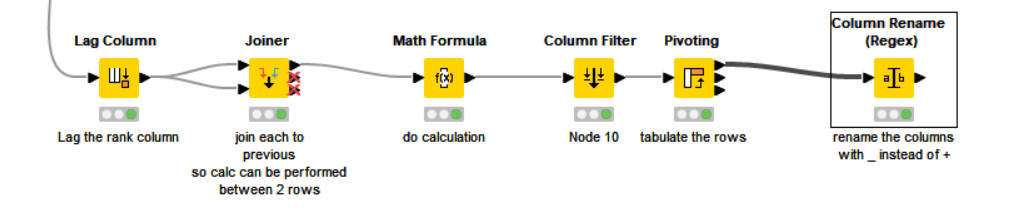
Tabulating rows into columns with lag calculation.knwf (53.5 KB)