Alex338
1
Hi Community,
This is my first post so please if I did something wrong don’t delete it.
I’m trying to have a nice PDF report after a component node creation.
But I have a problem that if the text is too long it wont show entirely and also it wont move to a new line.
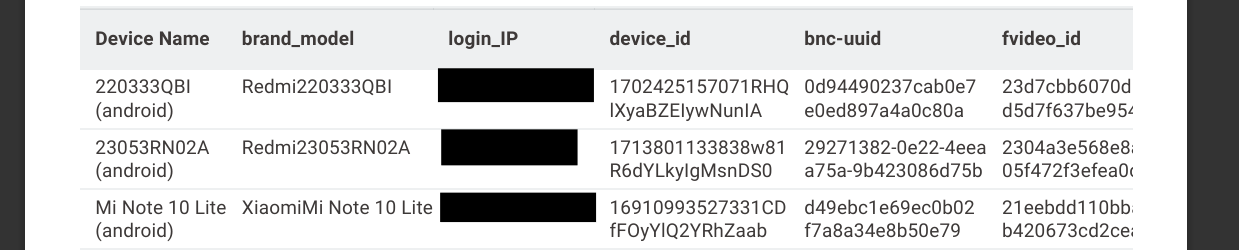
This is my report on A4 page:
As you can see the string in each cell is longer.
How I can have it in multiple lines to see the entire text,
Thank you in advance!
Hey there,
welcome to the forum!
I think your problem description is pretty good and the screenshots helps us to help you!
I think what you can try is use the String Format Manager:
Also I think it is worthwhile reading through #3-#6 in this blog post to see more options:
1 Like
Thank you Martin,
I tried it and it is looking something like this:
It is solving the problem in a way. I could trim them all to fit in column.
However, ideally is to have entire string in the column and if it is too long it should go on another line, something like auto-wrap.
Thanks
Alex338
4
It should look like this:
I this case I used String Manipulation node -join() function to insert \n\r after mid string.
But as you can see not very good in the last column.
system
Closed
5
This topic was automatically closed 90 days after the last reply. New replies are no longer allowed.