Happy festive period everyone,
Hoping someone can give me some guidance on the below conundrum.
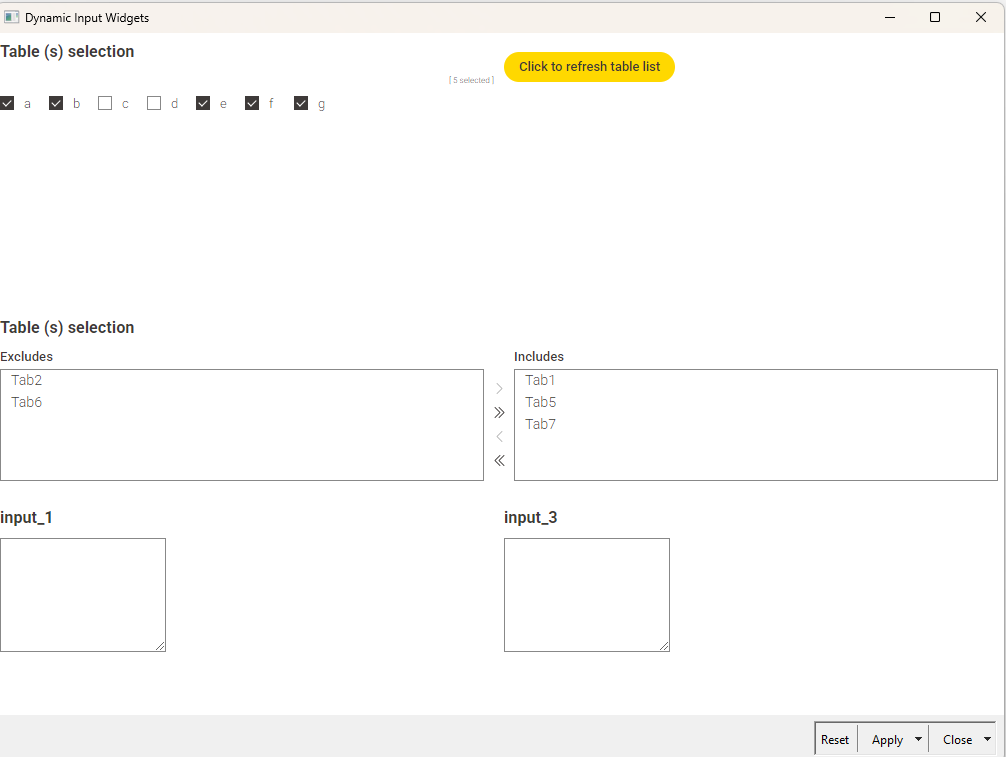
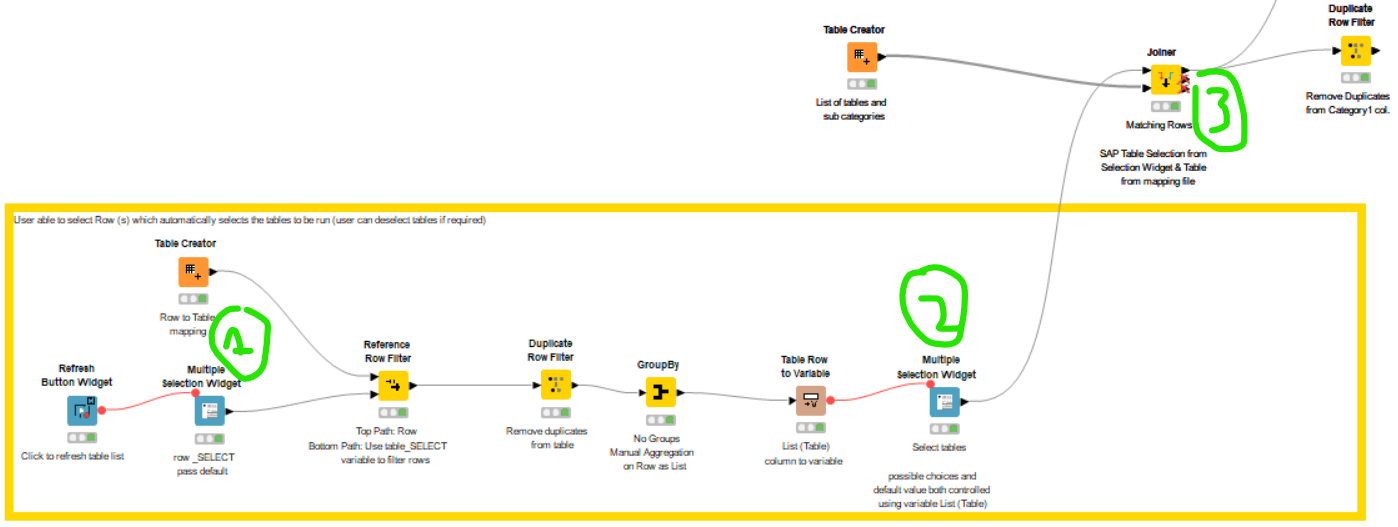
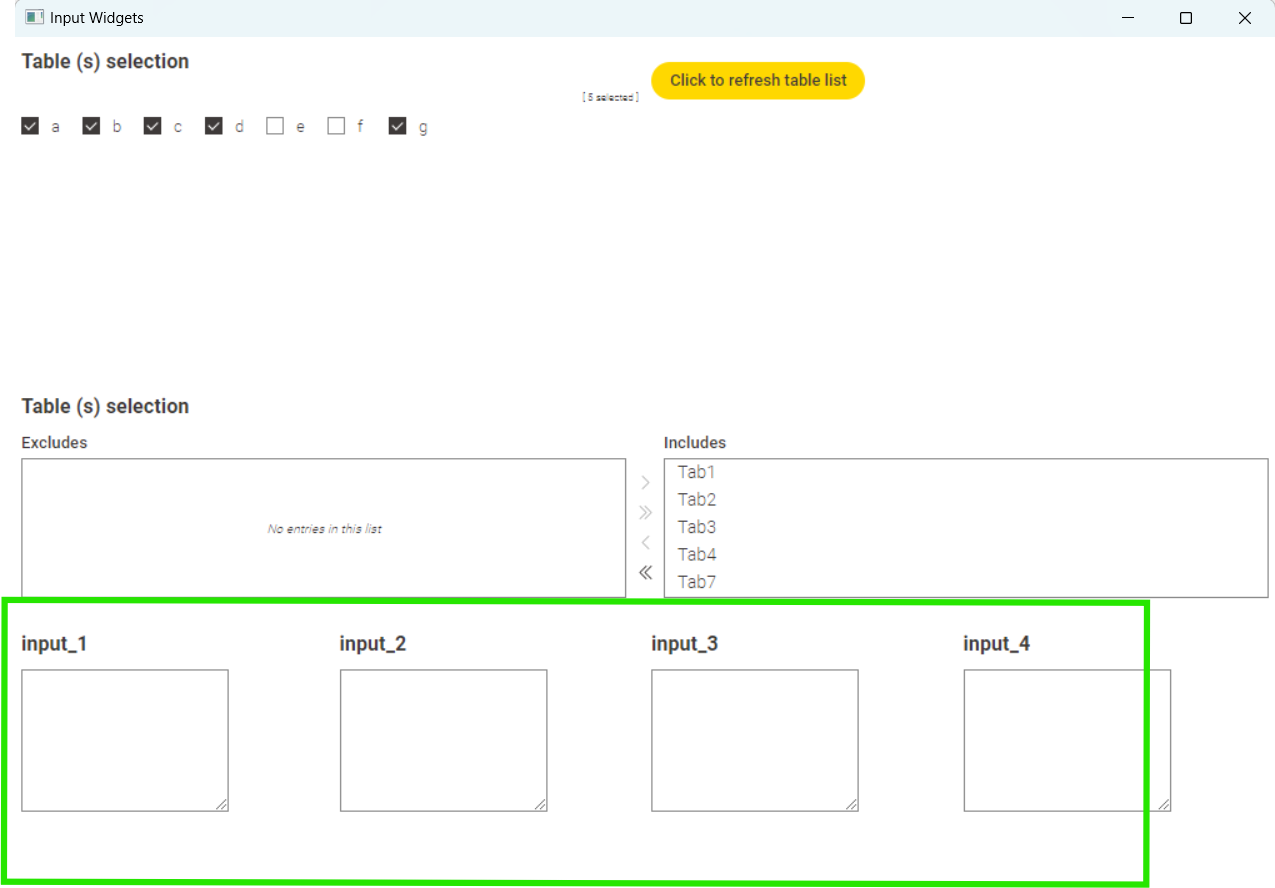
I have a component with a Multiple Selection Widget where user selects a Row (labelled 1). The result of this selection is then used to determine the possible choices for the second Multiple Selection Widget (labelled 2).
I then have a joiner that brings in a value called Category for all of the selected tables. (labelled 3 below)
My flow is shown below along with example output.
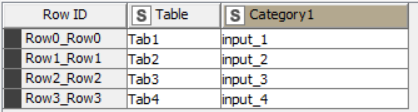
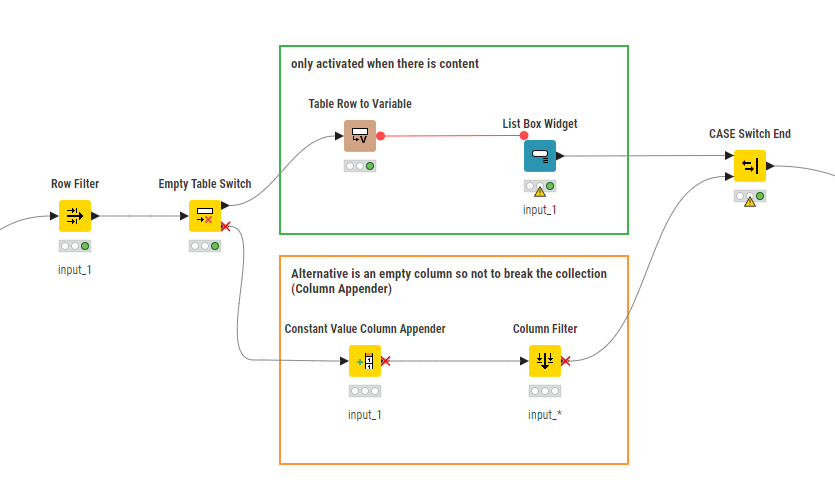
The bit I am struggling with is that, as per screenshot below, I have List Box Widgets in the same component for each of the categories. What I would like to achieve is to use the column Category1 from screenshot above to filter the List Box Widgets that are visible to the user.
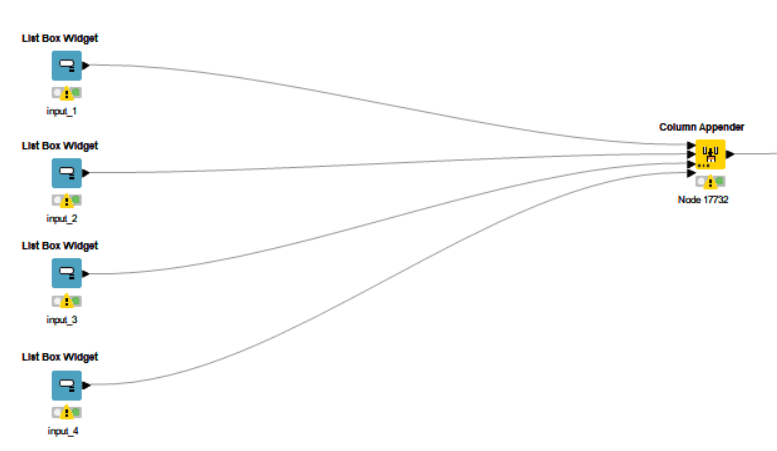
In other words, only the Input boxes that are relevant to Tables 1, 2, 3, 4 and 7 as shown below should be included in the Interactive View.
I’ve attached the workflow for your reference.
KNIME_project2.knwf (113.0 KB)
I’m really close I think but I can’t quite figure out how to use join the Multi Select widget output with the individual List Box Widgets. I did think about using a case switch but i’m trying to avoid having duplicates of the list box widgets for each path (given that the user could select any combination of tables).
I’d really appreciate any guidance you can provide on this 
Thanks in advance.
Pete