I am a newbie to Knime. I have a Spring boot application, which involves multi-tenancy and the databases are supported through flyway.
Since the databases are different but the tables across them are same,
I would like to know, if there is a possibility to get the list of databases and loop through them?
I tried legacy database looping node, but it wasn’t exactly successful and I could not even establish connection to my Mysql server.
Don’t have experience with Spring boot applications and not sure I understand your use case for using KNIME but in order to connect to your database(s) you need DB connector node(s). In your case MySQL Connector node. Now I’m not sure how looping over a list of databases would look like but for looping over DB tables you can use Table Row To Variable Loop Start node and control database nodes with created flow variables. (Probably similar approach could done for looping over different databases but haven’t tried it or seen it ever…)
Hi @Madhu , I don’t think you can retrieve the list of databases via Knime…
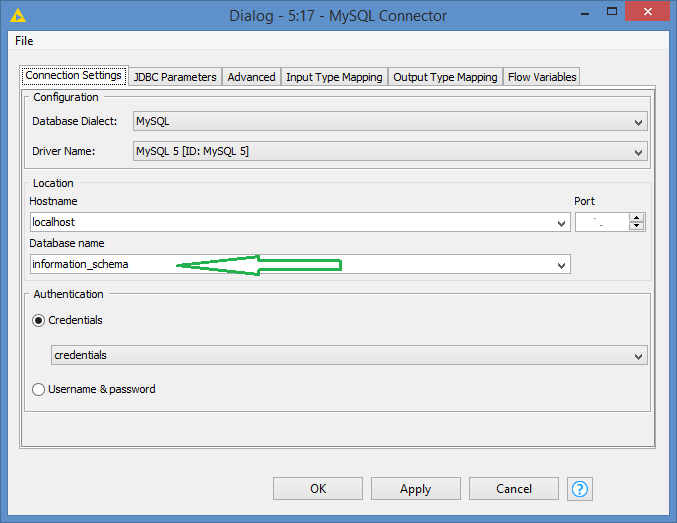
The MySQL connector, or generic db connector requires that you enter a database name since these connectors are connecting to a db.
Even if you add a dummy/generic db name (of a db that exists of course), you would not be able to run a show databases to retrieve the list of databases.
The DB Query Reader is kind of an encapsulator which basically will run a SELECT * FROM (<Whatever query you write>), so SELECT * FROM (show tables) is not a valid query.
The DB SQL Executor is able to run the show databases, but this node is meant to just execute operations and does not have any data output, so while it’s able to run the command, you will not see the results.
Alternatives:
Option 1:
Manually retrieve the list of databases and manually save to a table
Loop through the list, and inside your loop, establish your db connection while passing the db name dynamically
Do your operation
Option 2:
Similar to Option 1, but we want to “automate” the retrieval of list of databases:
Create a script (batch in Windows, sh in UNIX/Linux) that will execute MySQL show databases in command line, redirect output to a file
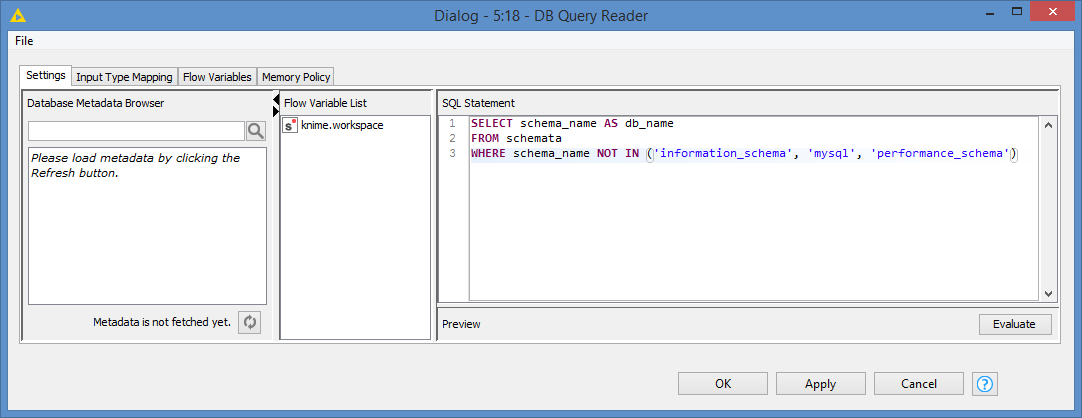
Then run this query via the DB Query Reader: SELECT schema_name AS db_name FROM schemata WHERE schema_name NOT IN ('information_schema', 'mysql', 'performance_schema')
We’re basically selecting everything, except the 3 default mysql databases that the mysql server uses.
You should have the list of your databases as a Knime table now.
You can tweak your query, for example if your target tables have some pattern in their name (prefix, etc) that identify the tables for this project.
For example: SELECT schema_name AS db_name FROM schemata WHERE schema_name LIKE 'clients_%'
will get list of all databases that start with “clients_”
The do the rest of the steps I mentioned:
Loop through the list, and inside your loop, establish your db connection while passing the db name dynamically
Do your operation
For looping through the list of tables, do you mean that you have the list and you are just trying to figure out how to loop through it, or do you mean you need to figure out how to get the list of tables?
If you are trying to get the list, you could simply add them manually to a Knime table since they’re the same tables for all the databases, and then use the loop that I mentioned above to loop through the table list of tables.