Why is the new Date&Time Range Creator node outputting results that are one day off from the settings I am giving it? It doesn’t start from the day I select as the start?
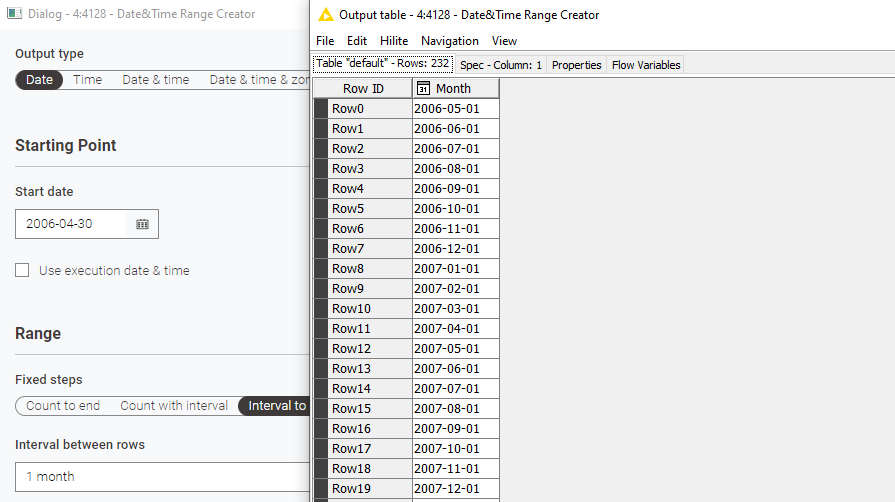
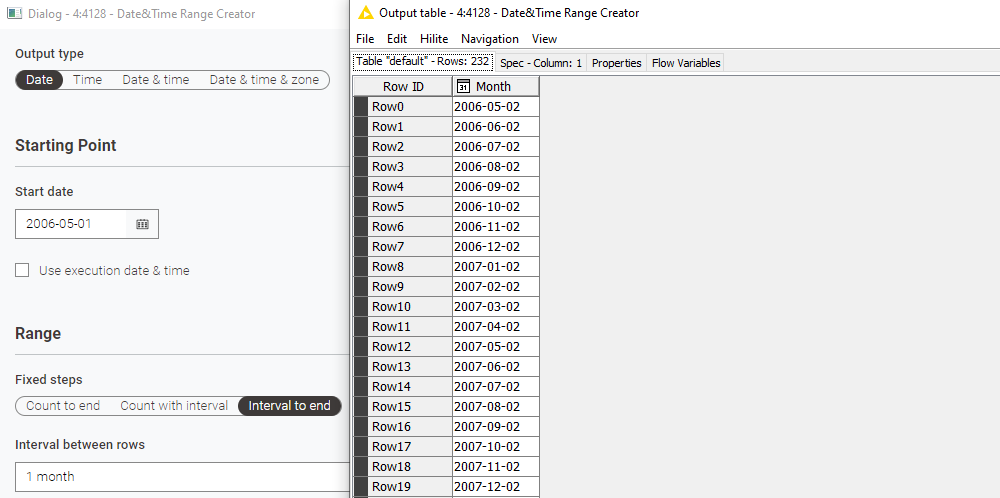
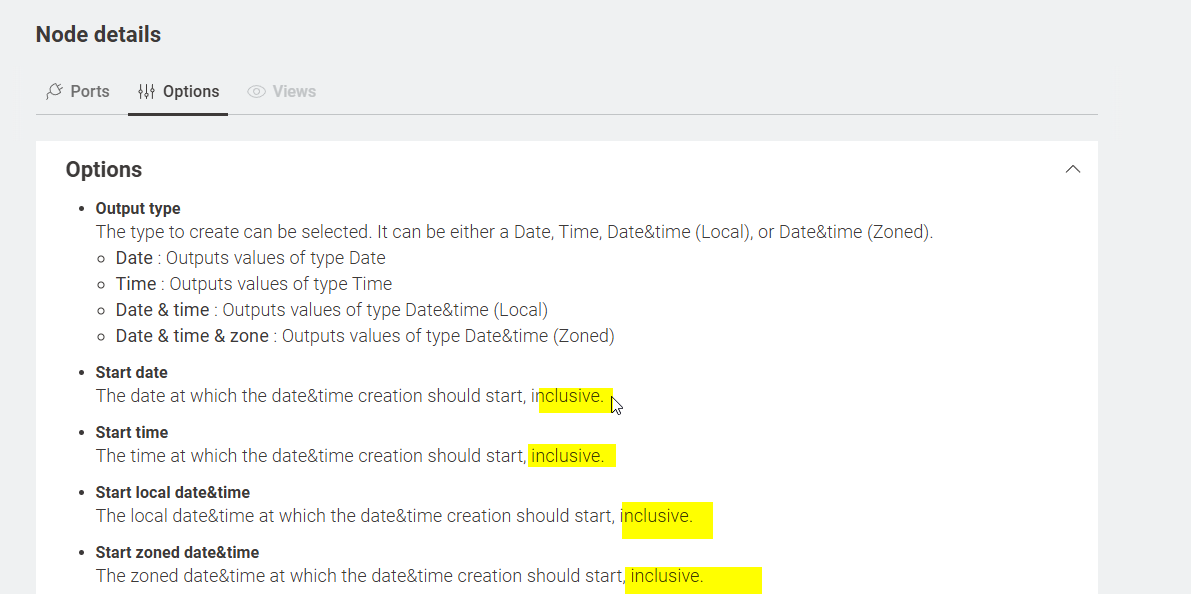
Good pick up - I had a quick look at the description and agree if you select a date to start from the range should start with the selected date is it is mentioned to be “inclusive”:
Moving to feedback / ideas section
1 Like
Hi @cbirch , which version of KNIME AP are you using, and on which OS?
I tried replicating your result, and it is working for me, but I am on 5.5.1 on Windows 11.
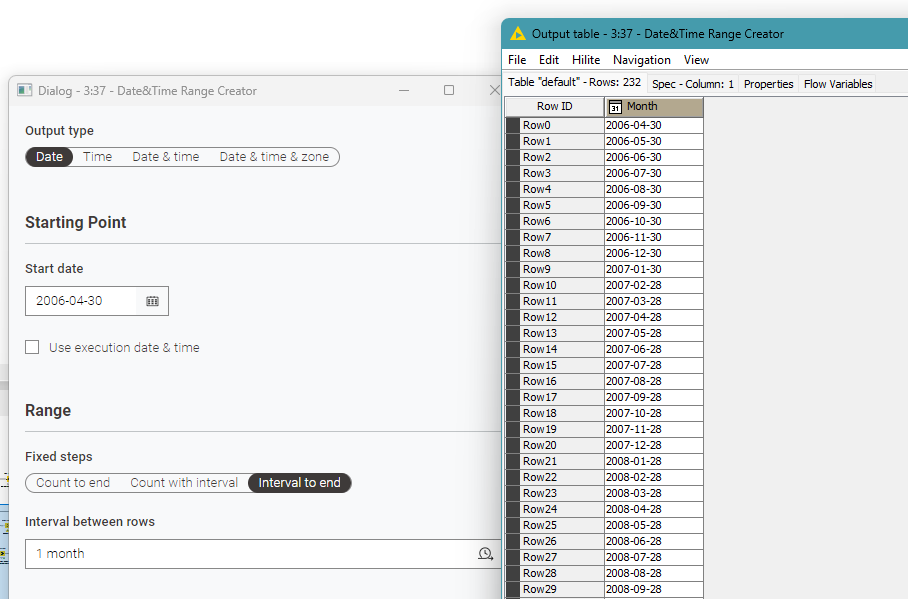
I’m wondering if maybe this was a bug in 5.5.0 that has been fixed, but have not found anything about it in the changelogs for 5.5.1. If it’s not that, then I wonder what is special about your config (or maybe your timezone!  )
)
On a related note though, I’m not sure that the result of adding “1 month” for dates above 28th of the month will necessarily yield the required result. As you can see from my above screenshot, as soon as it gets to February, it becomes 28th (or 29th) and then stays at that date thereafter. I can see why but not sure it would be most people’s intended outcome…
Difficult to know how this should be handled, but possibly some extra options like “track last day of the month” ought to be added. Apologies for slightly hijacking the thread with this comment, but it feels relevant to the specific example.
3 Likes
I was on 5.5.0, I tried updating to 5.5.1 but I’m having the same problem:
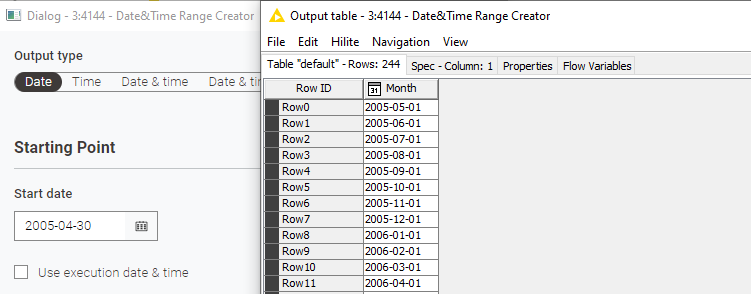
The month interval question is interesting. Theoretically you could start at the beginning of each month and then subtract one day from all rows. The more common use case is probably first day of the month, which is what I’m trying to use and it’s performing correctly when the first row shows up as the 1st.
2 Likes
Hi @cbirch that’s very strange. Can you upload a small demo workflow where this is occurring (e.g. create a workflow with just that Date&Time Range Creator node), but make sure to execute it and then when you export the workflow, tell it not to “reset” the data, so that the shared copy shows the data as you are seeing it.
3 Likes
Hey all,
thanks for the nice debugging. We just looked into it and we can reproduce the problem if the whole system is set to UTC-12. We will further investigate and fix it 
Greetings,
Daniel
3 Likes
Hi @cbirch,
we addressed the issue and it should work as expected with AP version 5.7.
As an explanation: The date component works with a timezone in the background and this timezone information was disregarded when applying the settings. This meant that close to midnight already a timezone shift of 1 hour from UTC lead to a changed date.
Internal ticket: UIEXT-2900.
Thanks for sharing the bug!
4 Likes
Internal ticket ID: UIEXT-2900
Summary: Frontend date picker depends on system timezone to work
Fix version(s): 5.7.0