Has there been any update in this regards? or someone manage to find a workaround?
I could use a python script to send the file via POST call, however the problem is that Restfull service I’m working with requires token based authentication and python script node doesn’t support credentials variable. It is essential for me to use credential node as the workflow will be used by others and they might not supposed to see the Token as raw string.
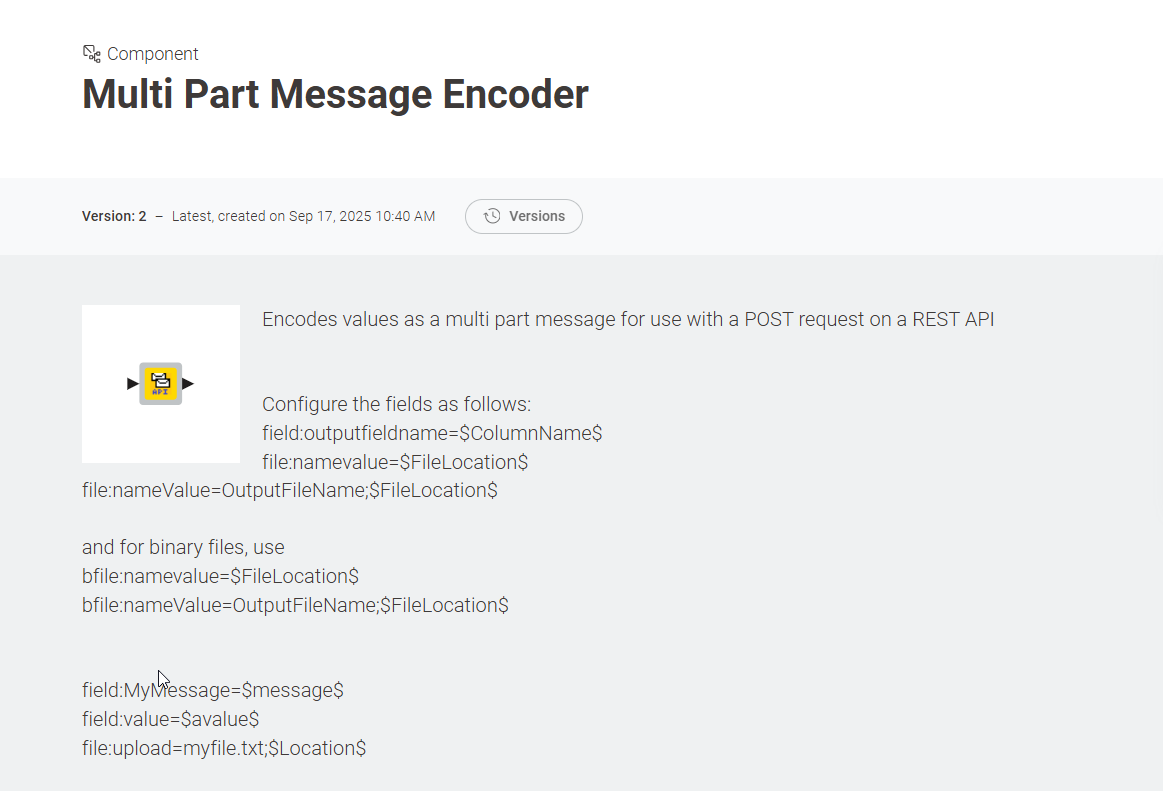
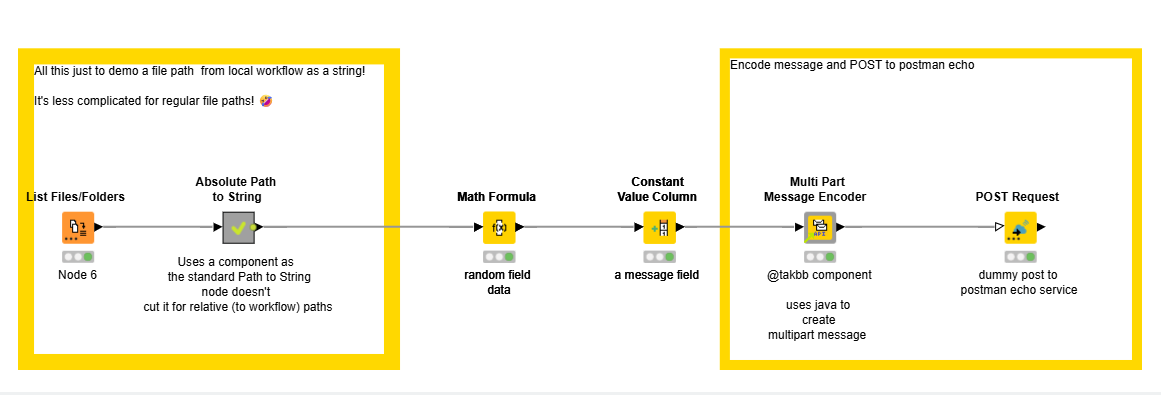
hi @nizamibilal1064 I know its been a few months but I wonder if my “experimental” component can be of assistance, which can build a “multipart message” that can include a file attachment and posted using the POST node.
The main difference is that we tried to avoid script nodes entirely, and we added the option to explicitly define the object type for the multipart call. I wanted to share this here as well to gather early feedback.
This isn’t just my work but the result of a more collective effort, and I turned it into a reusable component so others can try it out.
That’s why I thought it belonged here on the Forum, too.
Looking ahead, our goal is to improve the component further — in particular, to reduce execution time and remove the costly binary → base64 → bytes → base64 → binary conversions.
Happy to hear any thoughts or ideas from you and the community!
@diego_rod_lop Thanks for sharing. i’m very interested to use this functionality however when i’ve imported this i’ve encountered an error in the component. I’ve not changed the workflow in any way and this error occurs immediately.
WARN Variable to Table Row 4:1815:0:1784 Errors loading flow variables into node : Config for key “variable_filter” not found.
Are you ensuring that all the necessary fields within the component are configured correctly? Additionally, what type of input are you providing? It would be very helpful if you could share a dummy workflow that reproduces the error, without including any real data.
Hi Diego, I downloaded the workflow and tried to run it without making any changes, as I first wanted to be able to inspect the result to understand what action I need to take in order to send my PDF via POST.
The component is still populated as per below (i’ve exported the workflow with the error - see attached) :
Please can you take a look to see if I have missed anything? Has the configuration of the component changed in my version?
I’ve checked the workflow on KNIME Analytics Platform 5.4.3 and can confirm the issue: the failing node is due to forward-compatibility, not misconfiguration.
The original workflow was created with KNIME AP 5.5.1, and the “Variable to Table Row” node used inside the component is not fully compatible when opened in older versions such as 5.4.3.
Just for context:
Backward compatibility is guaranteed → workflows built in older versions (e.g., 5.1) will run on newer versions (e.g., 5.8).
Forward compatibility is not guaranteed → workflows built in newer versions (≥5.5) may not run in older versions (like 5.4.3).
What you’re seeing here is exactly that situation.
What you can do
Since your company is restricted to 5.4.3, the safest workaround is to unlink the component and adapt the workflow so it does not rely on functionality introduced after 5.4.x.
To make the workflow compatible with 5.4.3:
Use the attached version of the workflow, where the component is unlinked and adjusted so it runs successfully on 5.4.3.
Please note that this version won’t receive future updates that come with the linked component.
My business case requires sending only a PDF file so i’ve added a second Table Creator with only the PDF row. I’ve also attached my workflow (unreset) - are you able to advise why this may be returning a 405 error?
Good catch — Option 1 (“keep the demo URL for a quick preview”) no longer works because the default webhook.site URL included in the workflow has expired. Thanks for spotting this! I’ll update the workflow description so it’s clearer.
To test the component, you’ll need to use your own webhook URL:

 (Component)


 , it’s strange because I tried running the same workflow, and it worked.
 What you can do


