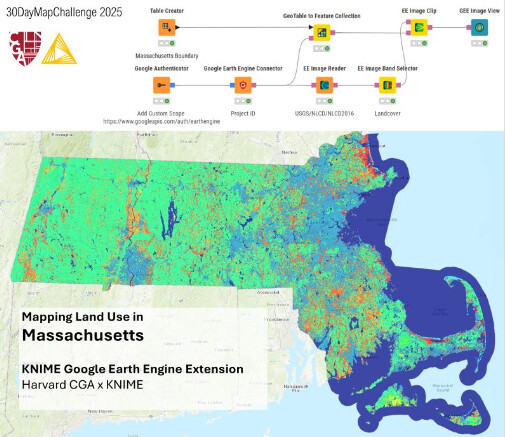
We’re releasing a public preview of the KNIME Google Earth Engine (GEE) Extension, bringing node-based access to Google Earth Engine inside KNIME Analytics Platform—so you can run cloud-scale remote sensing and geospatial analysis without the need for coding.
What’s included
A full set of more than 50 nodes covering an end-to-end workflow:
-
Images: band selection/renaming/merging, band math & indices (e.g., normalized difference), masking, conditional ops, geometry extraction
-
Image Collections: filter by time/space/metadata, aggregate (first/mean/median/min/max), search GEE datasets
-
Feature Collections: read assets, spatial/attribute filtering, clipping, KNIME table ↔ Feature Collection conversion
-
Visualization (geemap): interactive maps for images and collections with custom bands/palettes/params
-
Sampling: region reduction, point sampling, class counts
-
Supervised learning for classification: train classifiers, classify images, extract labels
-
Unsupervised learning for clustering: apply K-means/ X-means clustering to Image
Installation
Enable the KNIME Community Extensions (Experimental) update site via the Available Software Sites Preference page of your KNIME Analytics Platform:
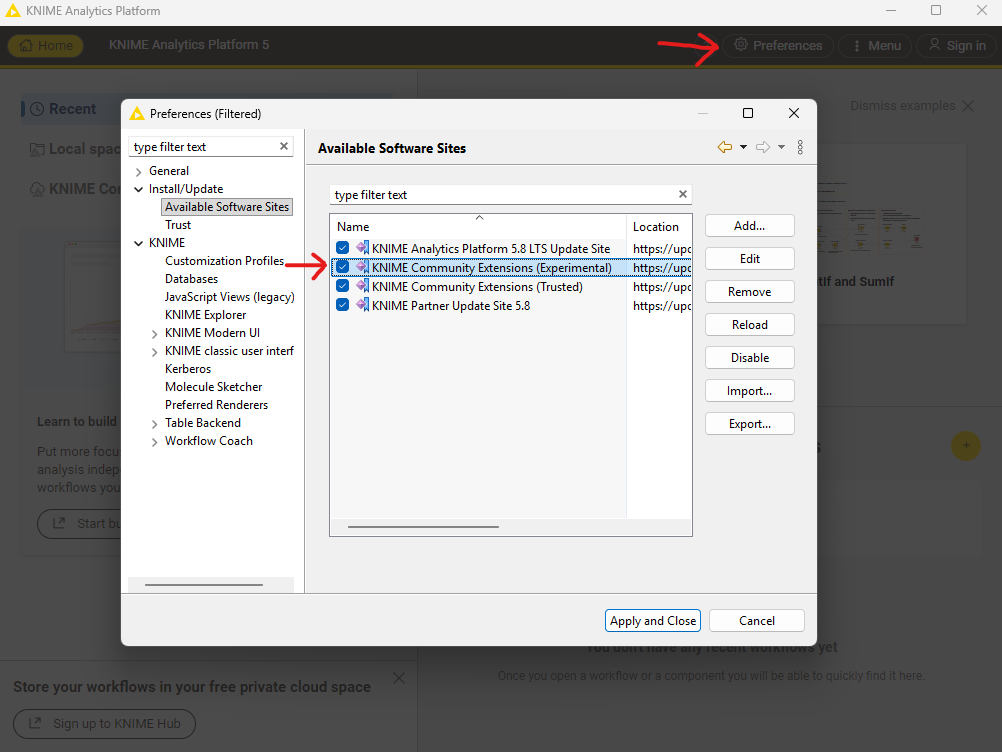
Once enabled go to Menu → Install Extensions and search for Google Earth Engine in the extension installation dialog:

When you see the Trust Artifacts dialog select the first line of the upper table:
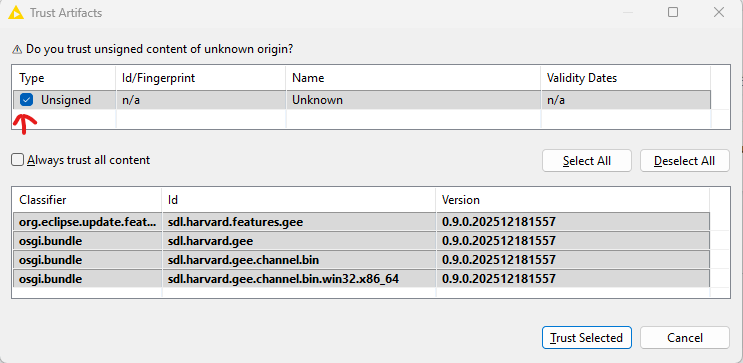
Once installed restart KNIME which might take a bit longer than usual since it is finishing the installation. You will find the new nodes under the Community Nodes section in the nodes repository.
Getting started
To get started with Google Earth Engine you need to have a Google Cloud account and setup a Google Cloud project with access to the Earth Engine as described here.
In KNIME you start with the Google Authenticator node where you need to use the https://www.googleapis.com/auth/earthengine and optionally https://www.googleapis.com/auth/cloud-platform for Cloud exports or https://www.googleapis.com/auth/drive for Drive exports as scopes of access. For more details see the node description of the Google Earth Engine Connector node.
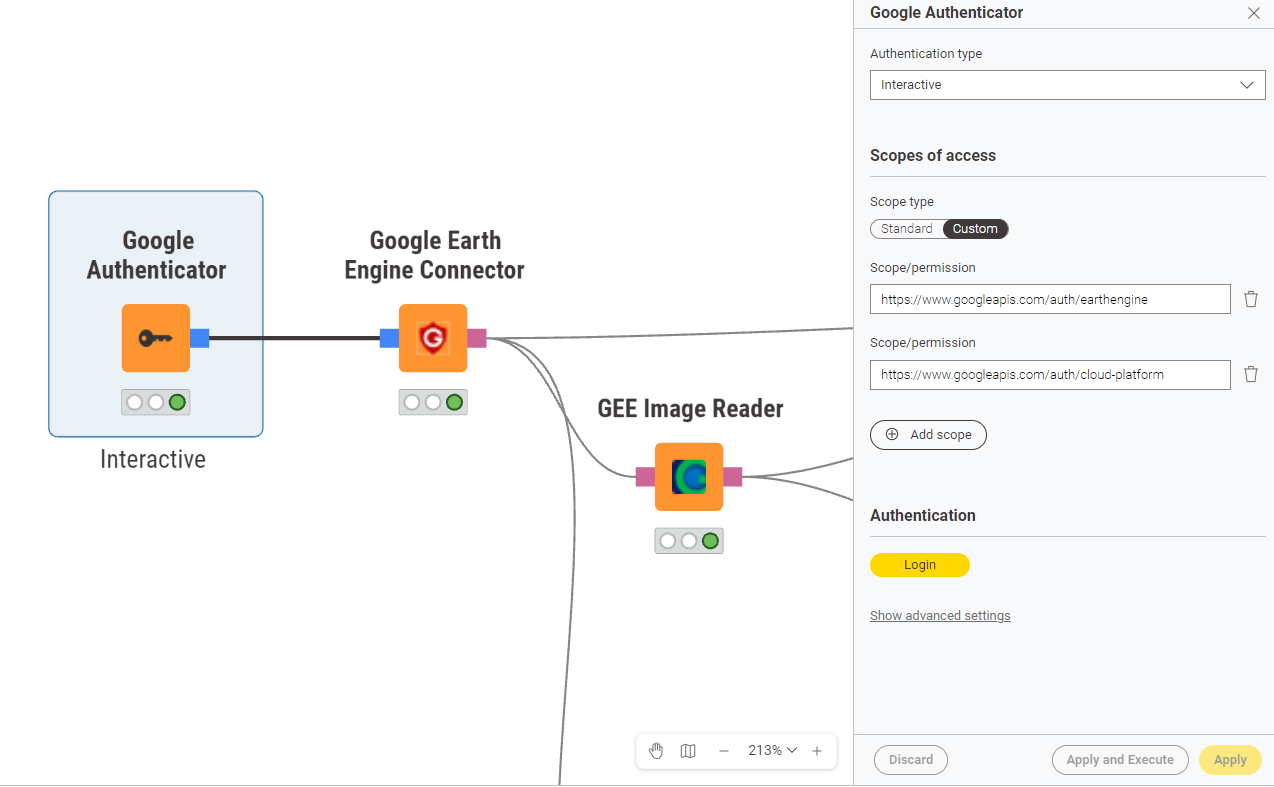
To get started check out the Google Earth Engine Examples space which also includes the workflow for the article shown above. We will continue to add more examples to this space in the future.
Public preview notes
This is an active development release: expect experimental features and possible breaking changes. Please try it, report issues, and share feedback in this post to help shape the stable release.
 New release: KNIME Google Earth Engine Extension v0.10
 Check out the full release notes and details here: