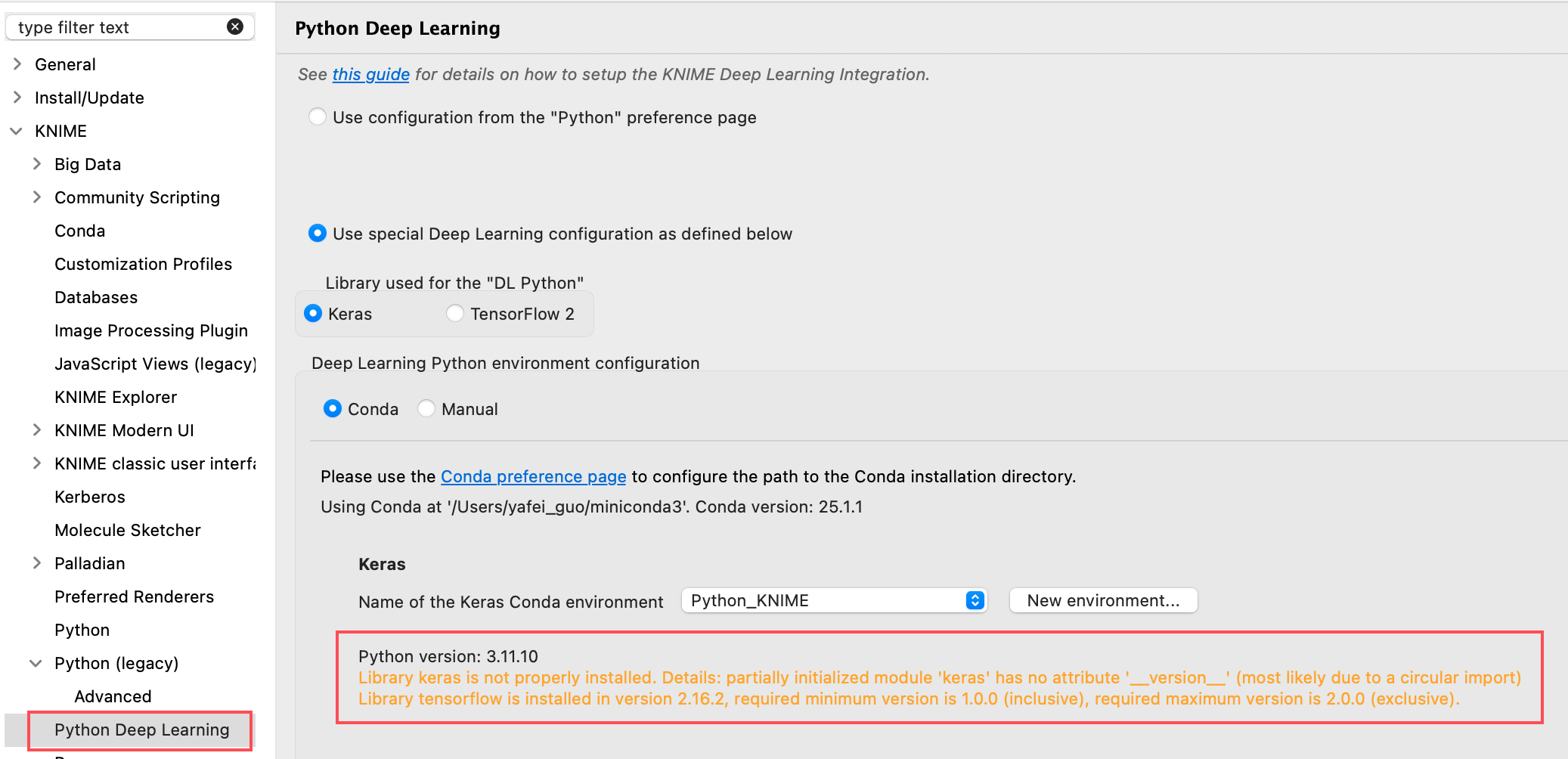
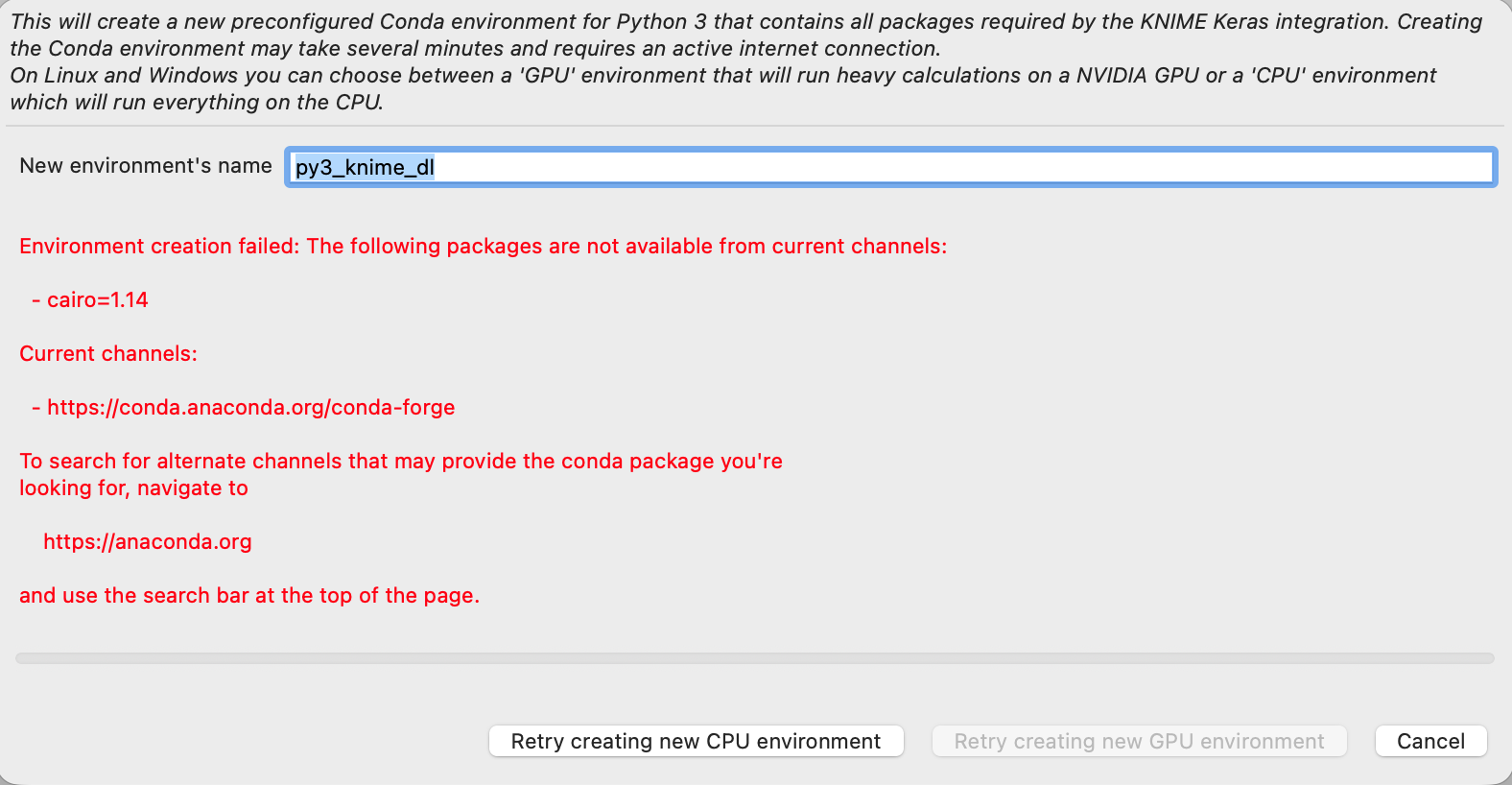
new environment error
Subject: Configuration Issue: “TensorFlow 2” Option Requires Version <2.0? (macOS M4)
Hi,
I’m having a persistent issue setting up the Python Deep Learning (Keras with TensorFlow 2) integration on my Apple Silicon Mac (M4 chip) and believe there might be a configuration bug or validation logic issue.
1. My Environment & Setup:
-
Computer: Mac with Apple Silicon M4.
-
KNIME Version: 5.8
-
Python Management: Miniconda (
conda 25.1.1).
2. What I Did (The Correct Path):
-
In KNIME, I navigated to:
Preferences→KNIME→Python Deep Learning. -
I selected

Use special Deep Learning configuration. -
Under
Library used for the "DL Python", I choseKerasand made sure the sub-option TensorFlow 2was checked. -
I set the configuration method to
Condaand pointed it to an existing environment.
3. The Core Problem (Contradictory Error):
The environment validation fails with a confusing error that directly contradicts my selection:
-
It correctly detects that I have TensorFlow 2.16.2 installed.
-
However, it reports:
required minimum version is 1.0.0 (inclusive), required maximum version is 2.0.0 (exclusive).
This is the key issue: I explicitly selected “TensorFlow 2”, but the system is checking against the version range for the legacy “Keras (TensorFlow 1)” integration.
4. What I Have Tried (And Failed):
-
Manual Lower-Version Environment: Created a Conda env with Python 3.8 to try installing older TensorFlow. This failed because pre-built packages for TF <2.0 are not available for
osx-arm64. -
KNIME’s Auto-Create: Clicking the
New environment...button in the config panel also fails due to unresolvable dependencies for the Apple Silicon architecture.
5. My Question / Suspected Bug:
Is this a known issue where the wrong version validation logic is triggered when the “TensorFlow 2” option is selected on macOS? The error message strongly suggests the backend is applying the checks for the old Keras integration, making it impossible to pass.
Any insights or workarounds would be greatly appreciated. Thank you!