Python Script Node: 'NameError: name knime is not defined

Hi all,

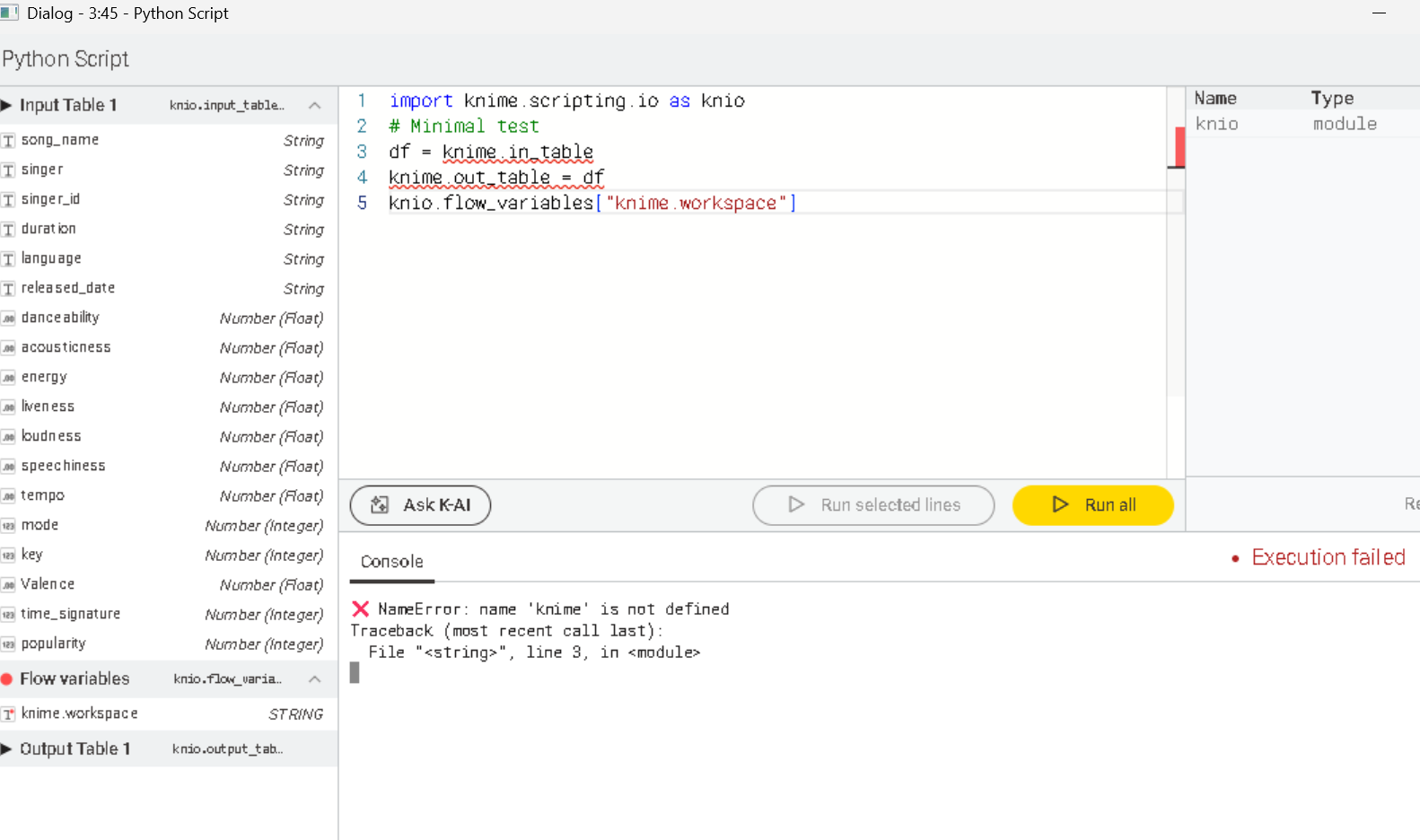
I am new to KNIME and have installed the latest version 5.8. I am trying to set up a neural network using the Python Script node to define the network structure via Python. To test I am using the default script:

import knime.scripting.io as knio

# Minimal test

df = knime.in_table

knime.out_table = df

knio.flow_variables[“knime.workspace”]

However, when I execute the node, I get the following error:

NameError: name 'knime' is not defined

Here is my current setup:

  • OS: Windows 11

  • Anaconda installed and configured

  • KNIME Preferences: File → Preferences → Python → Conda → Python 3 Conda environment knime-pytorch, Python 3.8.20

  • Extensions installed: KNIME Python Scripting Extension 5.5.0.v202507010920

I would appreciate any guidance on why the knime module is not recognized in the Python Script node and how to properly configure it to define my neural network.

Thank you!

When I read the example into the python script node , the input table is named knio.input_tables[0] as the output is named knio.output_tables[0] ?

1 Like

Hi Fabien,

Thank you very much for your reply . I have a Table Partitioner node feeding into this Python Script node. I have the code for training the neural network. However, I am still encountering the same error.

At this stage, I’m trying to test a basic setup to ensure everything works correctly before replacing it with my full code. Kindly see the details below:

@afarrokh As @Fabien_Couprie implied, your naming is incorrect. I also don’t understand how you come up with lines 3 and 4. Please use a fresh node and examine the example and descriptions. It should look like Fabien wrote.
Hi,

your Python code is not correct. You try to reference to an object knime which does not exist.

The code look something like this.

import knime.scripting.io as knio
df = knio.input_tables[0].to_pandas()
knio.output_tables[0] = knio.Tables.from_pandas(df)

If you are not sure how to program the Python Node I can highly recommend to use K-AI. Just click the button and tell it what you want to achieve

2 Likes

Hi Steffen,
It worked — really appreciate your help and support from you and Fabein!

Thank you for your suggestion ActionAndi! it defently helped.

1 Like

This topic was automatically closed 7 days after the last reply. New replies are no longer allowed.