I hope everyone had some happy holidays and a couple of days off before the new year starts
I am working on a process simulation workflow that shall give me the desired metrics conveniently in a new worksheet so that I can compare different options (I am using ARIS Process Simulation if someone is interested). The simulation engine allows you to export all statistics in an Excel file (example attached), and within that file the times are in an “hour : minutes : second” format - no matter how many hours it will take.
Except when there are just minutes and seconds or the value is zero, then Excel shows only, well, minutes and seconds.
When I bring the sheet into KNIME, I have a few issues:
It tries to convert the values into a time format from year down to second.
However, it does that not consistenlty (see example below in blue).
It also brings in the timestamps in different formats - either as time or string (the green arrows).
How can I stop this? I like to get the “numbers” as they are in Excel, so that I can separate them into H/M/S and then calculate them to the lowest denominator (most likely cutting the seconds).
Is that possible or am I stuck with an inconsistent time behavior?
Any help/pointer is very much appreciated,
Roland
PS: Of course I googled and tried to find stuff in the forums first
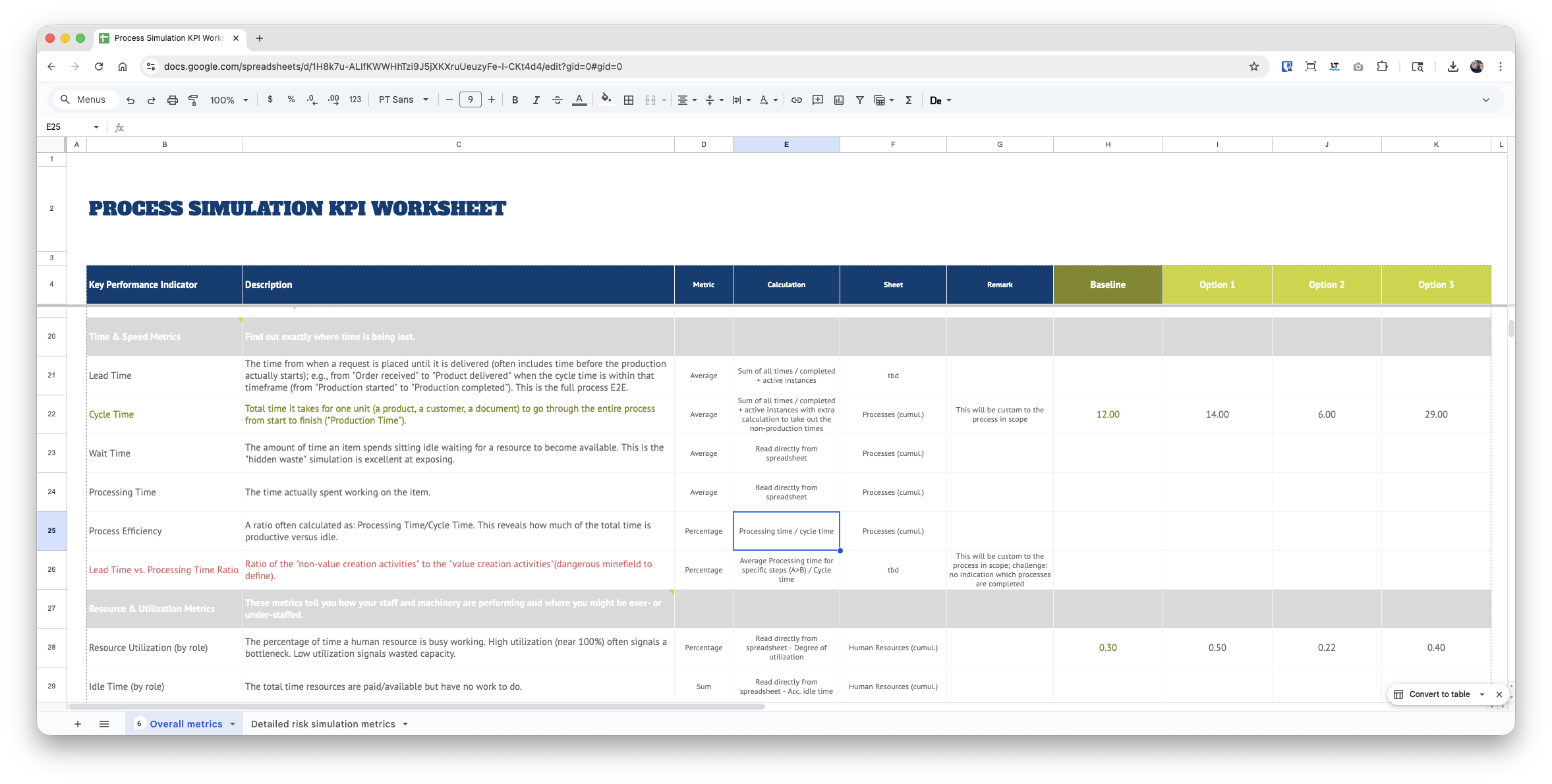
PPS: And this is what I want to fill with the calculated values, for example. Unfortunately, the simulation tool does not give you “human-readable” metrics OOB
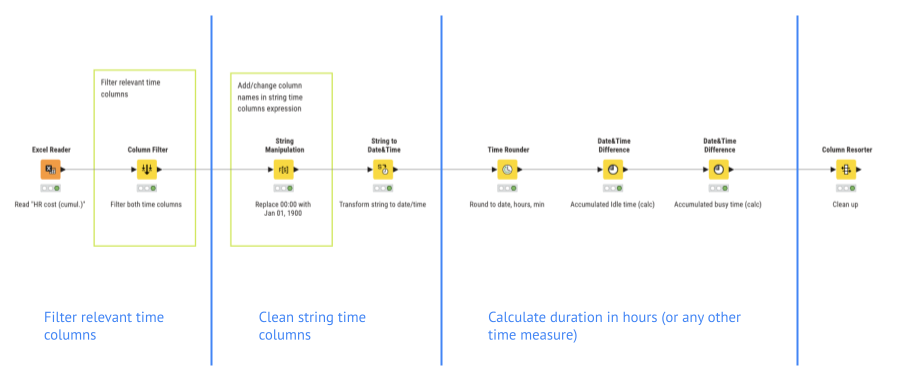
After reading the file and filtering all relevant time columns, the ones with type “string” get cleaned up by replacing the 00:00 with the Jan 1, 1900 date before they get transformed into the date/time date.
All columns (which are all date/time now) get rounded down to the minute, so that they have the same format. Then the new Date & Time Difference node calculates the time from Jan 1,1900 to other values in all columns - it has a fancy new “Fixed date&time” setting that is set to “1900-01-01 00:00:00.000”. That gives the result in hours and minutes, which is what I wanted.
Now I need to see if this works in my larger workflow as well And how I have to manipulate other strings that are less than 24hrs… #sigh
it helps understanding how date & time are actually stored, not just displayed for a user in Excel and Knime:
within Excel, you may get shown a datetime, date or time, but in the backend it is saved as a number. Whole number part (1 or 2 or 333) represent days, I think starting from 1900-01-01. and the time is represented in the fraction: 1/4 equals 15 mins.
this is the case so that Excel can display the datetime to the user in their regional way (e.g. 12/24/2020 or 24.12.2020).
hence, if you see something higher than 23:59:59 for time, it will not be Excels native format but a text string. Given Excel is not bound to structure, you can have columns mixed with the data represented as number and as text.
You can see this e.g. when investigating the file with a proper (not Excel) tool or e.g. if you change the preview within the Excel reader to “file contents”.
Now to Knime: Knime tries to be smart - the same way Excel tries to be smart and often converts Chemical formulas to dates. This works as long as your columns are in one representation but not if they become mixed.
If this is the case - or if you want to make a robust app that doesnt fall for it - you will want to read those mixed columns as text/string and then process the rows (e.g. using a Rule Engine, the new Expression node or simply by splitting and combining again). Just keep in mind what your result should be. Time is limited to 23:59:59 in Java (aka Knime). Hence, you may want a text representation for readability and for doing calculations, you can either (worse option) split it into individual columns or have a look into Duration and Periods which allow e.g. the usage of PT48H100M and will automatically convert this in the background.
hint: the now Column Expression node was the only proper way to work with the data types Duration and Period in the past. I am not aware if those have been made available in the Expression node yet.