I use a ticketing service where I can have the tickets exported every day to an API URL. How can I read in this URL the same way I would for an Excel or CSV file (without first exporting the data in the URL to an Excel file)? Thanks in advance for any suggestions.
Welcome to the KNIME Community!
If you want to read API’s, in most cases you are looking at setting up a GET Request using the REST nodes. If you look on the KNIME Hub you’ll find more information and plenty of example workflows that use this node.
Depending on the what the API returns, you are looking at for example XPath or JsonPath nodes to process the results. If you are able to share some more specific details about your use case with input and expected output, there are sure people around that can help you out 
2 Likes
It looks like the URL is returning a CSV, so when I try to use the XPath or JSON Path nodes, I get an error message.
Hi @Christine1302, if it is returning a CSV, what happens if you put the url into the CSV Reader, and set the option to “Custom/KNIME URL” ?
That results in an error message saying “the specified file does not exist.”
OK, so with the API call using the GET Request, if it seems to be returning a CSV, how how do the results look in KNIME? Is it a table with just a single cell, or multiple rows?
Unfortunately I haven’t found an example of a rest api that returns a CSV to play with, but obviously if it is CSV data, then XML and JSON nodes won’t work on it.
UPDATE:
I found a previous form post, that has an example csv on an API.
The answer was using the CSV Reader so I’m not sure why it isn’t working for you
e.g.
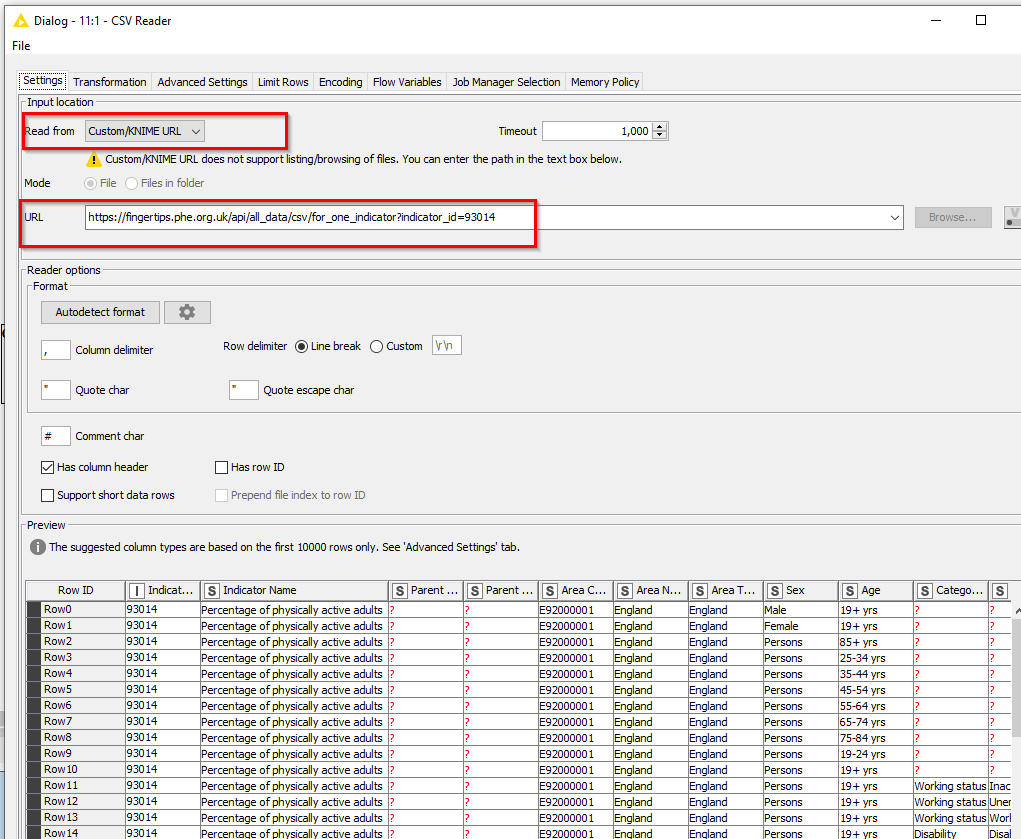
Does that definitely not work for you? You did say “Custom URL/KNIME” as mentioned before, didn’t you?
One thought… do you have to login to the API when you do the Get Request (e.g. do you need to obtain some sort of session key or other authentication? )
1 Like
I meant that when I put the URL in my browser, a CSV file is downloaded to my computer - that’s why I think the URL automatically returns a CSV.
When I use the API in the GET Request, the result is one row with the URL, Status, Content type, and body (which has a ‘?’)- but this also only happens if I use the table creator node first.
I double checked the CSV Reader and am still getting that error message.
I am unsure if I have to login to the API. I don’t believe I do, but I don’t know how to check that.
It is possible that the browser is able to connect because you already have an authenticated session (which might be not be immediately apparent ), but a call made by KNIME might require additional authentication steps.
Is this an internal system, or is the service you are connecting to provided by an external provider? Wondering if there is any public documentation available for it.
edit: what status and content type are returned?
I am trying to get the data from a ticketing service called Freshservice if that’s what you’re referring to.
I think you’ll need a key …
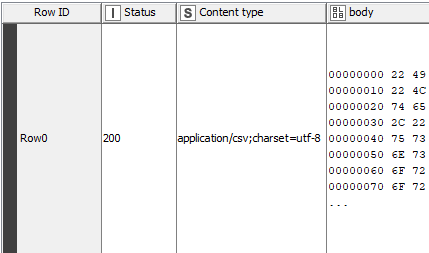
Using the key helped, thanks. I used the GET Request and got this result -does this content type mean that it is a csv? If so, what node would I use after this? Or is there somewhere to use the key in the CSV Reader?
woohoo! a 200 (OK) status. That’s progress 
It certainly could be text. All of the codes shown are within the normal displayable text range, but I couldn’t tell you if it translates to a csv file, but the content type says it is csv, so it ought to be.
The partial snippet you’ve displayed would translate to:
"I
"L
te
,"
us
ns
or
or
which is clearly just part of the text. However the presence of a double quote as the first character, and there being a ," together would indicate to me it is a csv file with double-quoted strings.
You could try passing the body to a “Binary Objects to Strings” node and see what it produces.
Hi @Christine1302 ,
I can’t see a way of enabling authentication on the CSV Reader, so the next best thing I think is to create a csv file from the body, and then have the CSV Reader read that.
I’m assuming that in the body column you are something like this (but of course the text itself will be different):
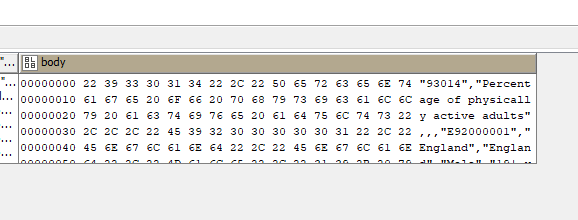
On the right is the readable representation of the text. I assume it contains double-quoted strings delimited by commas.
What you can do is save this out to a temp file, using Binary Objects to Files, and then read this file back in using the CSV reader
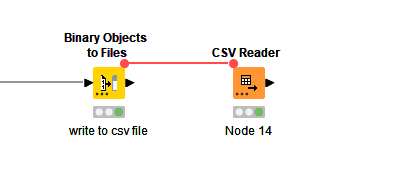
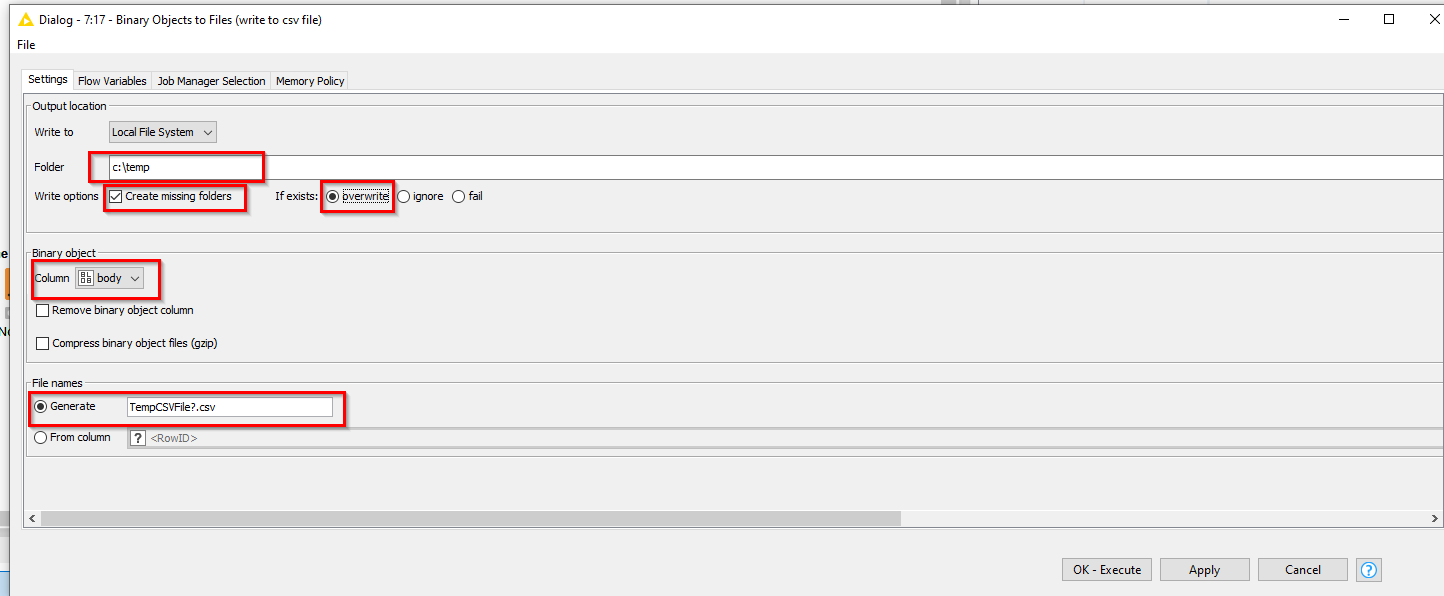
Have it generate the file using a name such as TempCSVFile?.csv
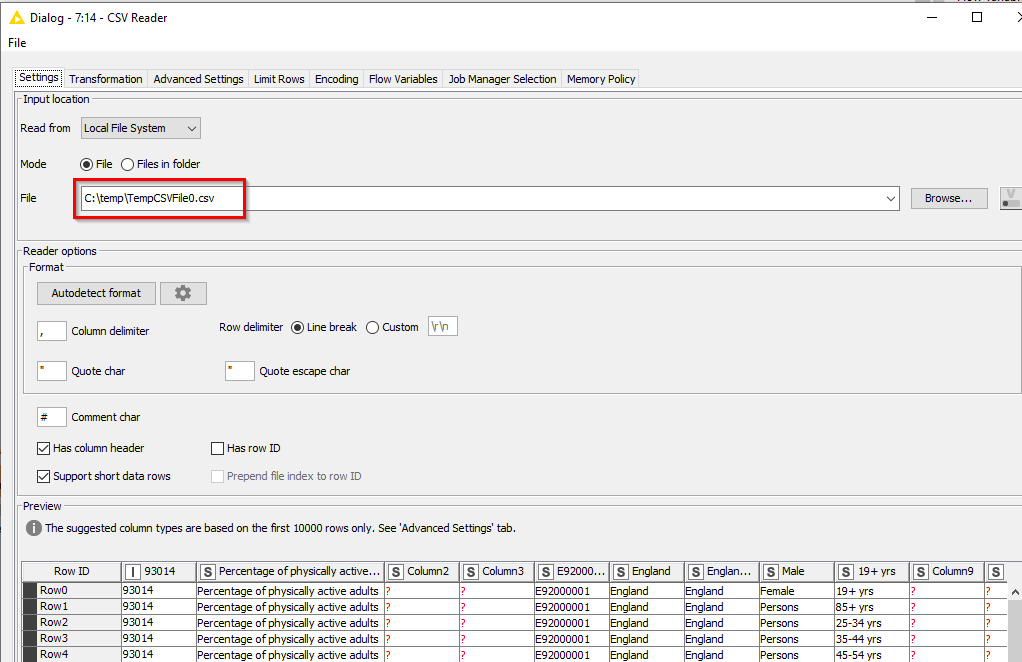
You have to put a ? in it, as the writer appends a suffix number at this point representing the row number. So it will generate a file called TempCSVFile0.csv in the c:\temp folder, or whereever you choose to send it.
Then configure the CSV Reader to pull it back in:
2 Likes
That worked perfectly. Thank you so much!
1 Like
Hi @Christine1302 , you’re welcome. Glad you got it working, and thanks for marking the solution.
This topic was automatically closed 7 days after the last reply. New replies are no longer allowed.