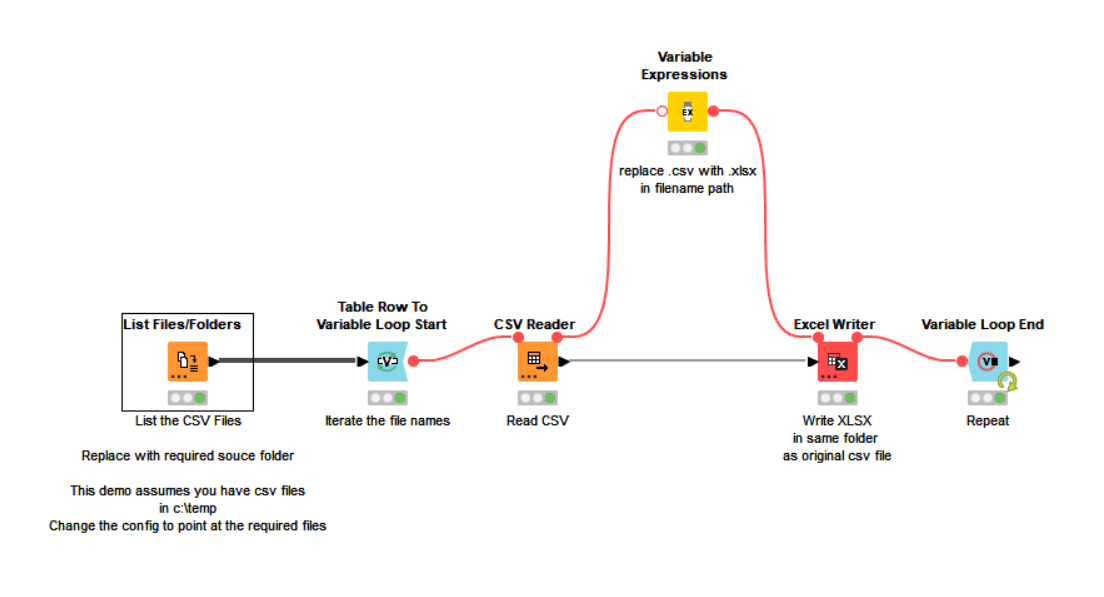
Attached is a workflow that will do this. Whilst as @rfeigel says, Excel can open csv files, I am assuming you require them in XLSX format for some other purpose.
This workflow simply writes out an xlsx file into the same folder as the csv file that has been read in.
Read and Write CSV to XLSX.knwf (20.3 KB)
[Edit, my original upload was using a relative data folder as the file location, but this won’t work here and adds confusion, so I’ve modified it to assume files are in c:\temp folder. You will need to modify the List Files/Folder node to point at required source files]
Read and Write CSV to XLSX.knwf (19.8 KB)