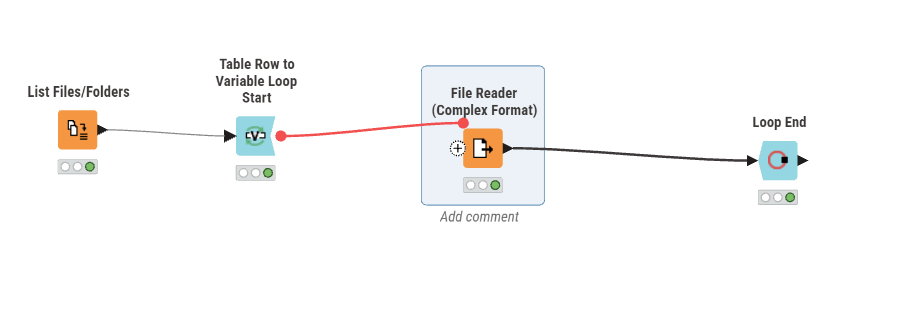
In workflows were the source of the data is a user supplied file of unknown and changing format, it gets basically impossible to create a working workflow without imposing strict limitations on the files format. But the later is let’s say not easy for non-technical users.
This is related to
However the proposed solution is rather complex (I would say if you need to use python then probably there should be some type of improvement to knime to address that issue) as it used python to read files. The issue is that this fails as soon as you want to deploy on the business hub as the python script can’t deal with knime file paths.
Is there any other idea how to make this work?
To get a changing schema so different columns and a changing format say from tab to csv or others. basically there should be a way to force and autodetect of the format at run-time.
EDIT:
And to make things worse it seems the line reader just removed tabs so it will fail for any tab separated files?
recommend the users / business to get their ■■■■ together and stop working like in 2008.
consider a proper entry form
build a knime workflow that reads the file as binary blob, converts to string and then do some typical “testing” (count number of ;, ,, \t etc. based on that information, you can branch into different logics. this is for pure text files.
if you get ever changing Excel files, I would simply change the format to be agnostic (read rows as 1-n and columns as A-XXX and then do typical processing (remove blank rows, columns, transform first row to be used as headers, etc.)
typically, this is more a peoples problem. The file you trying to process is likely a computer-generated file. hence the format should be structured and not change. If its a user (manually) generated file, then good luck. I would ask your IT again to supply proper processes and tools.
@kienerj you could try and import a file in one column and try to determine the separator.
It would be good to know what kind of problems can occur with the file. Is it short lines? Or varying separators. It is difficult to cover all cases in a node.
In short verx variable. All that is required is 1 column (which the user can select in a next step) that contains SMILES. Rest can be anything in terms of columns or format.
Issue I found is that line reader removed tabs as does the files to binary objects node. So that route to detect the delimiter that way also fails.
i wouldnt be so sure about that. from my experience, tabs and linebreaks are often just not displayed in Knime. if you copy the cell and paste it e.g. in Notepad, the tabs will still be there.
its just Knimes renderer, similar to the amount of decimal places for double values.
Hi iris, the main issue I have is the format of the file. So delimiter used, quotation etc, The schema change itself seems to be handled fine by the File Reader.
Do you maybe have a example set of 2-3 csv files? I managed to read 3 very different csv files “line-Based” with the approach below. But than I would echo @mlauber71 we need a way to detect the delimiter.