Hi everyone,
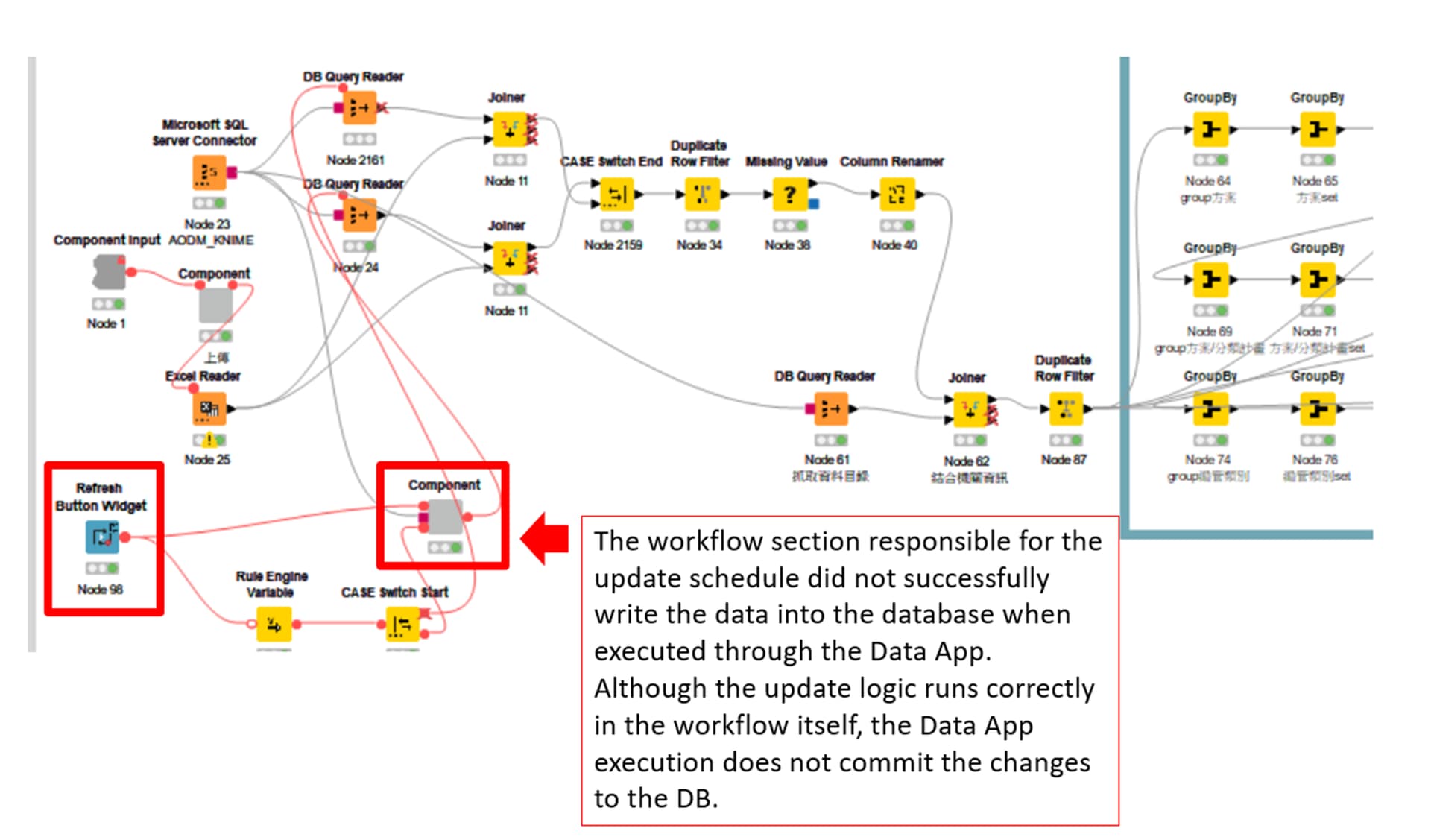
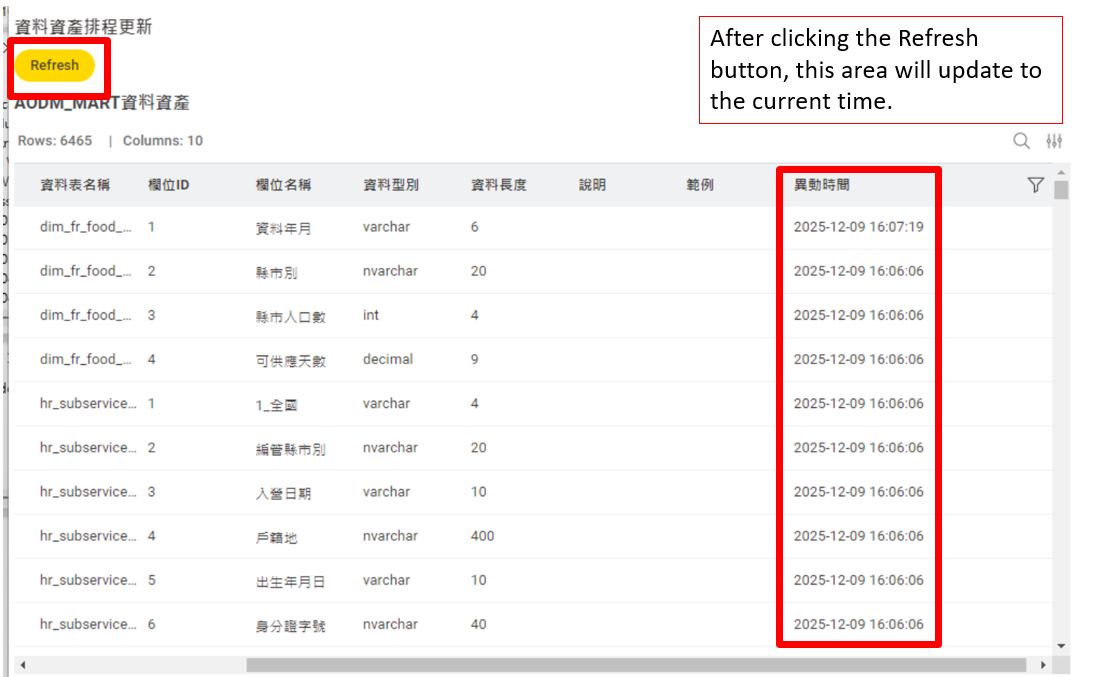
I’m working on a Data App that includes a Refresh Button Widget used to reload data from several DB Query Reader nodes and then display the updated result in a Table View.
The refresh works correctly when I run the workflow inside KNIME Analytics Platform, but after deploying it to KNIME Hub, pressing the Refresh button does not update the database results shown in the Data App.
Here is the simplified structure of my workflow:
-
Component Input
-
Refresh Button Widget → CASE Switch
-
DB Query Reader nodes (SQL Server)
-
Joiner / Row Filter / Missing Value / Column Rename
-
More DB Query Reader → Joiner
-
GroupBy nodes
-
Table View (final output)
In AP, the Refresh button successfully re-executes the DB readers and updates the table.
But in KNIME Hub Data App, the data does not refresh at all.
I checked the flow variables generated by the button:
-
refresh_widget
-
refresh-button-timestamp
-
refresh-button-counter
These update correctly when the button is pressed.
However, it seems the DB Query Readers in the Hub environment are not re-executed unless a Flow Variable is directly bound to one of their parameters.
I’m not sure:
-
Which parameter in DB Query Reader should be overridden via Flow Variable to force re-execution?
-
Whether my Table View should be placed inside the same Component as the Refresh Button and DB Readers?
-
If KNIME Hub caches DB Reader results unless a variable changes?
Any guidance, best practices, or example workflows showing how to properly implement a Refresh Button for reloading DB results inside a Data App would be greatly appreciated!
Thanks!
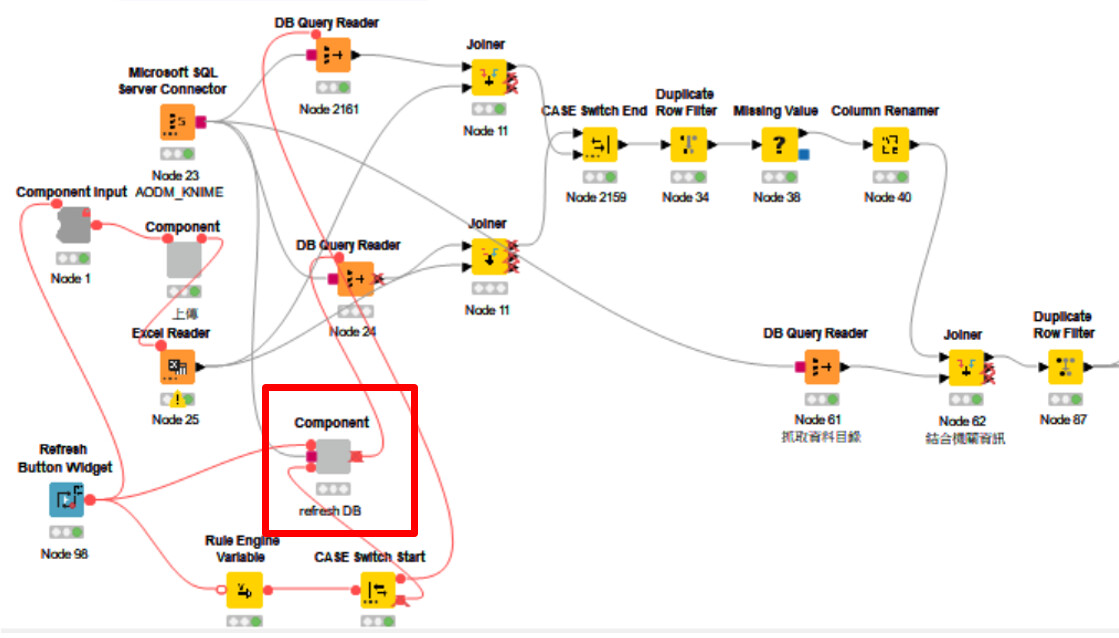
@lca50666 I am not sure which DB Query Reader you expect to be re-executed, but from your screenshot, it looks like node 61 (DB Query Reader) is not downstream of the Refresh Button.
Because of that, the refresh will not trigger it.
If you want it to re-execute, you need to connect a flow variable from the Refresh Button (or other downstream node) to the DB Query Reader so it becomes part of the execution chain.
2 Likes
Sorry for not explaining it clearly earlier. I’ve added the screenshot above for clarification. The Refresh database action is mainly executed inside the circled component. I’ve tried the following approaches:
-
Extending the component to perform the refresh internally.
-
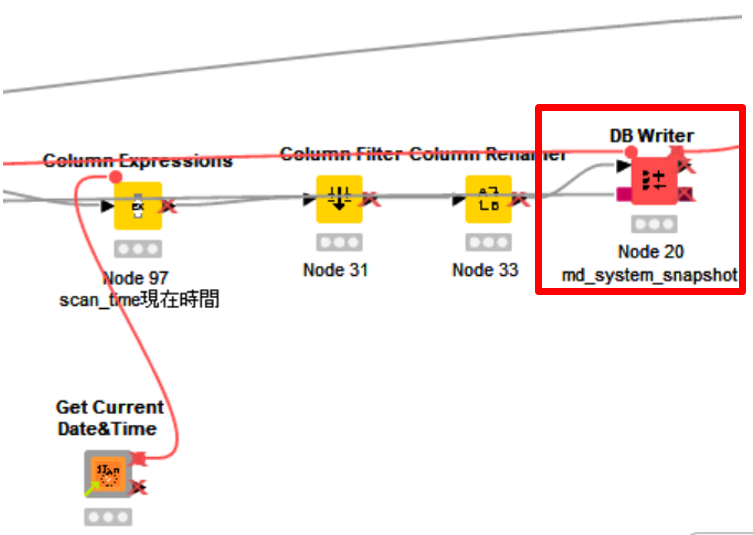
After the DB Writer, creating a new Microsoft SQL Server Connector to re-read the database table, then continuing with the subsequent nodes.
Both methods work correctly in KNIME Analytics Platform (AP), but the data does not refresh when running as a Data App. I’m wondering whether this is a bug caused by differences in how AP and Data Apps execute workflows.
Do you have suggestions on where I can test or verify the issue, and what steps I might take to improve or fix it?
Hi @lca50666,
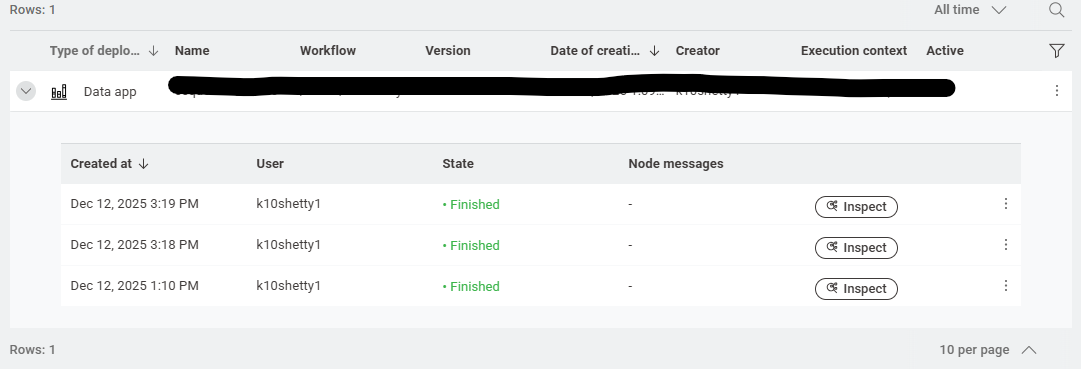
After deploying the Data App on the Hub, you can use the Execution history (like in your screenshot) to debug this:
- Open the latest run and click Inspect to see which nodes actually executed and where the flow stopped.
- Before uploading a new version, fully reset the workflow in KNIME AP (no nodes in executed state), then deploy again.
Also, from your screenshot, it looks like node 20 writes to the DB. To confirm: do you have a DB Reader/DB Query Reader downstream of that (within the component) that re-reads the newly inserted data?