Description:
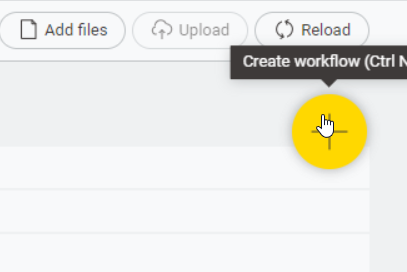
On the home “Local Space” page, the circular “Create Workflow” button is only active on the lower third. Clicking the top two thirds of the button has no effect
Steps to reproduce:
- Open KNIME 5.4
- Click on the “Home” button to open the Local Space Area
- Move mouse across the yellow circular “Create Workflow” button
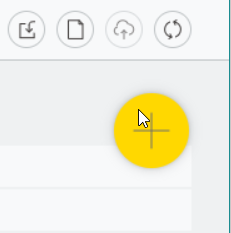
- The upper part of the button is inactive and the mouse pointer remains as an arrow
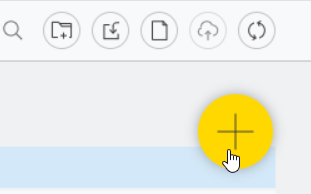
- The lower third is active and the mouse pointer changes to the expected “hand” and the button can be pressed.
- Also, the “Create workflow (Ctrl+N)” tooltip only appears when the window is wide, but doesn’t fit completely on the screen so the “N” is only half-visible. (This last item is a bug as it the same behaviour in KNIME 5.3.2)
Actual results:
The top two thirds of the button is inactive.
The lower third is active. Initially I thought the button wasn’t working at all
Expected results:
The entire button should be active.
The tooltip should always be available, as it is for the upper buttons and fully visible.
Attachments:
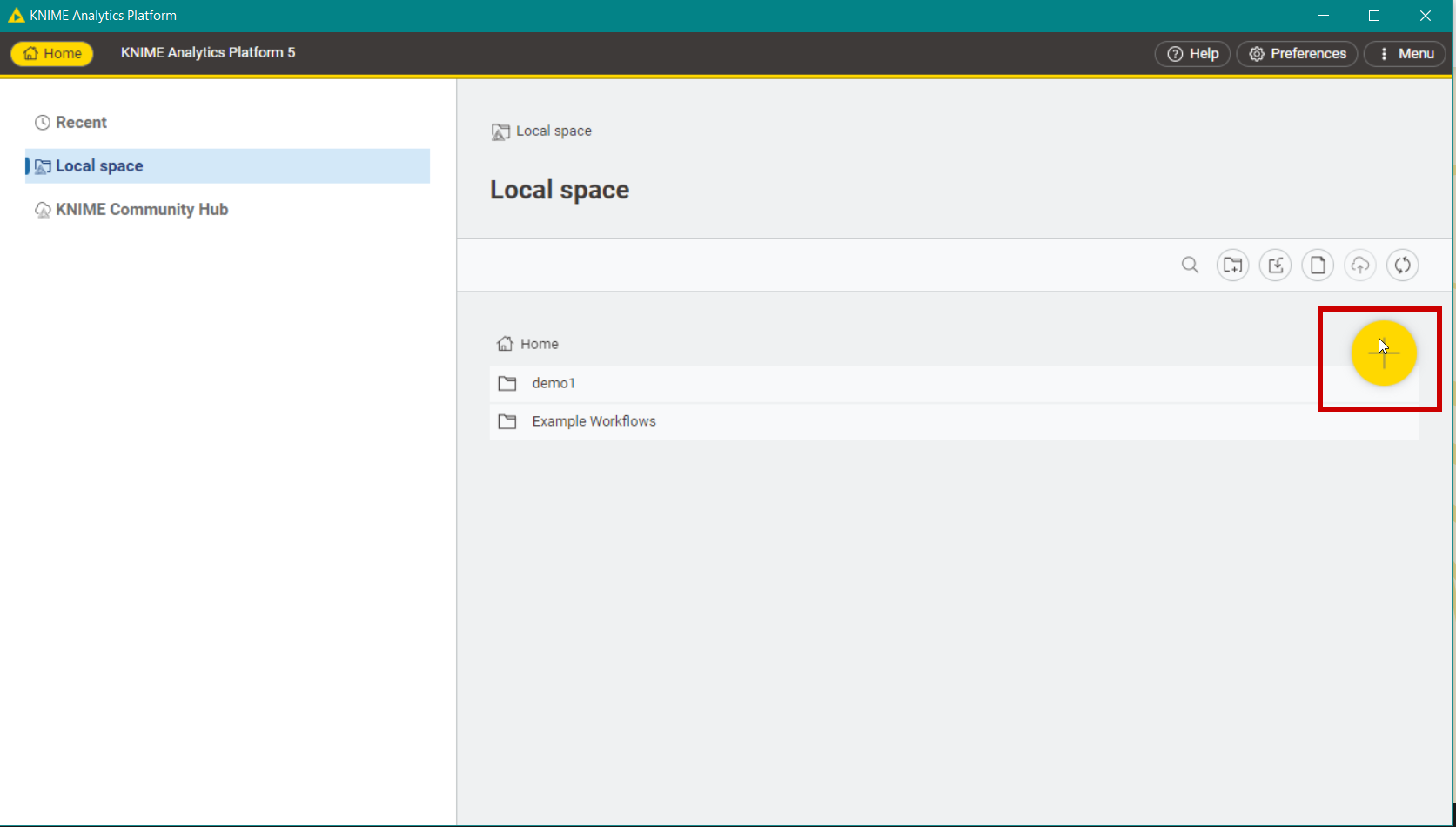
Mouse hovering over button in KNIME 5.4RC
TOP
BOTTOM
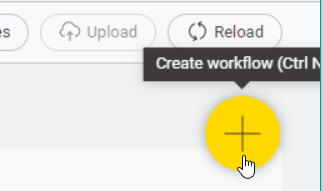
Mouse hovering over button in KNIME 5.3.2
OS:
Windows 10
 Isn’t it also oversized?