Hi all,
I have what feels like a simple ask but i’ve not found an efficient way of achieving my goal yet.
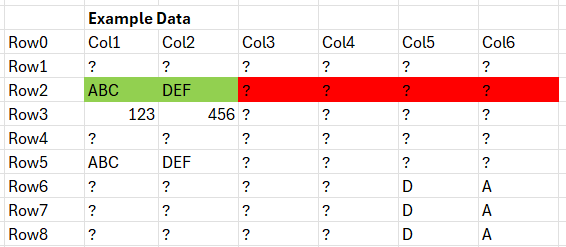
In my dataset (attached), I need to check each column INDIVIDUALLY to see if the value in each column for Row 2 has a Missing Value.
If a column has a missing value in Row 2, that ENTIRE column should be removed from the dataset (highlighted in red), however, if a column has a value in Row 2, this column must remain in the dataset (highlighted in green).
The desired output for my example dataset is:
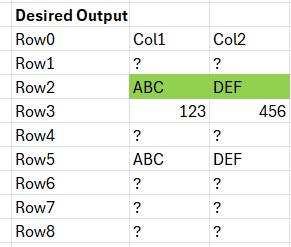
Does anyone know of a way of handling this scenario efficiently?
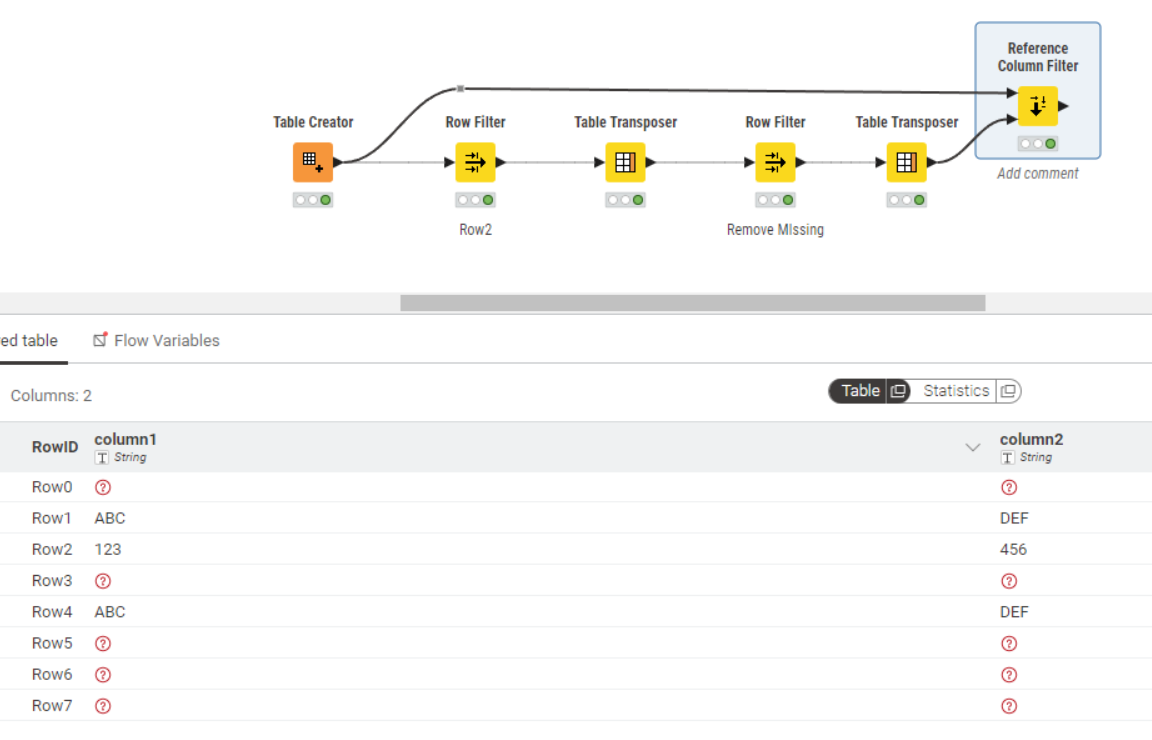
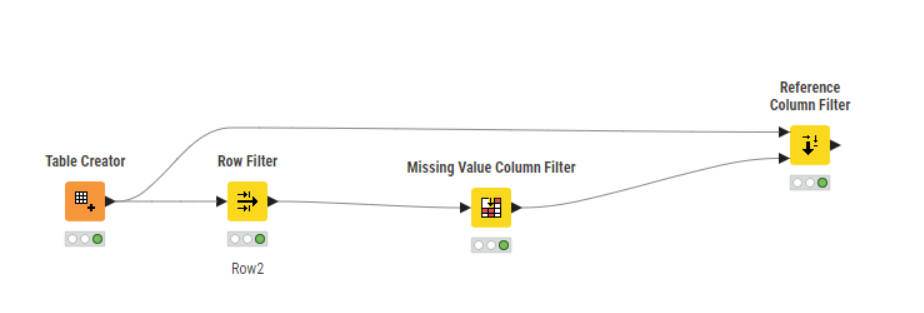
My existing solution is using Table Transposer (from Columns to Rows), row filter to remove missing values in the column named ‘Row2’ and then Table Transposer (to go from Columns back to Rows). This works for small datasets but is not efficient or sustainable for large datasets. In one case, it took over 1 hour to complete the running of these 3 nodes.
Any advice would be greatly appreciate.
Thanks.
tp
Example Data.xlsx (9.5 KB)