Hi, I’m interested to remove, for each row, from the value in the column numeroDocumento the value contained in the column Anno, but only if it’s at the end or begin of numeroDocumento. I tried with String manipulation’s node but i’m not able to specify to remove it only if its at the end or begin and not also in the middle of the value in numeroDocumento. I attached a screenshot to make it clearer. For example in the row1 i want to change the value in numeroDocumento from 20261005800050 to 1005800050. Thanks to everyone can help 

you can achieve that with switch or if
but you may need 3 checks (beginning, end, both).
An alternative “trick” would be: force it as prefix and suffix, and then force remove it. something like (pseudo code):
strip_start(
    strip_end(
        pad_left(
           pad_right(
              DocNo,
              len(anno),
              string(anno)
           ),
           len(anno),
           string(anno)
         ),
         len(anno)
     ),
    len(anno)
),
need to account for missing Anno tho.
1 Like
It would be a lot easier to help if you would provide some sample data rather than a screenshot. Its a waste of time having to manually create your data.
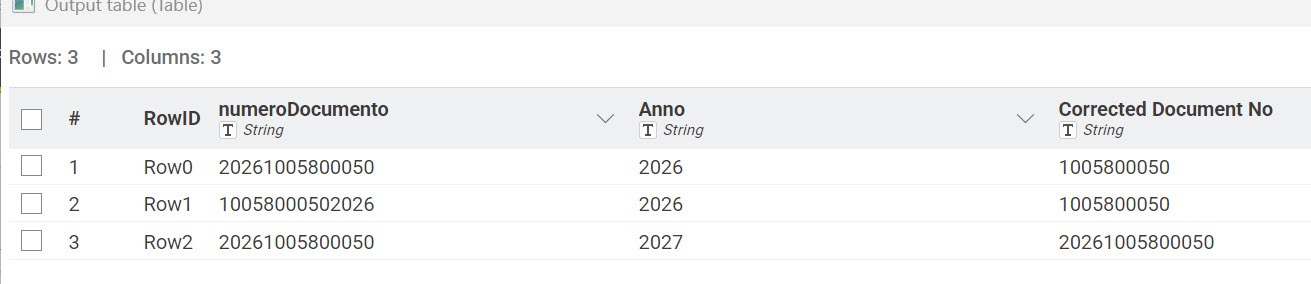
Thank you very much to all, I solved it using 2 different conditions in the node expressions and the sintax “if” with a “starts_with” and a “replace” for the begin and “if” with a “ends_with” and a “replace” for the end.