Hi everyone,
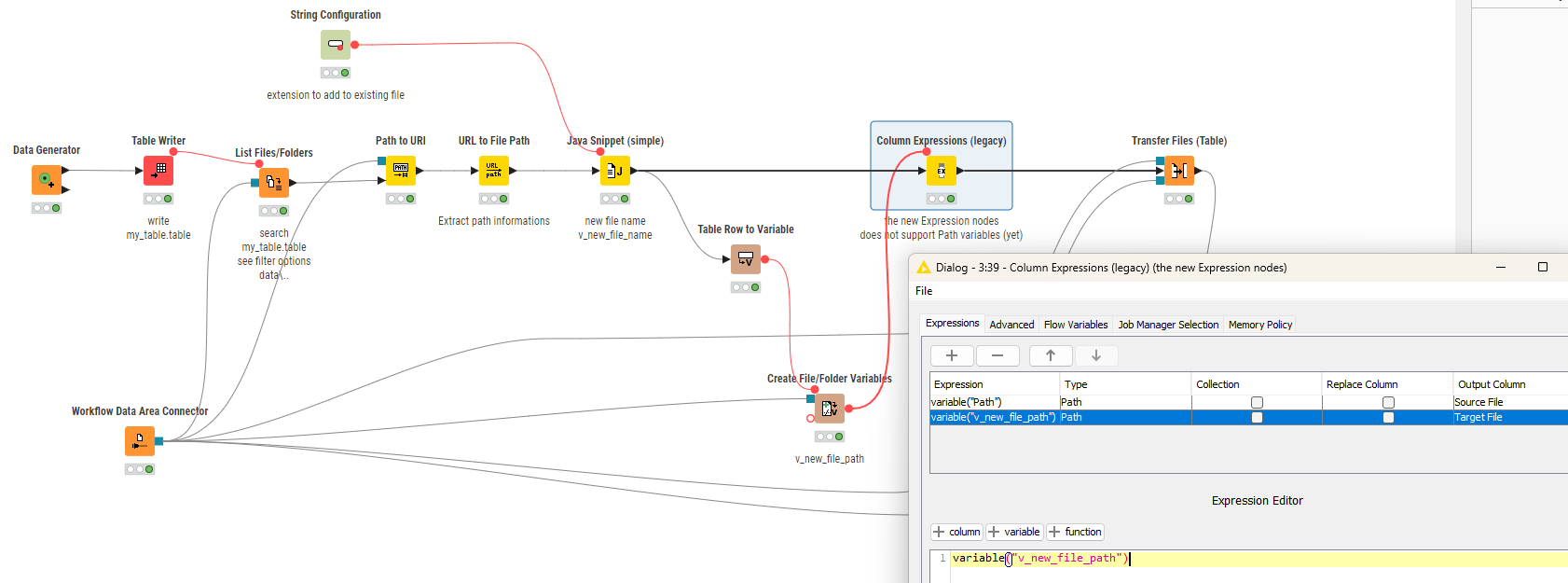
I am building a workflow for deployment on KNIME Hub where a user uploads a file. During the process, a long unique ID string gets appended to the filename (e.g., reports.pdf becomes reports123-e344.pdf).
I need to rename this file back to a clean, short name (e.g., just reports.pdf) dynamically within the workflow.
The Constraints:
-
Deployment: This runs on KNIME Hub (Linux server), so I cannot rely on local Windows paths or standard
os.renamein Python, as I don’t have easy access to the absolute server paths. -
The Issue: Most solutions I found suggest using the Transfer Files node in “Move” mode. However, in my testing, the Transfer Files node only seems to allow setting a destination folder path, not a full destination file path.
- Result: It moves the file to the right folder but keeps the long, messy filename.
My Question: Is there a specific configuration or a different node I should be using to explicitly set the target filename during a move/rename operation? Or is there a server-safe way to handle this file renaming?
Thanks in advance!