I’m trying to formulate a GET request to a REST API access-controlled by KeyCloak. This means requesting a JWT and then adding that to the HTTP header of the actual GET request. This requires prefixing the token string with “Bearer “.
I’m new to the software simply evaluating it at the moment to see if it would be fit for our purposes. Being able to make these calls to REST APIs is crucial for us. This feels like it should be really simple and a though I might be missing something very basic (“first click here, then click there”).
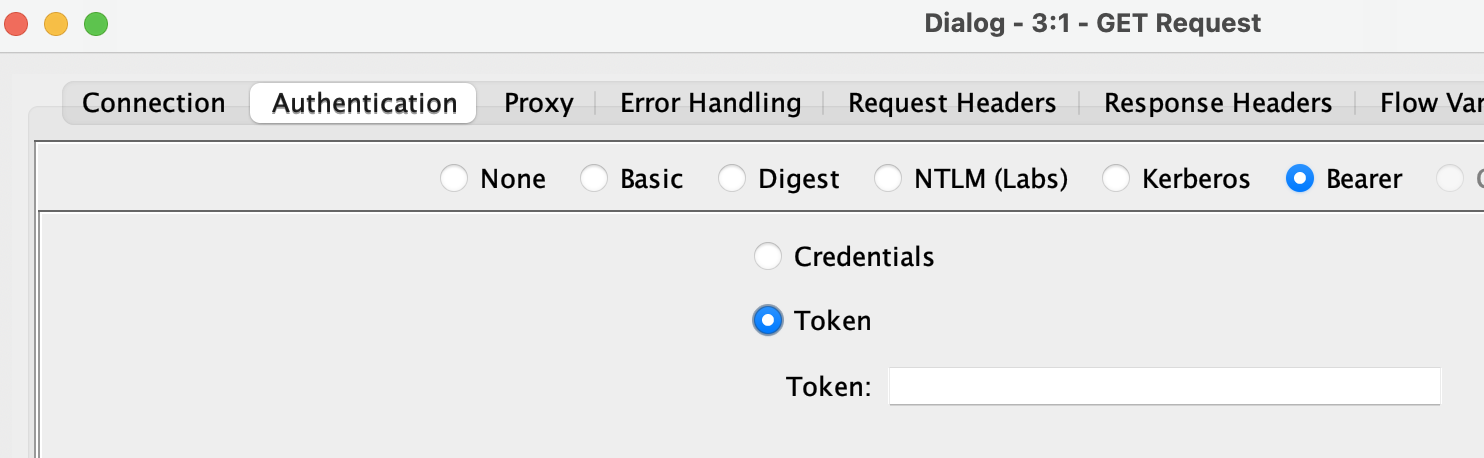
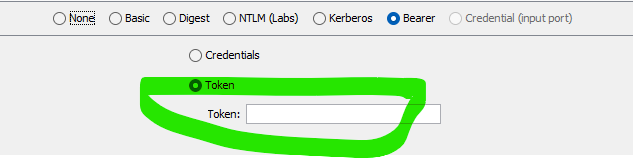
Here you can include a token (directly in the dialog “Token:”, also overridable via flow variable) or better use a Credentials flow variable that contains the JWT from the KeyCloak endpoint.
When making the remote call, the request headers will contain Authorization: Bearer <yourtoken>.
Hope this helps, if not, please don’t hesitate to ask.
thank you, and apologies if I came on a little strong last night … it was perhaps a little too late already to still be tinkering with thing.
Yes, that definitely helps, and using the Credentials Widget sounds much more sensible than to be doing it manually. Unfortunately I still seem to have a wrong mental modal of how this works. I suspect I’m too used to doing things like this in code, and everything now being visual has me confused.
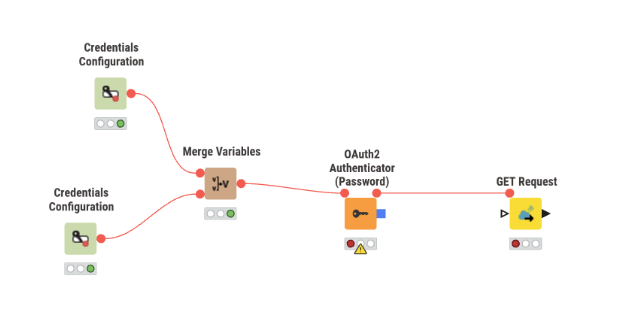
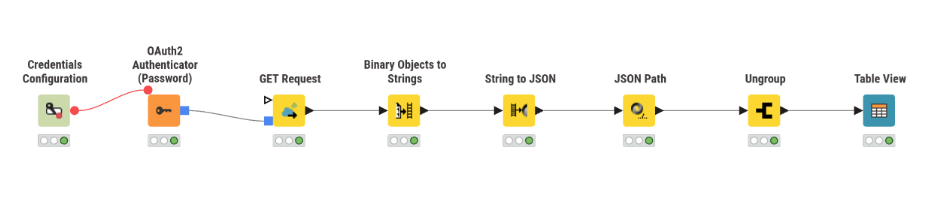
This is my attempt thus far (unfortunately, sometimes Password Credentials is the only method available - once this works, I’ll also do a Client Credentials flow, no worries):
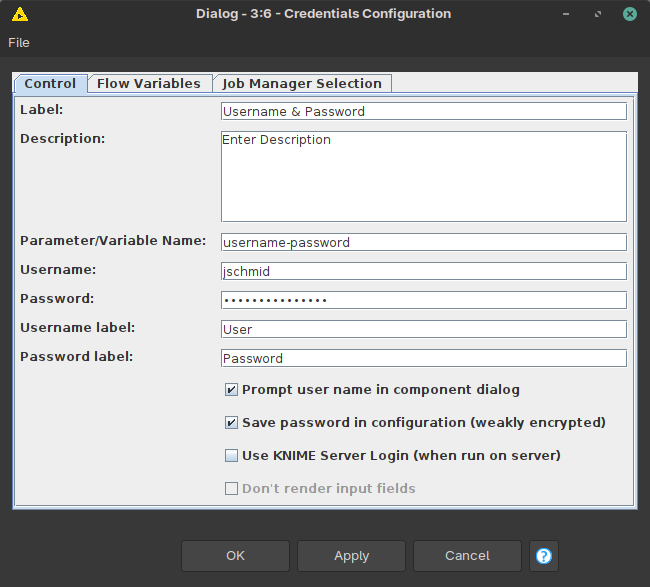
So I’m assuming either Merge Variables is not the right way of getting both Username/Passwor as well as Client ID into the Authenticator; or I don’t have the right labels set for either Username or Password or Client ID or all of them; or using a Client ID without a Secret doesn’t work for some reason.
Is there a way to get a textual version of the HTTP request that will result from the visual representation you construct? I think that’d help me a lot with debugging…
The two Credentials Configuration nodes can be chained like the other nodes, so you don’t need the Merge Variables node. You put the Flow Variable output of the username/password onto the left upper “ear” of the next client-id/secret node. Then the Flow Variables of both nodes are available at the red output port.
(As an aside: Configuration nodes are supposed to be used for Component building when you want to build “custom nodes” with simple dialogs. Then you don’t need to store your password/secret unsecurely and can input it before each execution of the workflow, but I would not worry about it for now)
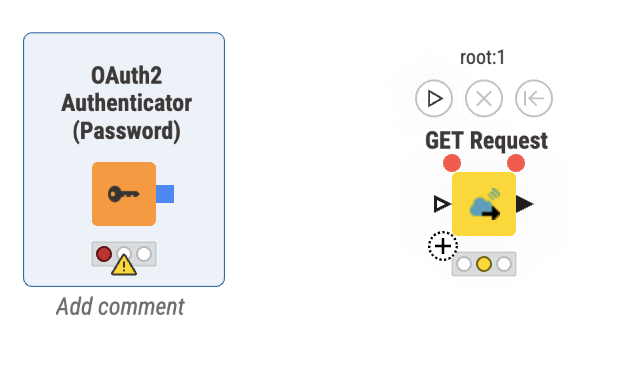
The blue output port of the Authenticator can be connected to the GET Request node. If you hover over the GET Request node, a little plus should appear in its lower left corner, an optional port. You can drag the blue square and let it fall on the lower corner, it should snap to the node and make the connection.
It takes any “Credential” port object (that’s what we call the blue non-data outputs; hover over it) and it fills out the Authentication tab choice in the GET Request node, so you do not need to select the “Bearer” manually. Initially, I assumed you already got the bearer token somewhere else.
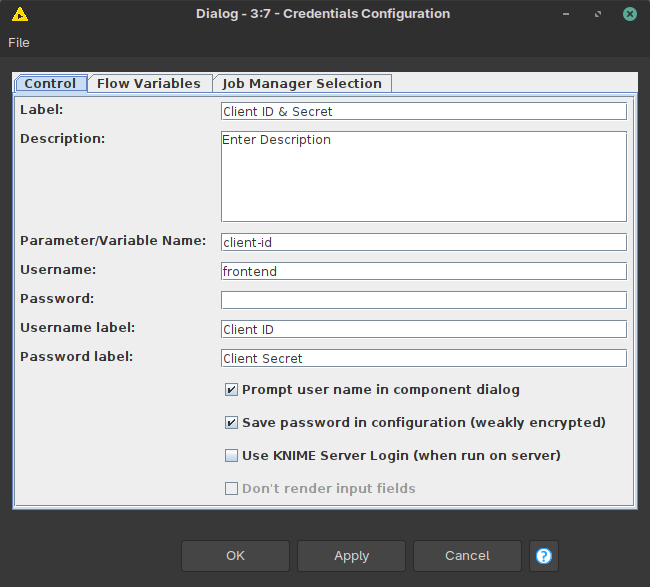
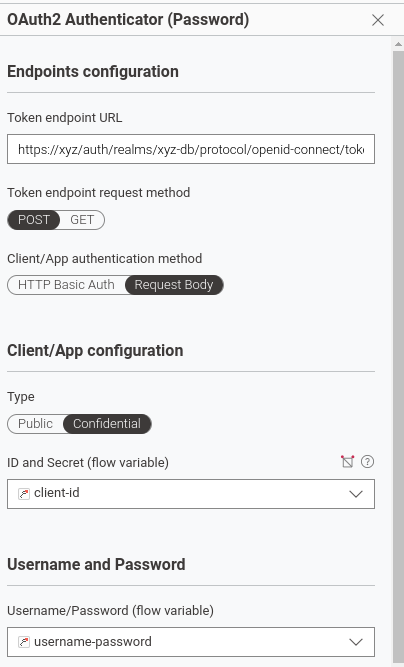
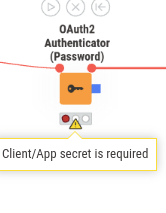
The Authenticator complains about the missing secret since:
your API is “Confidential”, so it requires a secret
and your Credentials Configuration does not define a default secret (you would put that in the “Password” field below where you wrote “frontend”)
You need to change either of these two, then it should not complain anymore.
Once your nodes actually make HTTP calls, you should be able to see log messages containing the requests:
Add a properties file for java.util.logging to the knime.ini via -Djava.util.logging.config.file=<path-to-file>
Add the following line to the properties file: sun.net.www.protocol.http.level = ALL
Add the following line at the bottom of <your-workspace>/.metadata/knime/log4j3.xml, after the other loggers: <logger name="sun.net.www"><level value="DEBUG" /></logger>. This file can be reached by clicking on Menu → Show KNIME Log in file explorer. It is next to the knime.log file.
Make sure to set the Log File log level to DEBUG in the KNIME Preferences
I see two DEBUG log lines with sun.net.www.MessageHeader and corresponding contents.
Let me know how it works out and I will see how I can help.
Also, I stumbled upon the problem, that when one credential is already present to get the bearer token it is not possible to provide this as another credential thru the credential creating node.
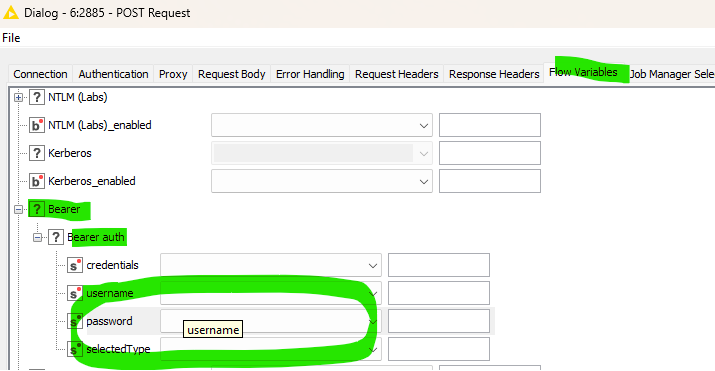
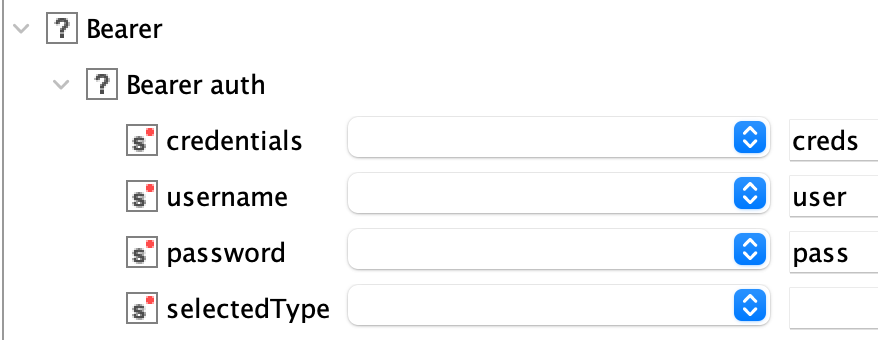
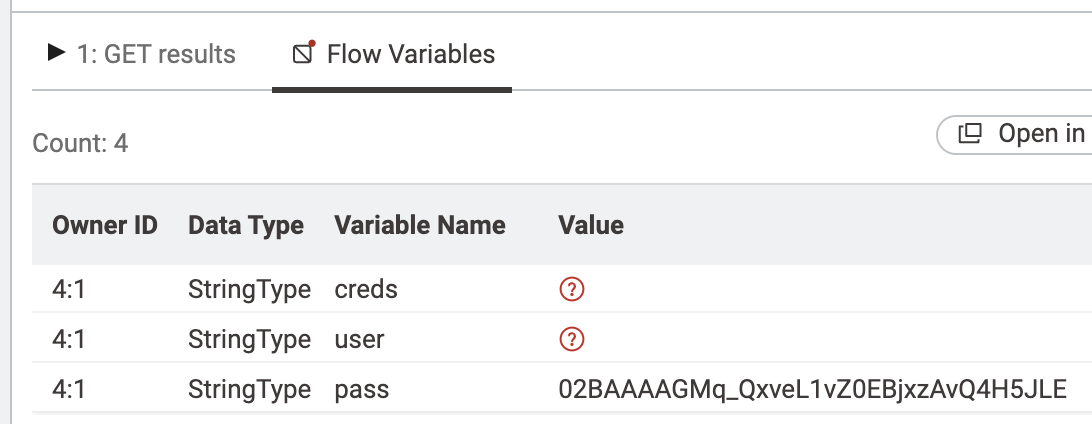
Ah, sorry, then I was not clear enough and assumed stuff. So the inverse of what I showed is true as well. I just put “test” into the “Token:” input and it is output as my “pass” flow variable. This implies it needs to be set in the dropdown “Bearer → Bearer auth → password” (this old flow variable view is pretty much a view into the XML settings).
This is also how I find out what flow variable value I have to put for other dialog dropdowns or value switches.