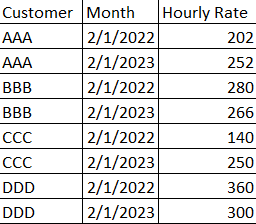
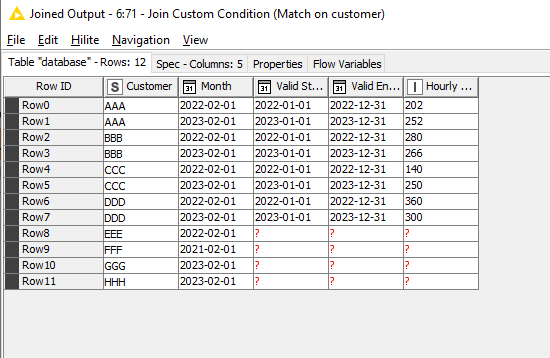
I am trying to get the result if customer name match, and the Month falls between the valid start and end date, it should return me the Hourly rate of that period.
Hello @Yu_C
Your current workflow is performing based in the rules that you apply. When sending a data-frame to variable with ‘Table Row to Variable’, it only capture as variable the first row… since you are building the logics in the Rule Engine based on variable values, the resulted logic only applies to the first row.
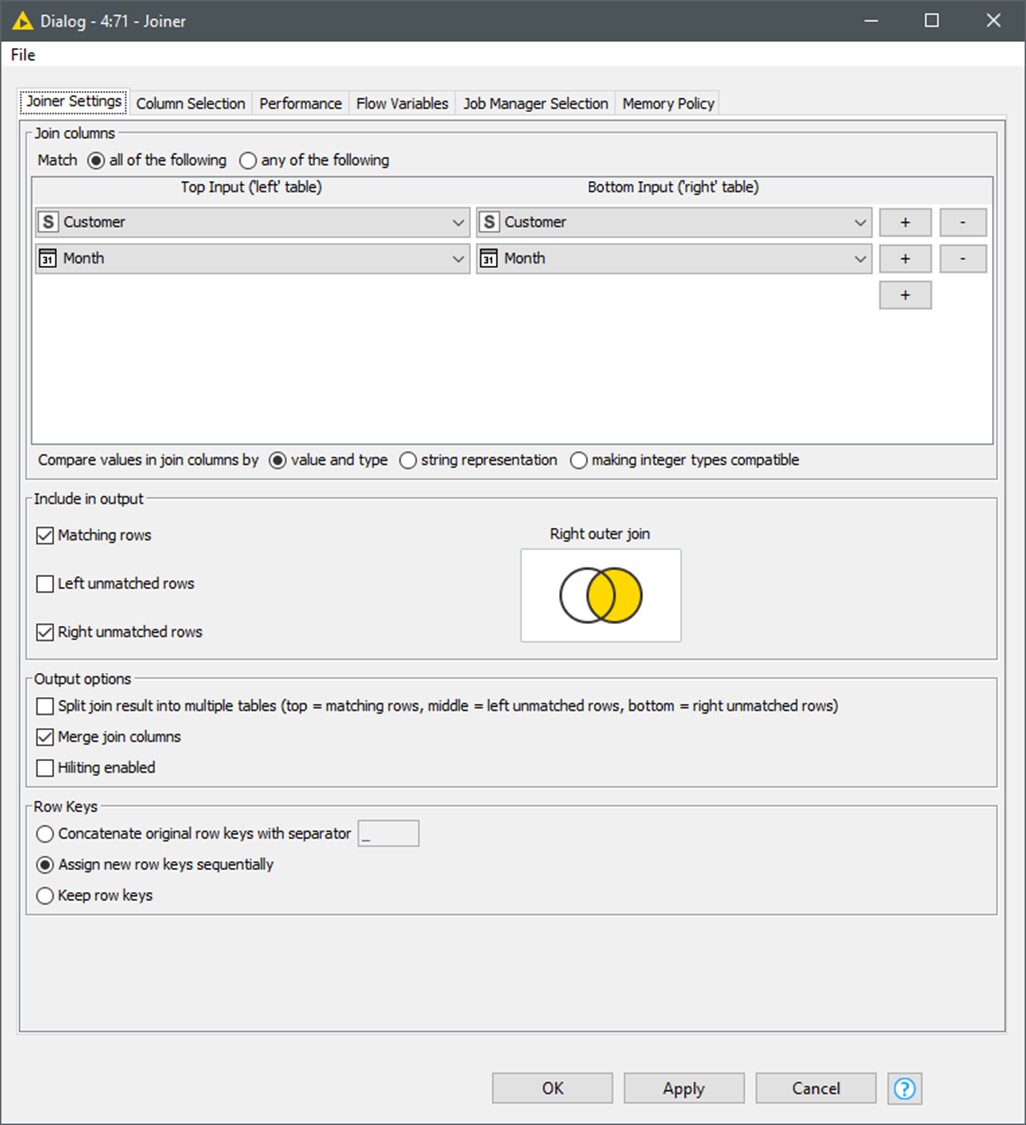
As far a you have a 1:1 row relation from tables. I think that you should perform a joiner. Since there is not a unique id column, you can perform the joiner based in row id or append columns. A more robust id would be desirable as in your curren mock example you have to rely on the identical sorting of the two tables.
Then you can type the Rule Engine rules relying on column values instead of variables.
HOWEVER:
Without further description of the use case I have the feeling that the relation 1:1 is arbitrary in your use case. Your reference table is just a tariff table and you are trying to assign the right tariff to the performed work (WorkDate table)…
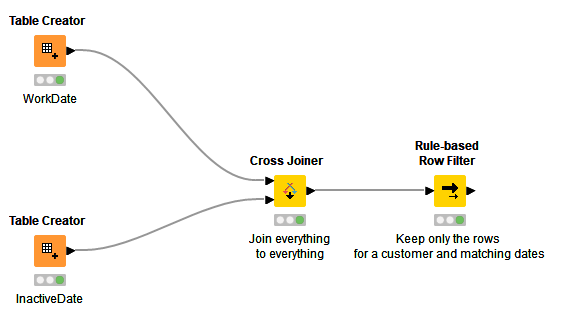
If I’m right, the correct approach is a xjoiner with all possible combinations, then you can build your Rule Engine returning LOGIC, just ‘True’ and ‘False’. And finally a filter excluding ‘False’
I hope that these clarifications can help you to complete the task. Please share your thoughts .
Nice one @gonhaddock. And not forgetting there is also a Rule-Based Row Filter which would combine the Rule Engine and the Row Filter into one.
The script that you put in the Rule-based Row Filter is just the same as in the Rule Engine supplied, but it does the row filtering based on the outcome too.
@gonhaddock I just realised my example was not a good one.
This newly attached, using the flow you provide would be a better example because in my original data there might be cases where customer in workdate did not exist in inactive date table.
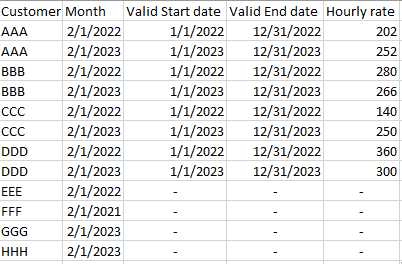
Using your flow it will remove the customer not found in inactive date table which is not what I desire in the output. Below would be what I want as an output.
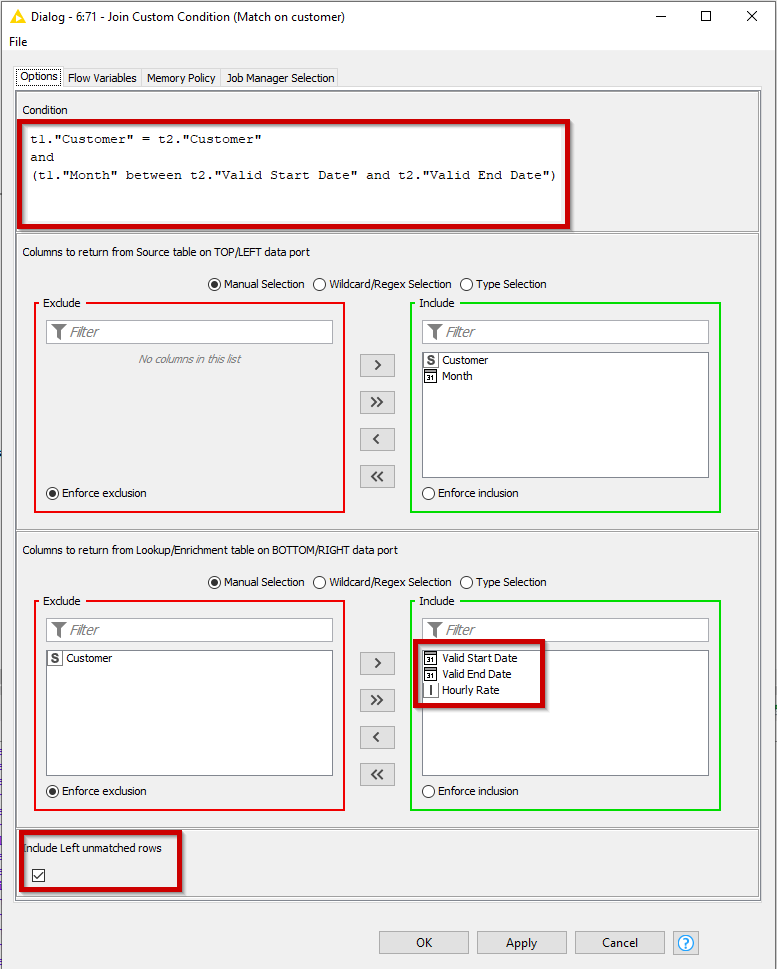
You specify a condition using SQL refering to the top table as t1, and the lower table as t2, with the columns included in double quotes (the column names are case-sensitive)
t1."Customer" = t2."Customer"
and
(t1."Month" between t2."Valid Start Date" and t2."Valid End Date")
Make sure you tick the “Include Left unmatched rows”.