rolling back to previous version

Dear Community please help
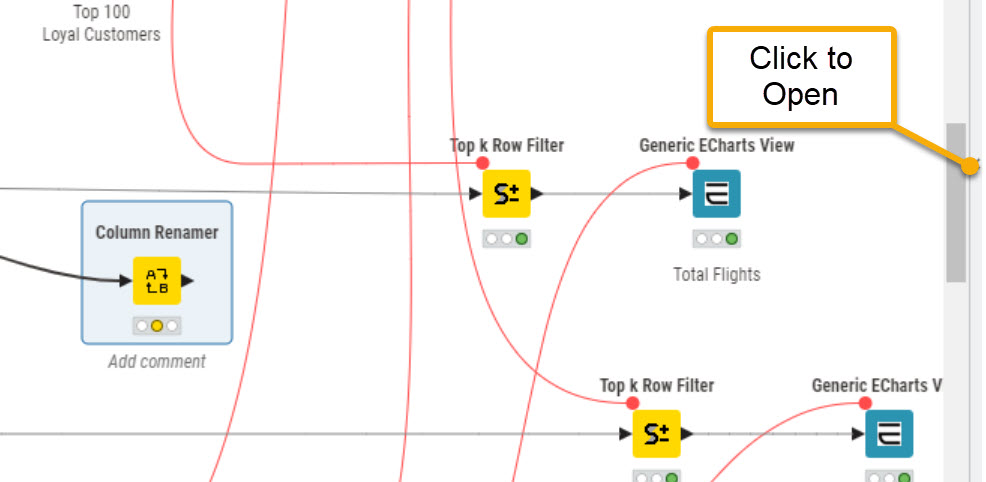
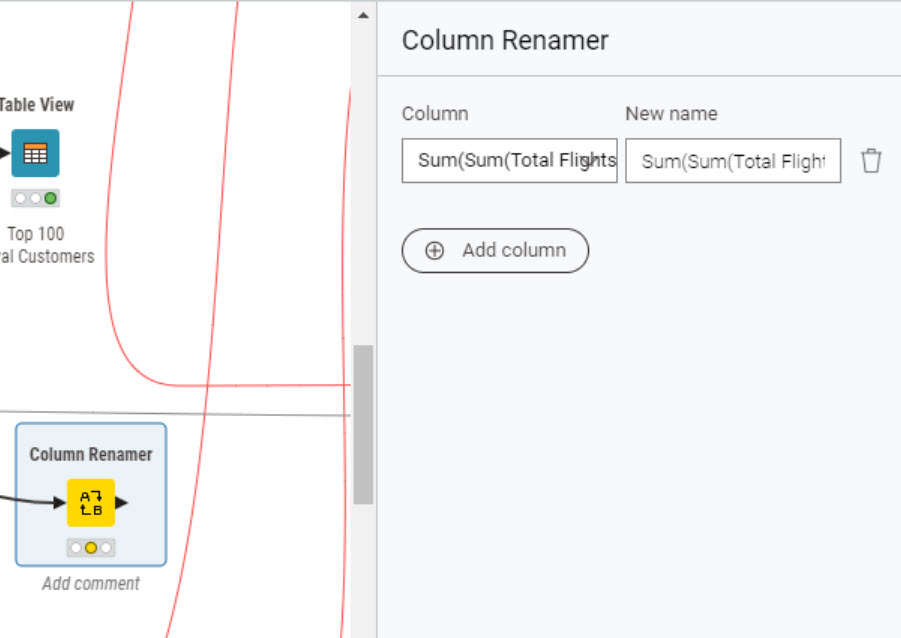
I am having serious issues using KNIME since i upgraded it to the newer version. I have rebooted my machine at least 3/4 times. I cannot use my old work. Today it has taken me 3-4 hours just to figure out how to rename columns, and I still have not been able to do so. I cannot open the configuration dialogue box when I double-click on the Column Renamer node. I tried using the Column Rename (Dictionary) node but had no luck there as well. I cannot double-click on many column-related nodes, and it looks like I am missing an extension. For example, I cannot double-click on the Column Filter node either.

Please help. this is too depressing and frustrating

Hi @Mobihashim01

I’m sorry to hear of your frustration and problems today, and that there has been some confusion here with the 5.5 release. You aren’t alone in having difficulty with working out how the configuration now works, and hopefully this will help ease the frustration

Please see this topic, regarding the change to the way the configuration now functions:

and here

3 Likes

Thank you so much. it has helped. i was closing down the left panel. Thankyou so much once again.

1 Like

If you’re using KAP 5.5.0, the node configuration is in a flyout on the right side.


2 Likes

Sorry @takbb I didn’t see your reply. I just turned 79. Senility has definitely set in.

3 Likes

lol, no worries @rfeigel - always good to see your contributions as a regular, older, wiser, but evidently “young at heart” :wink: member of the forum!

2 Likes

79!!! WOW!

This is so cool to have you here and help us young fellas ( I’m turning 48 this year :slight_smile: )

2 Likes

Thank you everyone for your help and support. I’ve been able to complete my work thanks to you.

Today I’m trying to use the CSS Editor (legacy) node for the first time to make my bar charts look better and give me more control over their appearance.

I have two main questions:

1- What nodes have replaced these legacy ones?

CSS Editor (legacy)
Bar Chart JavaScript (legacy)

I’ve searched but couldn’t find what replaces them in newer KNIME versions.

2 - I’m struggling with the documentation I’ve tried reading the guides, but I’m having trouble understanding them. I’m a beginner with coding, CSS, and HTML, so please excuse me if these seem like basic questions.

I’m currently using code I found from an online auto-generator, but I’d appreciate any guidance on the proper way to do this.

i am using the following code getting some help online for auto code generator

.bar rect:nth-of-type(1) { fill: #e6194b; }
.bar rect:nth-of-type(2) { fill: #3cb44b; }
.bar rect:nth-of-type(3) { fill: #ffe119; }
.bar rect:nth-of-type(4) { fill: #4363d8; }
.bar rect:nth-of-type(5) { fill: #f58231; }
.bar rect:nth-of-type(6) { fill: #911eb4; }
.bar rect:nth-of-type(7) { fill: #46f0f0; }
.bar rect:nth-of-type(8) { fill: #f032e6; }
.bar rect:nth-of-type(9) { fill: #008080; }
.bar rect:nth-of-type(10) { fill: #e6beff; }
.bar rect:nth-of-type(11) { fill: #baffc9; }

The goal is to customize the appearance of bar graphs including bar colors, value display, and other styling elements for better visual presentation. Unfortunately, despite spending several hours on it, I haven’t been successful.

Could anyone share working CSS templates for the CSS Editor node in KNIME that can be used with bar charts, line graphs, pie charts, etc., to help improve the look and feel of the visualizations?

thank you very much in advance and Kind Regards

image

Hi @takbb Thanks for your post. Unfortunately, it doesn’t change it back after I change the setting of the preferences per the guide. Would you kindly help have a look. Or anyone can help me to change it back? Thanks.


If you want the pre-5.5 behavior I think you have to select „open in new window“ in your first screenshot.

Embedded inside the application is the „new“ way in 5.5 with configuration showing in the panel to the right.

1 Like

Hi @WinnieLiu , welcome to the forum. Can you confirm if the setting charge works for you if you restart KNIME after applying the changes? I think that particular setting for the config dialog panel may require a restart even though it doesn’t say that anywhere.

1 Like

Hi @takbb Thanks for your response. Now it’s worked as I changed the setting like below. The setting should be adjusted slightly. Replace the “Embedded inside application” option with selecting the “Open in new window” checkbox, and enable the “Modern component dialogs (experimental)” option.

1 Like

This topic was automatically closed 7 days after the last reply. New replies are no longer allowed.