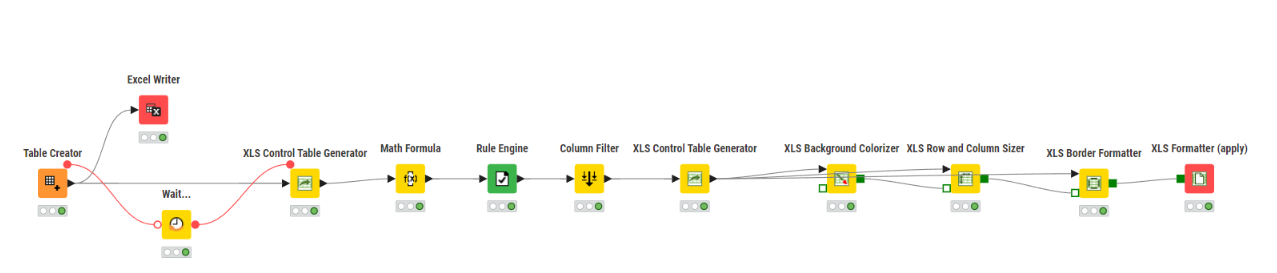
I need to apply some additional formatting to an Excel file using the Continental node, which I’m still struggling to learn.
My current workflow already generates the table with a colored header, borders, and zebra striping.
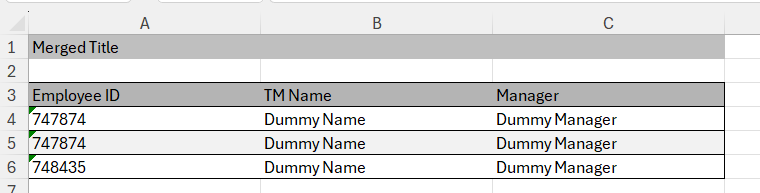
I now need to add a title above the table (as shown in the image). The title should be merged across the full width of the table, left-aligned, and have a colored background. There should also be one blank row between the title and the table.
I couldn’t figure out how to achieve this with the Continental node. Any tips or examples would be greatly appreciated. If there is any other way rather then this extention, please let me know.