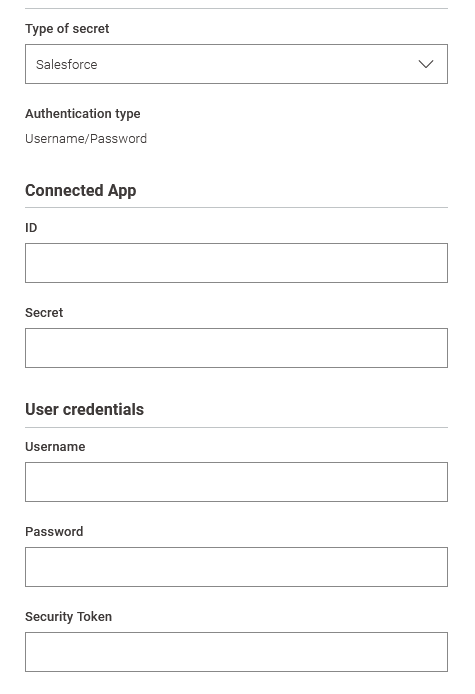
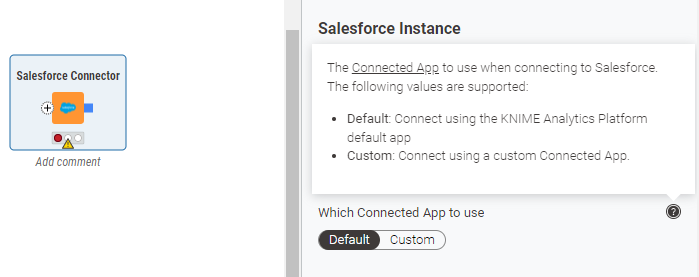
When using the Salesforce Connector on KNIME Desktop, one can specify “Default” for Connected App, and no Client App or Secret is required - only username, password, and token (for non-interactive connection).
The Secrets Retriever works the same way when specified as a Salesforce secret on KNIME Hub (Community, Team Plan), however, it requires a Client App and Secret. There is no way to leave it blank (as we would on Desktop), or enter some dummy numbers.
Normally the Secrets settings on Hub match exactly the settings in Desktop. In this instance, “Default” vs. “Custom” is shown on Desktop, but not on hub:
Desktop:
Hub: