Having fully functional versions of these crucial tools available as windows / tab views would enable fluid and instant access to copy / paste values during configuration changes. This dramatically speeds up complex formula and filter construction.
The only current option to always see the output data is to use the “Node Monitor - Show Output Tables”, however this lacks the ability to filter / select / copy from the data.
Currently once “Configure” popup is open, a user cannot simply click elsewhere to copy and then paste a value since you are limited to interacting with the “Configure” popup until the changes are accepted and closed.
Enabling always open access to the Configuration and Output Table would simplify the UI and increase the speed of workflow construction, editing and review.
…
The Alteryx approach for concept illustration:
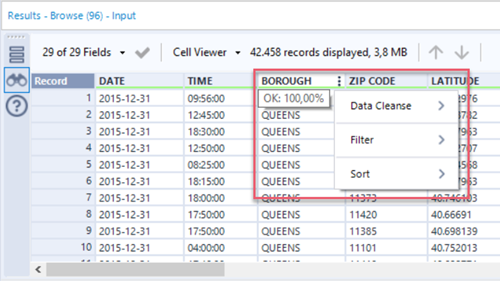
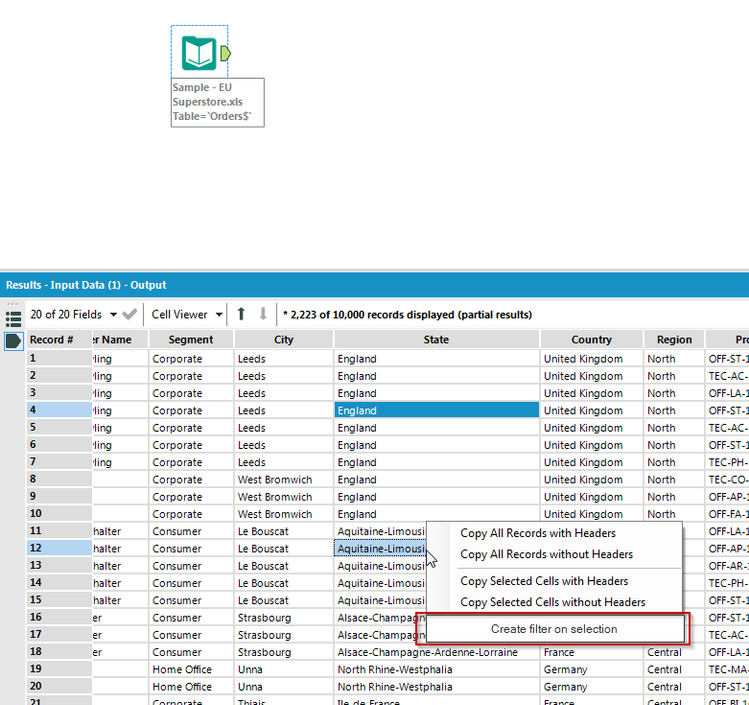
The Alteryx version of the “Output Table” is called the “Results” window. It is limited in the number of rows of data that it shows, but it provides similar interactivity to the “Output Table” in an always accessible window.
This image shows the sort / filter capabilities.
…
This image shows the select and copy capabilities.
…
I would also suggest an additional “Output Table” filter option that Alteryx doesn’t include as well… Providing an option for filtering unique values would allow for even easier access to all of the data value options for formula construction.