I use knime 4.7.8 for the last existing knime kml reader. I have separate more recent versions once I step outside of working with shapefiles.
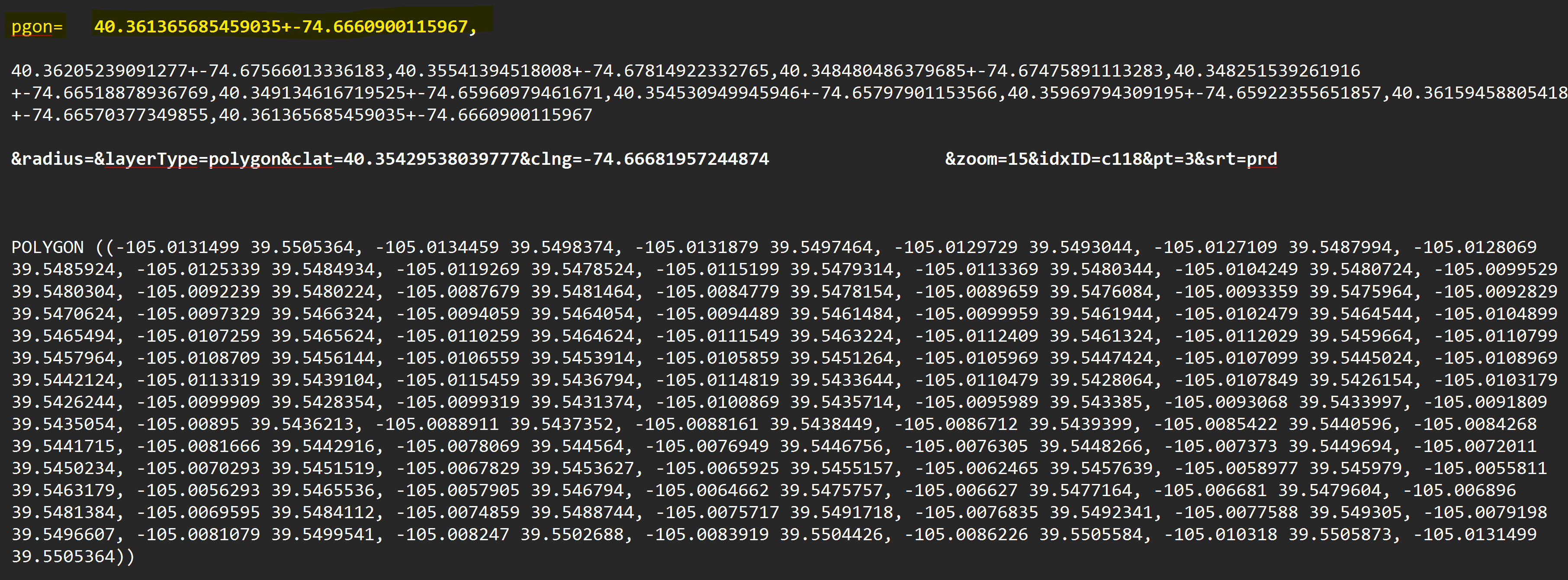
The system provides the standard WKT format “-105.0125339 39.5484934,” etc. I’m used to this format and it’s what google maps provides from my hand-drawn polygons.
But I have a potential service provider I wish to copy and paste into their system (no automatic upload available from provider), but they require a shapefile format I have never seen (Claude AI doesn’t recognize it either) “40.361365685459035+ -74.6660900115967,” etc.
Please see attached graphic below. Upper portion is their requirements; bottom section is what I currently have.
It seems they flipped the lat/long points for each point in the shapefile. I don’t know how I can flip the points in knime. And they smashed in a “+” instead of leaving a space. Any ideas or specific nodes you can think of that will reformat lat/long points to their desired format?
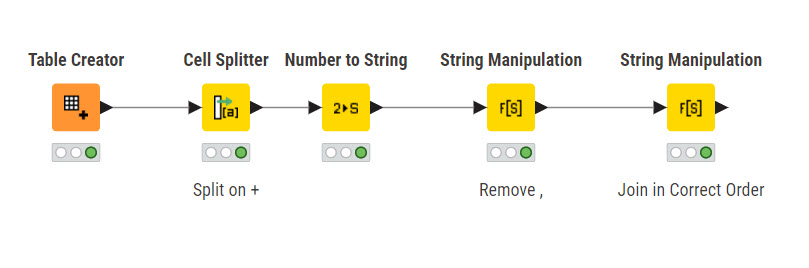
I’m not experienced with Shapefiles in Knime. This workflow reorders the Lat/Lons. It ouputs a string with a trailing comma as in your screenshot. You may have to do additional splitting with a full data set. Also the output is a string. Shapefile lat lon Manipulation.knwf (72.2 KB)
@rfeigel, thanks for the input. So, the data I have starts with
and I need to convert it to the weird
I think you designed your system to do the opposite?
I’ve been messing with various similar concepts with full data, and just have not been able to solve this conversion quite yet. It does get more complex when you run the full “geom string” instead of just two columns.
Attached is a fairly short shapefile (I have much longer ones to deal with), just in case you get an idea on this. Otherwise, I’ll keep at it.
@rfeigel no reason for “sorry”. I come crawling in here with crazy-stupid stuff I haven’t figure out, and it’s always difficult to step into somebody else’s crazy-stupid stuff. I always appreciate the help and suggestions. Your stuff got me heading in the right direction and I was making some good headway, but have not quite got it where I need it.
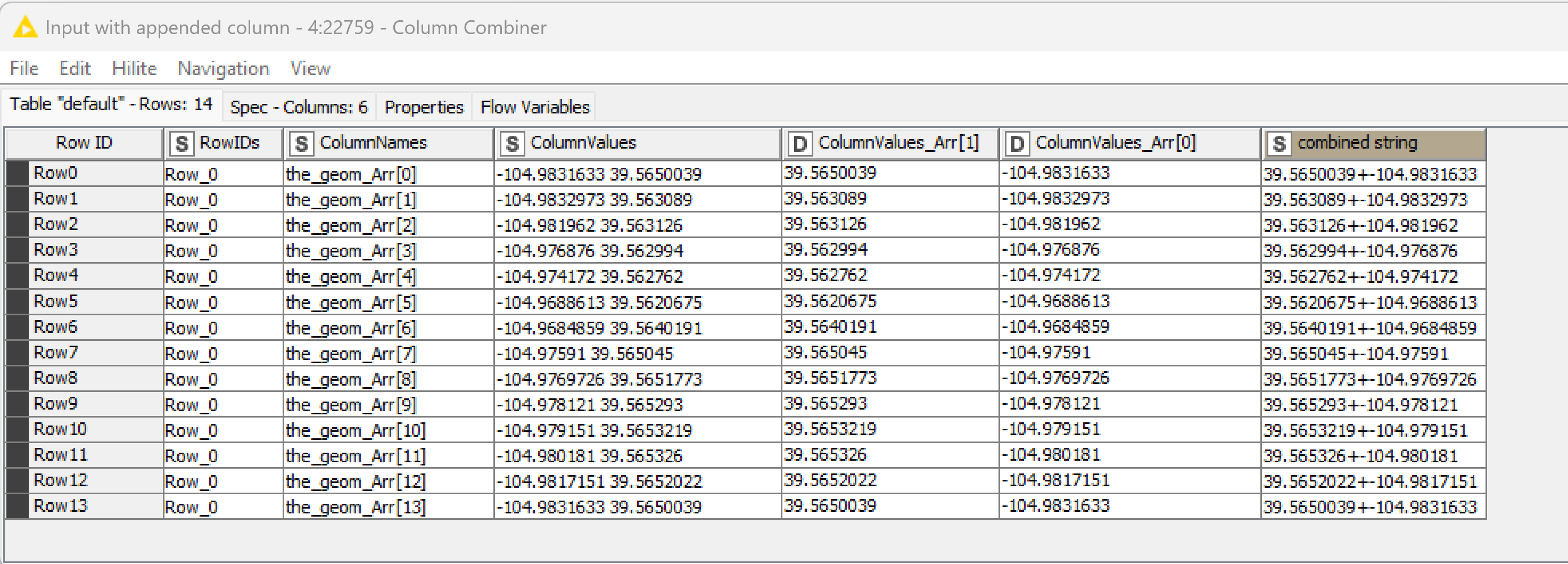
@rfeigel Sooooooo, starting to get there. Just an FYI update. You’ll laugh at my lack of skill and inefficient “programming”, but I might be able to get this to work… Starting from the CSV file provided:
@rfeigel I can get the full series combined into one long series (row), but I am blowing up trying to convert the string back into numbers… I imagine the commas, + and - are screwing it up. I’ve got to run but will see what I can figure out later. thanks again