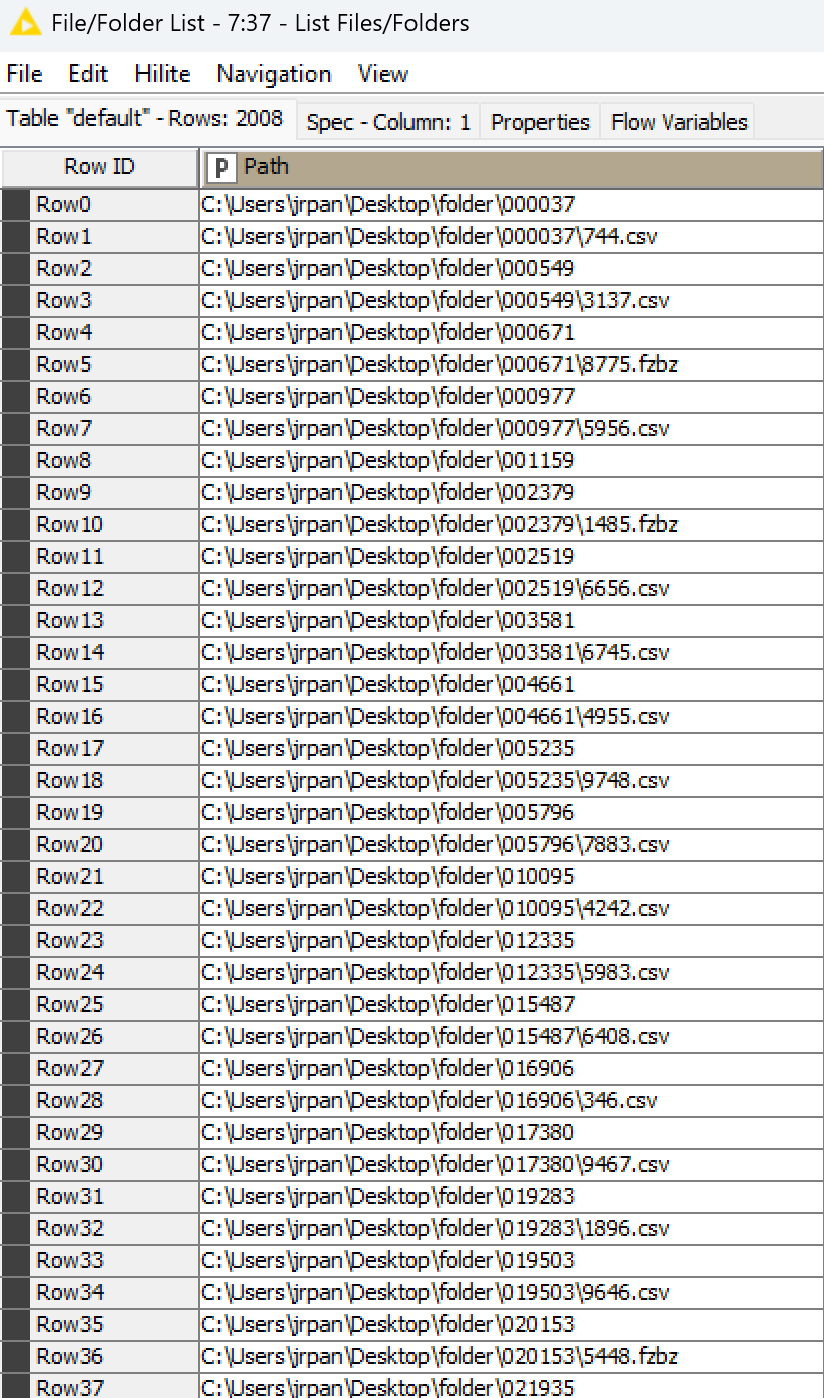
Teaching data science is not always glamorous: educators often have to spend a lot of time creating mock data to explain a concept, or a functionality, to students. This week, you’ll wear your teacher hat and create a file structure to explain the List Files/Folders node to your audience. Get ready to exercise your file generation skills, including filename processing.
Here is the challenge. Let’s use this thread to post our solutions to it, which should be uploaded to your public KNIME Hub spaces with tag JKISeason4-17 .
Need help with tags? To add tag JKISeason4-17 to your workflow, go to the description panel in KNIME Analytics Platform, click the pencil to edit it, and you will see the option for adding tags right there. Let us know if you have any problems!
I really really loved this challenge. You should give it a hard thought how to solve this, and it’s really useful to know how handy KNIME is handling files and folders (and names).
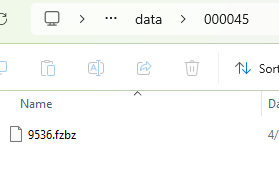
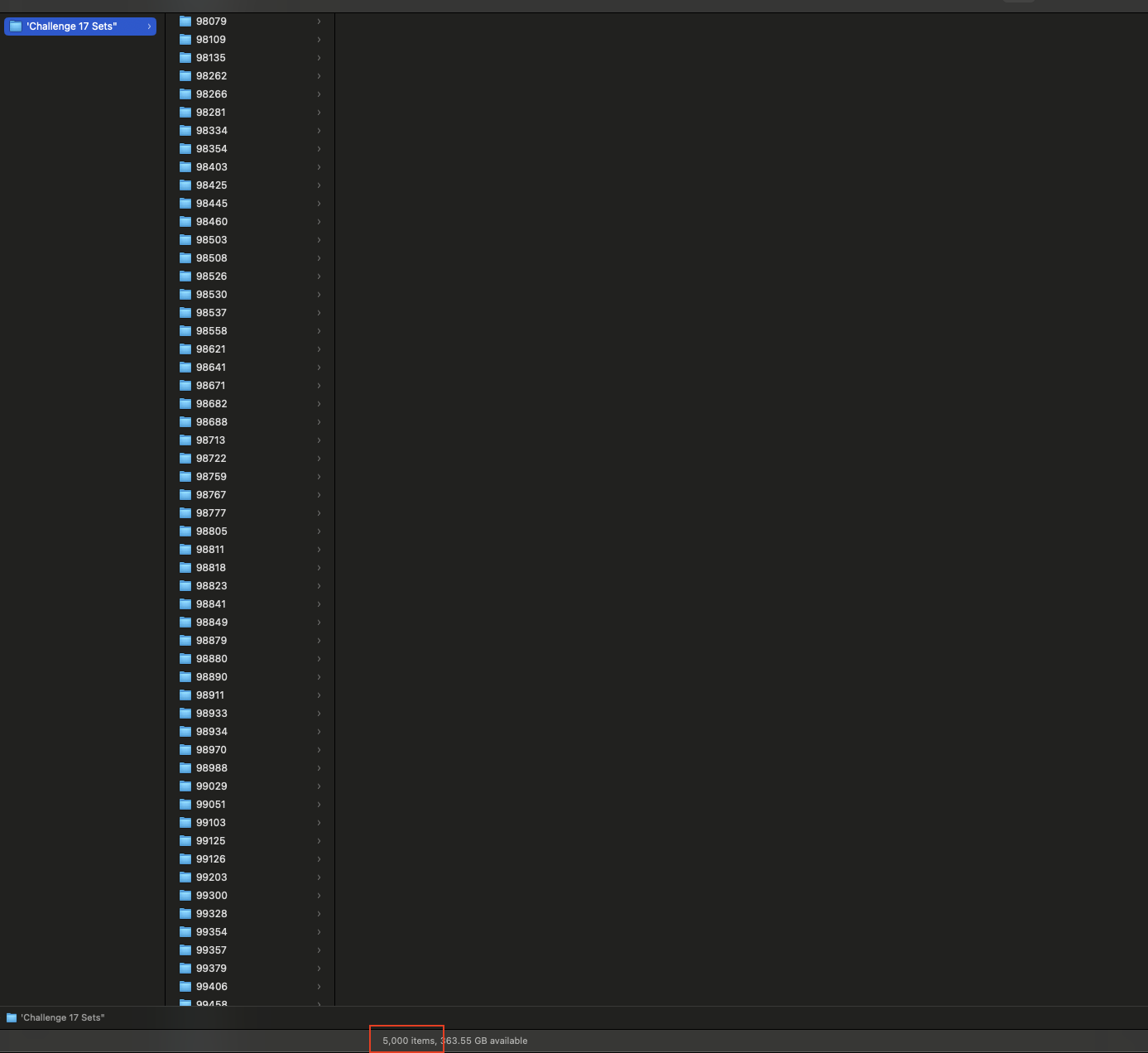
My solution to the challenge:
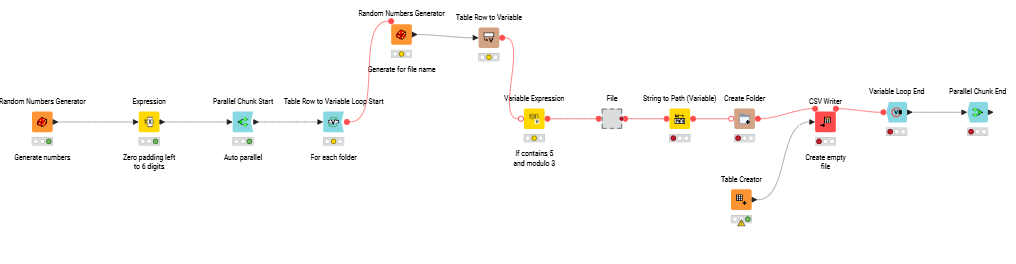
My workflow (tried to be straightforward with the annotations and comments):
I think my solution is not optimal, I’m really curious the other solutions and approaches. And of course I really appreciate any suggestion regarding my solution.
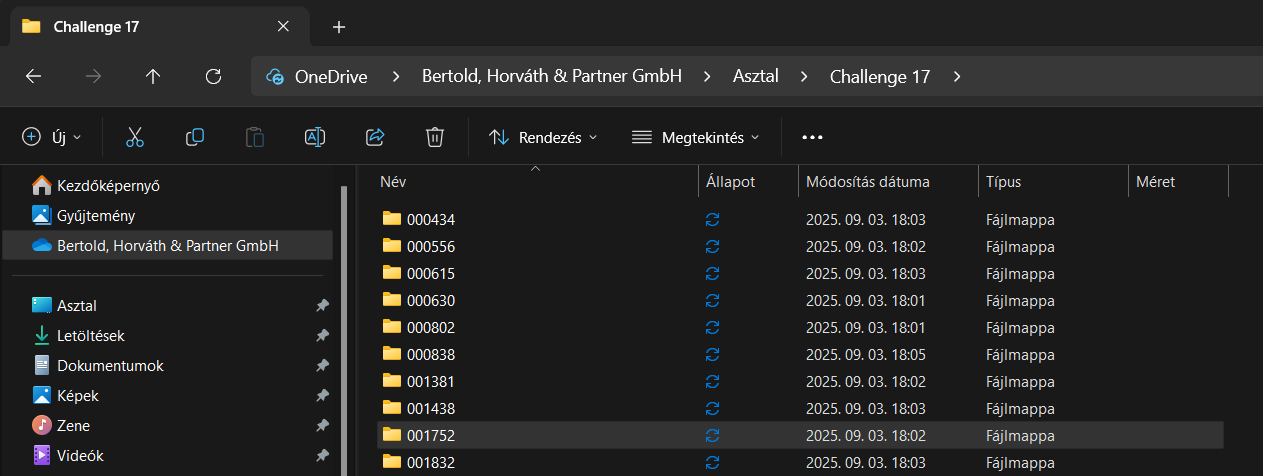
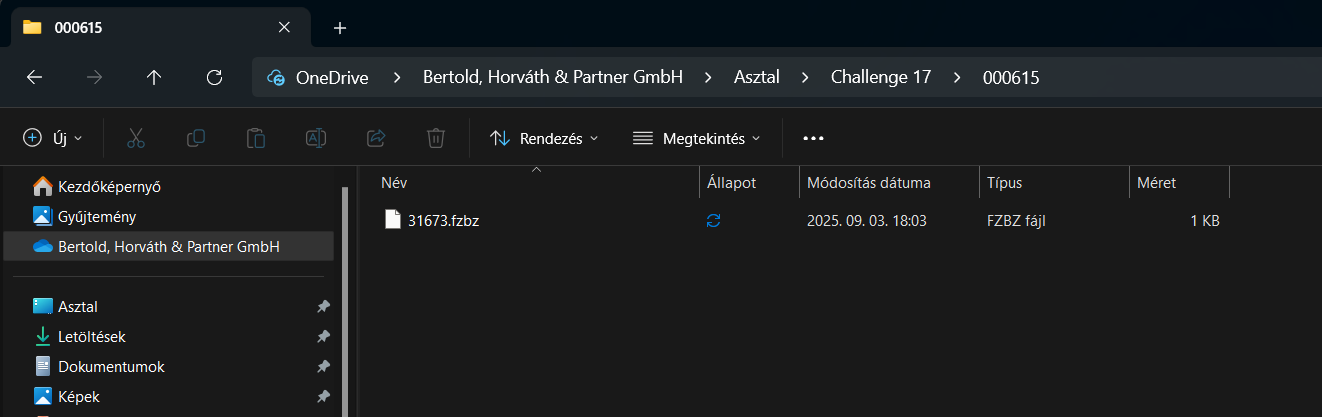
EDIT: My laptop didn’t like this challenge. I had to restart it, after creating the five thousand folders…
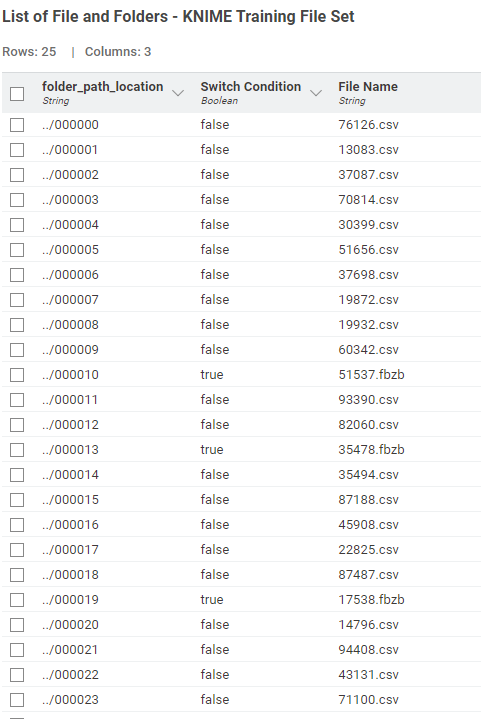
Find my submission : https://hub.knime.com/s/2CdiISIn_v-eaOgi .. just for ease i have filtered to 25 rows ( folders ) , as you remove the filter , you head the highway.
I didn’t know about the existence of this node As I read about it it’s very promising, but sadly I couldn’t notice any improvement in the making of the folders and files. But the concept is really handy I think, so maybe I will try it out some more time. Thank You for highlighting this node (new for me) to me
Either way, these KNIME challenges are pushing me out of my comfort zone and I’m still learning how each of the participants approached to solving each challenge.
Cheers
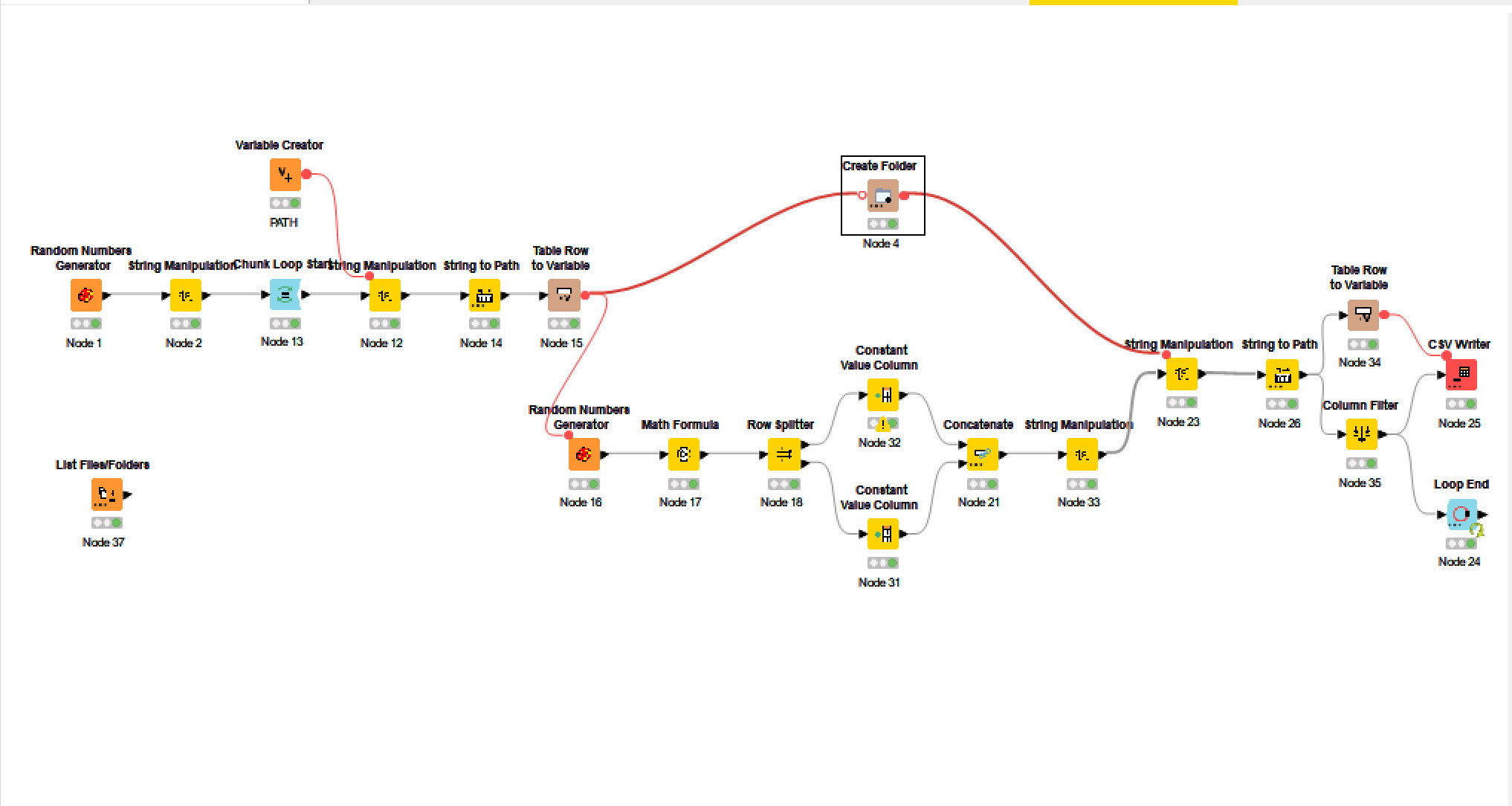
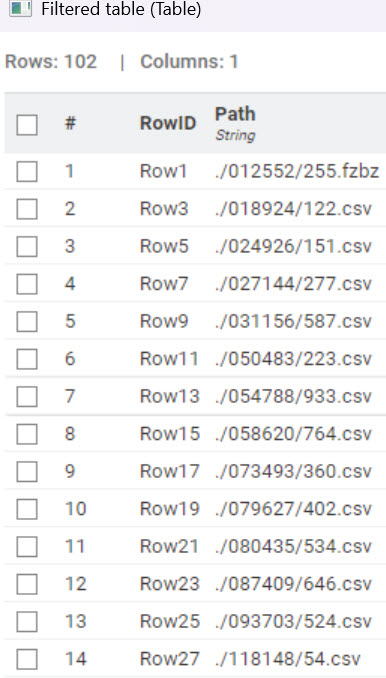
Here’s my solution. I wrote the folder/file names to tables and then disconnected the random number creator nodes so rerunning the workflow won’t create a new set of file names.
I’ve been a bit absent from the challenges lately due to summer holidays and then catching up with the backlog from August while traveling with my family.
Now back on track, I wanted to share my approach for this week’s exercise.
I kept the workflow simple and aligned closely with the instructions:
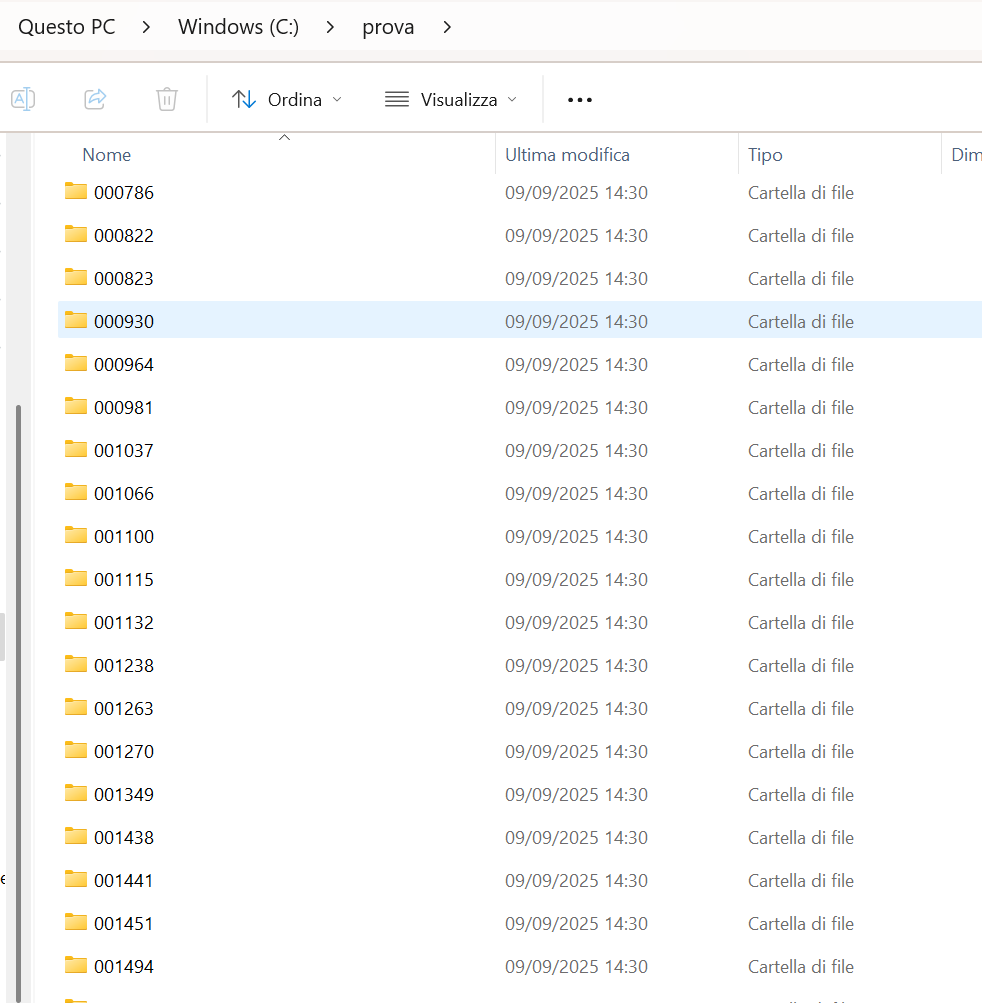
Generated a set of folders with random 6-digit IDs (zero-padded for consistency).
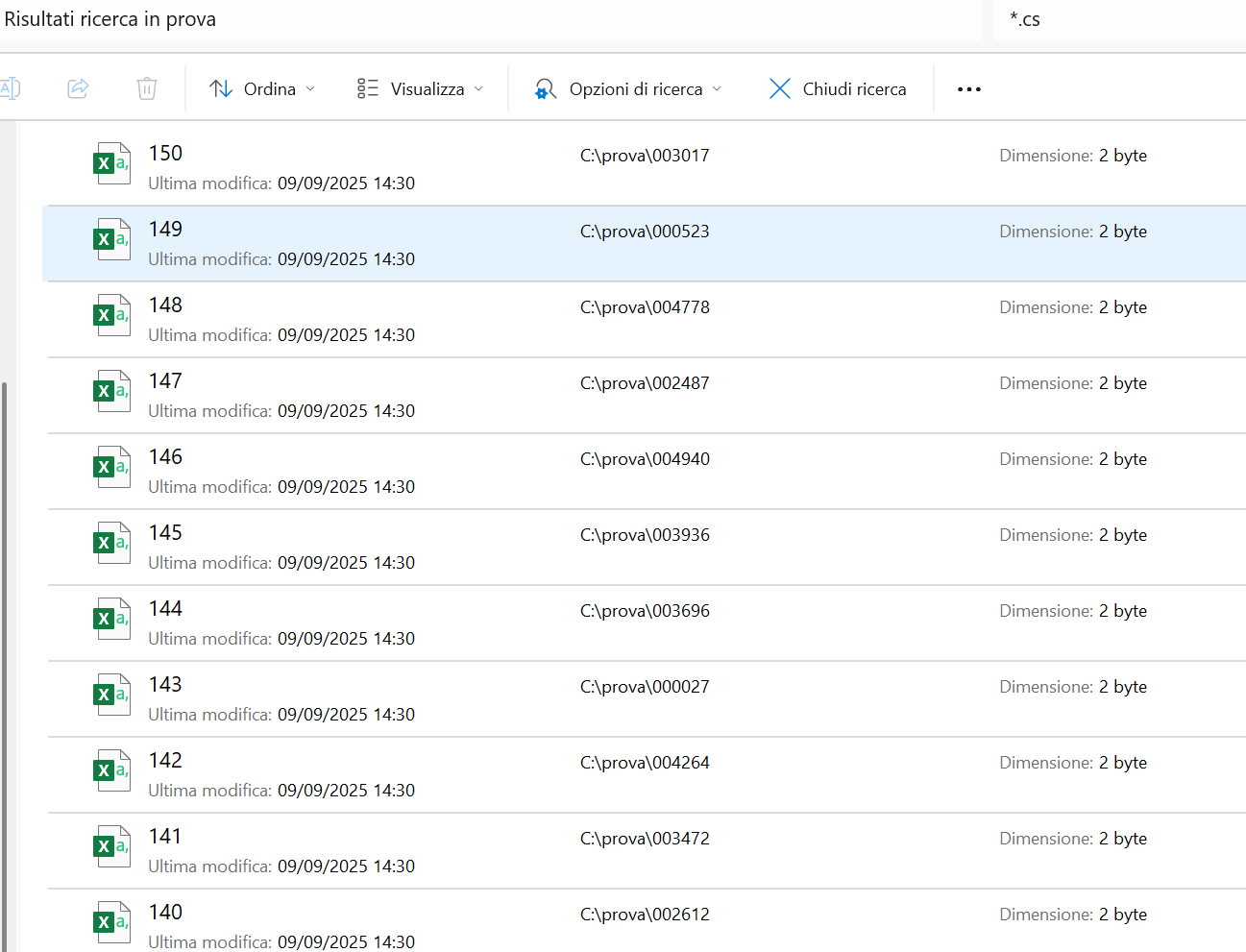
Inside each folder, created one file named 5-digit number (I used a counter generation only for the filename to verify the correct nr of items.. but also a Random generated name could be used)
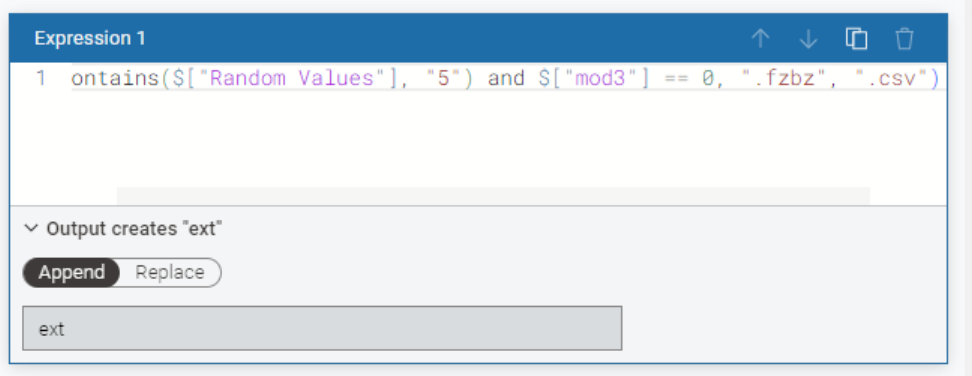
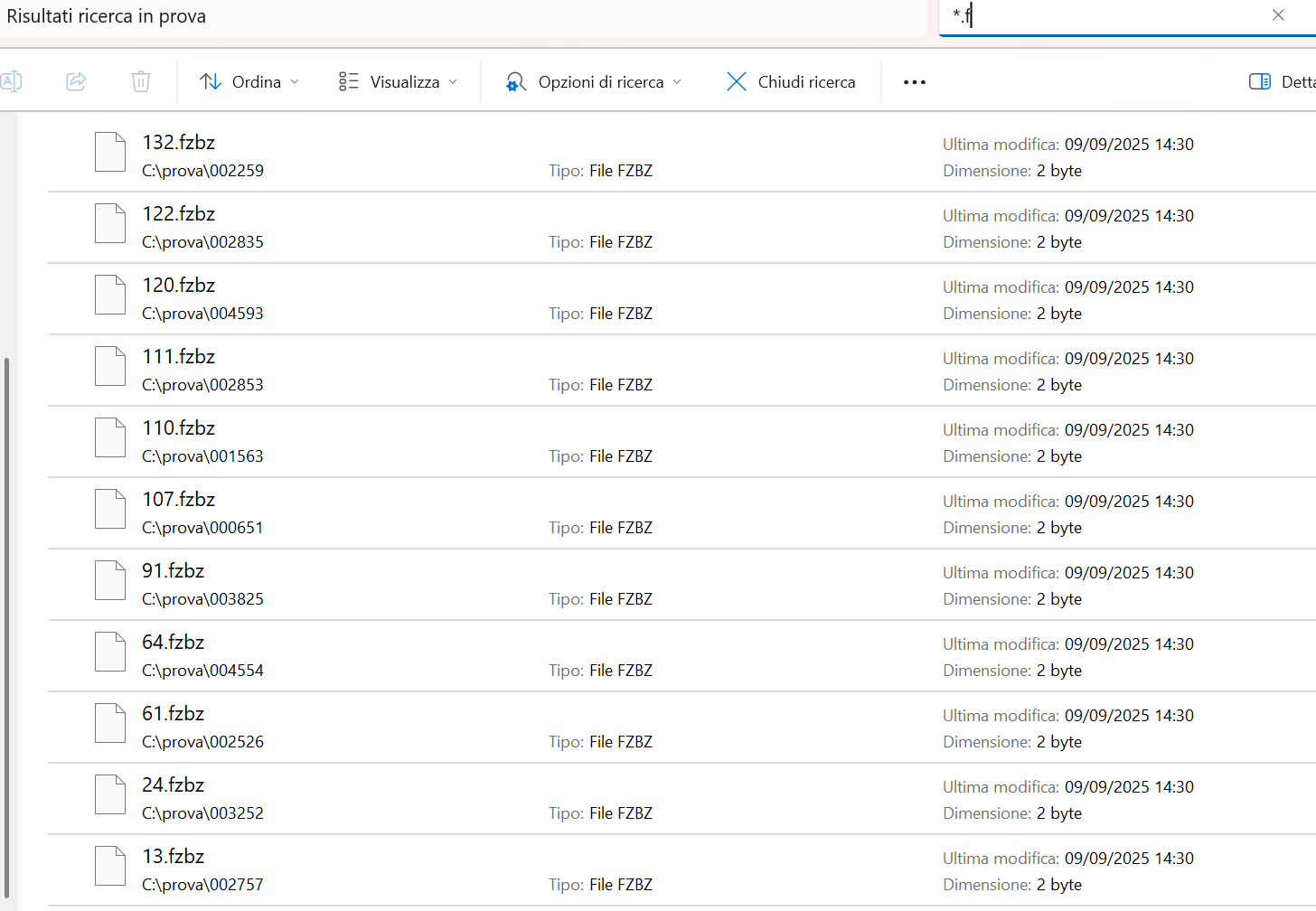
Applied the logic for file extensions: .fzbz if the folder name is a multiple of 3 and the file name contains the digit 5, otherwise .csv. Here the logic: Random foldern name %3 to obtain the remainder.
All files were left empty, since the task only required structure.
I decided to insert a configurator for the nr of files/folders to be generated.
It’s not the most complex of workflows, but I think it’s a neat educational example to showcase randomization, conditional logic, and file handling in KNIME.
Our solution to last week’s Just KNIME It! challenge is out!
This was the very first time we dove into the world of mock data generation: a very common step when we’re developing data solutions and comparing strategies or models. Shoutout to KNinja @tyousuke for authoring this challenge, pushing us further into the data science world. Thanks also to our community for embracing this unusual puzzle! Random number generation, file creation, and string processing were a few of the required skills this week.
Tomorrow we’ll steer back to a fun theme: Eurovision! Join us and learn the many aspects of Eurovision scoring, including which song genres seem to score highest.
 New Wednesday, new Just KNIME It! challenge!
 Teaching data science is not always glamorous: educators often have to spend a lot of time creating mock data to explain a concept, or a functionality, to students. This week, you’ll wear your teacher hat and create a file structure to explain the List Files/Folders node to your audience. Get ready to exercise your file generation skills, including filename processing.
 Need help with tags? To add tag JKISeason4-17 to your workflow, go to the description panel in KNIME Analytics Platform, click the pencil to edit it, and you will see the option for adding tags right there.
  Let us know if you have any problems!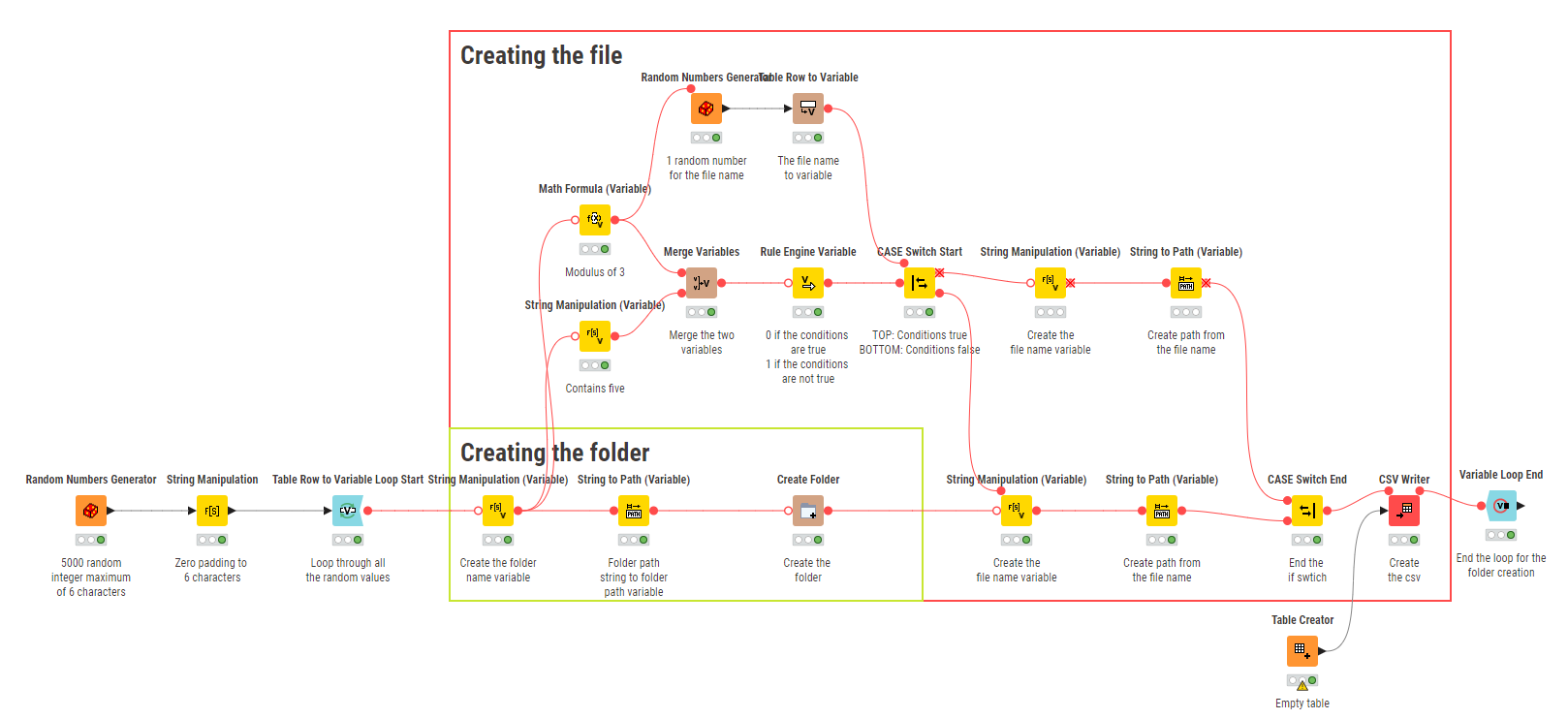





 As I read about it it’s very promising, but sadly I couldn’t notice any improvement in the making of the folders and files. But the concept is really handy I think, so maybe I will try it out some more time.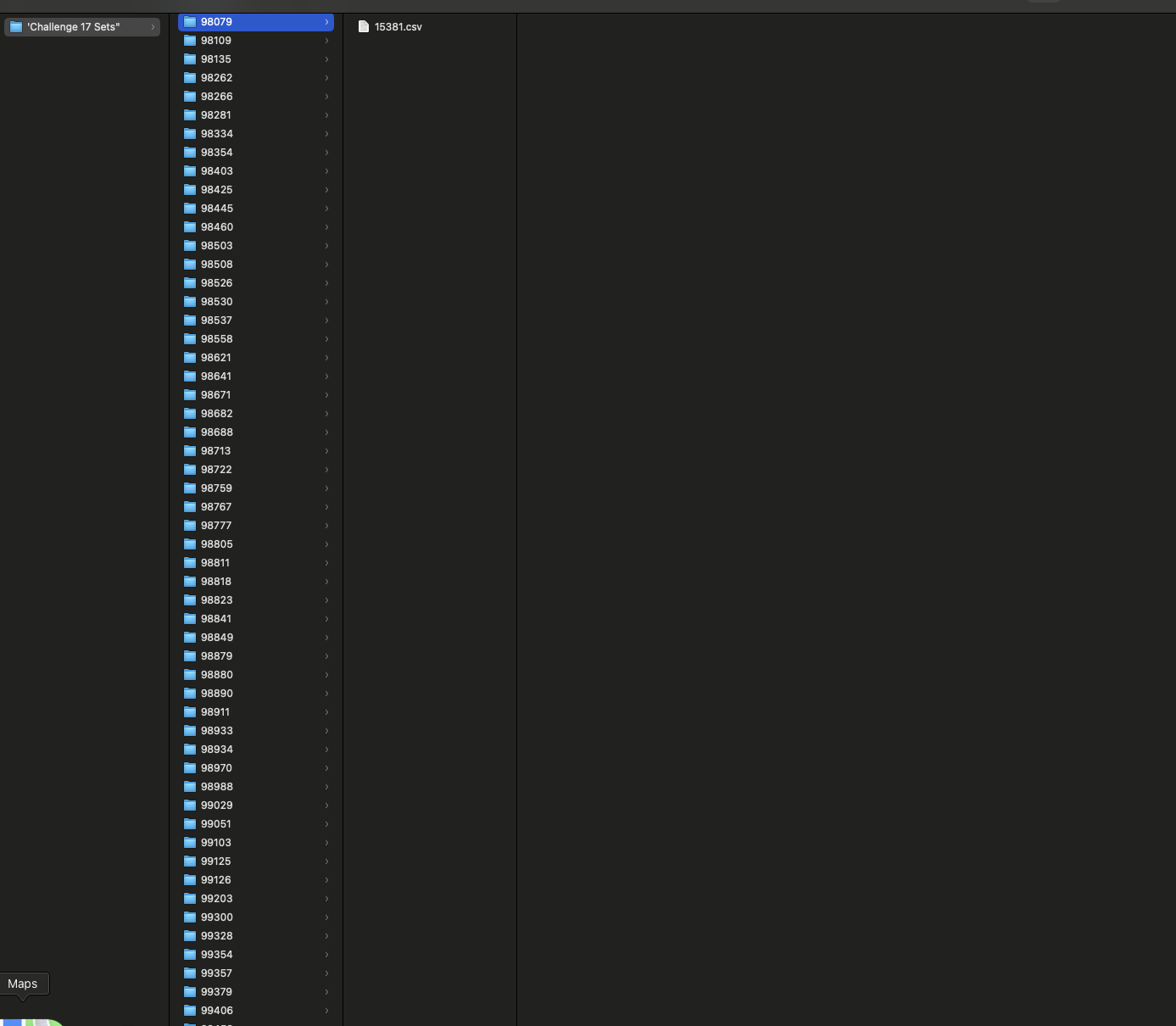

 and then catching up with the backlog from August while traveling with my family.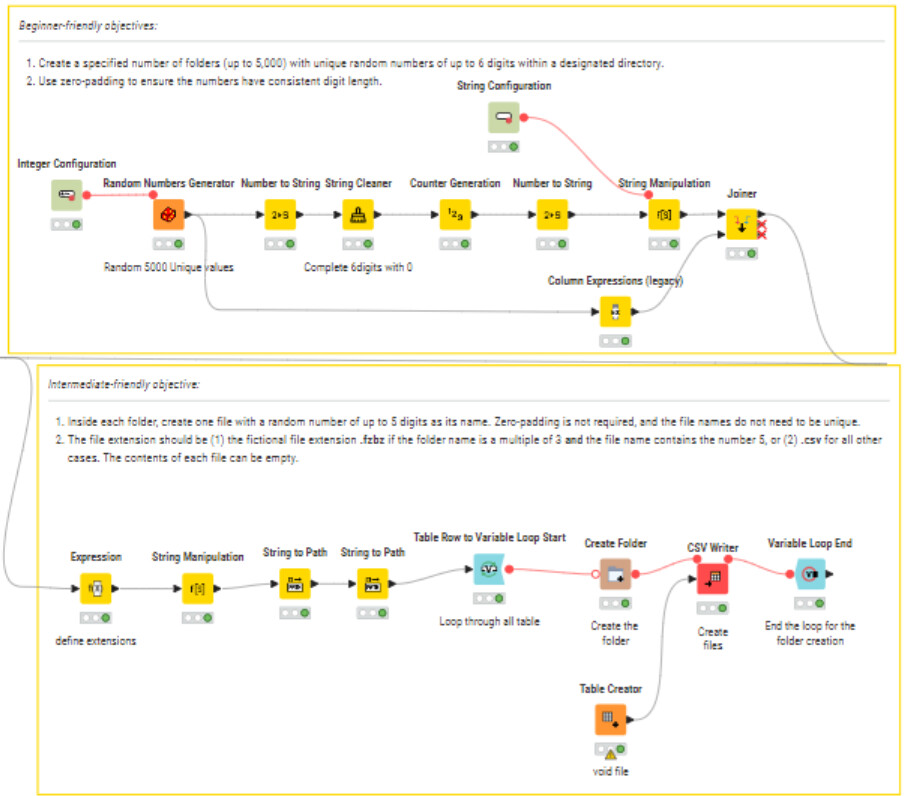

 This was the very first time we dove into the world of mock data generation: a very common step when we’re developing data solutions and comparing strategies or models. Shoutout to KNinja
 Tomorrow we’ll steer back to a fun theme: Eurovision! Join us and learn the many aspects of Eurovision scoring, including which song genres seem to score highest.