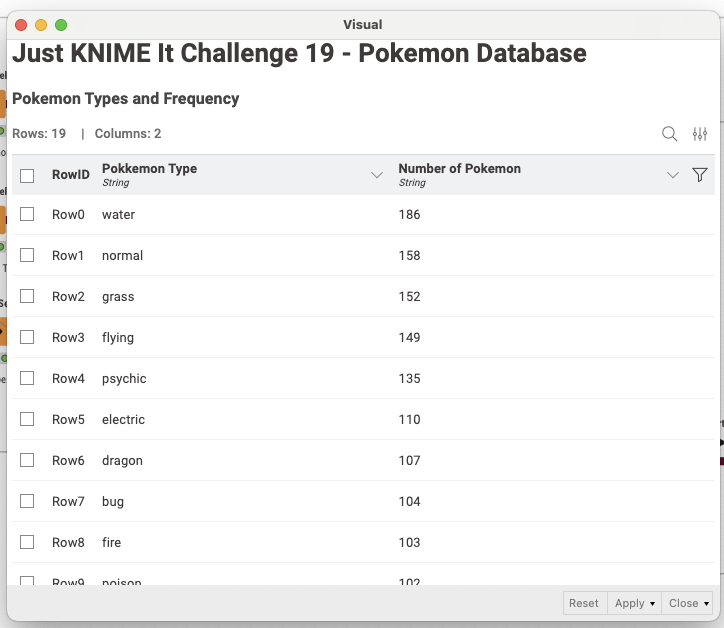
Recently you’ve been feeling a bit nostalgic about Pokémon (and our Pokémon challenge from Season 3!) and decided to use the PokeAPI to create your own local database of fantastical creatures. You retrieved the dataset of each Pokémon and their types and created a local database. Now you want to fetch data from this database and output a list of Pokémon types in descending order of frequency. For a little extra challenge, how about automatically retrieving the latest data from the PokeAPI, and theb updating each data table accordingly?
Here is the challenge. Let’s use this thread to post our solutions to it, which should be uploaded to your public KNIME Hub spaces with tag JKISeason4-19 .
Need help with tags? To add tag JKISeason4-19 to your workflow, go to the description panel in KNIME Analytics Platform, click the pencil to edit it, and you will see the option for adding tags right there. Let us know if you have any problems!
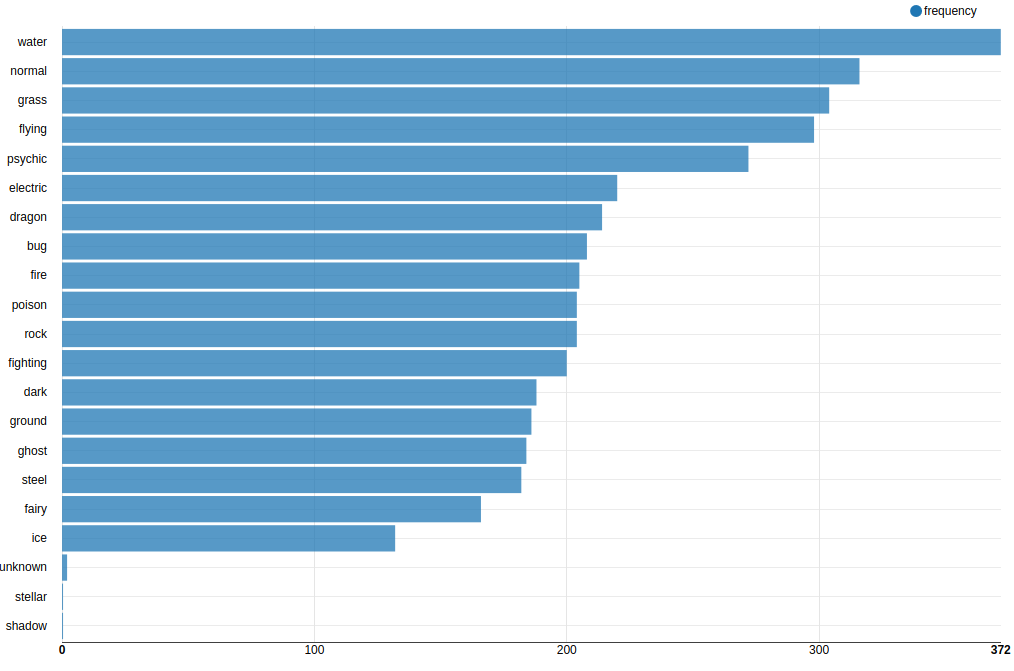
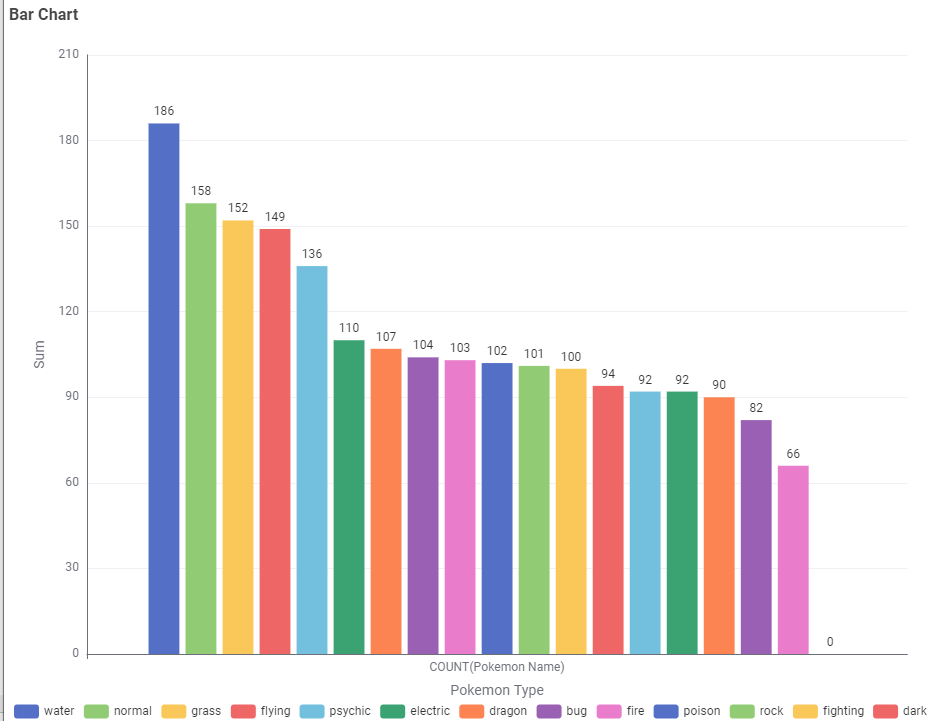
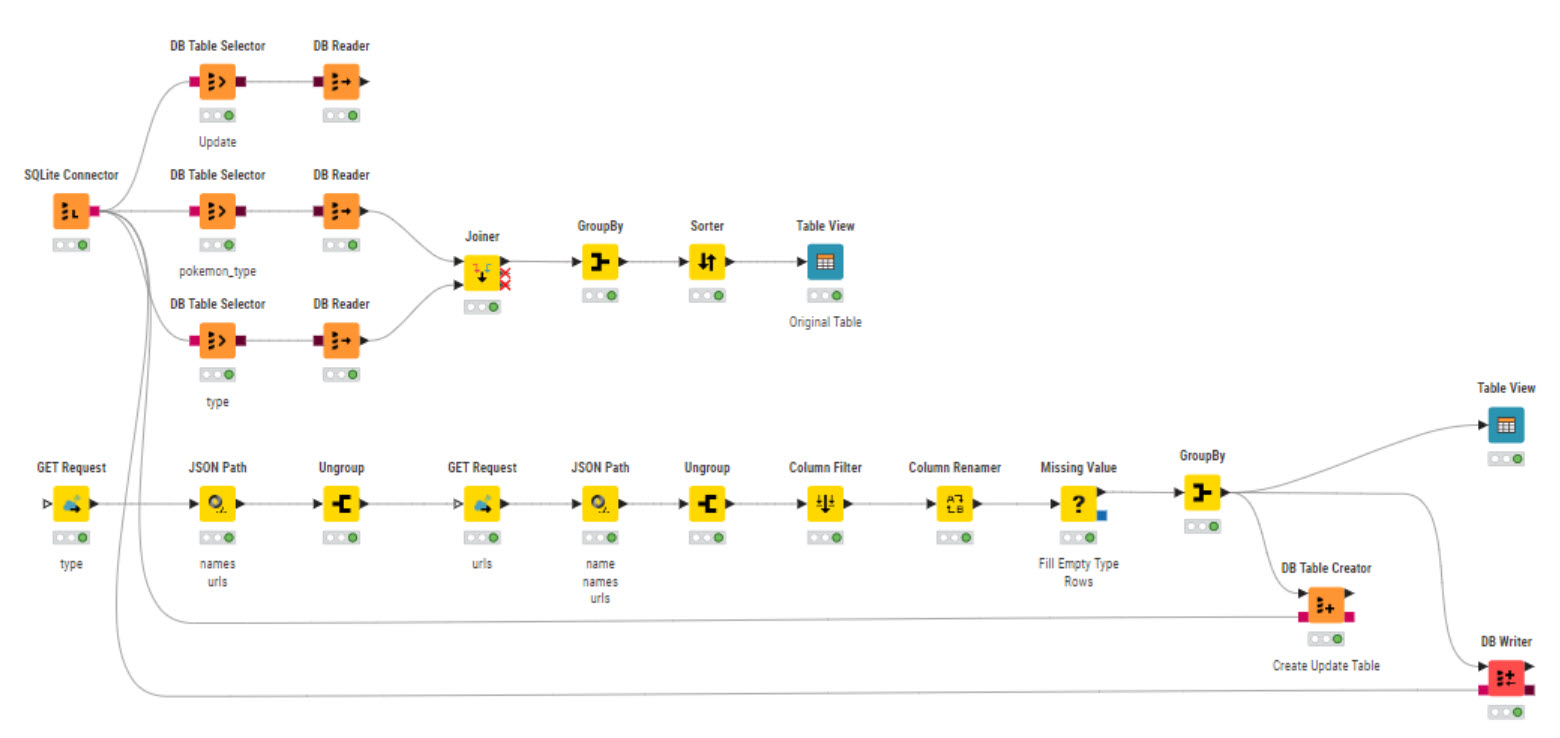
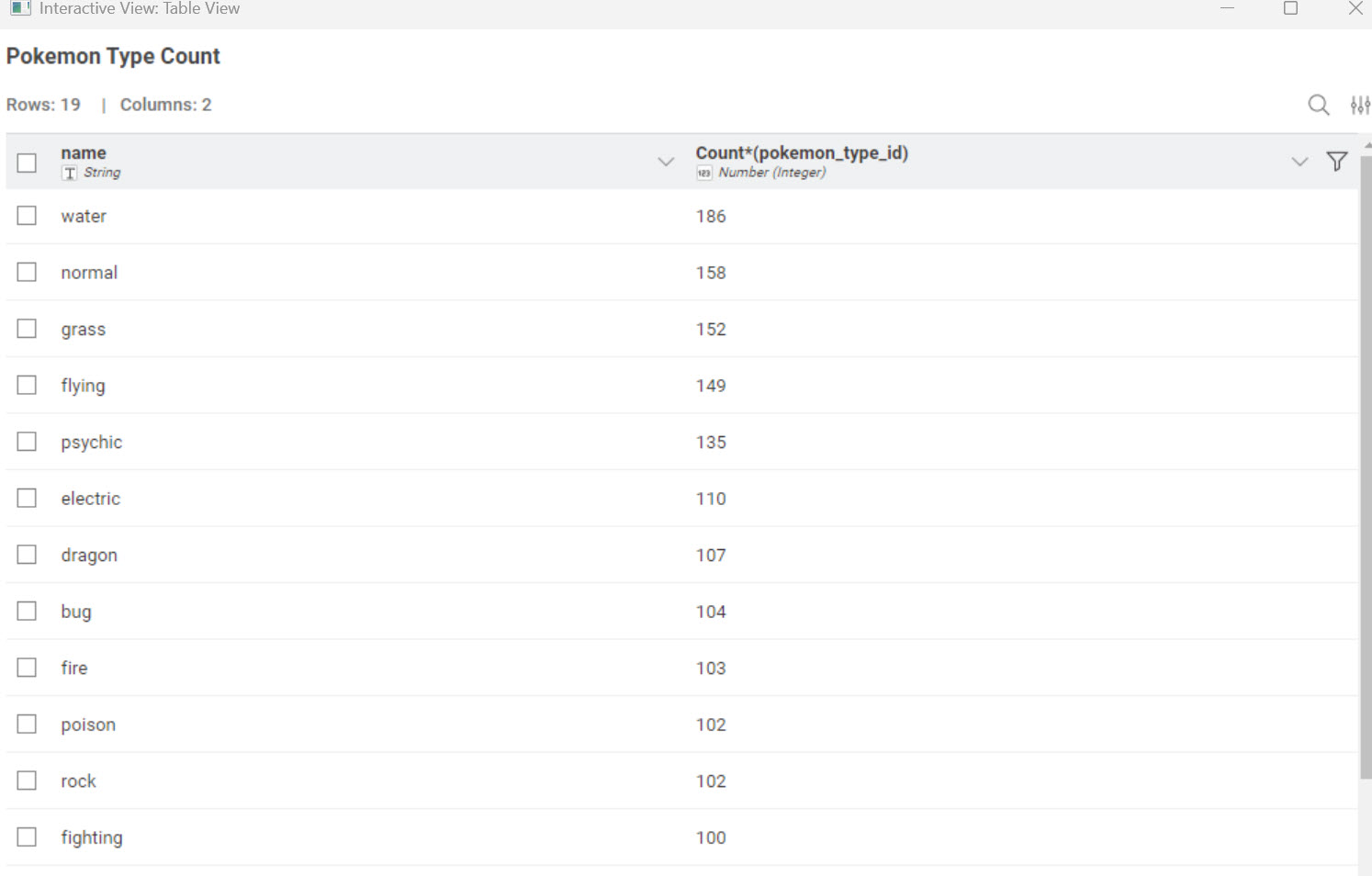
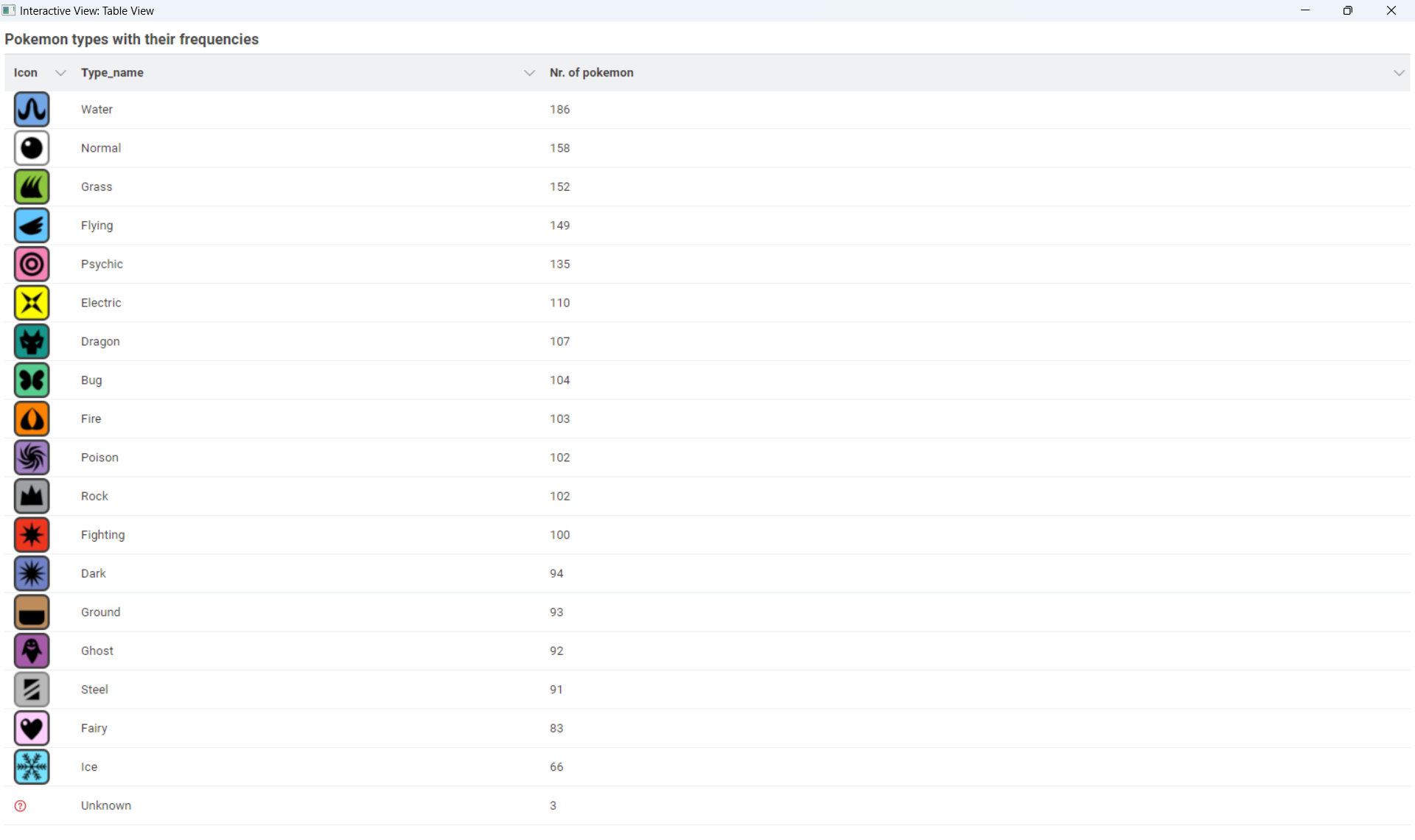
A simple joiner in DB and getting the types sorted by highest frequency.
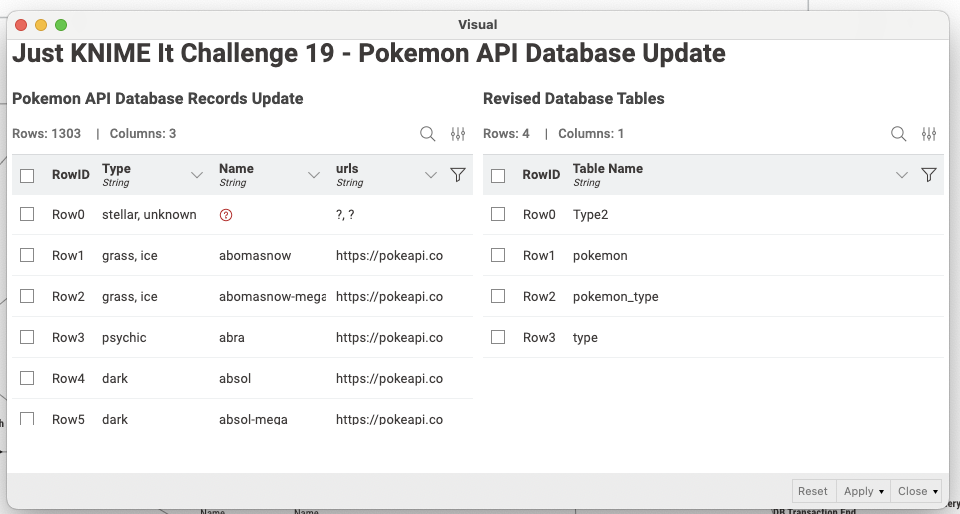
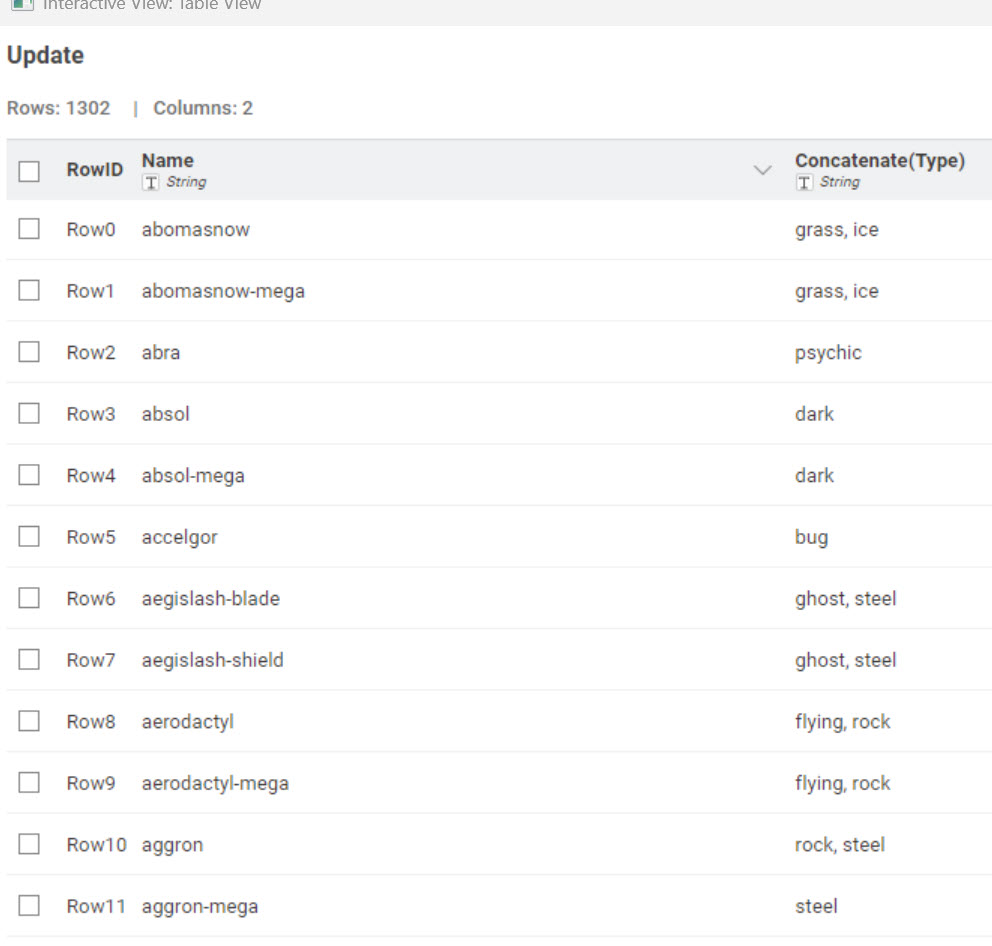
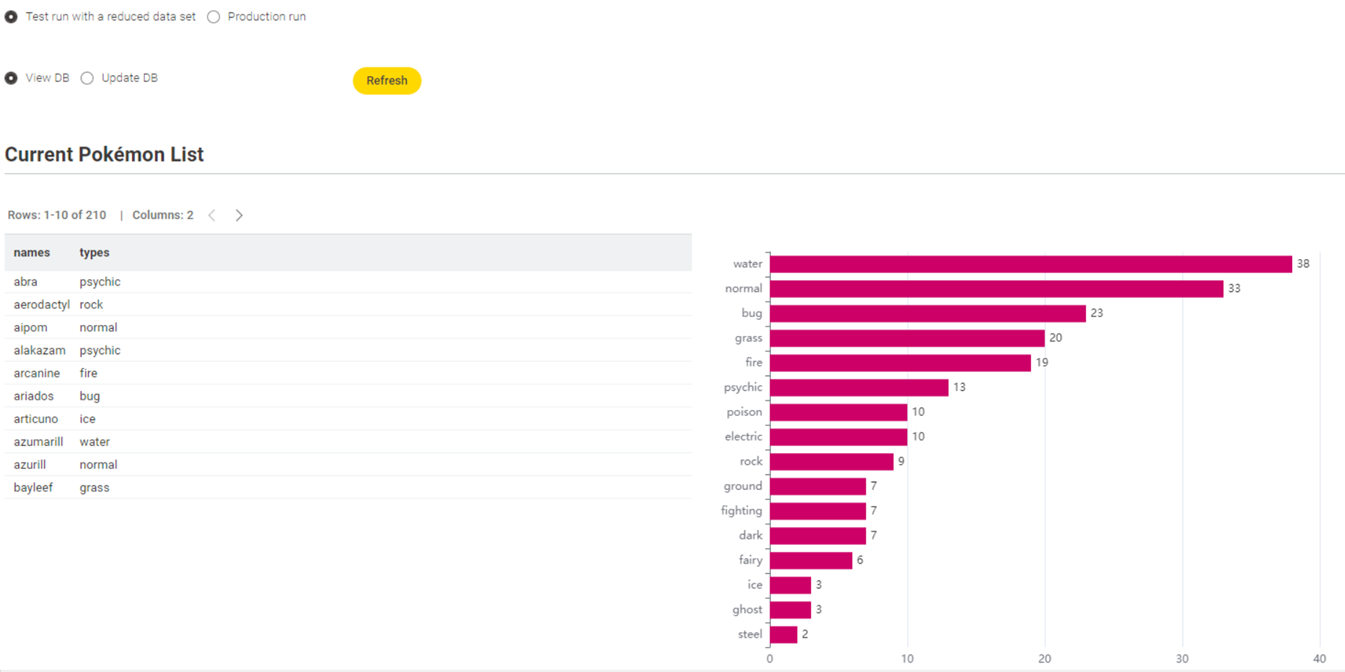
And the second part of the workflow, to get all the pokemons and get their data, then update the joining table - for the example, used the first 10 pokemons only. And only updating the joining table. This workflow can be extended to update maybe the URL of the types or many other.
The pokemon challenge was my favorite from last year and repurposed a portion this time around.
Hadn’t worked with the DB nodes before so this was definitely a learning experience. The workflow creates the database and might(?) update with new entries if the top part is rerun.
Here is my solution to this week’s challenge. JKISeason4-19
This was a good a challenge that combines the integration of APIs and database nodes.
It’s not often I can get a chance to work with the KNIME database nodes so this challenge was definitely a good exerciser in this area.
I look at how the how @trj and @jproudfoot111 constructed their workflows and help me compete my workflow.
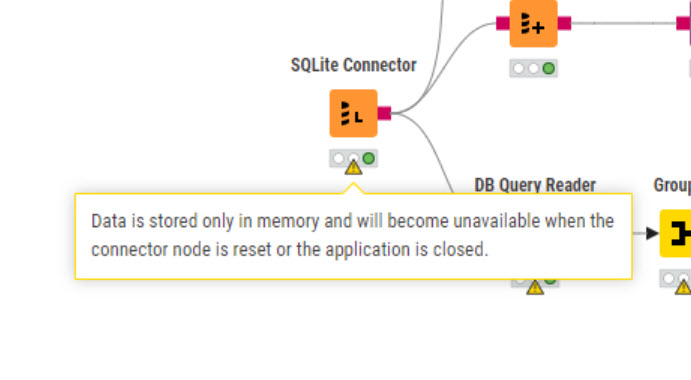
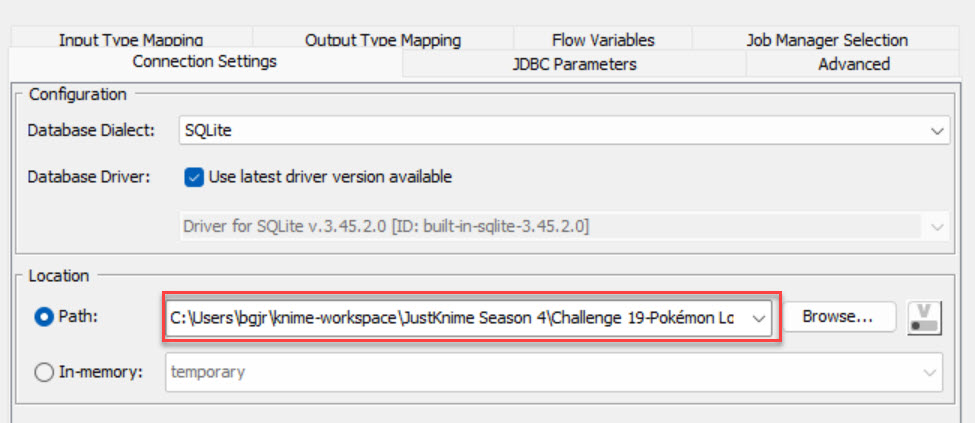
You stored the data locally rather than in the data area of the workflow. I can add the data, but your approach does not make your workflow easily transportable.
Find my try not a classic solution wrt the DB part while Jumping in non conversant territory and learn the databases .. esp deduplication and relation..
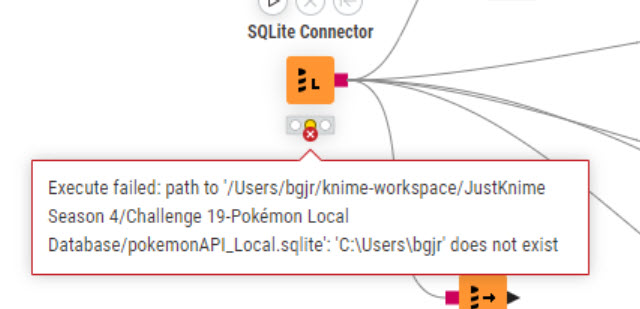
I don’t think it is possible to store the database in the “workflow area” that you can do for other “Input” nodes like Excel Reader, CSV Reader, etc. You can download database from the link provided and the set your location path with the SQLite Connector. That’s how I completed this challenge.
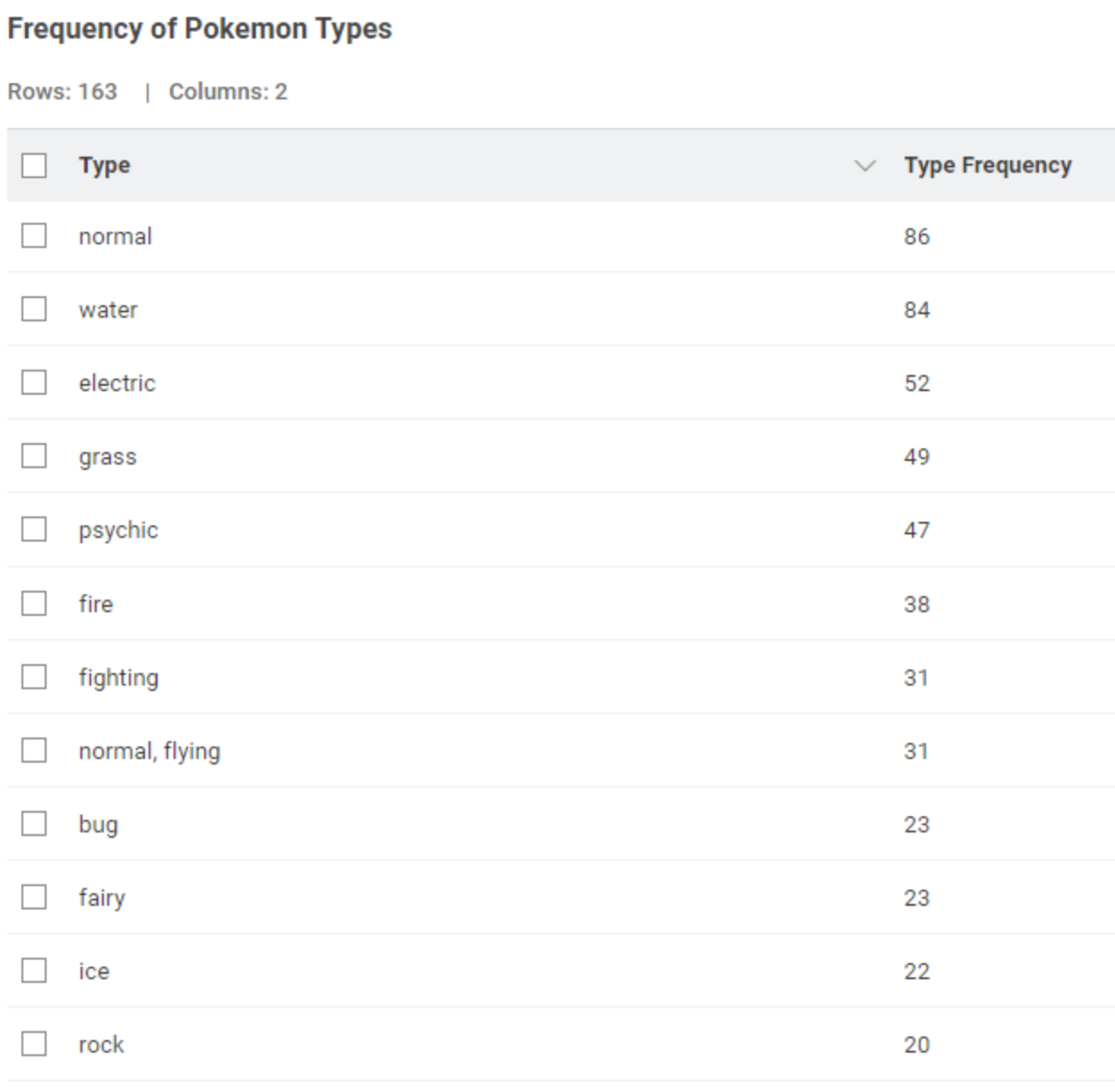
Here’s my solution. I have 0 experience working with databases in Knime so this approach is pretty simplistic. Includes both type counts for the original data and a new updated table. I took the instructions for type counts literally. Consequently the type count is higher than the Pokemon count since Pokemons can have more than one type assigned.
Here’a my solution. To reduce time, only the top 300 records are retrieved from the API. Since a partitioning step is included, you can verify the DB update process. Since I hardly had any experience with DB connectors or SQL, I learned a lot from this.
My simple solution to the challenge. I really had the vision to make a beautiful dashboard where you can choose a Pokémon by name and the picture and the stats of that Pokémon is shown. Sadly, in this week I didn’t have any time, so it will be just a vision (but as I checked it could be done).
I really love that with these challenges cover real use cases and functionalities, and we get a glimpse what else that we know about can be done with KNIME
Our solution to last week’s Just KNIME It! challenge is out!
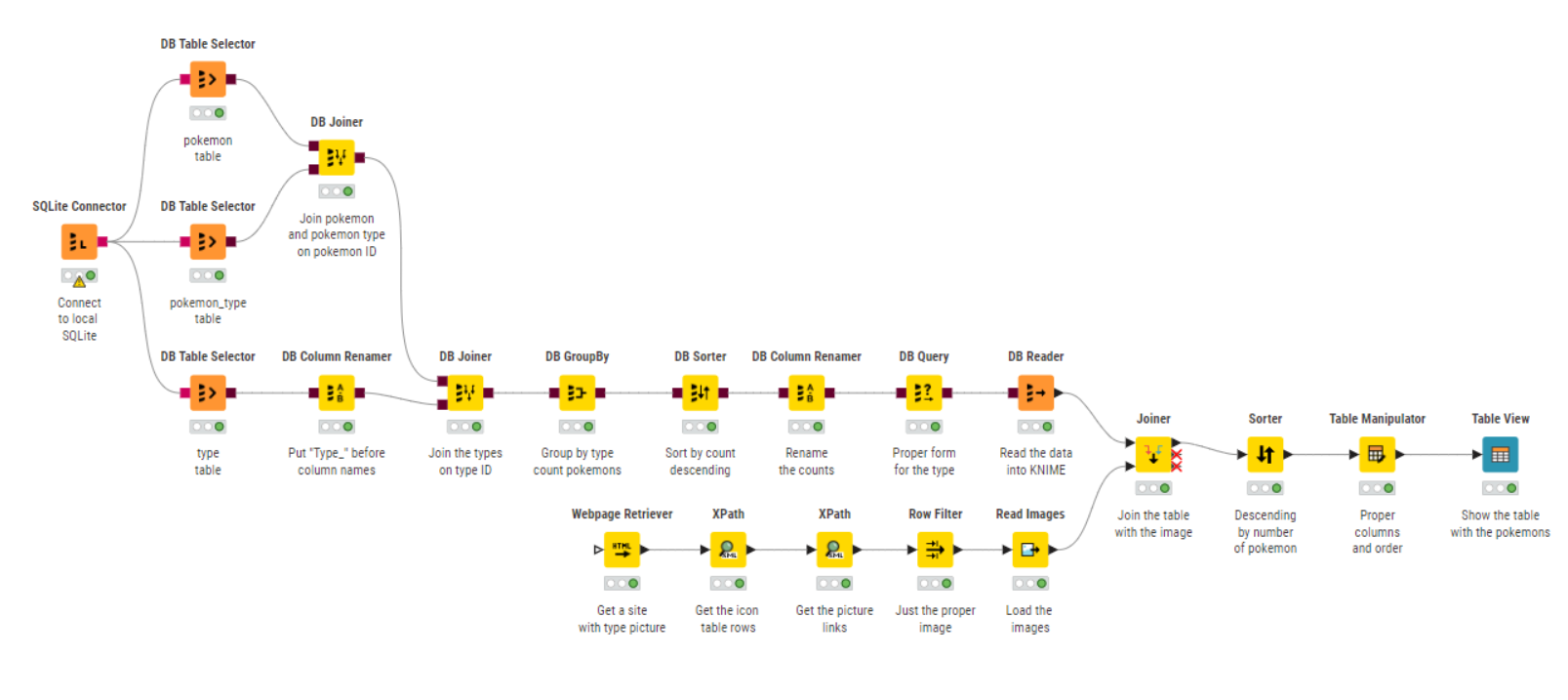
This challenge, courtesy of Just KNIME It! KNinja @KNIMEST, was a great opportunity to practice database management skills. You folks combined these skills with API handling techniques, leading to compact and well-designed solutions.
Stay tuned for tomorrow’s new challenge! You will practice concepts related to model comparison and evaluation to determine what technique you should use to predict median housing prices in a given area.
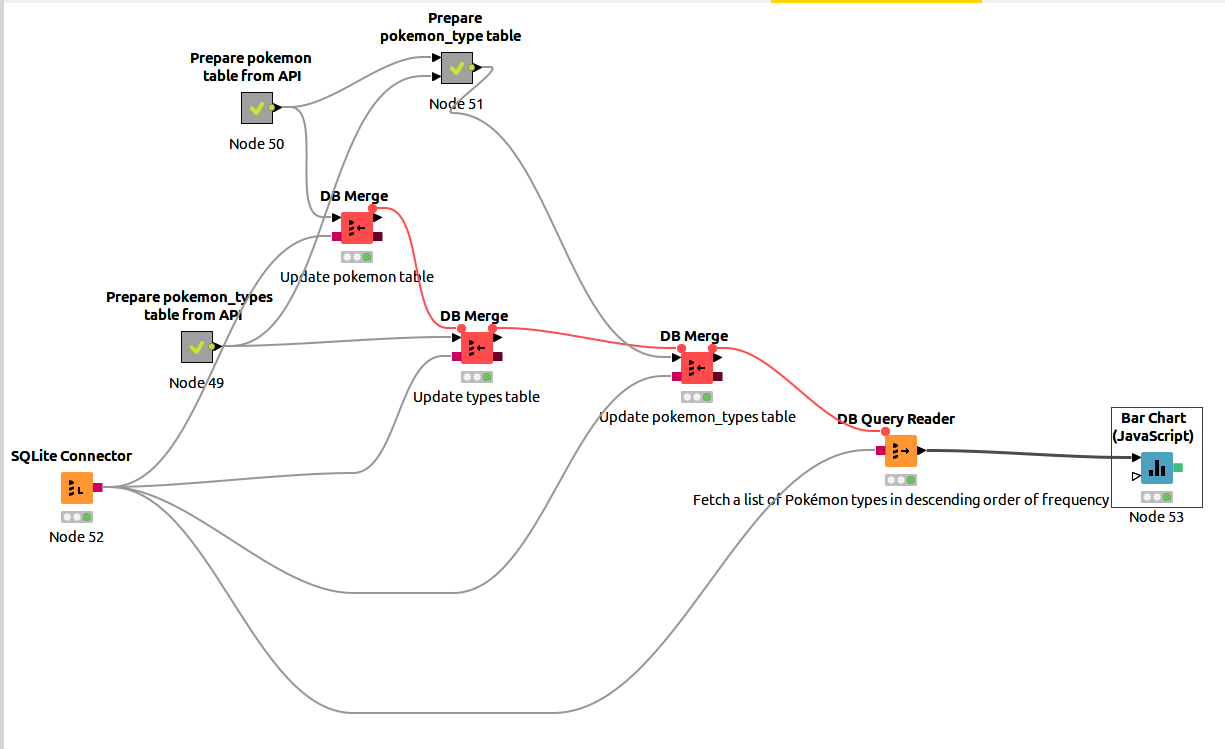
Hello. Here is my solution to the challenge: JKISeason4-19-ajarco – KNIME Community Hub . I fetch data from the API for pokemon and types tables, and then I create a joined pokemon-types table. I merge data with the dabase and finally I select frequency with the single query.
 New Wednesday, new Just KNIME It! challenge!
 Recently you’ve been feeling a bit nostalgic about Pokémon (and our Pokémon challenge from Season 3!) and decided to use the PokeAPI to create your own local database of fantastical creatures. You retrieved the dataset of each Pokémon and their types and created a local database. Now you want to fetch data from this database and output a list of Pokémon types in descending order of frequency. For a little extra challenge, how about automatically retrieving the latest data from the PokeAPI, and theb updating each data table accordingly?
 Need help with tags? To add tag JKISeason4-19 to your workflow, go to the description panel in KNIME Analytics Platform, click the pencil to edit it, and you will see the option for adding tags right there.
  Let us know if you have any problems!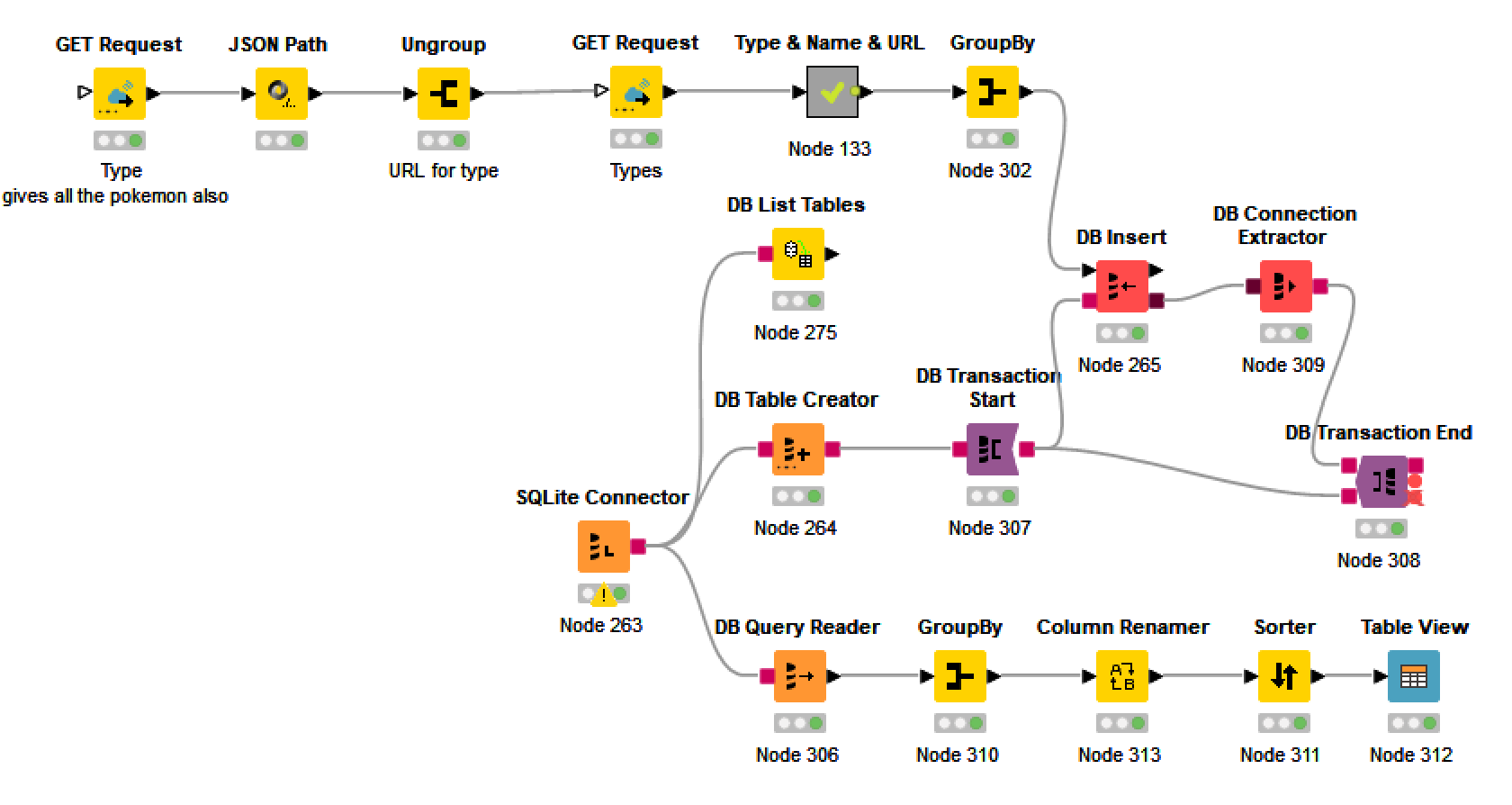
 (but as I checked it could be done).
 Stay tuned for tomorrow’s new challenge! You will practice concepts related to model comparison and evaluation to determine what technique you should use to predict median housing prices in a given area.