Happy Wednesday, everybody! We’re back today with a Just KNIME It! challenge on big data processing.
You are a data scientist working at a regional airport authority that’s grappling with a familiar problem: unpredictable flight delays. You are tasked with designing a system to predict these delays before they happen, by building a solution powered by distributed computing. Can you help the regional airport authority predict flight delays with an accuracy above 80%?
Here is the challenge. Let’s use this thread to post our solutions to it, which should be uploaded to your public KNIME Hub spaces with tag JKISeason4-23 .
Need help with tags? To add tag JKISeason4-23 to your workflow, go to the description panel in KNIME Analytics Platform, click the pencil to edit it, and you will see the option for adding tags right there. Let us know if you have any problems!
I really love these kind of challenges, where you can use new nodes and concepts. I didn’t use the Spark nodes before and although in this use case I think it was a little slower than put it together in my RAM (with the native nodes) I think it’s a really useful knowledge how to use these nodes
My thinking:
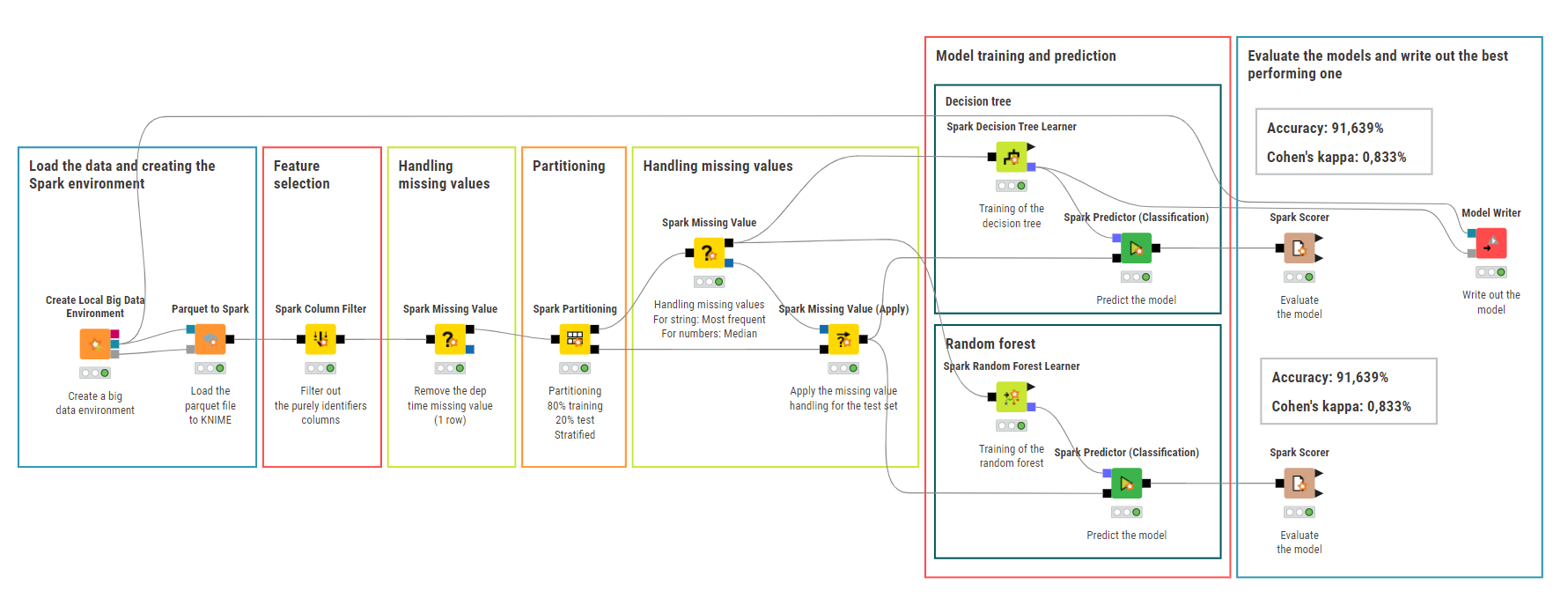
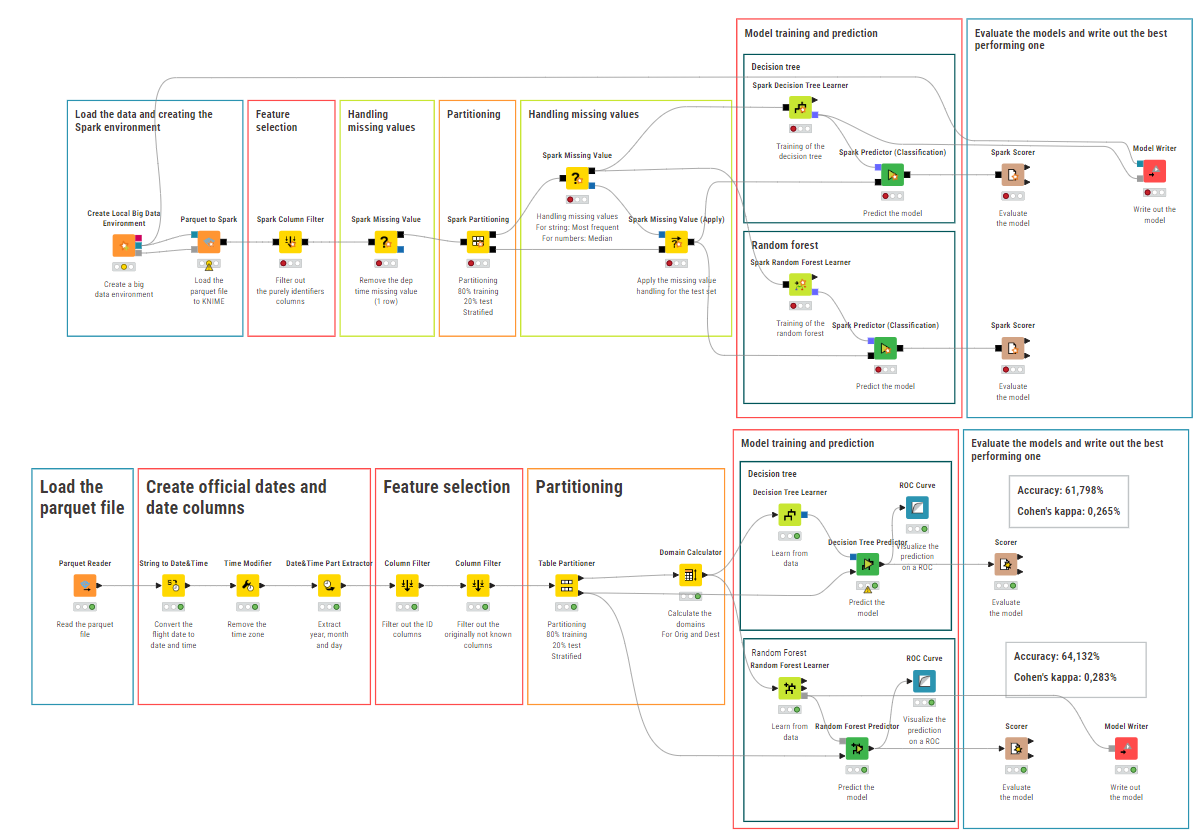
Creating the Local Big Data Environment
Select just the relevant features (not identifiers)
Remove the one missing value from dep time
Partition the data (80-20, stratified for the target)
Handle other missing values (for string: Mode, for numeric: Median)
Train and predict the decision tree and random forest models
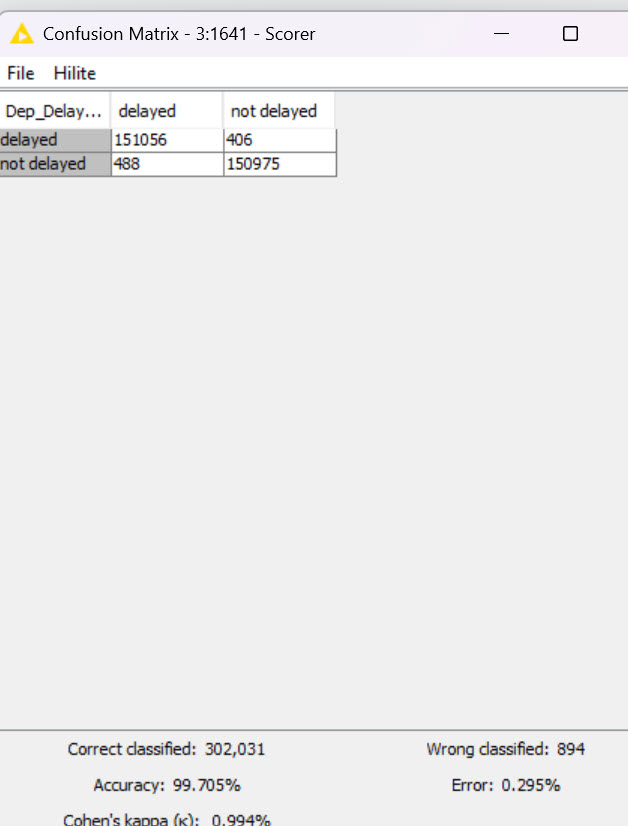
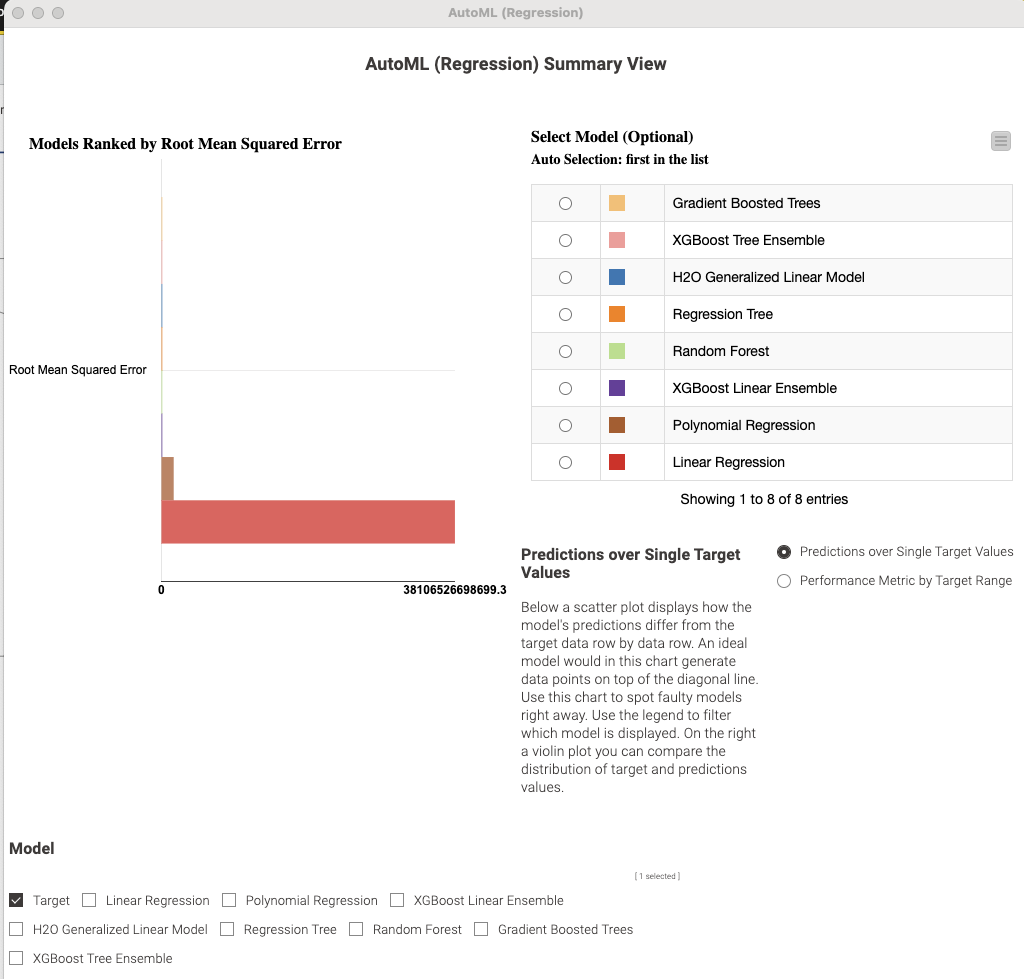
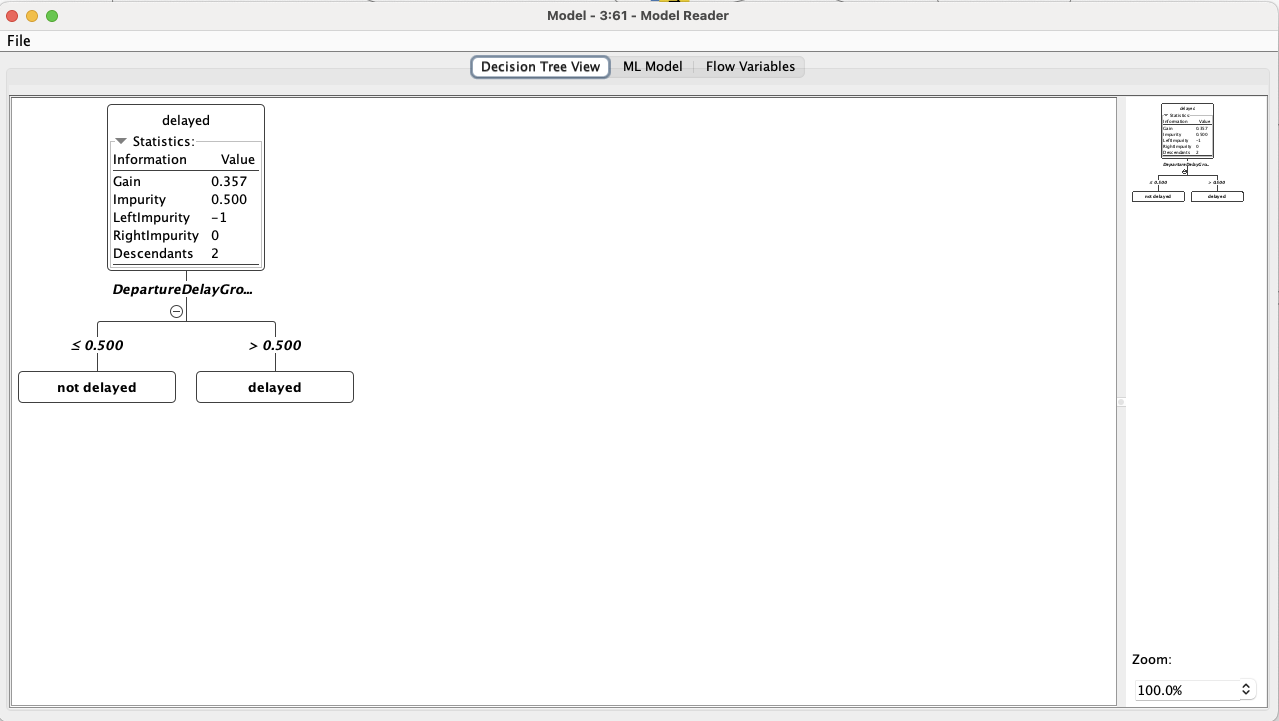
As both of them gave the same Accuracy and Cohen’s kappa (91,639%, 0,833%) I wrote out the decision tree model. It’s easier to understand, and the more complexity of the random forest didn’t add value to the model
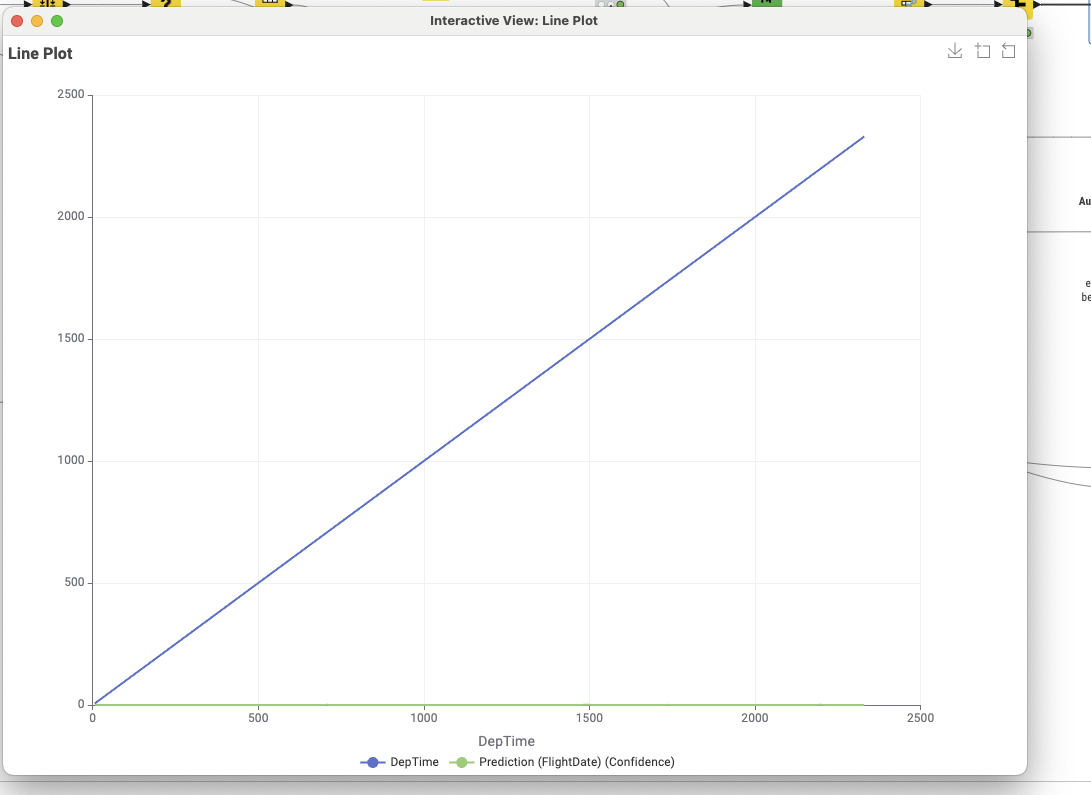
I tried to visualize it, but I couldn’t magic the data back into KNIME (I know about the node, but it loaded forever, I tried with Spark Data sampling, but it is also just loaded forever, maybe I will complete this workflow with the visualization, but I didn’t have enough time now to rerun everything )
Is it possible that you kept various columns, like ‘DepartureDelayGroups’, that basically give information post-departure ? I get a miserable level of accuracy if I keep only the information known prior to departure.
To avoid data leakage, I excluded data types that wouldn’t be available before departure from the training process. As a result, the accuracy didn’t meet the criteria. I’m looking forward to seeing the official solution!
Also, I had never used the KNIME Extension for Apache Spark before, so this was a great learning experience. I truly appreciate it.
You’re absolutely right—using only the features available before departure really does cause a noticeable drop in predictive performance. I have to admit, I was quite short on time and didn’t get to thoroughly check every column (I feel really bad about this ). Honestly, I was just relieved to finish and post my solution while my children were asleep!
I excluded all post-departure columns, and my accuracy dropped significantly.
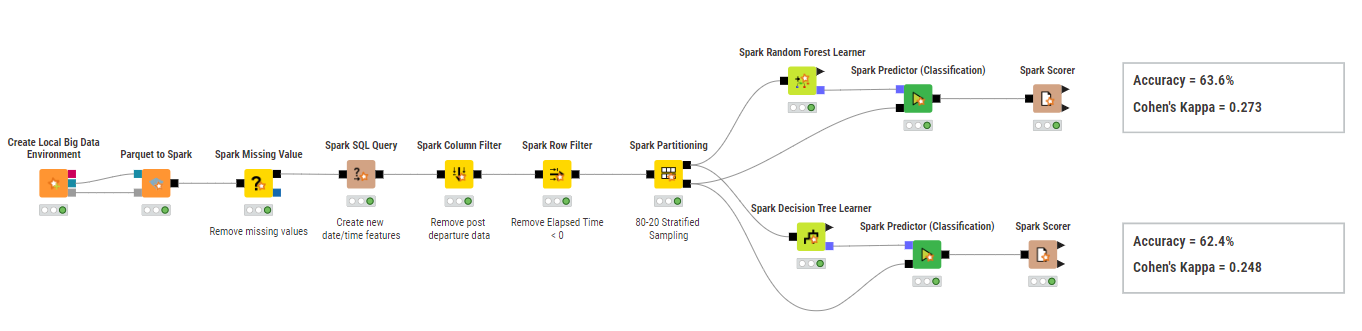
Unfortunately, I didn’t have much time today, so I used KNIME’s native nodes instead of Spark—they were much faster for me compared to the Spark nodes, which ran quite slowly in my setup. With that I could reach 64,132% accuracy. Not closely as good as earlier…
(I left the spark in the workflow but I deleted the notes for the accuracy as it was false…)
Hi all, here is my attempt for this week’s challenge. This is my first time working with Spark so I pretty much looked at what @berti093 did in his workflow.
The main challenge I have encountered is that when I run the Spark Scorer node on my machine, the KNIME desktop application crashes every time.
So I also did the similar learner/predictor models by converting the Spark data to a table using the “Spark to Table” node and you can see those results below.
My accuracy scorer seems to hover around 60-70% when using data from the Spark to Table stream but might be getting different results when processing the dataset in Spark context…but I’m not able to effectively see the Scorer with the Spark Scorer node.
This is definitely a good challenge session on big data exercise.
I also came down with Covid and trying to recover but wanted to finish this exercise before it closes.
Cheers
What a great idea to work on Spark - a good learning curve!
I decided to train only RF and DT - might be good to do more.
And of course, more to tune in order to get better results - but - it is a start.
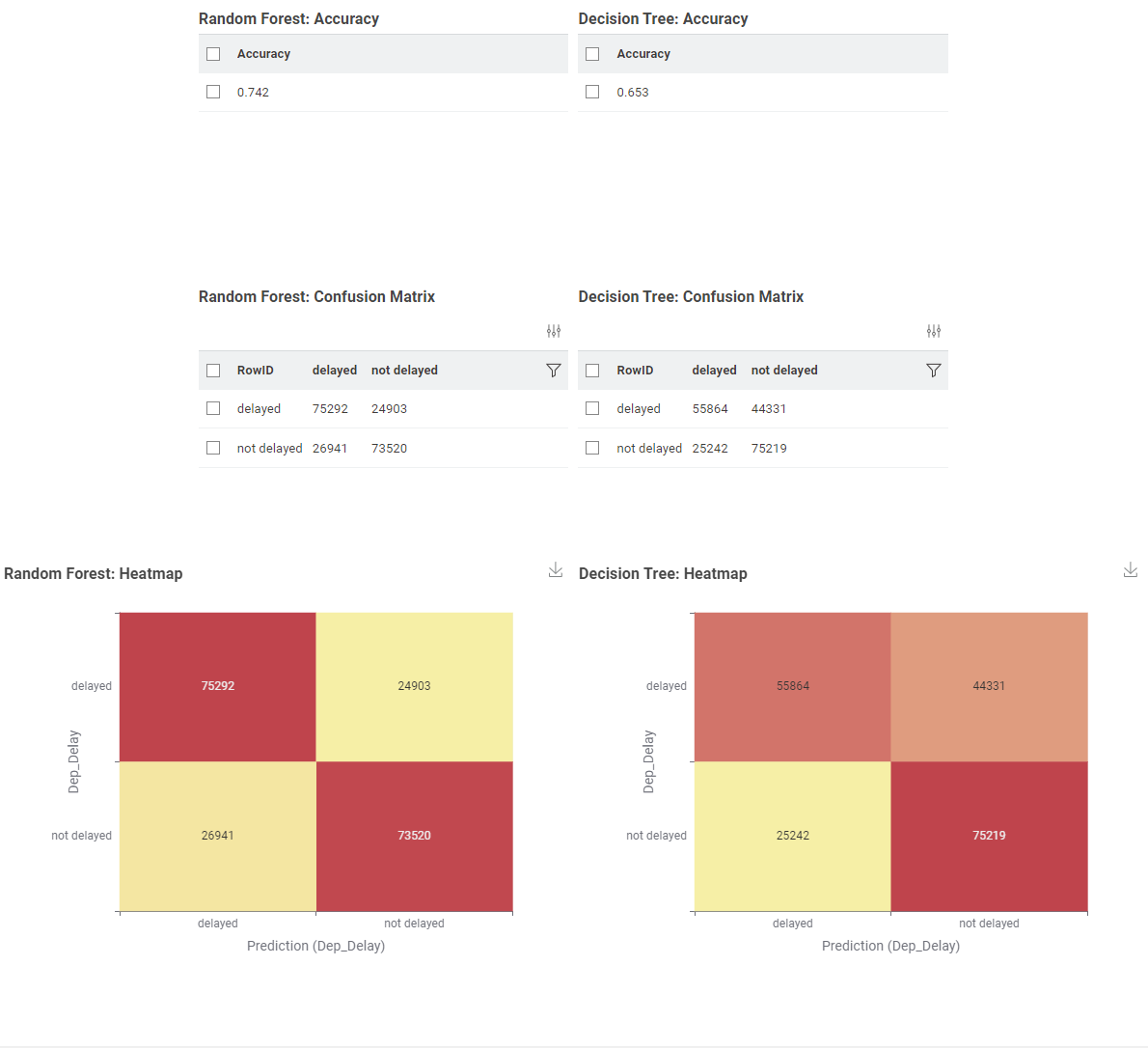
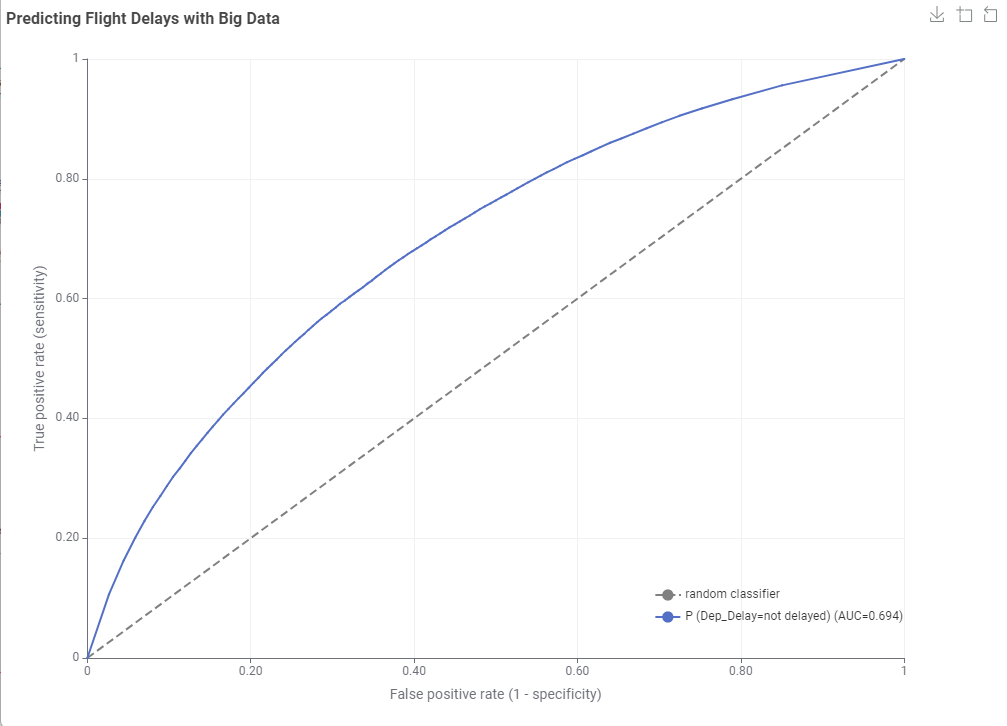
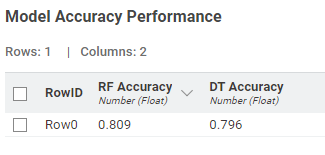
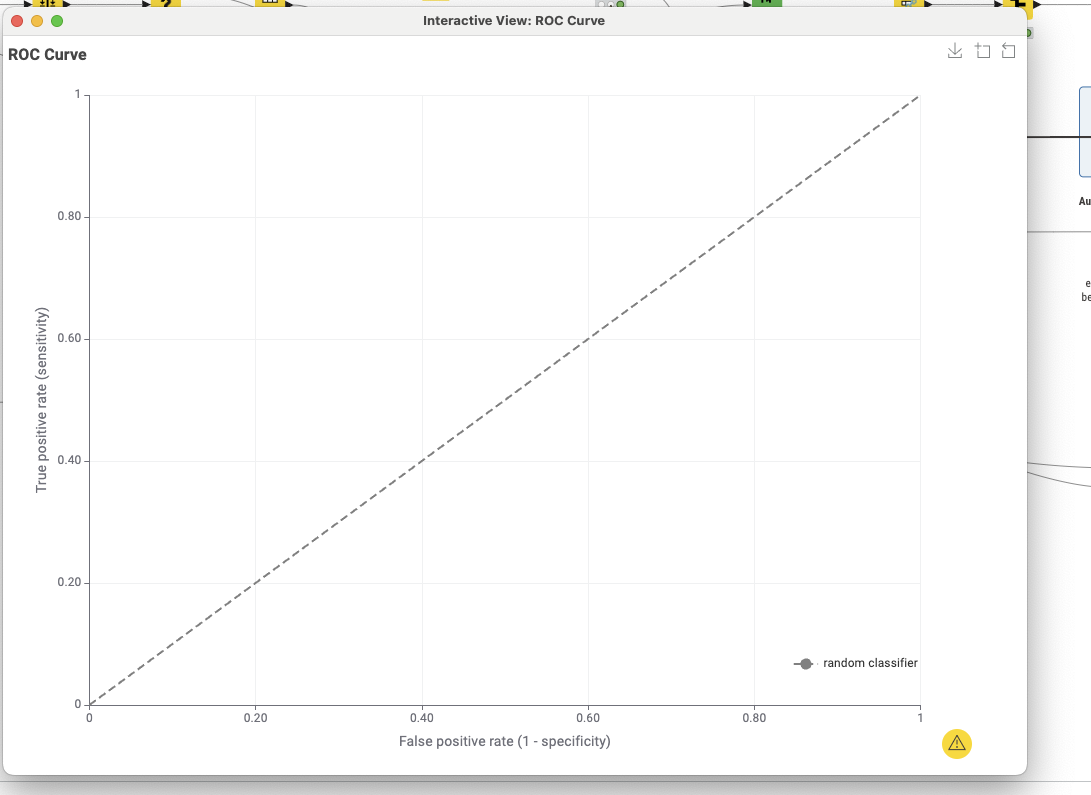
The visualization shows the ROC curve using DT and RF. It also shows a table under, showing the accuracy of each model, and the time needed for the inference.
Wow! Another tough one for me. Here is my solution.
Never used the Big Data - Spark environment. I used the Spark SQL node to derive features from the departure date, i don’t know how to do that with Spark. After removing all the post departure columns, i get a skinny 63% accuracy. I wish we had weather data in the dataset .
Don’t feel bad about keeping the column on your first shot. This is just a game…We are not working on a 7 figure project.
I cheat all the time with ChatGPT. I have used SQL node to extract only one row, than used Spark to CSV, feed the result to ChatGPT so it can explain all the columns to me. Than discuss with Chat about removing/creating features.
Hi folks, really great discussion on this one! I’m glad to see you all engaged with the challenge, especially considering that Spark wasn’t something most of you were very familiar with.
The concern about data leakage is totally valid — some of the features do indeed carry information related to the target variable. However, the main goal of the challenge (as I originally envisioned it) was more about exploring and experimenting with big data and Spark data operations for ML (as described in the objectives), rather than building a perfectly clean model.
It’s true that performance drops quite a bit if most target-related features are excluded. Ideally, the dataset should contained (or be enriched with) information about the weather or other season patterns to boost performance. So the question about achieving over 80% accuracy was mainly meant to spark (pun intended ) reflection and discussion, rather than to suggest that such accuracy is truly attainable with this data. Once again, great job identifying these points, you all, and sharing your insights!
This week’s Just KNIME It! challenge on exploring big data concepts and Spark operations for ML turned out to be quite an adventure!
Funny enough after I shared my solution on LinkedIn, I got invited to speak about Big Data analytics at two universities and one logistics company here in Indonesia.
It seems that in Indonesia, many people still don’t realize that Big Data analysis can actually be done using no-code or low-code tools like KNIME!
So thank you for designing such a practical and inspiring challenge, it literally “sparked” (pun fully intended ) new opportunities and conversations here!
Our solution to last week’s Just KNIME It! challenge is out!
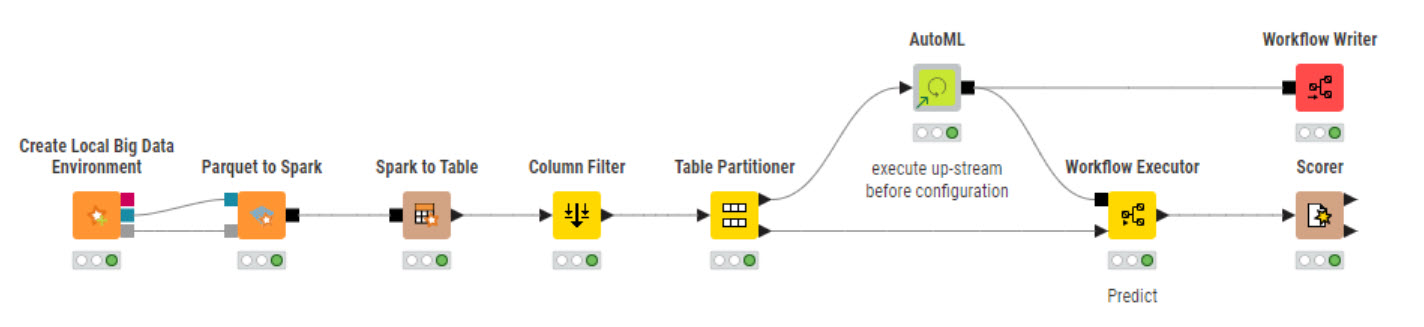
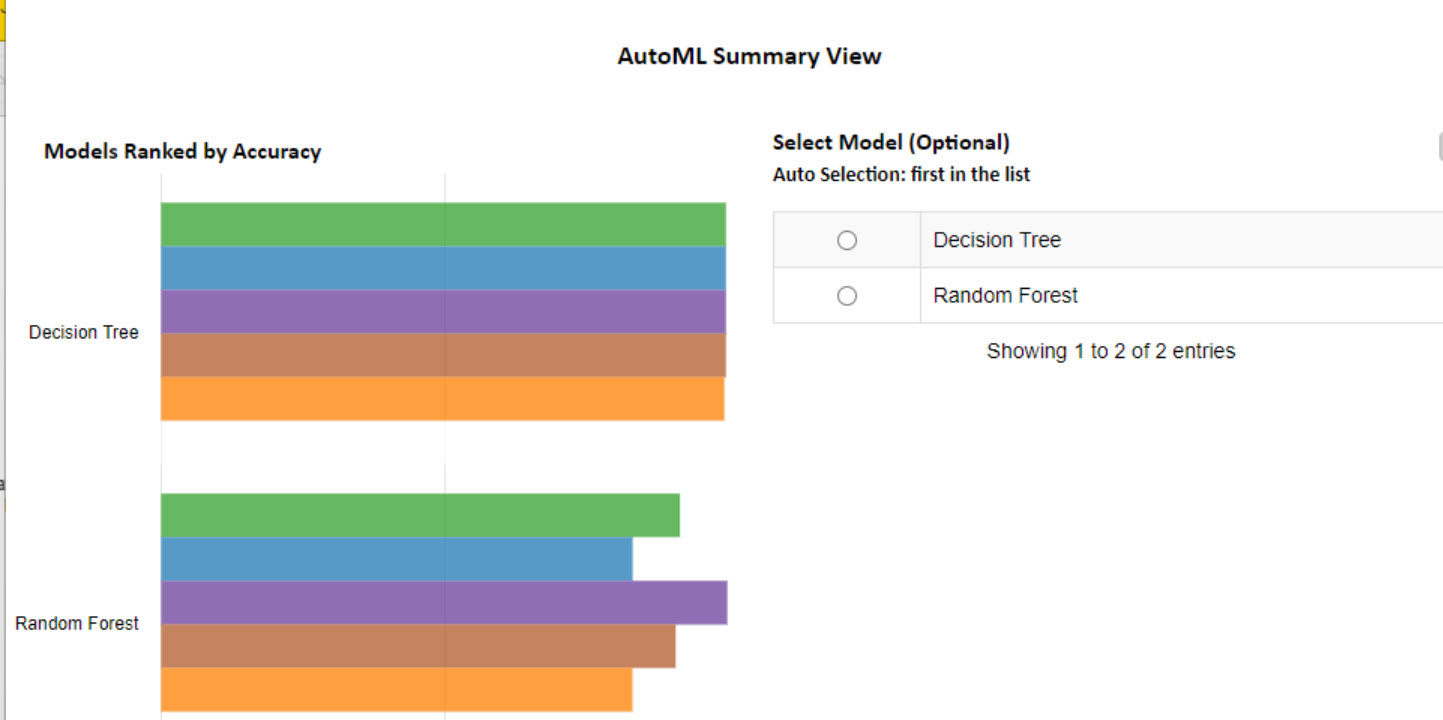
This challenge had our community thinking about data leaks and collaborating a lot in the Forum. It was nice to see some folks playing with KNIME’s big data extension for the first time, and other users discussing modeling techniques.
Tomorrow we go back to a more popular topic: LLMs. This time we will focus on governance, evaluating the output of LLMs to detect their potential vulnerabilities. rotating_light This is a very important topic that should not be overlooked as we get used to interact with LLMs more and more.
 Happy Wednesday, everybody! We’re back today with a Just KNIME It! challenge on big data processing.
 You are a data scientist working at a regional airport authority that’s grappling with a familiar problem: unpredictable flight delays. You are tasked with designing a system to predict these delays before they happen, by building a solution powered by distributed computing.
  Can you help the regional airport authority predict flight delays with an accuracy above 80%?
 Need help with tags? To add tag JKISeason4-23 to your workflow, go to the description panel in KNIME Analytics Platform, click the pencil to edit it, and you will see the option for adding tags right there.
  Let us know if you have any problems!
 )
)
 ):
):


 .
.

 ) reflection and discussion, rather than to suggest that such accuracy is truly attainable with this data. Once again, great job identifying these points, you all, and sharing your insights!
 ) new opportunities and conversations here!

 This challenge had our community thinking about data leaks and collaborating a lot in the Forum. It was nice to see some folks playing with KNIME’s big data extension for the first time, and other users discussing modeling techniques.
 Tomorrow we go back to a more popular topic: LLMs. This time we will focus on governance, evaluating the output of LLMs to detect their potential vulnerabilities. rotating_light This is a very important topic that should not be overlooked as we get used to interact with LLMs more and more.