After our Thanksgiving break, we’re back with another Just KNIME It! challenge on data wrangling and cleaning. Get ready to dive deep in missing value imputation and data type reformatting, even counting on LLMs to help along the way. This challenge errs towards the hard side, and we hope you learn a lot by solving it!
Here is the challenge. Let’s use this thread to post our solutions to it, which should be uploaded to your public KNIME Hub spaces with tag JKISeason4-29 .
Need help with tags? To add tag JKISeason4-29 to your workflow, go to the description panel in KNIME Analytics Platform, click the pencil to edit it, and you will see the option for adding tags right there. Let us know if you have any problems!
Very well elaborated while links and data seems not linked so got bit puzzled .. Link to submission took to 2/4 .Hope the brief ask is captured in solution as read.
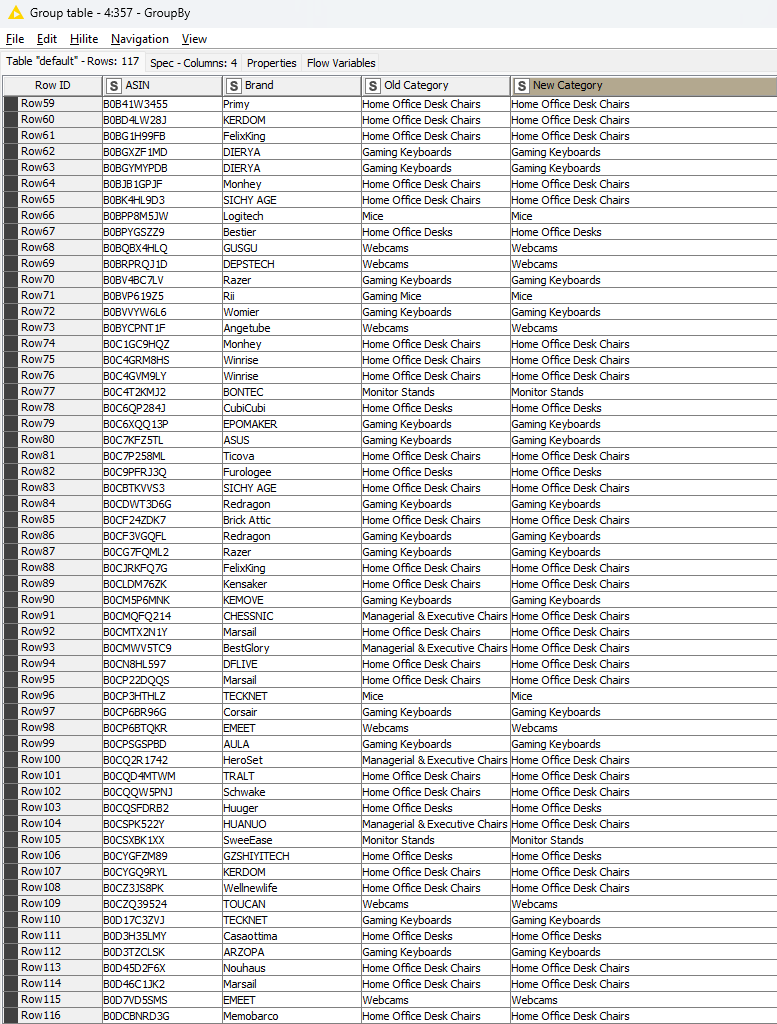
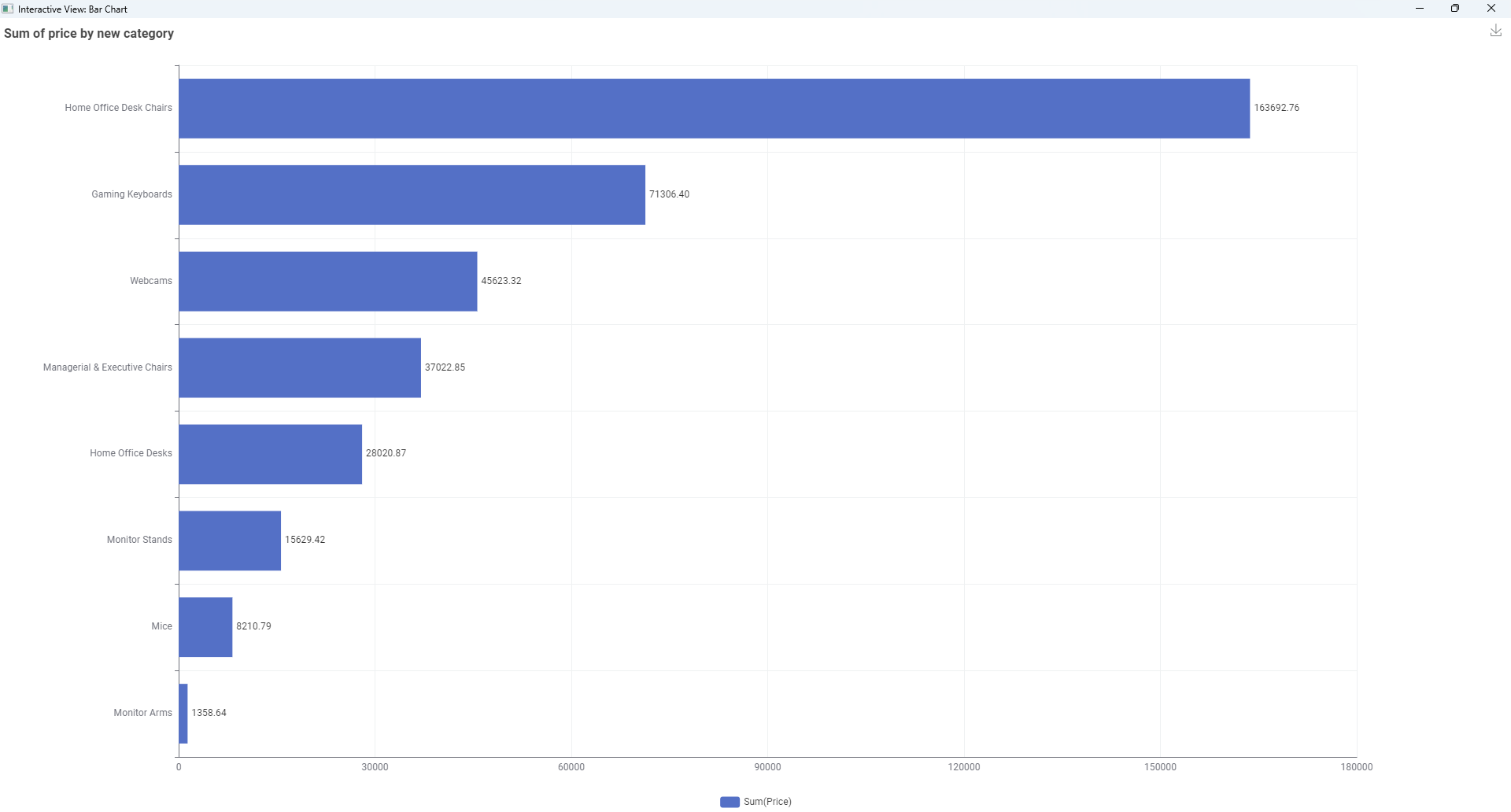
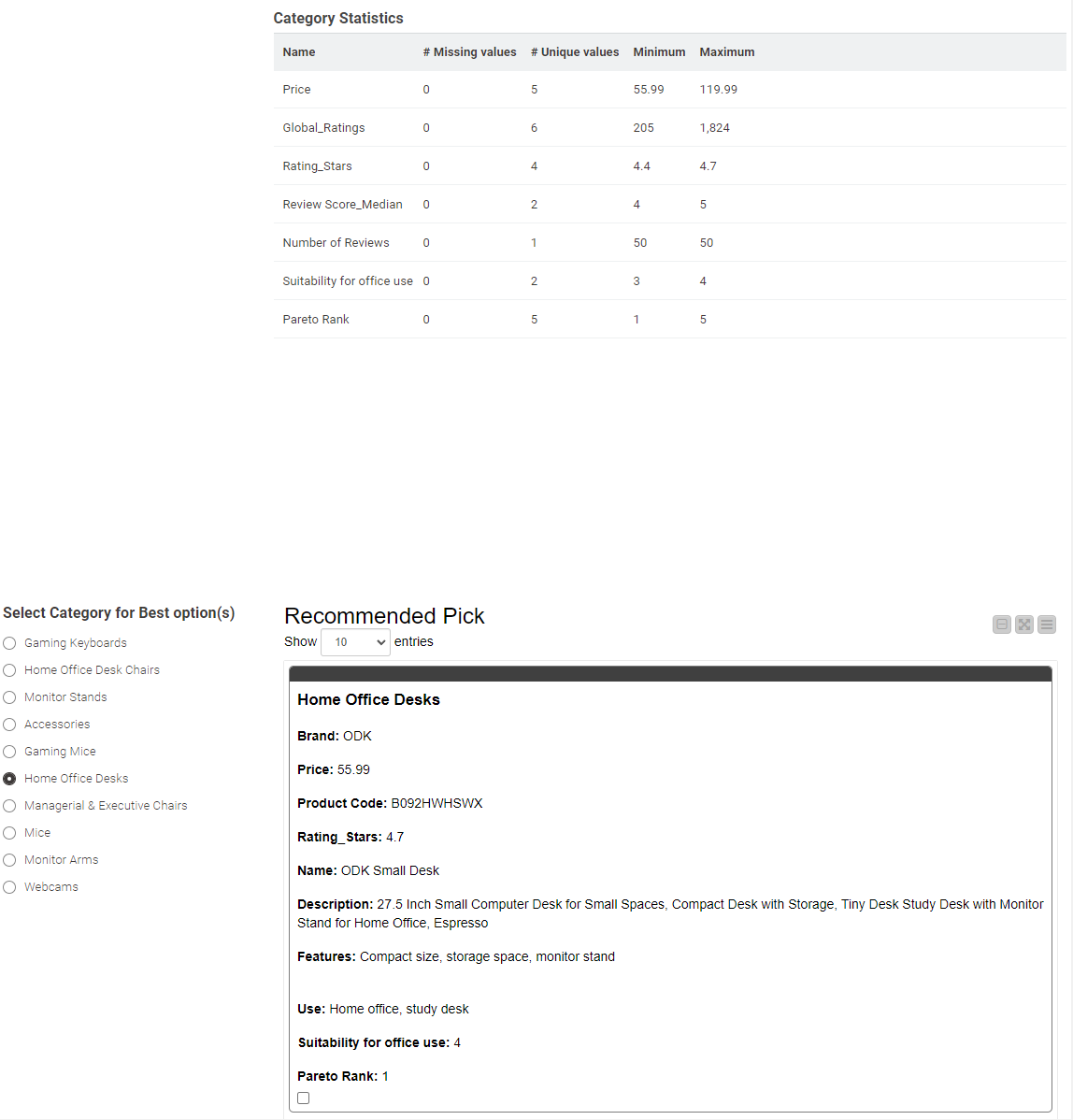
Reclassified Table of Top -3 ( as chosen) under representative category is reclassified as below.
Huhh, this was quite a challenge. I did use nodes that I didn’t use in a long time. I really really enjoyed it. I said in this season couple of times now but I think I loved this challenge the most
My solution to the challenge:
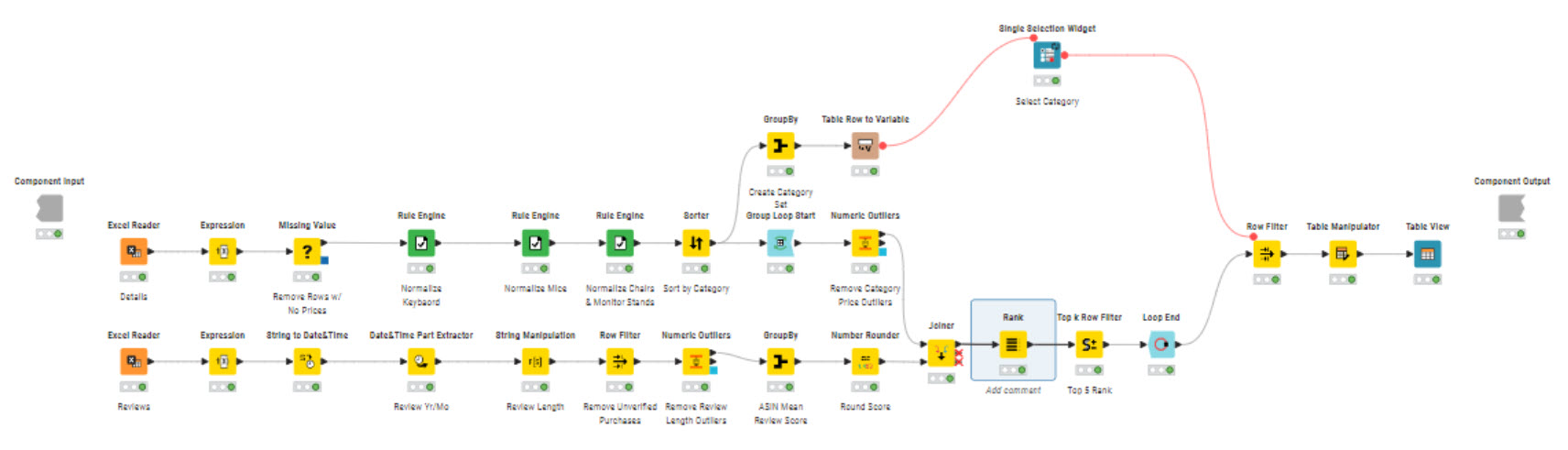
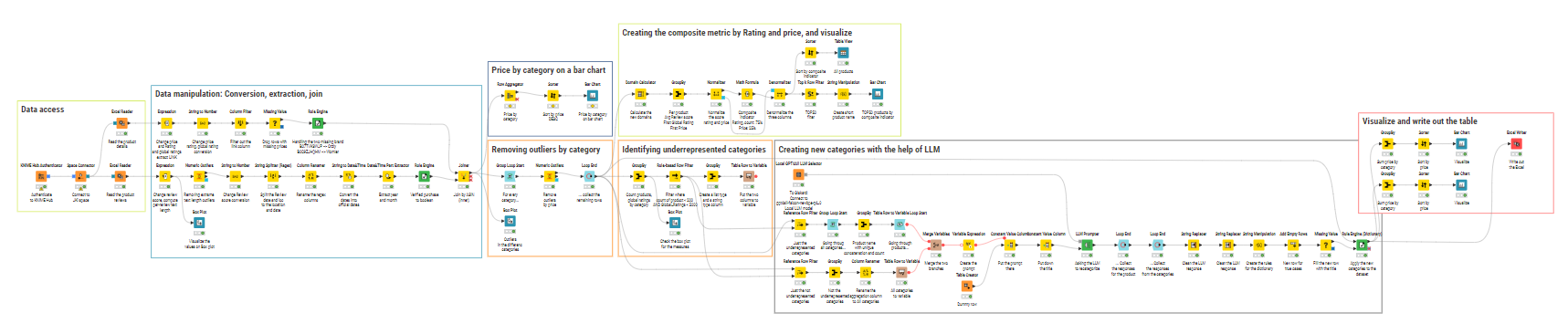
My workflow (as it can be seen it is quite complex ):
My approach:
Loading the two Excel sheets and preprocess it
In the details: Convert the necessary columns to number, extract the ASIN, dropping the missing prices, Handling the two missing brand
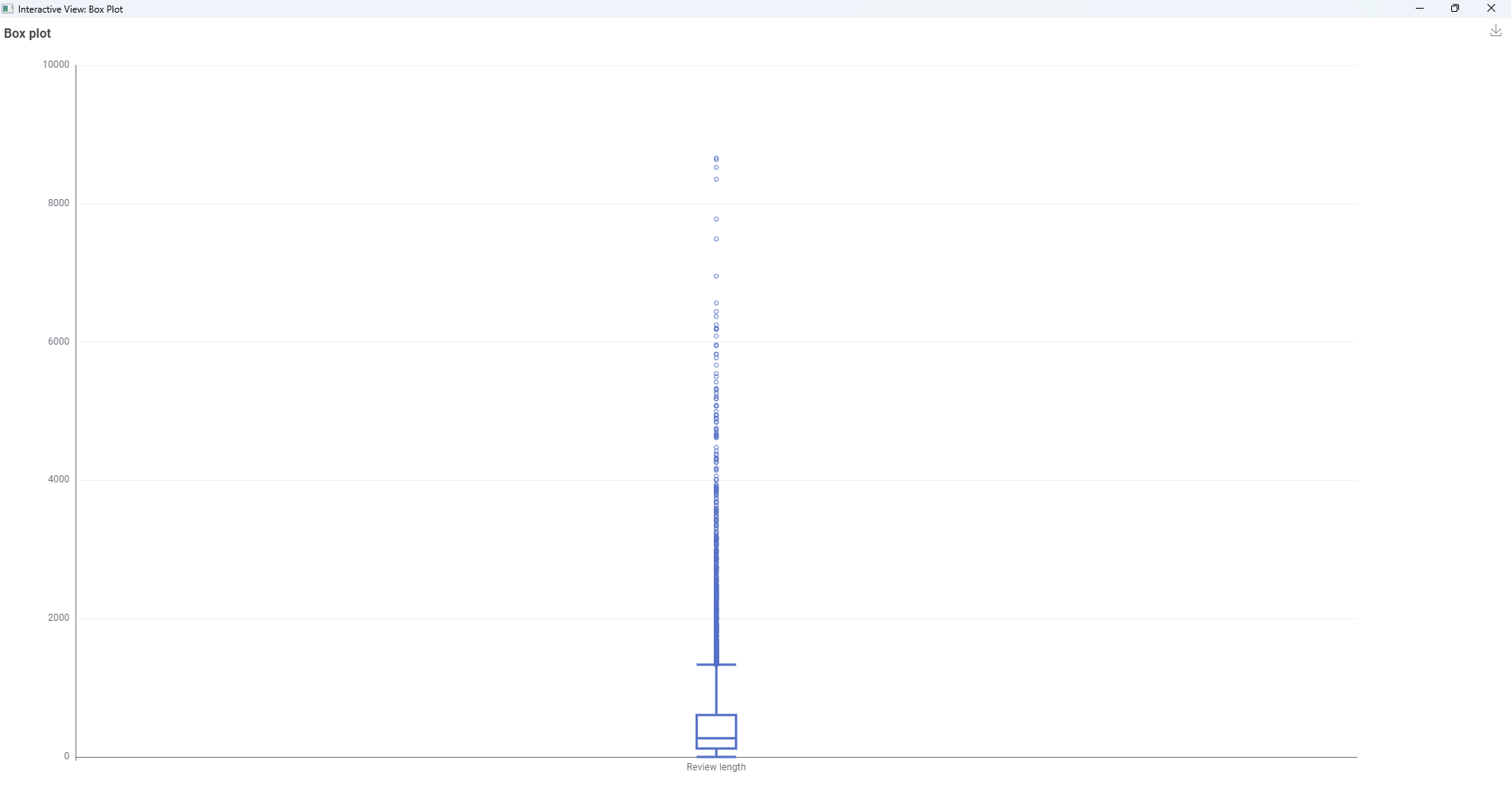
In the reviews: Convertthe necessary columns to number, removing extreme lengthy comments (I wouldn’t do that if the task didn’t ask for it ), split the date and location, extract the year and month and finally join with the details
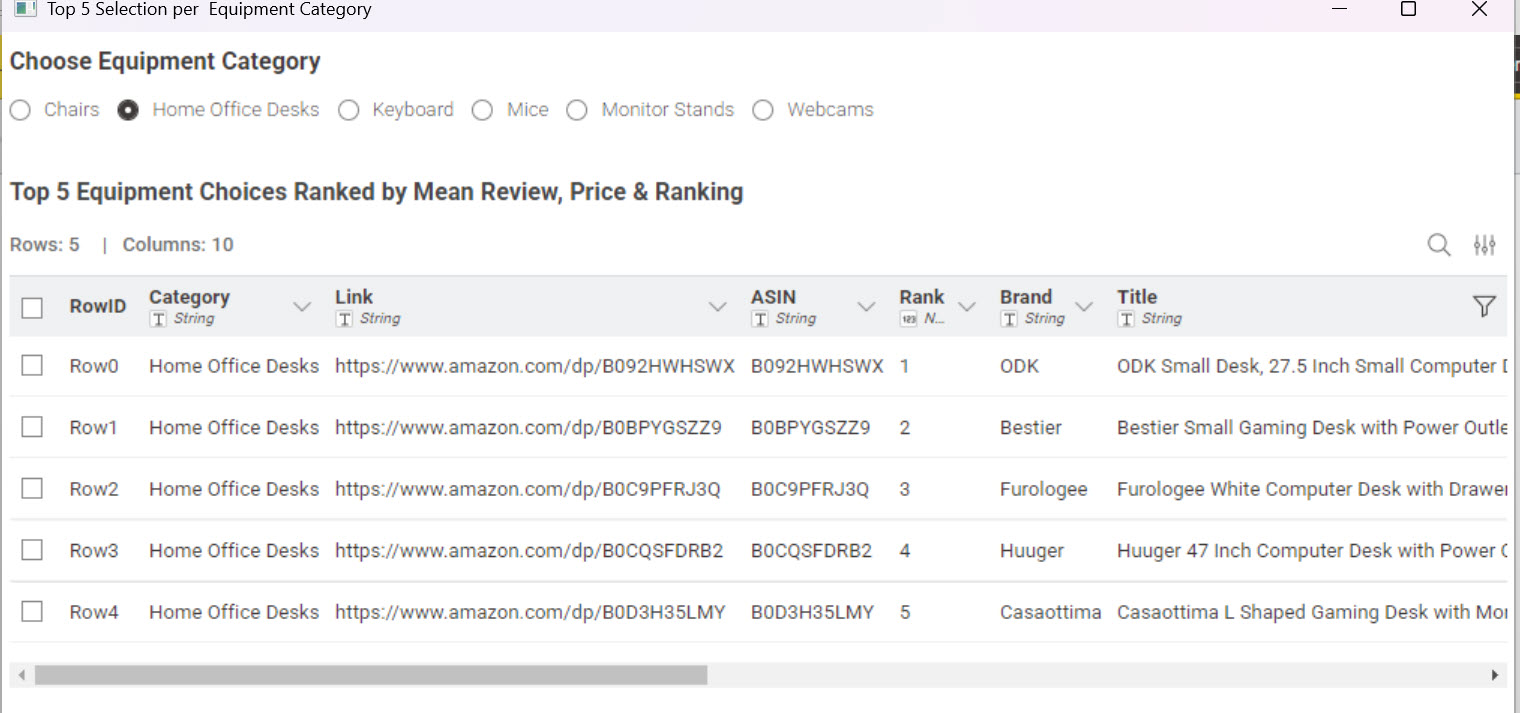
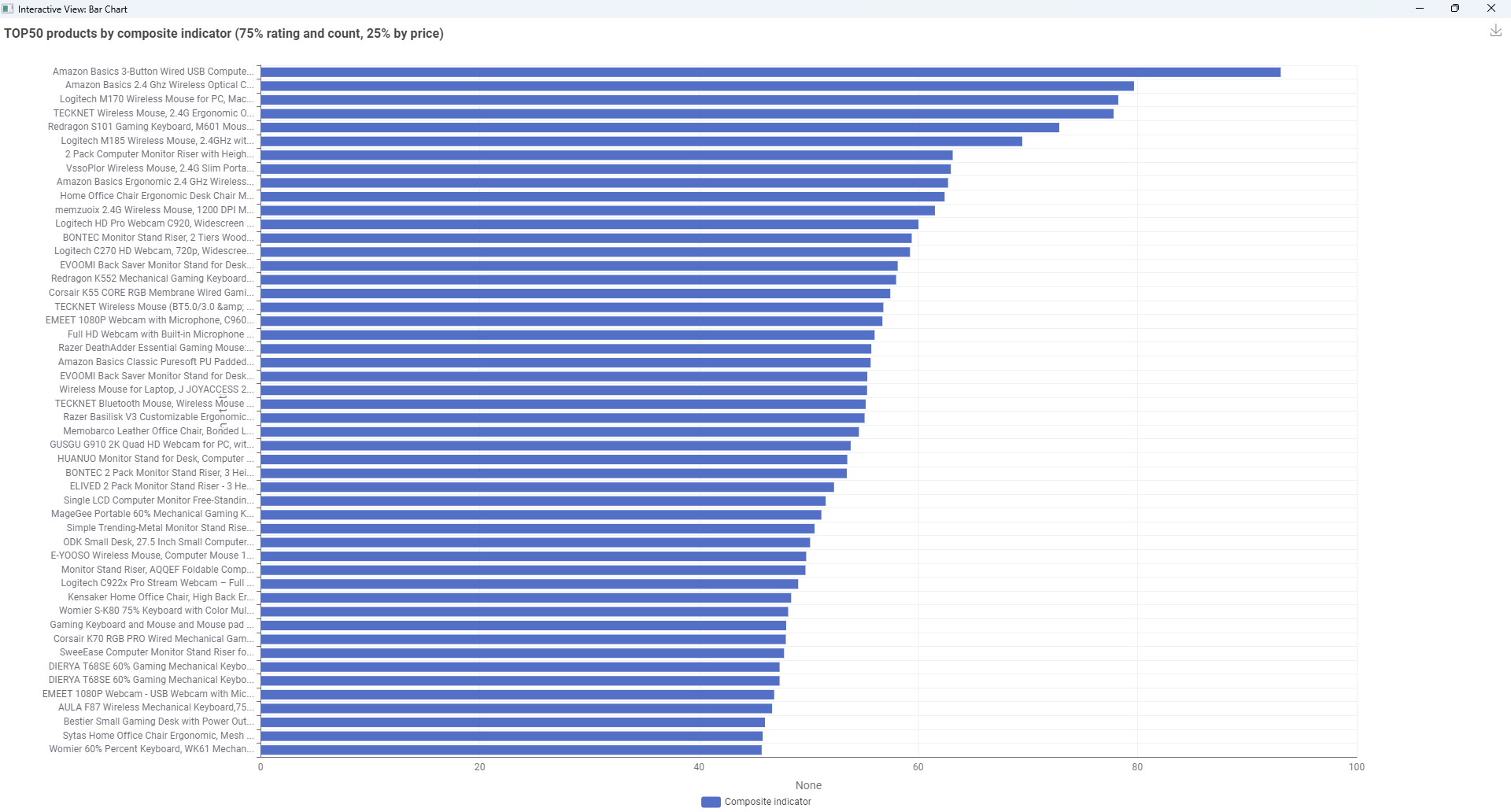
Created a composite metric that ranks the products
After normalization I used the product rating and global rating count 75% and the price for 25% to identify which product is the best by this composite metric
As there were too much I filtered for the TOP50 product
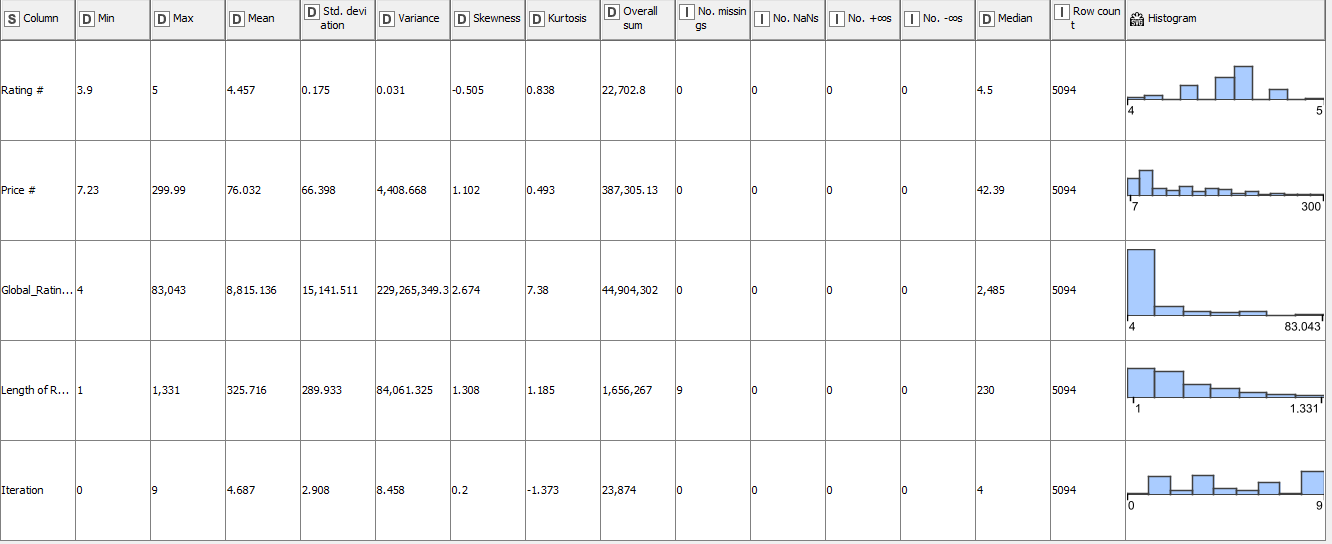
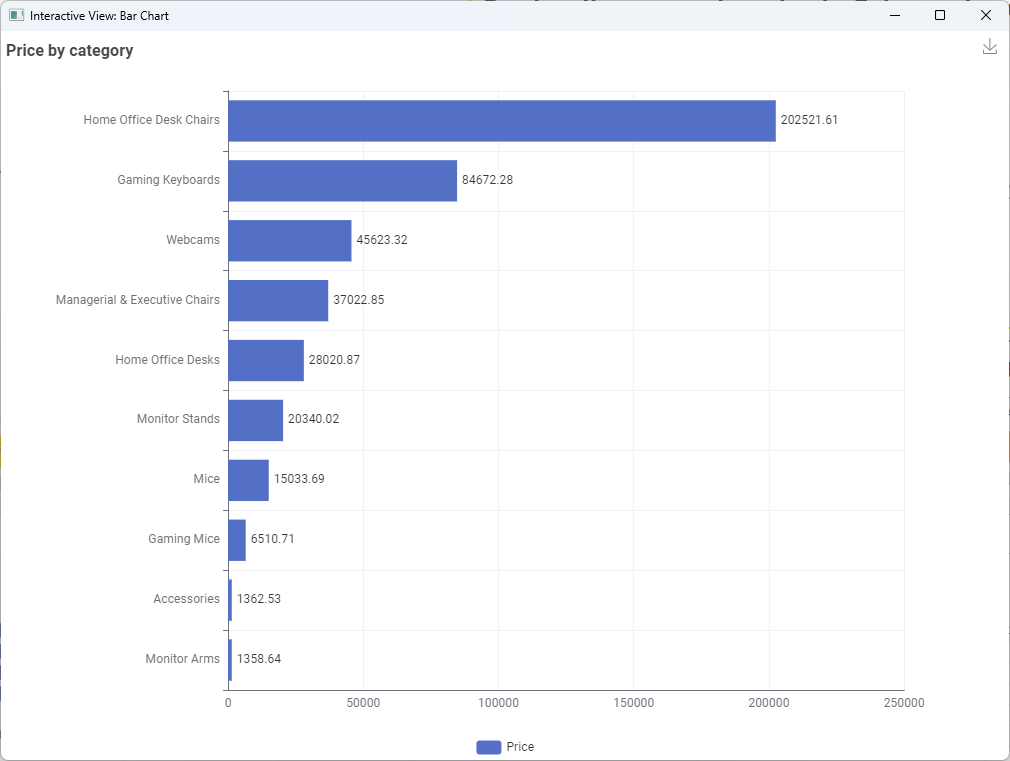
Regarding the global rating and the product counts by category
I filtered where there is less than 200 products and less than 5000 ratings globally
In this way I just have two “underrepresented” categories: Accessories, Gaming Mice
After that I connected to my local Falcon LLM and asked what other category (from the remaining categories) should the product in these categories belong to
The LLM was not too correct as for every product it responded “Gaming Keyboards” which is not correct in my opinion in the case of the gaming mice (it should be mice) but I just accepted it now (maybe with just more precise prompt engineering or with not a local model it could be enhanced)
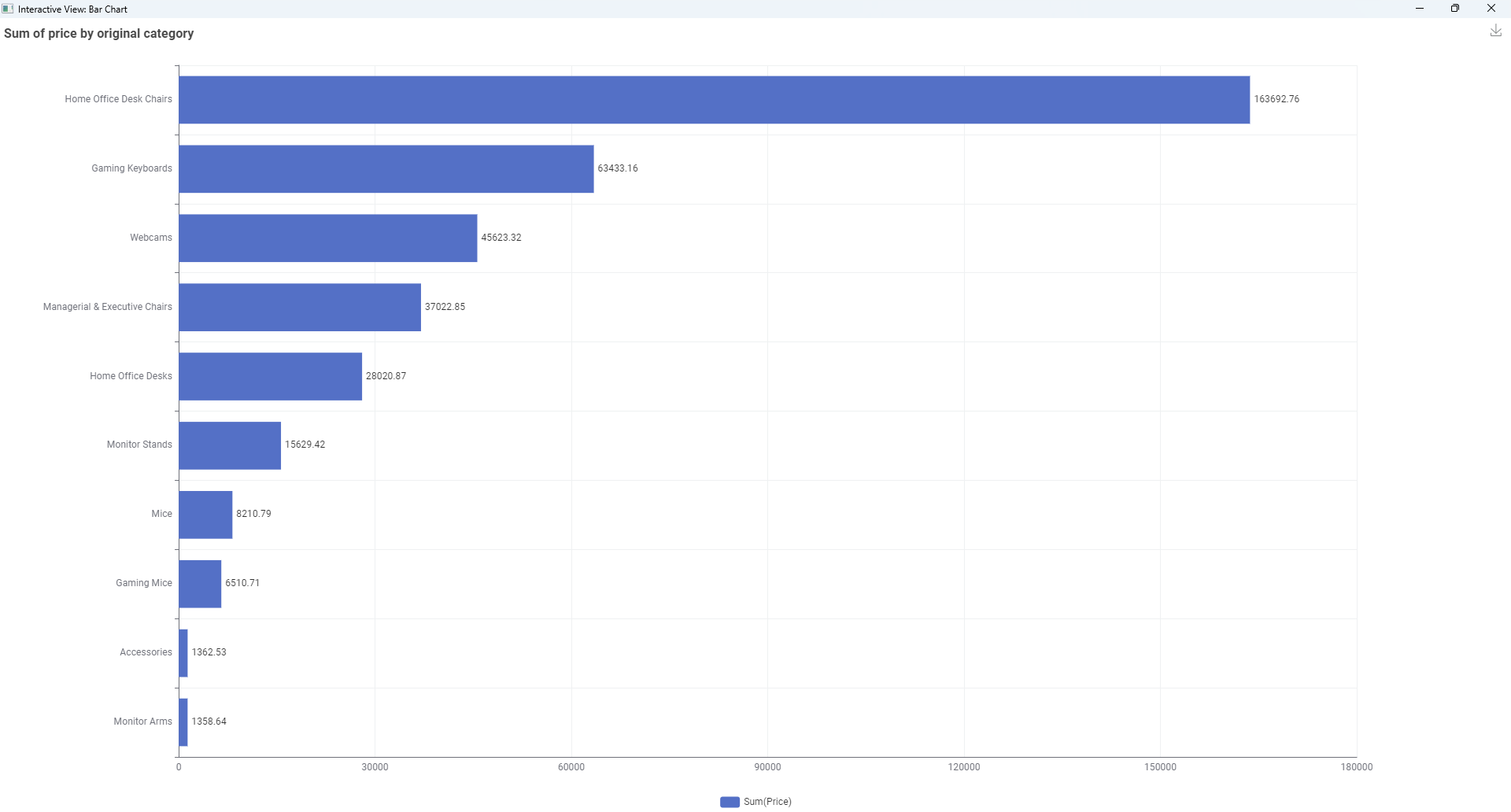
After the response I have replaced the category for the products in the main table
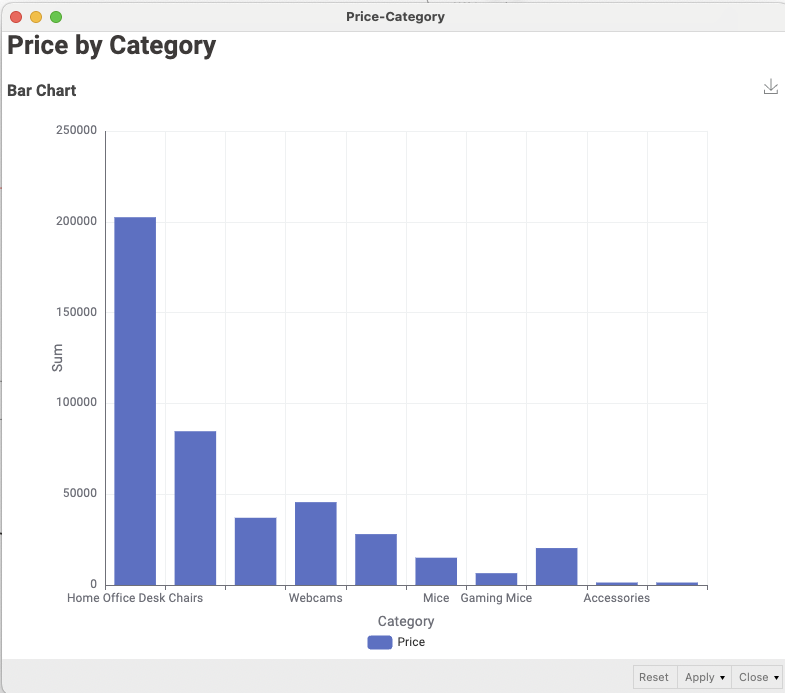
I compared the two “categories”. There is not much of a different, but the Gaming Keyboards category got bigger
And finally I just wrote the Excel out (now to my desktop)
This was one of the biggest challenges of the season and as I said I think it is my favoritue (TOP3 that’s for sure ). I loved how it forced me to use long forgotten nodes
Huh, this is awkward – it’s coming to this page for me! Can you folks try to clean your cookies, or open on an incognito tab? If you still gets this error, please let me know and I’ll talk to our website team!
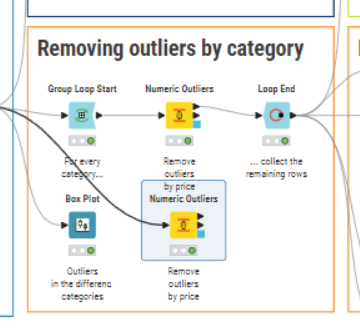
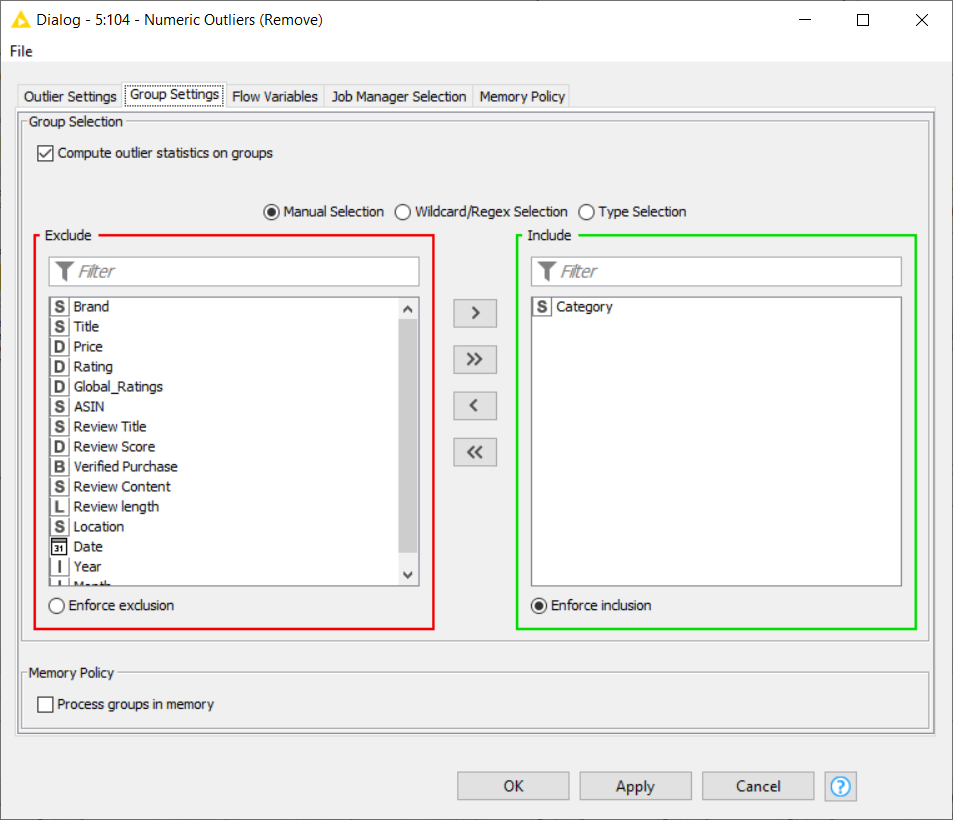
Do you know that there is a “Group Settings” tab in the numeric outliers node?
With this setting you can avoid the "“group loop” construct in your workflow
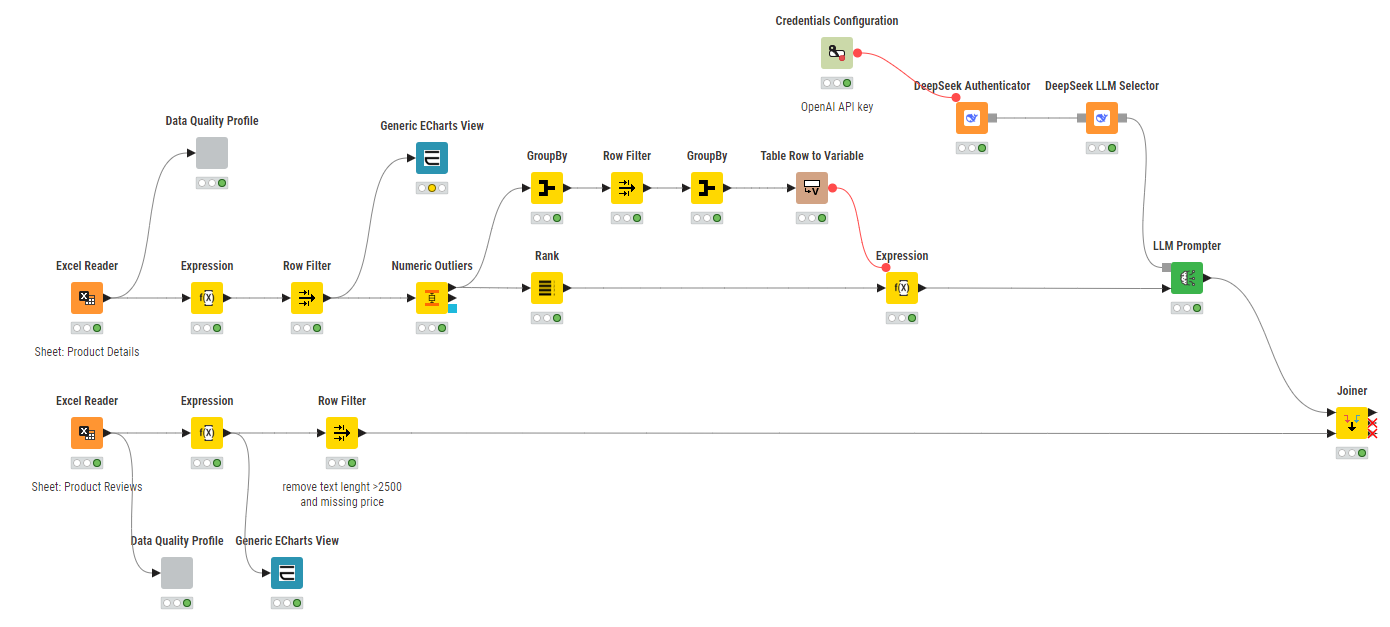
I’ve completed the entire workflow and wanted to share my experience.
For the final categorization step, I used the OpenAI API integrated directly into KNIME, which worked remarkably well after some careful prompt tuning.
I’d like to share a couple of screenshots and my KNIME Hub flow so others can review, test, or improve on it.
This exercise was incredibly insightful — especially in understanding how LLMs behave inside a structured data pipeline, and how important strict prompting and validation become when automating classification tasks.
Thanks again to everyone involved. Happy to iterate further or discuss improvements!
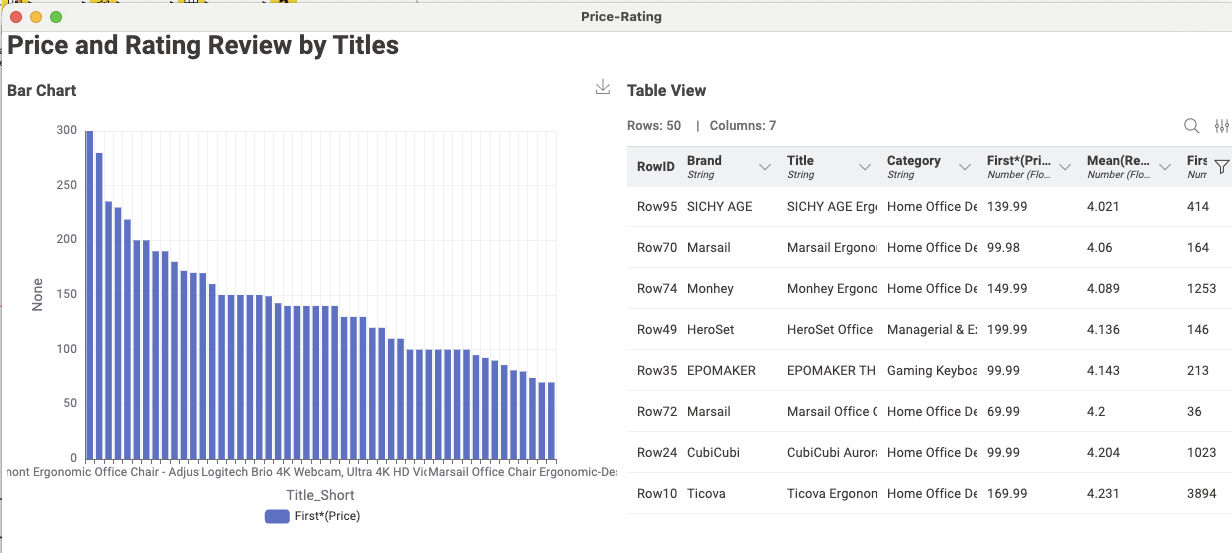
Here’s my solution. I made no attempt to integrate a LLM. Joined some of the categories and created a ranking based on Mean Review Score, Price and Rating. Their order can be changed as the user sees fit.
Here is my attempted solution to this week’s challenge:
This challenge is taking the integration with LLMs to another level and it was great to up-skill my knowledge in this area. I don’t know when I’ll need this knowledge but i’m sure the opportunity will eventually present itself.
here is the output file with the integration of LLM for new/updated categories.
Of course it will! You just need to wait for the next DB update run and then leaderboard update. The leaderboard should get updated by tomorrow noon latest. If not, please let me know.
Oh, sorry for the confusion, I meant CET time zone. which gives it about 2 hours to update!
I just checked and can confirm that it has been updated in DB and the leaderboard updates at noon CET everyday.
 Happy Wednesday, folks!
  After our Thanksgiving break, we’re back with another Just KNIME It! challenge on data wrangling and cleaning.
 Get ready to dive deep in missing value imputation and data type reformatting, even counting on LLMs to help along the way.
  This challenge errs towards the hard side, and we hope you learn a lot by solving it!
 Need help with tags? To add tag JKISeason4-29 to your workflow, go to the description panel in KNIME Analytics Platform, click the pencil to edit it, and you will see the option for adding tags right there.
  Let us know if you have any problems!




 Really good to learn new (and more efficient) approaches!