Hello KNIME Support Team,
I have a question regarding Spark Date types.
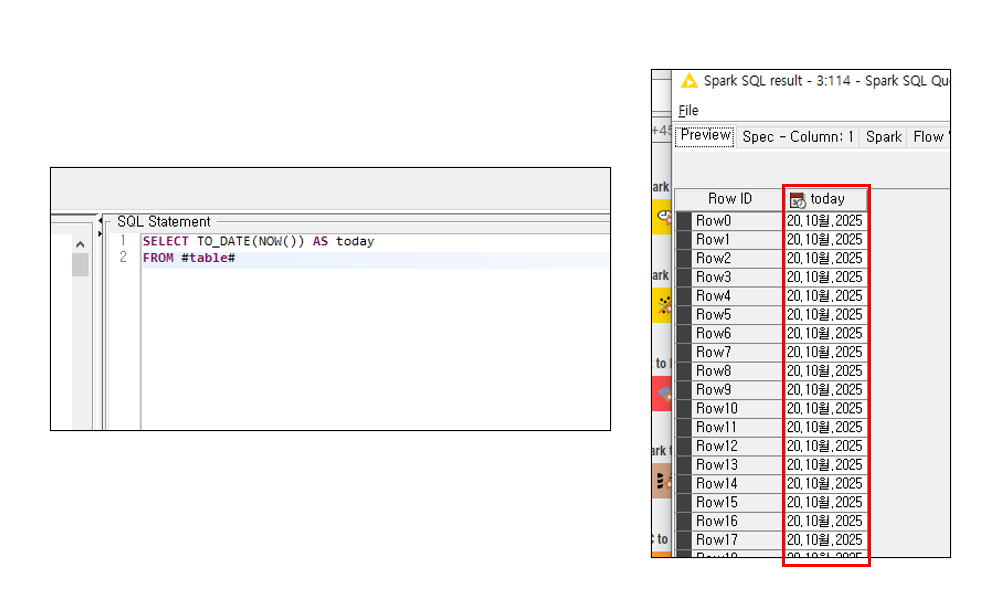
When I retrieve data using now(), the result appears in an unusual format rather than in yyyymmdd or similar.
Even if I try to specify the type within the internal query, is it impossible to keep it as a date type and display it in the format I want? For example, 20251020 or 2025-10-20.
That is interesting! To me it looks like an bug.
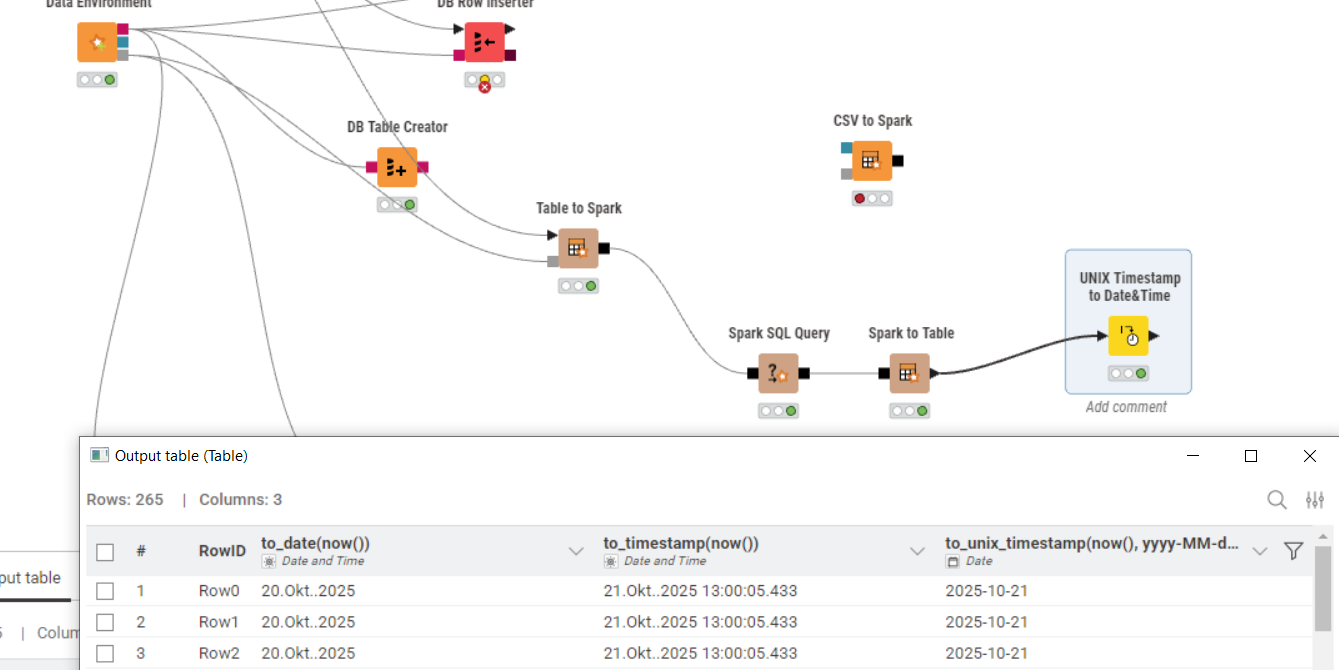
I tried similar here with a german localization:
There is an “extra dot” between Okt and the year which shouldn’t be there. Even though the data type is “Date and Time” none of the KNIME Date&Time Nodes works.
As a workaround I suggest to use the “to_unix_timestamp” command and convert it later with the “unix timestamp to date&time” node.

@JaeHwanChoi this is just the indicator for month. You can get it as an integer like this:
, CAST(date_format(today, ‘yyyyMMdd’) AS INT) AS today_int
What seems interesting is that the TODAY date is yesterday.
Thank you very much for providing various approaches.
Converting the data into a table format is a good idea, and transforming the format into string or numeric types within the query also seems useful.
However, I need to keep the data in a Spark DataFrame format (since converting it to a table is not feasible for large-scale data processing).
I’m not sure whether this issue comes from Spark itself or from KNIME’s data type handling, but when I try to create a column in a date type using to_date or CAST, the output does not follow the desired yyyy-MM-dd format.
Instead, it displays variations like 20.Oct.2025 or 20.10월.2025, depending on the locale’s month representation. The same happens when saving the results as well.
Should this be considered a fundamental limitation of Spark’s date type, or a limitation of the date type provided by KNIME?
Thank you in advance for your response.
@JaeHwanChoi the data is stored within Spark as Date and should work as such regardless how they are presented. What do you mean by store? Typically you will materialize a Spark data frame as a table with Hive or Impala.
The thing with today and yesterday seems to be a result of the locale setting BTW.
You could see if there are settings to change the representation of the date format.
Thanks for your response!
After checking again, I found that when I save the data (e.g., from Spark to CSV), it actually does get stored in the yyyy-MM-dd format I wanted.
So, it seems that within Spark, the data is indeed stored as a Date type in the correct format — it’s just displayed differently when output.
The display format difference is likely due to locale settings, and if I adjust those settings, I should be able to see the date in the format I want during output as well.
Thanks again for confirming that!
@JaeHwanChoi Spark does store date and time variables as Unix timestamps so basically very long integers. You can turn them into any format you want.