I am using KNIME 5.5 and want to split 10 000 rows into seven CSV files with balanced sizes. I have spent several hours searching for a solution but have not found a correct approach. Please help
spent several hours searching for a solution
I heavily doubt that…
if this is a completely static environment, simply use 6 partitioning nodes and write to csv (using 1/7, 1/6, 1/5, 1/4, 1/3, 1/2 percentages).
or use a chunk loop and determine your chunk size using the table dimensions
Hi,
I’m still unable to figure it out, so I’ve attached a sample of the workflow to provide a clearer understanding of my issue. I’m new to KNIME and would really appreciate any guidance from the experts here. The dataset contains 500 records, and I need to split it into groups of 100 records each, resulting in five separate CSV files.
Split Data.knwf (95.5 KB)
sample_500_records.csv (23.5 KB)
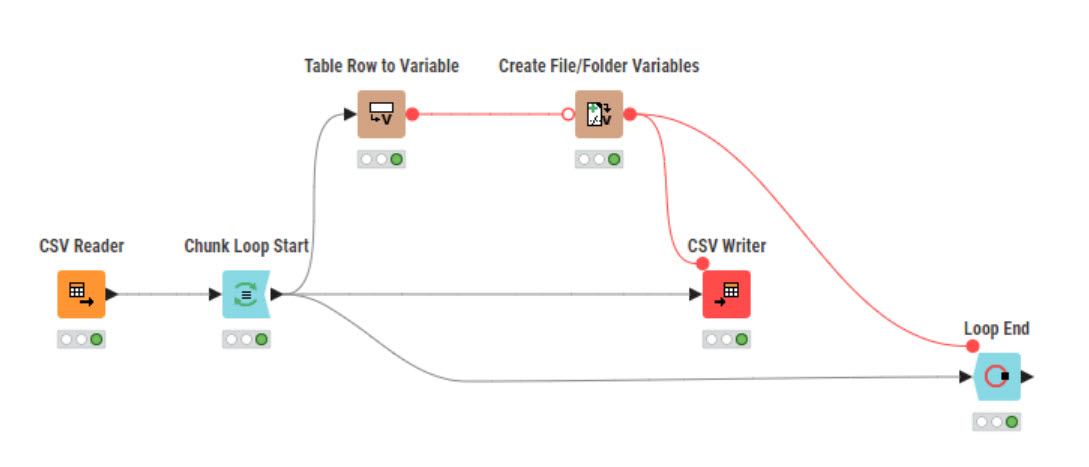
Hi Rfeigel
The workflow partially works for me, the records are correctly arranged in sequence, Thank you very much…
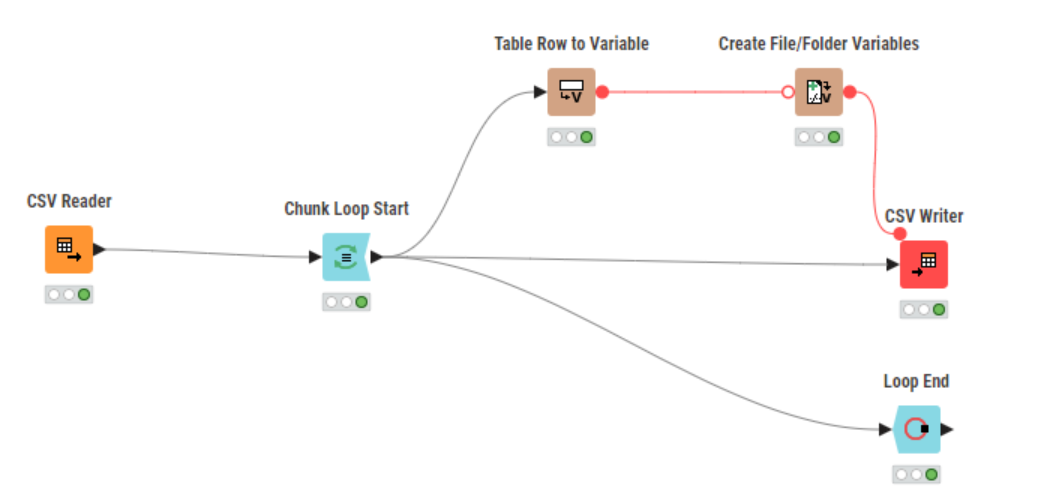
But I still need to rename the output files manually. Could you please advise if there’s any adjustment required in the CSV Writer node to automate the file naming process? I’ve attached a screenshot for your reference.
Split Data_OutputProblem.knwf (167.1 KB)

Hi guys,
Chunk loop node will solve the problem because the node can use a number of rows OR a percent/group limits. So you can set how you can work throw.
Inside the loop, you can create as the print before, a name for the files usim expression column node to create it and use a current interetion to build a index process for the name as exemplo_1, example_2….
Don’t forget to use the string to path node to use it as a workflow variable to apply to csv writer.
Seeya, Denis
1 Like
Hi all,
Could someone kindly provide step-by-step instructions on how to accomplish this?
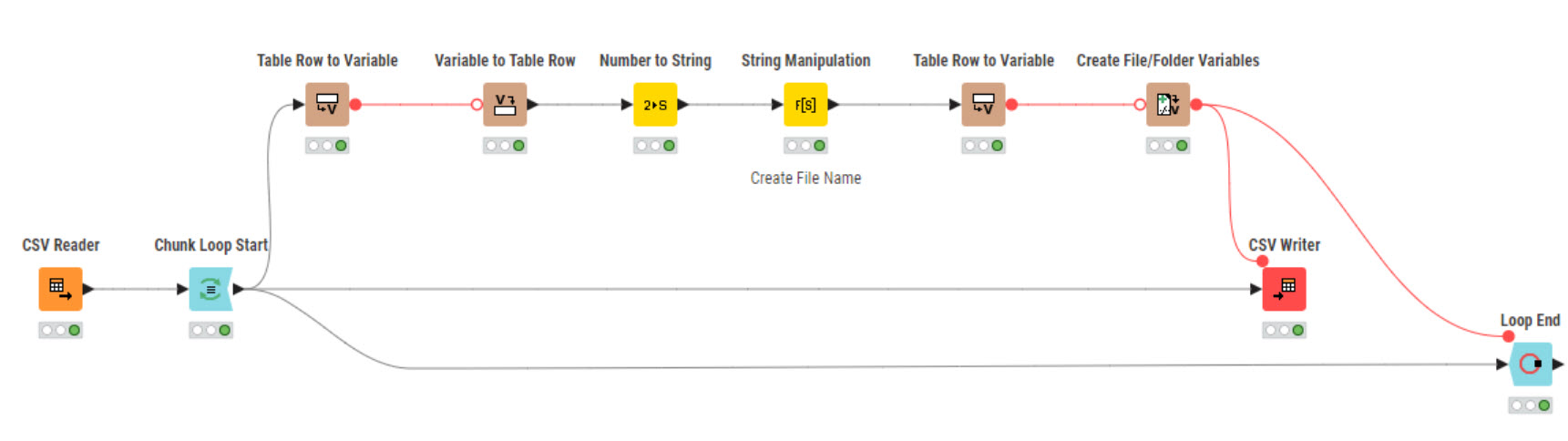
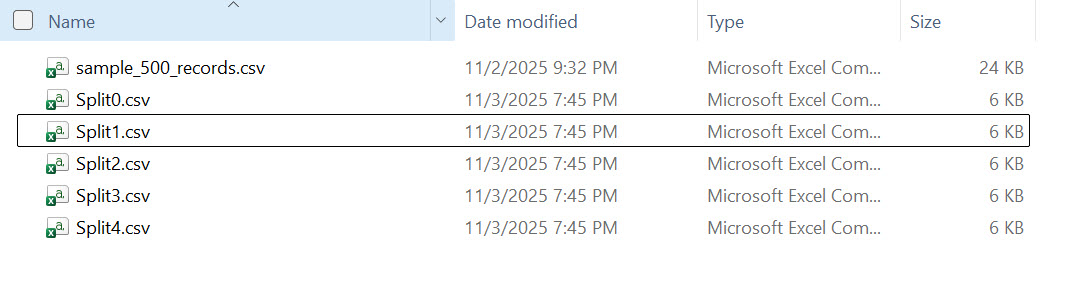
Could you please share the settings required for the String Manipulation node? I’m new to KNIME and would appreciate your guidance.
Open the node and look at the settings. That’s all you need.
Hi,
have you heared about the “Free self-paced courses” KNIME offers? I think it’s a good start to get familiar with KNIME:
L1-AP Data Literacy with KNIME - Basics
1 Like
Did my second workflow meet your needs? If so, please mark solved. If not please elaborate.
1 Like
This topic was automatically closed 90 days after the last reply. New replies are no longer allowed.