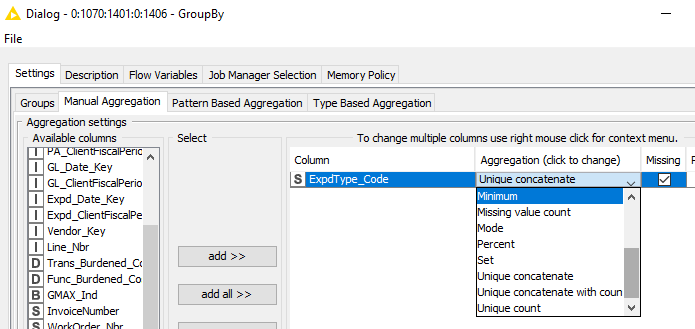
For this purpose you can use the Database GroupBy node. First you can group for the dates and then in the aggregation tab you can set a concatenation for the ID column.
Then, I think you can use the Database Query node for that purpose.
If you do not know which query statement to use, I would suggest to use first the Database GroupBy node, execute it, and then check the SQL statement generated by the GroupBy node available in the Database Connection Output -> Connection tab.
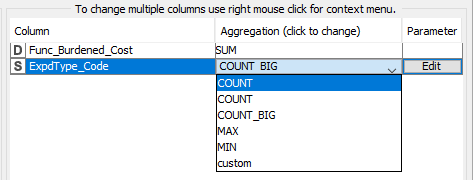
@Vincenzo, looking to understand how to do the unique concatenate in the Database GroupBy node - it does not seem to be visible. Do I need to use the parameters somehow?
The “Manual Aggregation” tab in the configuration window of the Database GroupBy node allows you to change the aggregation method of more than one column. In order to do so select the columns to change, open the context menu with a right mouse click and select the aggregation method to use. In this case it would be unique concatenate.
Hope this helps! If not please feel free to share the workflow you are working on and the issue(s) you are facing!
I’d like to concatenate unique values in the ExpType_Code, ideally in-database, as I am looking at 10 million rows, and the regular Groupby would take too long. Any other suggestions you can think of would be appreciated