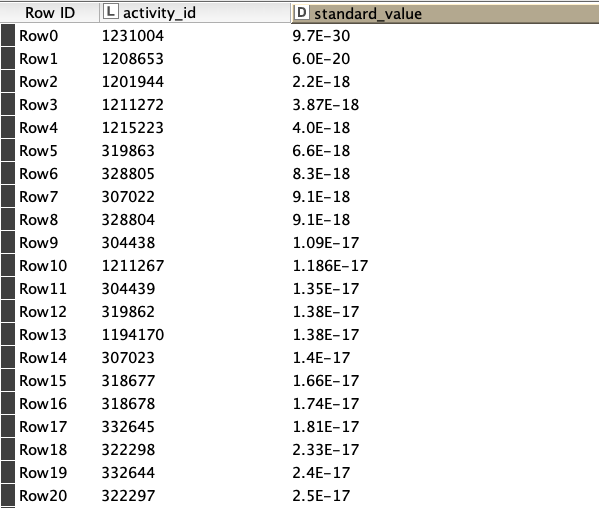
SQLite DB Query Reader: ignores NUMERIC → String mapping and loses decimal part

While working with the ChEMBL v36 database I noticed that the DB Query Reader node returns different data for the same column when I use the SQLite dump vs the PostgreSQL version. On SQLite, I see behaviour that looks unexpected and possibly problematic.

Setup:

  • ChEMBL v36 SQLite dump

  • SQLite Connector + DB Query Reader

  • Default type mapping (notably NUMERIC → String → String)

Column of interest:

  • Table: activities

  • Column: standard_value (declared NUMERIC)

From the schema (PRAGMA table_info(activities);), the column is defined as: 6|standard_value|NUMERIC|0||0.

In SQLite itself:

SELECT activity_id, typeof(standard_value), standard_value
FROM activities
WHERE activity_id = 31906;

Returns:

31906 | real | 0.18

So for activity_id = 31906, the value is a REAL 0.18.

In KNIME, DB Query Reader gives different types/values for the same column depending on the query:


Query 1 – standard_value becomes integer, 0.18 → 0

SELECT
    activity_id,
    standard_value
FROM activities
WHERE
    standard_value IS NOT NULL
LIMIT 10000;

In DB Query Reader:

  • standard_value has integer type.

  • For activity_id = 31906, value is 0 (truncated), not 0.18.

This seems to ignore the default NUMERIC → String mapping and loses the decimal part.


Query 2 – same column, now string, 0.18 preserved

SELECT
    activity_id,
    standard_value
FROM activities
WHERE
    standard_value IS NOT NULL
  AND activity_id = 31906;

In DB Query Reader:

  • standard_value has String type.

  • For activity_id = 31906, value is "0.18" (correct).


So, for the same table/column and default mapping, the KNIME type (and value) of standard_value depends on the query: a broad query returns an integer column with 0.18 → 0; a narrow query returns a String "0.18".

I’ve attached a small workflow with these two DB Query Reader nodes to illustrate.

Is this behaviour expected for SQLite NUMERIC columns in DB Query Reader, or is there a recommended way to avoid this other than always using CAST(standard_value AS REAL) in the SQL?

Thanks in advance for any feedback!

Gio

sqlite_type_mapping_problem.knwf (131.3 KB)

Moved to Feedback and Ideas where the KNIME Dev Team can pick it up :slight_smile:

2 Likes

Hello @gcincilla ,
SQLite uses flexible typing which might lead to this unexpected behavior. KNIME uses the DB type returned from the database for the type mapping. You can check the returned database types using the DB Data Spec Extractor – KNIME Community Hub
Bye
Tobias

1 Like

Hi @tobias.koetter,

Thank you for your prompt response and for pointing me to the SQLite flexible typing docs and the DB Data Spec Extractor node.

If I understand correctly, KNIME should use the DB type returned from the database for the type mapping. I ran the DB Data Spec Extractor on both example queries in my workflow, and in both cases the DB type for standard_value is reported as NUMERIC (see the new attached workflow to the bottom).

In both DB Query Reader nodes, the Input Type Mapping is: NUMERIC → String → String. So I would expect standard_value to come out as a String column in both cases.

However:

  • In the first query, this is what happens: standard_value is a String, which matches the mapping.

  • In the second query, standard_value is instead an Integer column, and the values are truncated. For example, for activity_id = 31906, the value is truncated from 0.18 (in SQLite) to 0 in KNIME, which causes problems.

Given that the DB Data Spec Extractor reports the same DB type (NUMERIC) in both cases, and the mapping is the same, I don’t understand why one query yields a String column and the other yields an Integer with truncated values. Am I missing an additional inference step that DB Query Reader applies on top of the DB type?

I’d really appreciate any clarification on this behaviour.

Thanks in advance!

Gio

sqlite_type_mapping_problem_02.knwf (156.2 KB)

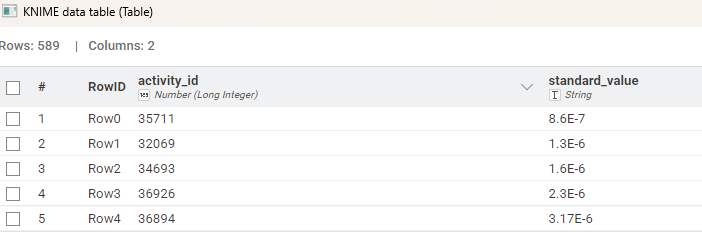
@gcincilla from what I see the default setting for SQLite connector for NUMERIC is indeed String which results in notations like this:

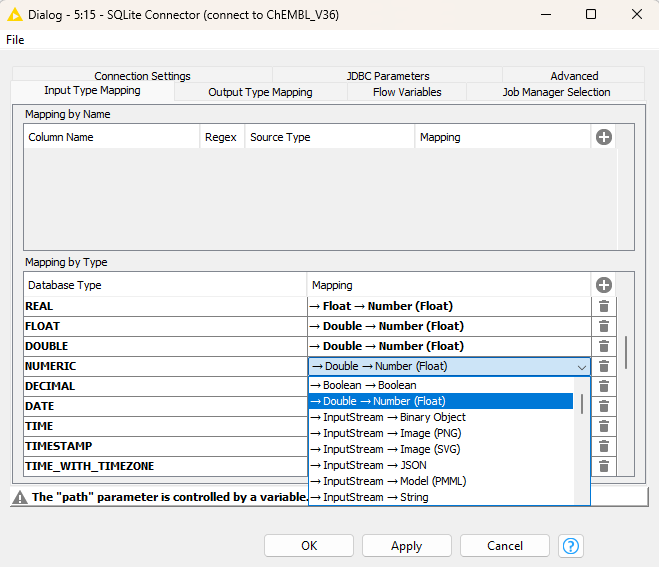
If you switch this setting to Double → Number Float everything should be fine, given that you want all NUMERIC fields being treated in this way:

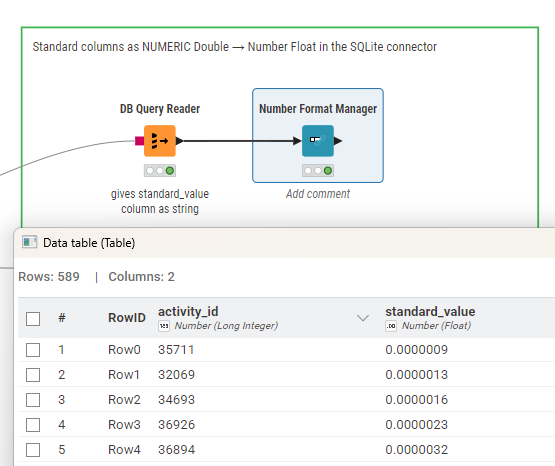
You might have to apply a Number format manager:

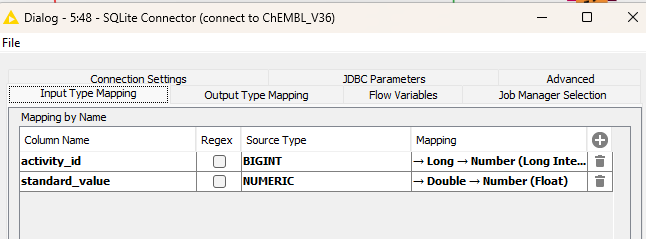
Another option is to set these types based on the individual names of the columns. You can do this in the SQLite connector or in the DB Query Reader.

1 Like

Hi mlauber71,

Thank you so much for your help. I appreciate it.
I tried both of your suggestions (see attached workflow), namely:

  • Setting the general mapping to NUMERIC → Double → Number (Float)

  • Setting the mapping for the specific standard_value column to NUMERIC → Double → Number (Float)

But that column in the resulting table is still an Integer, and values were cut. Is it showing a Double type on your side? That would mean there’s something odd with my KNIME AP version (5.8.1 LTS). Which version are you using?

Thanks in advance.

Gio

sqlite_type_mapping_problem_03.knwf (289.6 KB)

@gcincilla have you tried my example? From my perspective there is an odd occurrence that when the data being sent actually contain double values the column would become double. Maybe you try:

SELECT
    activity_id,
    standard_value
FROM activities
WHERE 1=1
    AND standard_value > 0
    AND standard_value < 1
LIMIT 10000

Also: maybe you can use the example I provided with a SQLite database that actually does fit into a forum / hub workflow so we can have a complete set without the need to download 30 GB of data.

@mlauber71, yes, I tried your example. In fact, the screenshot and workflow attached in my previous message focus on your example. However, as you can see, the NUMERIC → Double → Number (Float) mapping is ignored, and the data is read as an Integer.

I have already found a workaround for the problem, which consists of casting the column value as real with the following statement: CAST(standard_value AS REAL).
However, I wanted to bring this case to the attention of the KNIME Team, as I believe it may be a bug.

@gcincilla can you try and see what happens if you limit the data received to actual float values like with the SQL code I posted?

@mlauber71, if I limit the data received as you showed in your last message, or even with the simpler query below, then the standard_value column is correctly cast as a Double. Do you have a clear idea why this happens?

SELECT
    activity_id,
    standard_value
FROM activities
WHERE 1=1
AND standard_value > 0
LIMIT 10000;